Jabra Enhance Select M Series vs. Phonak Virto Infinio
Check out our comparison of the Jabra Enhance Select M Series vs Phonak Virto Infinio. Listen to audio samples and see how the two hearing aids differ in terms of sound performance, features, accessories, and more.
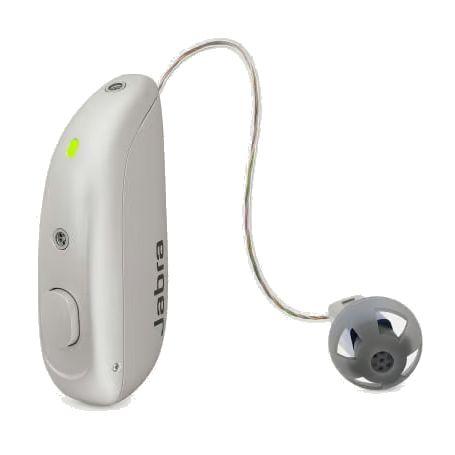
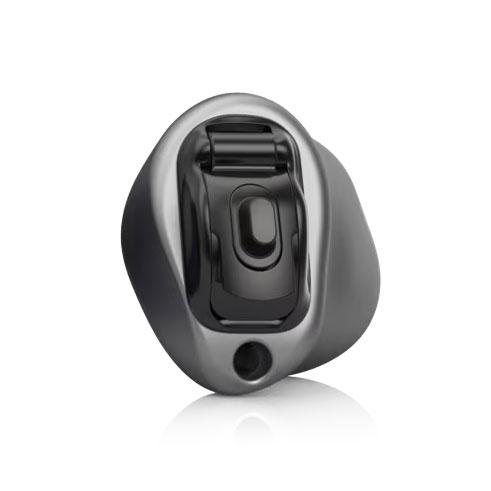
Product Overview
Enhance Select M Series
Virto Infinio
Form Factor
Expert Rating
N/A
N/A
Hearing Loss Level
MildModerate
MildModerateSevere
Product Features
Hands-freeRechargeableiPhoneAndroidIP68
Telecoil
Accessories
Compatible accessories for each hearing aid
Enhance Select M Series
Virto Infinio
Remote Control
Unite Phone Clip++2
Small enough to clip onto your shirt collar, it streams phone calls and audio to your hearing aids from any Bluetooth-enabled mobile phone or smartphone.
MiniControl
Remote Microphone
Multi Mic+3
A flexible remote microphone that can either be clipped to clothes or used as a tabletop mic for meetings. Use the mini-jack input for streaming audio from a music player to your hearing aids.
None
TV Streamer
Unite TV Streamer 2
Streams stereo sound from the television directly to your hearing aids from up to 22 feet away.
None
Hardware
Enhance Select M Series
Virto Infinio
Bluetooth® Audio
- Bluetooth® Auracast™
- Android (ASHA)
- Bluetooth® Low Energy (LE)
- Made for iPhone (MFi)
No
Disposable Batteries
No
10
Hands-Free Calling
- Android (ASHA)
- Made for iPhone (MFi)
No
IP Rating
IP68
No
Mic + Speaker In Ear
Yes
No
Push Button
- Program control
- Volume Control
- Program control
- Volume Control
Rechargeable Batteries
Lithium-ion
No
Tap Controls
- Accept/end calls
No
Telecoil
No
Yes
Software Features
Enhance Select M Series
Virto Infinio
Adjustment Bands
12
20
Audio Stream Mixer
No
Environmental Balance
Automatic Phone Program
No
EasyPhone
Directionality
Binaural Directionality™ IIISynchronized SoftSwitching™
No
Environmental Adaptation
Environmental Optimizer
AutoSense OS: 6.0
Expansion
3 settings
No
Feedback Suppression
DFS Ultra II With Music Mode
WhistleBlock
Frequency Lowering
No
SoundRecover2
Listening Programs
Fully flexible programs: 4
4
New User Adaptation
Synchronized Acceptance Manager
auto Acclimatization
Noise Reduction
NoiseTracker™ II: 2 settings
NoiseBlock
Occlusion Reduction
No
AOV
Preference Adaptation
No
User Preference Tuning
Sudden Loud Noise Reduction
Impulse Noise Reduction: On/Off
SoundRelax
Tinnitus Relief
Tinnitus Sound Generator
Tinnitus Balance
Unique Amplification Strategy
No
Speech Enhancer
Wind Noise Reduction
Wind Guard: On/Off
WindBlock