Jabra Enhance Select 700 vs. Orka Two
Check out our comparison of the Jabra Enhance Select 700 vs Orka Two. Listen to audio samples and see how the two hearing aids differ in terms of sound performance, features, accessories, and more.
Product Overview
Expert Ratings
Compare comprehensive test results and expert opinions.
HearingTracker Score
Jabra’s flagship Enhance Select 700 offers premium sound, LE Audio, Auracast, and top-tier remote audiology care in a tiny, discreet design.
Read full reviewThe Orka Two hearing aids offer sleek, modern design and advanced wireless features, including Bluetooth connectivity and hands-free calling for both iOS and Android devices.
Read full reviewHearAdvisor SoundScore
Jabra Enhance Select 700 achieved a SoundScore of 3.91/5 and a SoundGrade of B in HearAdvisor lab testing. It ranked #16 of 61 OTC Hearing Aid devices tested. The OTC Hearing Aid category average SoundScore was 3.47/5.
The Orka Two achieved a SoundGrade of B and ranked in the top 62% in the Prescription Hearing Aid category. While solid, this mid-tier positioning means several competitors in the same price range deliver stronger overall sound performance in HearAdvisor's standardized testing.
Build Quality
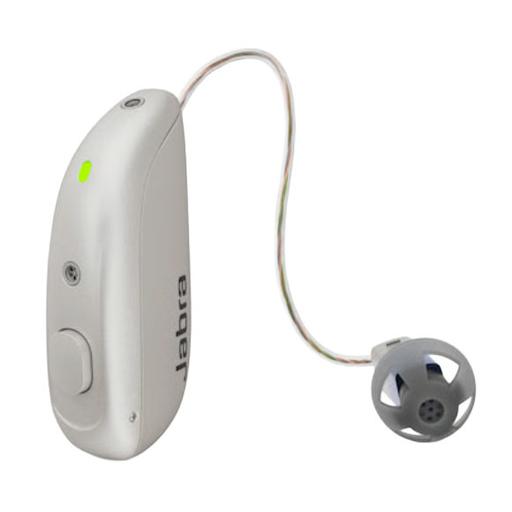
Jabra hearing aids share technology from GN Resound and generally have fantastic build quality. Select 700 is no exception with an ingress rating of IP68 and the standard robust portable charging case.
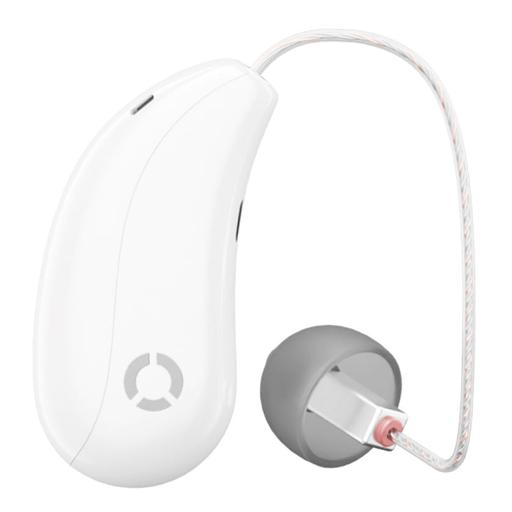
Orka Two have a published ingress rating of IPX6, meaning they have some moisture protection but they are not waterproof. They appear very well built, nearly on par with prescription hearing aids.
Battery
Jabra 700 offer full-day 24 hour battery life. The case also holds enough power for 3 addition charges which is plenty for a weekend excursion.
Orka Two are rechargeable and you can expect up to 12 hours of battery life per charge. This is less than many modern hearing aids and may limit all-day use for some. The case does offer on-the-go power which takes only 1.5 hours for a full recharge.
Bluetooth
Bluetooth was straightforward and reliable, working seamlessly without any issues. This is what I've come to expect with Jabra hearing aids.
Orka has made sure their hearing aid offers excellent Bluetooth features for both iOS and Android users. You can expect wireless streaming, app control, and hands free calls across both platforms.
App Features
The Jabra Enhance App mirrors the useful features available in Resounds prescription hearing aid app. I found it to offer plenty of options to personalize audio quality beyond the custom programming.
Orka Two's app is a nice addition with many useful features, such as personalization through an app-based hearing assessment.
Comfort
Jabra Enhance 700 are very comfortable given their shockingly small and lightweight design. The button are also larger than many OTC products making setting changes easier.
Orka Two are very comfortable thanks to their smaller size and ergonomic design. Their team of hearing care professionals can also assist you in optimizing comfort based on the available earwire and ear tip sizes.
Design
Jabra has done a nice job redesigning prescription technology for the direct-to-consumer market. Select 700 shares the same shockingly discrete size as the previous Select 500 model.
These hearing aids appear very modern and have a sleek design similar to Apple products.
Value
Jabra Enhance Select 700 has a value score of 3.7/5 based on lab performance and public display price.
The Orka Two offers moderate value, though higher-scoring devices are available at this price point.
Handling
I found Enhance 700 easy to use, though receiver-in-canal devices might take a bit of practice. Pro support can assist, and the easy charging case makes on-the-go charging a breeze.
Orka Two are fairly easy to use, though the receiver-in-canal style may require some practice for people just starting out. While these hearing aids do not have physical buttons, the portable charging case does offering you options beyond their nifty tap-controls.
Pro Support
Jabra has arguably the best pro support offering among OTC devices. They provide 3 years of telehealth audiologic services including remote programming and video appointments. While I'd prefer in-person appointments, Jabra continues to bridge the gap given the limitations of remote care.
Orka offer relatively good pro support for an OTC company. You receive unlimited remote support and adjustments from their team of licensed hearing care professionals.
Lab Recordings
Listen to direct output recordings from our acoustic test lab.
HearingTracker partners with HearAdvisor to provide recordings and performance data from an acoustic laboratory that follows standard scientific procedures. All hearing aids are fitted and performance-tested for mild sloping to moderate hearing loss. All audio samples cutoff above 10kHz.
Accessories
Compatible accessories for each hearing aid
Unite Phone Clip++2
Small enough to clip onto your shirt collar, it streams phone calls and audio to your hearing aids from any Bluetooth-enabled mobile phone or smartphone.
Health App+3
The Orka Health App is designed to optimize the performance of your Orka hearing device. It's your one-stop solution for everything you need - real-time adjustments, connections with hearing professionals, available anytime, anywhere.
Charging case+2
The charging case includes a program button to switch between normal and noise programs and a volume up and down button.
Multi Mic+3
A flexible remote microphone that can either be clipped to clothes or used as a tabletop mic for meetings. Use the mini-jack input for streaming audio from a music player to your hearing aids.
Unite TV Streamer 2
Streams stereo sound from the television directly to your hearing aids from up to 22 feet away.
Hardware
- Made for iPhone (MFi)
- Android (ASHA)
- Bluetooth® Low Energy (LE)
- Bluetooth® Auracast™
- Bluetooth® (A2DP)
- Bluetooth® Low Energy (LE)
- Made for iPhone (MFi)
- Android (ASHA)
- Bluetooth® (HFP)
- Program control
- Volume Control
- Accept/end calls
- Accept/end calls