Signia Motion Charge&Go IX vs. Zepp Clarity Pixie

Check out our comparison of the Signia Motion Charge&Go IX vs Zepp Clarity Pixie. Listen to audio samples and see how the two hearing aids differ in terms of sound performance, features, accessories, and more.
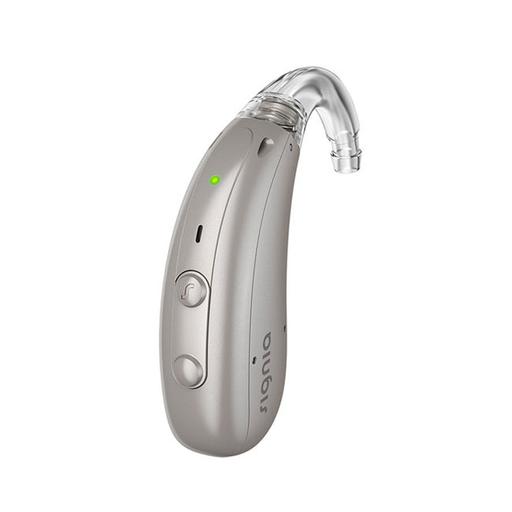
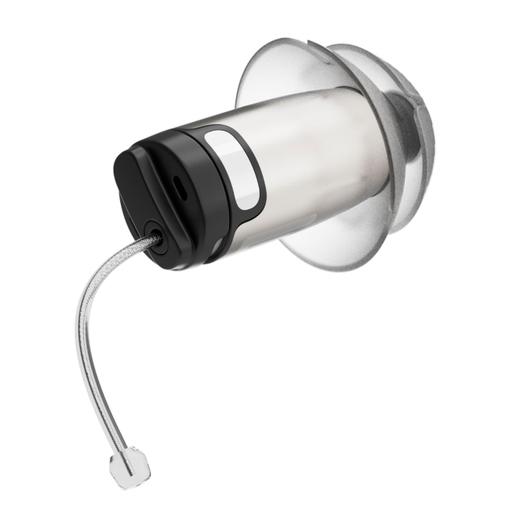
Signia Motion Charge&Go IX M 7IX
Add Product
Featured Products
Zepp Clarity Pixie
Add Product
Featured Products
Zepp Clarity

Pixie

SoundScore 3.9/5
$949 per pair
Shop Now
Motion Charge&Go IX
Review
Pixie
$949 per pair
Shop Now

Product Overview

Motion Charge&Go IX
Pixie
Form Factor
Form FactorThis type of hearing aid is fitted behind the ear. Sound is channeled to the ear through either a thin or standard tube. A custom-fitted mold may or may not be required.
Form FactorNon-custom device that typically sits completely inside the ear canal. Some of the device may be visible to the naked eye.
Expert Rating
N/A
N/A
Hearing Loss LevelHearing Loss LevelThis represents HearingTracker's best guess on suitability. Please consult a licensed audiologist to confirm your own candidacy for this device.
MildModerateSevere
MildModerate
Product Features
RechargeableIP68
Rechargeable

Expert Ratings

Compare comprehensive test results and expert opinions.

Motion Charge&Go IX
Pixie

HearAdvisor SoundScore

Motion Charge&Go IX

Not yet rated by our experts

Pixie
3.9AVERAGE

Zepp Clarity Pixie achieved a SoundScore of 3.9/5 and a SoundGrade of B in HearAdvisor lab testing. It ranked #17 of 63 OTC Hearing Aid devices tested. The OTC Hearing Aid category average SoundScore was 3.49/5.

Build Quality

Motion Charge&Go IX

Not yet rated by our experts

Pixie
4.2BELOW AVERAGE

Zepp Pixie appear to be well built although their IP rating of X7 suggests regular cleaning and maintenance will be key to long-term protection from dust and debris.

Battery

Motion Charge&Go IX

Not yet rated by our experts

Pixie
3.4BELOW AVERAGE

With a battery life of 17 hours, Zepp Clarity should last your entire day without needing to recharge. The portable charger is also robust and the added on-the-go power is a nice addition.

App Features

Motion Charge&Go IX

Not yet rated by our experts

Pixie
3.9BELOW AVERAGE

The Zepp app offers useful features for customizing the sound quality to your preferences. Be sure to complete the on-ear assessment within the More tab.

Comfort

Motion Charge&Go IX

Not yet rated by our experts

Pixie
4.0BELOW AVERAGE

I found Zepp Clarity comfortable however, they sit deeper in your ear which may not suit everyone's preferences or needs.

Design

Motion Charge&Go IX

Not yet rated by our experts

Pixie
5.0EXCELLENT

Clarity are small and sit almost completely in your ear canals. This can make them very desirable if you are looking for a discrete hearing aid option.

Handling

Motion Charge&Go IX

Not yet rated by our experts

Pixie
3.0BELOW AVERAGE

Some may find the smaller size of Pixie more difficult to handle and see, especially if you have limited finger dexterity and or low vision.

Pro Support

Motion Charge&Go IX

Not yet rated by our experts

Pixie
1.0BELOW AVERAGE

Zepp currently offers technical assistance via phone, email, or directly through the Zepp mobile app. Additionally, the Support tab provides a helpful Q&A section should you need assistance.

Lab Recordings

Listen to direct output recordings from our acoustic test lab.

Motion Charge&Go IX
Pixie
Busy CafeBusy CafeSpeech intelligibility improvement in loud environments
Hear this scene unaided, for comparison
Motion Charge&Go IX

Lab recordings not yet available

Pixie
Quiet OfficeQuiet OfficeSpeech intelligibility improvement in quiet and moderate environments
Hear this scene unaided, for comparison
Motion Charge&Go IX

Lab recordings not yet available

Pixie

HearingTracker partners with HearAdvisor to provide recordings and performance data from an acoustic laboratory that follows standard scientific procedures. All hearing aids are fitted and performance-tested for mild sloping to moderate hearing loss. All audio samples cutoff above 10kHz.

Accessories

Compatible accessories for each hearing aid

Motion Charge&Go IX
Pixie
Bluetooth Streamer

StreamLine Mic+2

A wireless clip-on mic that streams audio to hearing aids from any Bluetooth device.

None
TV Streamer

TV Sound+1

The Signia TV Sound is a high-quality stereo audio streaming device designed to deliver clear TV audio directly to Bluetooth-enabled Signia hearing aids. It connects to a TV via an analog or optical cable and requires a USB power source. Pairing is simple—users turn on the device, restart their hearing aids, and place them within 20 cm to establish a connection. Once paired, audio streaming can be controlled via the Signia app, allowing users to start, pause, and adjust the volume effortlessly. This device enhances the TV listening experience for Signia hearing aid users by providing direct, latency-free sound transmission.

None

Hardware

Motion Charge&Go IX
Pixie
Bluetooth® AudioBluetooth® AudioThis hearing aid is capable of streaming Bluetooth® audio certain phones and/or devices.
  • Made for iPhone (MFi)
No
IP RatingIP RatingIP Ratings rate sealing effectiveness of hearing aids against intrusion from foreign solid matter (dirt, dust) and moisture.
IP68
IPx7
Rechargeable BatteriesRechargeable BatteriesCharge your batteries overnight in a docking station and get a full day's use (in most cases) of battery life the following day.
Lithium-ion
Lithium-ion
Volume RockerVolume RockerA volume rocker or wheel to allows the adjustment of volume with a finger.
Yes
No

Software Features

Motion Charge&Go IX
Pixie
Adjustment BandsAdjustment BandsThese are frequency-divided sections that can be adjusted in a hearing aid in order to amplify sounds. Although there are rarely more than 10 frequencies measured in a hearing assessment, having more bands that can be adjusted may allow for improved speech understanding and user comfort.
20
No
Adjustment SynchronizationAdjustment SynchronizationThis feature allows for a more pleasant listening experience by ensuring that both hearing aids process sound the same way. If one hearing aid changes its processing in response to noise or speech, it will send a wireless signal to the other hearing aid so both process sound in the same way.
e2e wireless 4.0e2e wireless 4.0Control coupling, synchronization, binaural directionality, Spatial Speech Focus, CROS/ BiCROS.
No
Direction SelectionDirection SelectionAllows the user to select one or more directions to focus their hearing aids on. For example, some hearing aids allow the listener to focus on sounds coming from in front or back, or from the right or left.
  • 5/5
No
DirectionalityDirectionalityDepending on the types and number of microphones a hearing aid has, the hearing aid may be able to boost sounds from specific directions (by reducing sounds from other directions). This can be helpful to focus on a speaker directly in front of the hearing aid user, as well as to give the user information about where different sounds are coming from.
Binaural DirectionalityBinaural DirectionalityDirectionality provides scientifically proven enhanced speech understanding in noise. Available for bilateral fittings with directional microphones and e2e wireless link.Spatial SpeechFocusSpatial SpeechFocusAvailable for bilateral fittings with Ultra HD e2e.
No
Ear SimulationEar SimulationThe outer ear, or pinna, can have a significant effect on the frequency shape of sound arriving at your inner ear. Some hearing aids mimic the "pinna effect" when producing sound, to deliver more natural sound to the listener.
TruEar 360TruEar 360Reproduces benefits of the natural pinna effect by highlighting the difference between front and back sources of sound.
No
Echo ReductionEcho ReductionThis feature improves speech audibility by reducing the “blurring” of speech sounds that can occur in the presence of echoes.
Auto EchoShieldAuto EchoShieldAutomatically creates a more comfortable hearing experience in high-reverb environments leading to increased speech clarity and natural room perceptions.
No
Environmental AdaptationEnvironmental AdaptationThe hearing aid can detect different acoustical environments, like speech in noise, and adjust the sound of the hearing aid accordingly to drive comfort or speech understanding, etc.
Conversation Dynamics AnalyzerConversation Dynamics AnalyzerPrecisely analyzing conversation dynamics 1,000 times per second including turntaking and timing, locations of pure noise without speech, and levels of background noise.Conversation Source AnalyzerConversation Source AnalyzerConstantly scouts the acoustic environment to identify number of talkers and their location, precisely analyzing 1,000 times per second.5/5RealTime Conversation EnhancementRealTime Conversation EnhancementProvides uninterrupted engagement in noisy group conversations by seamlessly tracking the locations of all conversation partners and enhancing their speech.5/5
No
Extended bandwidthExtended bandwidthHearing aid provides amplification at frequencies (pitches) higher than the typical hearing aid.
12kHz
No
Extended Dynamic RangeExtended Dynamic RangeExtended dynamic range typically makes louder sound clearer. This may help with the reproduction of loud music or loud speech in a very noisy environment.
Yes
No
Feedback SuppressionFeedback SuppressionIf any sound amplified by the hearing aid escapes the ear canal, it may reach the hearing aid’s own microphone and cause a harsh whistling noise. Some hearing aids are able to recognize when this feedback occurs and reduce or eliminate it.
Feedback cancellationFeedback cancellationHigh-speed monitoring and control of feedback risk in individual processing channels.
No
Listening ProgramsListening ProgramsNumber of manually accessible listening programs (using push button, remote, app, or other switching method)
6
No
Noise ReductionNoise ReductionThis feature uses modern hearing aids’ processing power to examine the incoming sound signal, determine if noise is present and reduce the volume of the troublesome sound to increase comfort.
SoundSmoothing™: 3SoundSmoothing™Reduces the sound of clattering cutlery and rustling newspaper, etc.
Yes
Own Voice ComfortOwn Voice ComfortAmplification is applied differently to your own voice versus the other voices around you. This allows adequate amplification of people you want to hear and no over-amplification of your own voice.
OVP™ 2.0OVP™ 2.0Processes the wearer's own voice independent from ambient sounds, providing improved speech clarity and a natural perception of their own voice as well as background noise.
No
Processing ChannelsProcessing ChannelsThese are all the frequency-divided sections the hearing aid is able to examine at a single time. The hearing aid uses this information to determine whether the contents of each section are noise, speech, or something else and amplify the sound in each section accordingly.
48
No
Self-fittingSelf-fittingThis hearing aid allows you to fit yourself without professional assistance. Typically found in OTC products.
No
Tuned based on audio preference selections
Tinnitus ReliefTinnitus ReliefTinnitus, or ringing in the ears, can be addressed by hearing aids in several different ways, such as introducing a soft therapeutic signal or targeted notched noise.
Yes
No
Unique Amplification StrategyUnique Amplification StrategyHearing aids all process sounds a little bit differently. Sometimes it varies even within one model.
Advanced Focus StreamsAdvanced Focus StreamsAdds up to 3 additional focus streams providing the correct amount of boost for each conversation partner's speech while allowing the wearer to stay connected to their environment.3Augmented Focus™Augmented Focus™Separates the focus sound (speech) from surroundings, creating a clear contrast between the two, which makes it easier to follow conversations.Conversation BoosterConversation BoosterDetermines the optimal balance of speech enhancement & noise reduction to augment speech while preserving the acoustic environment.5/5Dynamic Soundscape Processing 3.0Dynamic Soundscape Processing 3.0Integrates inputs for precise hearing aid optimzation, including (when available): acoustic sensors, motion sensors, OVP 2.0, noise detection, SNR analysis, and RealTime Conversation Enhancement.5/5Speech & Noise ManagementSpeech & Noise ManagementReduces listening effort using sophisticated sound processing.5/5SpeechStabilizerSpeechStabilizerPreserves the natural envelope of speech in any situation, including very noisy situations, which preserves acoustic cues that are important for speech understanding.
Clarity BoostClarity Boost"Clear voice comprehension"
Wind Noise ReductionWind Noise ReductionAs wind blows against the microphones of hearing aids, unpleasant noise may be generated. Some hearing aids have the ability to recognize this wind noise and reduce its level. Such reductions may also affect the audibility of desired sounds, like speech.
eWindScreen binauraleWindScreen binauralBinaural processing of the audio signal (using Ultra HD e2e) delivers superb performance in asymmetrical wind environments.
No