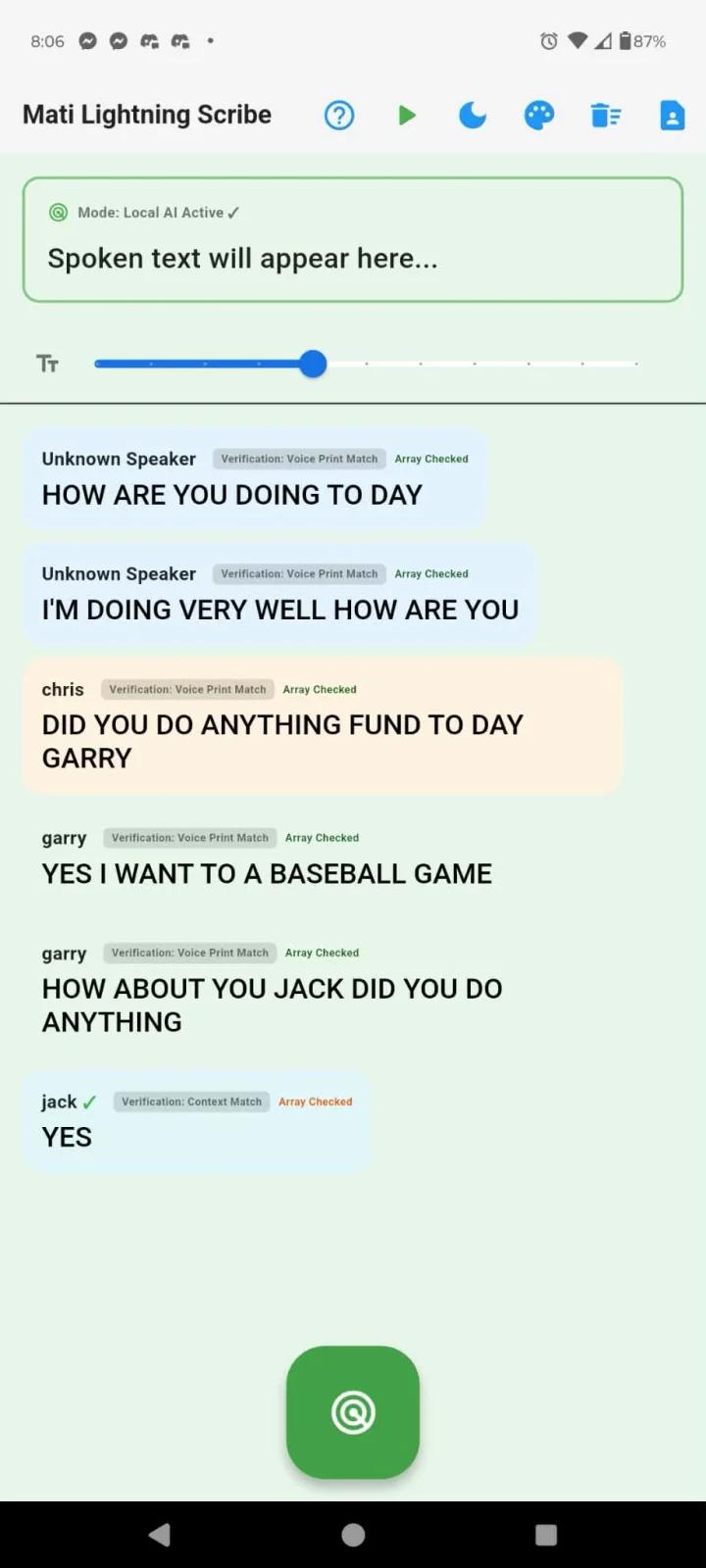
Mati Lightning Scribe
Gcon365
Also known as Mati Scribe
Offline Android captions for nearby speech, with speaker profiles, a smart-glasses HUD and optional paid transcript exports.
What Mati Lightning Scribe does
Mati Lightning Scribe turns nearby speech into live captions on an Android device. It is designed to process captions locally, without an app account or internet connection. Free use includes one custom speaker profile, a black HUD for smart glasses, keyword search and local session recovery. Voice Identity Pass adds unlimited saved speaker profiles, continuous speaker separation and PDF, Markdown, TXT and SRT exports.
How it compares
Offline Android captions, like Google Live Transcribe
Mati runs on Android 8.0 or later and needs no app account. Google Live Transcribe also offers offline captions, after downloading a supported language on an eligible Android device.
Local speaker profiles versus Ava’s shared sessions
Mati associates nearby speech with saved speaker profiles on the Android device; continuous multi-speaker separation requires Voice Identity Pass. Ava lets participants join a shared conversation from their phones or a browser, while its offline mobile mode is limited to solo use.
Paid document exports alongside Google’s text sharing
Mati’s Voice Identity Pass exports PDF, Markdown, TXT and SRT files offline, including starred highlights. Google Live Transcribe also lets you export stored transcription text or copy selected text.
Features
Captions
- Supported: Live conversation captions
- Supported: Offline live captions
- Supported: Caption history1
- Supported: Caption engineAutomatic speech recognition
Transcripts & notes
- Not supported: Meeting assistant joins calls
- Supported: Searchable transcripts1
Audio input & output
- Supported: Audio inputsDevice microphone
- Supported: Live outputsOn-screen text
Compatibility
- Supported: Required hardwareAndroid device with a microphone
Availability & access
- Supported: Account requirementNone
- Supported: Ongoing free core functionality1
- Not supported: Internet required
Accessibility
Privacy & data
- Supported: Audio processingOn device
- Supported: Data storageDevice
- Not supported: Audio sent off device
- Not supported: Text sent off device
- Supported: Local-only mode
- Free plan
- Continuous multi-speaker separation requires Voice Identity Pass.
- Voice Identity Pass plan
- The free tier includes one custom speaker profile slot; more saved profiles require Voice Identity Pass.
- Unlimited saved speaker profiles require Voice Identity Pass.
- Requires a compatible smart-glasses or external-display setup.
- Transcript file export and one-tap copy require Voice Identity Pass.
- SRT subtitle export requires Voice Identity Pass.
- PDF, Markdown, TXT and SRT exports require Voice Identity Pass.