App directory
Ava
Ava
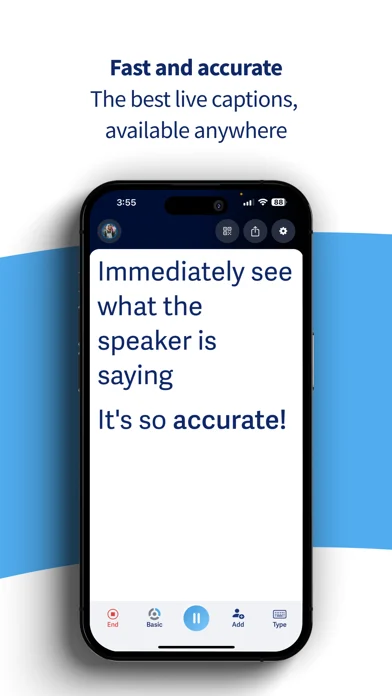
Live captions for conversations and computer audio, with optional human assistance.
Features
Captions
- Conditional: Live conversation captions13iPhone · Android · Mac · Windows · Browser only
- Conditional: Speaker labels14iPhone · Android · Mac · Windows · Browser only
- Conditional: Named speakers15iPhone · Android · Mac · Windows · Browser only
- Supported: Profanity filter control
- Conditional: Shared group captions15iPhone · Android · Mac · Windows · Browser only
- Conditional: Human captioning16iPhone · Android · Mac · Windows · Browser only
- Conditional: Floating caption window14Mac · Windows only
- Supported: Caption engineAutomatic speech recognition
Transcripts & notes
Audio input & output
- Supported: Audio inputsDevice microphone · External microphone · Device microphone · External microphone · Device audio · Meeting assistantiPhone · iPad · Android · Mac · Windows only
- Supported: Live outputsOn-screen textiPhone · iPad · Android only
Compatibility
- Conditional: Required hardware19iRig 2.0 audio interface · TRS-TRS (or XLR) audio cable · dedicated smartphone or tablet host deviceiPhone · iPad · Android only
Availability & access
- Conditional: Recognition languages1, 2Arabic · Cantonese (Hong Kong SAR China) · Chinese · Danish · Dutch · English · French · German · Hebrew · Hindi · Italian · Japanese · Korean · Norwegian · Pashto · Portuguese · Russian · Spanish · Swahili · Swedish · Min Nan Chinese (Taiwan) · Turkish · Ukrainian · Basque · Bulgarian · Catalan · Croatian · Czech · Estonian · Finnish · Greek · Hungarian · Irish · Latvian · Lithuanian · Maltese · Persian · Polish · Romanian · Slovak · Slovenian · Urdu
- Conditional: Service eligibility5, 6Open access · Age requirement · Residency requirementArgentina · Australia · Austria · Belgium · Canada · Chile · Colombia · Costa Rica · Denmark · Ecuador · France · Germany · Guatemala · Ireland · Italy · Luxembourg · Mexico · Netherlands · New Zealand · Spain · South Africa · Switzerland · United Kingdom · United States
- Conditional: Ongoing free core functionality7Free plan
- Not supported: Professional enrollment requirediPhone · iPad · Android only
- Supported: Internet requiredMac · Windows · Browser only
Accessibility
- Supported: Caption text size
- Supported: Caption contrast controlsiPhone · iPad · Android · Mac · Windows only
- Supported: Caption placementiPhone · iPad · Android · Mac · Windows only
- Supported: Dark appearanceiPhone · iPad · Android · Browser only
- Supported: Landscape displayiPhone · iPad · Android only
- Supported: Caption display controlsText size · Contrast · Color · Placement · Text size · Contrast · PlacementiPhone · iPad · Android · Mac · Windows only
Privacy & data
- Supported: Audio processingCloud
- Conditional: Model-training policy8Used for model training
- Supported: Outside processorsAmazon Web Services (primary cloud provider / infrastructure) · Google Cloud Platform (AI + cloud hosting)
- Conditional: Audio sent off device9
- Conditional: Text sent off device10
- Supported: Delete transcripts
- Supported: Delete accountiPhone · iPad · Android only
- Conditional: Download personal data11
- Conditional: Recording-consent controls12Mac · Windows · Browser only
- Choosing a caption language other than the default requires a paid plan ("This feature is only available to users on a paid plan"). Offline mode recognizes only the default language. English is the documented default; the article list itself names Arabic, Cantonese (Hong Kong), Chinese, Danish, Dutch, French, German, Hebrew, Hindi, Italian, Japanese, Korean, Norwegian, Pashto, Portuguese, Russian, Spanish, Swahili, Swedish, Taiwanese, Turkish and Ukrainian.
- Device-dependent additional recognition languages; the developer does not say which devices. Non-default language selection requires a paid plan.
- An Ava account (email, phone, Google, Facebook or Apple sign-in) is required to start captioning as a host. People invited to someone else's conversation can join through a link or QR code without an account (see Ava Web guide).
- Guest access only for joining an existing conversation hosted by an Ava account holder; hosting needs an account.
- Open to the public, but users must be 13 or older, and minors need parent or guardian approval.
- Developer-documented download availability is limited to a country list.
- Free plan gives basic (not Premium) captions with sessions capped at 40 minutes; Premium captions, translation and Scribe need paid offers.
- Consumer accounts. The help article states training use; the Privacy Policy (Jan 15th, 2025) frames training on audio segments and transcribed text as "if you consent", and the Terms grant a licence to use Recordings to improve the Services. Enterprise data is handled differently (separate fact).
- Online captioning workflows; mobile offline mode works in airplane mode.
- Transcripts are processed and stored server-side (US, or EU for EU customers) when saved and in online/group sessions.
- By request to support; no self-service export of personal data is documented.
- Ava Connect meeting assistant only (Zoom, Google Meet, Microsoft Teams), where the meeting host must also admit Ava and allow recording.
- Session length and human assistance depend on the plan.
- The listed free offer includes speaker identification and an always-on-top caption bar; device-specific UI and session limits must be checked.
- Participants join an Ava Room; speaker identity depends on the joined participant workflow.
- Scribe is an additional human-assisted service in organization/event offers; verify booking, availability and charges.
- Ava Web or Desktop only; the meeting host must admit Ava (and, in Zoom, allow recording). Documented as available in Canada, France and the United States.
- iOS only; 5 free Smart Recaps, unlimited on Pro and above. Generated from a saved transcript.
- Only for captioning a venue sound system at an event. Everyday captioning needs no extra hardware: "You do not need an external microphone (wired or Bluetooth) in order to make Ava work."
App Store ratings & reviews
Praise
- Sampled reviewers find captions useful for conversations, appointments and following speech.
Complaints
- One reviewer disputes a charge after cancelling a trial and describes unclear billing and support.
Google Play ratings & reviews
Praise
- Captions help some users participate in everyday and family conversations.
Complaints
- Cost, subscription access and account or setup friction concern some users.
Mixed reports
- Transcription usefulness varies, with repeated reports of errors, omissions or interruption.