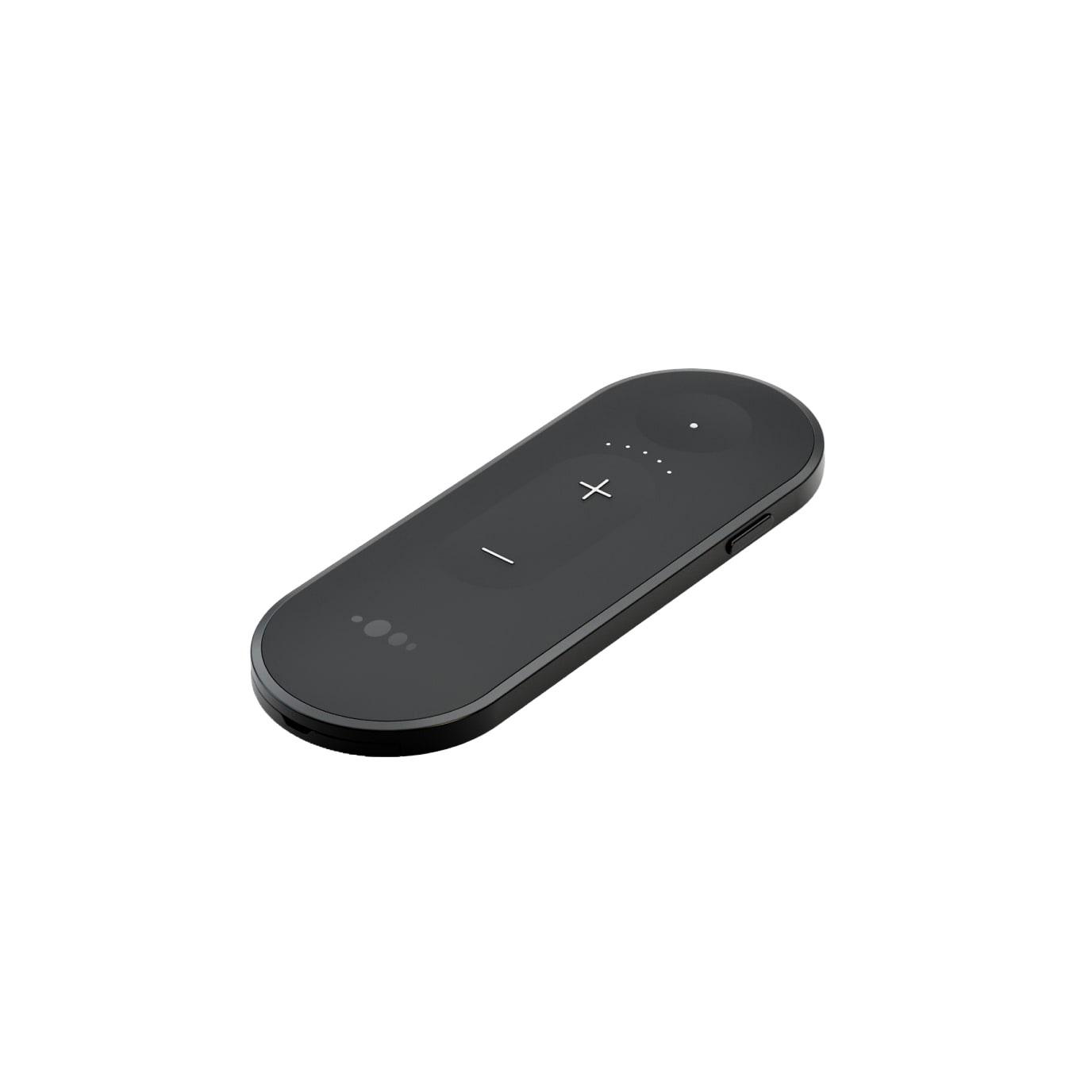
Nuance Audio Remote Control
Passen Sie Lautstärke und Hörichtung bei der originalen Nuance Audio Hearing Glasses an.
Was Remote Control kann
Verwenden Sie diese Taschenfernbedienung, um die Lautstärke Ihrer originalen Nuance Audio Hearing Glasses zu erhöhen oder zu verringern. Eine separate Taste wechselt zwischen dem Frontal-Modus, der Geräusche von vorn hervorhebt, und dem All-around-Modus. Nach dem Koppeln bietet Ihnen die Fernbedienung direkte physische Bedienelemente, ohne dass Sie zu Ihrem Telefon greifen müssen.
Which hearing aids work with Nuance Audio Remote Control?
Fernbedienung
- Nuance Audio Hearing Glasses Square
Original Square or Panthos style, as named in the original frame instructions. Pair the matching original remote.
- Nuance Audio Hearing Glasses Panthos
Original Square or Panthos style, as named in the original frame instructions. Pair the matching original remote.
Wählen Sie das genaue Modell auf Ihren Hörgeräten oder Unterlagen. Ein Treffer für eine Produktfamilie belegt nicht die Unterstützung jedes Modells dieser Familie.
Dokumentierte Geräte und Konfigurationen anzeigen
- Nuance Audio Hearing Glasses Square · Genaues Modell
Remote paired directly to original Nuance Audio Hearing Glasses · Fernbedienung
Original Square or Panthos style, as named in the original frame instructions. Pair the matching original remote.
Unterstützung dokumentiertQuelle · 2026-11-18Original Square or Panthos style, as named in the original frame instructions. Pair the matching original remote.
- Nuance Audio Hearing Glasses Panthos · Genaues Modell
Remote paired directly to original Nuance Audio Hearing Glasses · Fernbedienung
Original Square or Panthos style, as named in the original frame instructions. Pair the matching original remote.
Unterstützung dokumentiertQuelle · 2026-11-18Original Square or Panthos style, as named in the original frame instructions. Pair the matching original remote.
Dokumentierte Funktionen
Listening and control
- Independent ear control
- Volume and listening mode apply to the glasses as a whole.
The remote has no separate left or right control in the documented layout.
Dokumentation · 2026-11-18 - Control confirmation
- A color status light reports pairing, reconnection, low battery or glasses not found.
There is no screen showing the selected volume or mode.
Dokumentation · 2026-11-18 - Change hearing-aid programs
- Unterstützt
The round mode button switches between Frontal and All-around. It does not select the amplification presets within the phone app.
Dokumentation · 2026-11-18 - Remote control range
- 25 m
Manufacturer-stated effective distance is less than 25 m (around 82 ft).
Dokumentation · 2026-11-18 - Lautstärkeregelung
- Unterstützt
Use the separate plus and minus buttons on the remote.
Dokumentation · 2026-11-18
Connections
- Companion app control
- Use the Nuance Audio app to set up the original glasses and for additional settings.
Volume and listening mode can be changed from the paired remote independently of the phone app.
Dokumentation · 2026-11-18 - Bilateral and unilateral use
- The remote sends volume and mode commands to the glasses as one device.
The original glasses manual describes a single amplification preset across both sides.
Dokumentation · 2026-11-18 - Link to hearing aids
- Bluetooth Low Energy
Direct link to the original glasses for control commands.
Dokumentation · 2026-11-18 - Accessory-to-hearing-aid range
- 25 m
The manufacturer specifies an effective distance of less than 25 m (about 82 ft). This is an upper boundary rather than a guaranteed range.
Dokumentation · 2026-11-18 - Hearing-aid pairing method
- On first use, hold the button on the glasses and pull the remote battery tab.
For another pairing, fold the glasses. Hold the glasses button and remote side button for five seconds as illustrated. Release when the blue light blinks.
Dokumentation · 2026-11-18 - Professional setup
- Follow the glasses app setup and home pairing instructions.
The original is a hands-on pairing procedure described in the consumer guide.
Dokumentation · 2026-11-18 - Receiver requirements
- Built-in wireless control in the original Nuance Audio Hearing Glasses.Dokumentation · 2026-11-18
- Reconnection behavior
- A blinking blue light indicates reconnecting. A blinking red light indicates the glasses were not found.
If the glasses do not reconnect, follow the additional pairing sequence.
Dokumentation · 2026-11-18
Power and charging
- Replaceable accessory battery
- Unterstützt
See the illustrated tray-opening and polarity steps.
Dokumentation · 2026-11-18 - Accessory battery type
- One 3 V CR2450 lithium coin cell.
Nuance Audio estimates at least six months under standard use.
Dokumentation · 2026-11-18 - Kein wiederaufladbarer Akku im Zubehör
Replace the primary cell instead of charging it.
Dokumentation · 2026-11-18- Battery status reporting
- A solid red light indicates low battery.
A blinking red light has a separate meaning and indicates the glasses were not found.
Dokumentation · 2026-11-18
Design and everyday use
- Control accessibility
- Marked plus and minus buttons, a separate round mode button, and a color status light.
No tactile, dexterity or visual accessibility rating was published.
Dokumentation · 2026-11-18 - Included items
- Installed CR2450 coin cell with a removable battery tab
See the exact quick-start diagram.
Dokumentation · 2026-11-18 - Routine maintenance
- Wipe the remote with a damp cloth and mild soap. Keep it out of water and avoid sprays, solvents or abrasive cloths.Dokumentation · 2026-11-18
- Operating conditions
- 14–113°F (−10–45°C)
Follow the manufacturer’s separate humidity, air pressure, and temperature limits.
Dokumentation · 2026-11-18 - Physische Bedienelemente
- Round audio mode button, Volume up and down controls, Side pairing buttonDokumentation · 2026-11-18
- Regional variants
- AAW0002EL retail unit and separately labeled REB0080A0 service replacement.
Original quick-start guide applies to both. Nuance Audio Plus uses AAW0003EL.
Dokumentation · 2026-11-18 - Replacement parts
- 3 V CR2450 lithium coin cell, Original REB0080A0 replacement remote
The coin cell and the replacement remote are separate items.
Dokumentation · 2026-11-18 - Required extras
- Original Nuance Audio Hearing Glasses, Nuance Audio app for initial glasses setup, Replacement CR2450 cell when neededDokumentation · 2026-11-18
- Repair and service options
- Replace the coin cell at home. Contact Nuance Audio support if the remote is damaged or stops working.
The manufacturer gives a five-year expected device lifetime from manufacture.
Dokumentation · 2026-11-18 - Status indicators
- Blue blinking: pairing or reconnecting, Solid blue: pairing complete, Solid red: low battery, Blinking red: glasses not found
English status diagrams, checked against the separately issued English instructions.
Dokumentation · 2026-11-18 - Storage conditions
- −40–185°F (−40–85°C)
The guide limits humidity and exposure under specified storage and transport conditions.
Dokumentation · 2026-11-18 - Warranty terms
- One-year U.S. limited warranty from original purchase, subject to terms and proof of purchase.
Luxottica or authorized dealer purchase. Consult the country-specific terms.
Dokumentation · 2026-11-18
How to set up Nuance Audio Remote Control
Richten Sie Ihre Brille zunächst mit der Nuance Audio App ein. Halten Sie die Taste an der Brille wie in der Schnellstartanleitung gezeigt gedrückt und ziehen Sie den Batterie-Tab aus der Fernbedienung heraus. Die Leuchte der Fernbedienung blinkt während der Kopplung blau und leuchtet dauerhaft blau, wenn die Kopplung abgeschlossen ist.
Vor dem Kauf prüfen
Check the remote model if you wear Nuance Audio Plus glasses. They have a separate remote. This original remote changes volume and listening mode without showing the current settings on a screen. It does not handle Bluetooth phone calls.
A button changes which direction you hear
On a conventional hearing-aid remote such as the ReSound Unite Remote Control 2, the program button cycles through settings fitted to the wearer’s ReSound aids. On the remote for the original Nuance Audio glasses, pressing the round button switches between listening in front of you and hearing sounds from all around.
QuelleUse the volume and mode buttons
Press plus or minus to adjust volume. Use the separate round button to switch between hearing sounds from ahead and hearing sounds from around you. The glasses also have their own multifunction button if the remote is out of reach.
QuellePair the remote again
Fold the glasses and follow the quick-start diagram to hold the button on the glasses and the side button on the remote for five seconds. Release when the blue light blinks. A red blinking light means the glasses were not found.
QuelleNuance Audio Plus needs its own remote
If your frames say Nuance Audio Plus, look for the Plus remote labeled AAW0003EL. The original hearing glasses use AAW0002EL or the REB0080A0 spare.
QuelleZugehörige Apps
Verwandtes Zubehör
Aktuelle Angebote werden geprüft…
Dokumentation geprüft am 18. Nov. 2026