Captio AI
Nejc Dovžan Kukič
Also known as Live Captions - Captio AI, CaptioAI
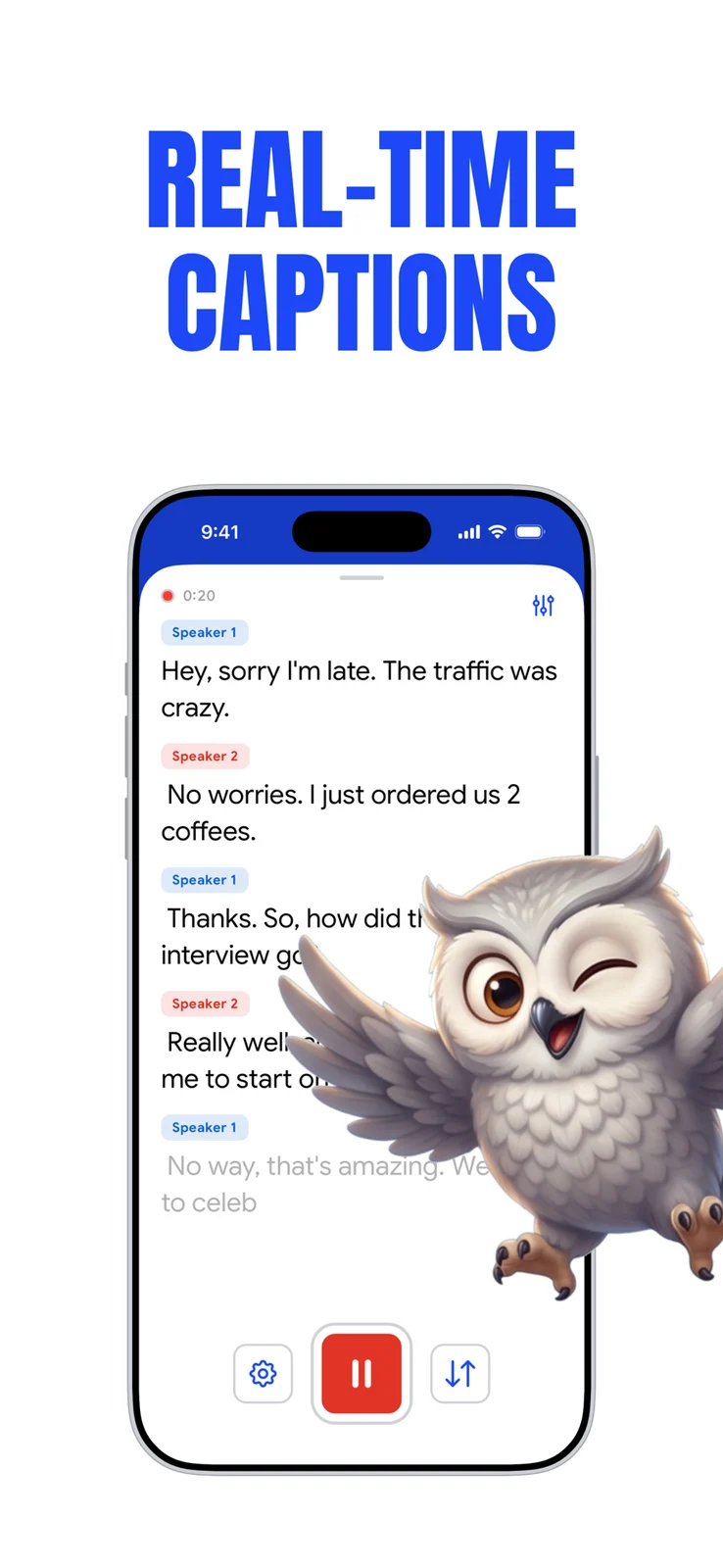
Read live captions and translations, save transcripts with audio, and turn recordings into summaries and action items.
What Captio AI does
Captio AI shows live speech captions and two-way translations, and can transcribe uploaded audio or video. It saves transcripts with audio and offers summaries and action items. Live captioning needs internet; offline mode records audio for transcription after reconnecting. Speech recognition sends audio to Soniox, while AI actions send transcript text to Google Gemini. The free plan has daily caption credits; Plus removes the daily limit. On iPhone and iPad, sound labels and alerts work during recording or file transcription. Speaker-direction waves additionally need iPhone 16 or later with iOS 26.
How it compares
Online live captions alongside NALscribe’s offline mode
Captio AI needs an internet connection for live captions and translation. It can record offline, but produces the transcript after reconnecting. NALscribe offers an offline speech-recognition mode, so the two handle a lost connection differently.
Session sound alerts versus continuous listening
Captio AI’s documented iPhone and iPad sound recognition adds sound labels to captions and can vibrate for selected alerts during a recording. Android Sound Notifications keeps checking for chosen sounds while enabled, without needing a caption session. These are different sound-awareness workflows.
Features
Captions
- Supported: Live conversation captions
- Not supported: Offline live captions
- Supported: Speaker labels
- Conditional: Named speakers5iPhone only
- Supported: Translated captions6
- Supported: Two-language caption display
- Supported: Caption editingiPhone · iPad only
- Supported: Custom vocabularyiPhone · iPad only
- Supported: Caption historyiPhone · iPad only
- Supported: Caption engineAutomatic speech recognition
- Supported: Speaker-label methodAutomatic speaker labelsiPhone · iPad only
Transcripts & notes
- Supported: Transcript after recording
- Supported: Audio recording7
- Supported: Audio-file import
- Supported: Video-file import
- Supported: Summaries
- Supported: Action items
- Supported: Searchable transcripts
- Supported: Synchronized playbackiPhone · iPad only
- Supported: Editable transcriptsiPhone · iPad only
- Supported: Transcript export
- Supported: Audio exportiPhone · iPad only
- Conditional: Shared notes8iPhone · iPad only
- Supported: Export formatsTXT · PDF · Other
Audio input & output
- Supported: Audio inputs9Device microphone · External microphone · Imported recordingiPhone · iPad only
Sound alerts
- Conditional: Environmental-sound alerts10iPhone · iPad only
- Conditional: Visual sound alerts10iPhone · iPad only
- Conditional: Vibration sound alerts11iPhone · iPad only
- Supported: Sound-alert history12iPhone · iPad only
- Conditional: Smoke-alarm sound detection10iPhone · iPad only
- Conditional: Doorbell detection10iPhone · iPad only
- Conditional: Baby-crying detection10iPhone · iPad only
- Conditional: Dog-barking detection10iPhone · iPad only
- Conditional: Background sound detection13iPhone only
- Conditional: Detected sounds10Doorbell · Smoke alarm sound · Baby crying · Dog barking · Siren · Knocking · Appliance sound · OtheriPhone · iPad only
Availability & access
Accessibility
- Supported: Caption text size
- Supported: Caption contrast controlsiPhone · iPad only
- Supported: Caption display controlsText size · Color · ContrastiPhone · iPad only
Privacy & data
- Supported: Audio processingCloud · On device
- Supported: Summary processingCloud
- Supported: Data storageDevice · Developer cloud · Device
- Supported: Model-training policy4Not used for model training
- Supported: Outside processorsSoniox — speech recognition · Google Gemini API — titles, summaries and AI actions
- Supported: Audio sent off device
- Supported: Text sent off device
- Supported: Delete recordings
- Supported: Delete transcripts
- Supported: Delete account
- Documented examples, not an exhaustive dialect inventory; applies to live captions and translation.
- Core live captions, translation and uploads need no sign-in; account-based features are separate.
- Only when the store offers a trial to that account; duration and eligibility are shown before starting.
- Developer policy claim; the Gemini provider may briefly retain text for security and abuse monitoring. Not an independent privacy audit.
- Separate speakers must be enabled and the voice enrolled; the free plan recognizes your voice plus one other person. A voice-engine download is required.
- Internet required; free credits apply and Plus removes the daily limit.
- Offline mode records audio; transcription resumes only when online.
- Participants need accounts and must accept a shared-folder invite; only the author edits each recording. This is saved-content sharing, not simultaneous microphone streaming.
- Device/external microphones for live captions; audio and video uploads are a separate transcription workflow.
- Only during a captions/translation recording or transcription of a chosen file; not an always-on sound alarm.
- Alert sounds such as doorbells, alarms and crying babies vibrate the phone during an active recording; not every recognized sound causes vibration.
- Sound events are retained inside saved recordings, not a separate continuous alarm log.
- An active captions or translation recording must continue; sound detection is not always on outside a session.
App Store ratings & reviews
Praise
- One US Apple comment dated 28 September 2026 praises transcription and ease of use. It predates version 1.1.7 and is too small a sample to establish typical performance.
Google Play ratings & reviews
Google Play did not publish an aggregate rating for this listing.
Praise
- One brief Play comment dated 11 November 2026 gives a positive rating and a subjective success estimate, without a test method. It does not establish measured accuracy.
Complaints
- One Play comment dated 1 November 2026 reports limited transcription before a price prompt and says the price exceeded their budget. This is one user report, not a verified free allowance or regional price.