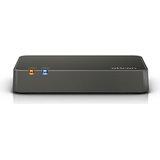
Oticon TV Adapter 3.0
Übertragen Sie Fernsehton an kompatible Oticon Hörgeräte und stellen Sie Ihre eigene Hörlautstärke ein.
Was TV Adapter 3.0 kann
Schließen Sie Ihren TV über den optischen oder analogen Eingang an. Wählen Sie an Ihren gekoppelten Oticon Hörgeräten das TV-Programm zum Hören aus. Der Adapter kann auch ein optisches Signal an eine Soundbar weiterleiten, und mehrere Personen mit kompatiblen Hörgeräten können gleichzeitig hören.
Which hearing aids work with Oticon TV Adapter 3.0?
TV-Ton
- Oticon Intent miniRITE R
- Oticon Reveal miniRITE R
- Oticon Zeal
- Oticon Opn miniRITE
- Oticon Opn miniRITE-T
- Oticon Opn BTE13 PP
Wählen Sie das genaue Modell auf Ihren Hörgeräten oder Unterlagen. Ein Treffer für eine Produktfamilie belegt nicht die Unterstützung jedes Modells dieser Familie.
Dokumentierte Geräte und Konfigurationen anzeigen
- Oticon Intent miniRITE R · Genaues Modell
Compatible Oticon hearing aids paired to the TV Adapter 3.0 · TV-Ton
Unterstützung dokumentiertQuelle · 2026-11-17 - Oticon Reveal miniRITE R · Genaues Modell
Compatible Oticon hearing aids paired to the TV Adapter 3.0 · TV-Ton
Unterstützung dokumentiertQuelle · 2026-11-17 - Oticon Zeal · Genaues Modell
Compatible Oticon hearing aids paired to the TV Adapter 3.0 · TV-Ton
Unterstützung dokumentiertQuelle · 2026-11-17 - Oticon Opn miniRITE · Genaues Modell
Compatible Oticon hearing aids paired to the TV Adapter 3.0 · TV-Ton
Unterstützung dokumentiertQuelle · 2026-11-17 - Oticon Opn miniRITE-T · Genaues Modell
Compatible Oticon hearing aids paired to the TV Adapter 3.0 · TV-Ton
Unterstützung dokumentiertQuelle · 2026-11-17 - Oticon Opn BTE13 PP · Genaues Modell
Compatible Oticon hearing aids paired to the TV Adapter 3.0 · TV-Ton
Unterstützung dokumentiertQuelle · 2026-11-17 - Oticon Opn S BTE PP · Genaues Modell
Compatible Oticon hearing aids paired to the TV Adapter 3.0 · TV-Ton
Unterstützung dokumentiertQuelle · 2026-11-17 - Oticon Siya · Produktfamilie
Compatible Oticon hearing aids paired to the TV Adapter 3.0 · TV-Ton
Confirm a compatible Oticon aid with the required built-in 2.4 GHz radio and pair it directly to the accessory.
Zusätzliche Einrichtung erforderlichQuelle · 2026-11-17Nachweis für die Produktfamilie. Bestätigen Sie vor dem Kauf die Kompatibilität Ihres genauen Hörgerätemodells.
Confirm a compatible Oticon aid with the required built-in 2.4 GHz radio and pair it directly to the accessory.
- Confirm the exact hearing aid has the required Oticon 2.4 GHz radio.
- Oticon Opn S · Produktfamilie
Compatible Oticon hearing aids paired to the TV Adapter 3.0 · TV-Ton
Confirm a compatible Oticon aid with the required built-in 2.4 GHz radio and pair it directly to the accessory.
Zusätzliche Einrichtung erforderlichQuelle · 2026-11-17Nachweis für die Produktfamilie. Bestätigen Sie vor dem Kauf die Kompatibilität Ihres genauen Hörgerätemodells.
Confirm a compatible Oticon aid with the required built-in 2.4 GHz radio and pair it directly to the accessory.
- Confirm the exact hearing aid has the required Oticon 2.4 GHz radio.
- Oticon Xceed · Produktfamilie
Compatible Oticon hearing aids paired to the TV Adapter 3.0 · TV-Ton
Confirm a compatible Oticon aid with the required built-in 2.4 GHz radio and pair it directly to the accessory.
Zusätzliche Einrichtung erforderlichQuelle · 2026-11-17Nachweis für die Produktfamilie. Bestätigen Sie vor dem Kauf die Kompatibilität Ihres genauen Hörgerätemodells.
Confirm a compatible Oticon aid with the required built-in 2.4 GHz radio and pair it directly to the accessory.
- Confirm the exact hearing aid has the required Oticon 2.4 GHz radio.
- Oticon Ruby · Produktfamilie
Compatible Oticon hearing aids paired to the TV Adapter 3.0 · TV-Ton
Confirm a compatible Oticon aid with the required built-in 2.4 GHz radio and pair it directly to the accessory.
Zusätzliche Einrichtung erforderlichQuelle · 2026-11-17Nachweis für die Produktfamilie. Bestätigen Sie vor dem Kauf die Kompatibilität Ihres genauen Hörgerätemodells.
Confirm a compatible Oticon aid with the required built-in 2.4 GHz radio and pair it directly to the accessory.
- Confirm the exact hearing aid has the required Oticon 2.4 GHz radio.
- Oticon More · Produktfamilie
Compatible Oticon hearing aids paired to the TV Adapter 3.0 · TV-Ton
Confirm a compatible Oticon aid with the required built-in 2.4 GHz radio and pair it directly to the accessory.
Zusätzliche Einrichtung erforderlichQuelle · 2026-11-17Nachweis für die Produktfamilie. Bestätigen Sie vor dem Kauf die Kompatibilität Ihres genauen Hörgerätemodells.
Confirm a compatible Oticon aid with the required built-in 2.4 GHz radio and pair it directly to the accessory.
- Confirm the exact hearing aid has the required Oticon 2.4 GHz radio.
- Oticon Zircon · Produktfamilie
Compatible Oticon hearing aids paired to the TV Adapter 3.0 · TV-Ton
Confirm a compatible Oticon aid with the required built-in 2.4 GHz radio and pair it directly to the accessory.
Zusätzliche Einrichtung erforderlichQuelle · 2026-11-17Nachweis für die Produktfamilie. Bestätigen Sie vor dem Kauf die Kompatibilität Ihres genauen Hörgerätemodells.
Confirm a compatible Oticon aid with the required built-in 2.4 GHz radio and pair it directly to the accessory.
- Confirm the exact hearing aid has the required Oticon 2.4 GHz radio.
- Oticon Real · Produktfamilie
Compatible Oticon hearing aids paired to the TV Adapter 3.0 · TV-Ton
Confirm a compatible Oticon aid with the required built-in 2.4 GHz radio and pair it directly to the accessory.
Zusätzliche Einrichtung erforderlichQuelle · 2026-11-17Nachweis für die Produktfamilie. Bestätigen Sie vor dem Kauf die Kompatibilität Ihres genauen Hörgerätemodells.
Confirm a compatible Oticon aid with the required built-in 2.4 GHz radio and pair it directly to the accessory.
- Confirm the exact hearing aid has the required Oticon 2.4 GHz radio.
- Oticon Own ITE FS · Genaues Modell
Compatible Oticon hearing aids paired to the TV Adapter 3.0 · TV-Ton
Choose the original Oticon Own ITC, ITE half-shell or ITE full-shell with the optional 2.4 GHz radio.
Zusätzliche Einrichtung erforderlichQuelle · 2026-11-17Choose the original Oticon Own ITC, ITE half-shell or ITE full-shell with the optional 2.4 GHz radio.
- Confirm the exact hearing aid has the required Oticon 2.4 GHz radio.
- Oticon Own ITE HS · Genaues Modell
Compatible Oticon hearing aids paired to the TV Adapter 3.0 · TV-Ton
Choose the original Oticon Own ITC, ITE half-shell or ITE full-shell with the optional 2.4 GHz radio.
Zusätzliche Einrichtung erforderlichQuelle · 2026-11-17Choose the original Oticon Own ITC, ITE half-shell or ITE full-shell with the optional 2.4 GHz radio.
- Confirm the exact hearing aid has the required Oticon 2.4 GHz radio.
- Oticon Own ITC · Genaues Modell
Compatible Oticon hearing aids paired to the TV Adapter 3.0 · TV-Ton
Choose the original Oticon Own ITC, ITE half-shell or ITE full-shell with the optional 2.4 GHz radio.
Zusätzliche Einrichtung erforderlichQuelle · 2026-11-17Choose the original Oticon Own ITC, ITE half-shell or ITE full-shell with the optional 2.4 GHz radio.
- Confirm the exact hearing aid has the required Oticon 2.4 GHz radio.
- Oticon Own CIC · Genaues Modell
Compatible Oticon hearing aids paired to the TV Adapter 3.0 · TV-Ton
Original Own IIC and CIC are absent from the wireless accessory rows because these styles do not have the required 2.4 GHz radio.
Als inkompatibel dokumentiertQuelle · 2026-11-17 - Oticon Own IIC · Genaues Modell
Compatible Oticon hearing aids paired to the TV Adapter 3.0 · TV-Ton
Original Own IIC and CIC are absent from the wireless accessory rows because these styles do not have the required 2.4 GHz radio.
Als inkompatibel dokumentiertQuelle · 2026-11-17
Dokumentierte Funktionen
Connections
- Analog audio input
- Unterstützt
Includes a 3.5 mm-to-RCA adapter.
Dokumentation · 2026-11-18 - Companion app control
- Oticon Companion can select a paired adapter, adjust stream EQ and control surrounding volume on supported hearing aids.
The app is optional. Select the TV program through the aids or their compatible remote.
Dokumentation · 2026-11-17 - Supported codecs
- Optical digital stereo PCM, Optical Dolby Digital, Stereo analog RCA input
The wireless encoding is not specified in this product sheet.
Dokumentation · 2026-11-18 - Manufacturer-stated audio latency
- 25 ms · Unter bestimmten Bedingungen
Manufacturer measurement from analog input to hearing-aid speaker, with no TV processing time included.
Konfiguration: Stereo RCA or an analog headphone output with the adapter
Dokumentation · 2026-11-18 - Manufacturer-stated audio latency
- 28 ms · Unter bestimmten Bedingungen
Manufacturer measurement from digital stereo PCM input to hearing-aid speaker. Dolby Digital is separately specified at 45 ms.
Konfiguration: Optical TOSLINK connection from the TV to the adapter
Dokumentation · 2026-11-18 - Audio passthrough
- The adapter’s optical output passes the optical input through to another device. · Unter bestimmten Bedingungen
The optical output is described as buffered optical input. Analog-to-optical conversion is not documented.
Konfiguration: Optical TOSLINK connection from the TV to the adapter
Dokumentation · 2026-11-18 - Keine Auracast-Übertragung
TVA3 sends its stream to paired Oticon 2.4 GHz hearing aids. Its feature and radio documentation provides no Auracast broadcast mode.
Dokumentation · 2026-11-18- Automatic streaming start
- The adapter begins transmitting when it detects a valid audio signal. The wearer normally selects the paired TV program to listen.Dokumentation · 2026-11-18
- Bilateral and unilateral use
- A compatible hearing-aid pair can receive stereo. Oticon’s pairing sequence shows both aids.
Oticon lists an unlimited number of individual pairs or aids. Mixed-model binaural behavior and mono routing were not verified.
Dokumentation · 2026-11-18 - Bluetooth input version
- The 3.0 TV input is wired through TOSLINK or RCA. The TV Adapter uses a separate Oticon 2.4 GHz hearing-aid link.
No Bluetooth input connection is specified.
Dokumentation · 2026-11-18 - Kein koaxialer Digitaleingang
The red and white RCA pair is analog stereo. The sole digital input in the diagram is optical TOSLINK.
Dokumentation · 2026-11-18- Kein HDMI-ARC-Eingang
The diagram shows optical and analog inputs. There is no HDMI port on TVA3.
Dokumentation · 2026-11-18- Kein HDMI-eARC-Eingang
The diagram shows optical and analog inputs. There is no HDMI port on TVA3.
Dokumentation · 2026-11-18- Link to hearing aids
- Oticon 2.4 GHz digital radio
The TV connects to the accessory by cable.
Dokumentation · 2026-11-18 - Accessory-to-hearing-aid range
- 15 m
Up to around 50 feet with a clear line of sight.
Dokumentation · 2026-11-18 - Analog input details
- Stereo RCA, or 3.5 mm headphone output via the included adapter. Manufacturer reports 10 kΩ input impedance.
Check audio output and volume settings on the source.
Dokumentation · 2026-11-18 - Optical audio formats
- Digital stereo PCM, Dolby Digital
If the TV sends an invalid digital signal, choose one of these formats on the TV.
Dokumentation · 2026-11-18 - Optical audio input
- Unterstützt
Accepts stereo PCM and Dolby Digital.
Dokumentation · 2026-11-18 - Hearing-aid pairing method
- Turn on the adapter and restart the aids. Bring the aids within 30 cm (about one foot), wait 20–60 seconds, and look for two steady blue lights.
See Oticon’s support page for restarting rechargeable aids.
Dokumentation · 2026-11-18 - Receiver requirements
- Streams directly to the built-in Oticon 2.4 GHz radio in compatible hearing aids.
A separate wearable receiver is not part of the setup.
Dokumentation · 2026-11-18 - Reconnection behavior
- Hearing aids remember their pairing. Restarting the TV Adapter does not normally require repeating pairing.
Clear all pairings only if needed, then reconnect the desired hearing aids. No precise range-loss recovery latency was specified.
Dokumentation · 2026-11-18 - Simultaneous listeners
- Oticon documents an unlimited number of paired hearing aids or wearers receiving the same TV audio.Dokumentation · 2026-11-18
- Simultaneous source connections
- One TV program stream at a time. The inputs are for alternative source wiring, not separate audio mixes.
No supported method to listen to two TV sources at once was documented.
Dokumentation · 2026-11-18 - Soundbar/receiver setup
- Connect the TV’s optical output to the adapter’s optical input. Connect a second optical cable from the adapter’s optical output to the soundbar or home theater receiver. · Unter bestimmten Bedingungen
The other device must accept the TV’s selected optical format.
Konfiguration: Optical TOSLINK connection from the TV to the adapter
Dokumentation · 2026-11-18 - Stereo streaming
- Unterstützt
Stereo playback uses a pair of hearing aids.
Dokumentation · 2026-11-18 - Stopping TV streaming
- Change the hearing-aid program to stop hearing TV audio.
The compatible hearing-aid buttons, paired remote or supported Companion controls can select the listening program.
Dokumentation · 2026-11-18 - TV audio streaming
- UnterstütztDokumentation · 2026-11-18
- Required TV settings
- Switch the TV’s optical output to stereo PCM or Dolby Digital. For RCA or headphone output, confirm that the TV enables the selected port. · Unter bestimmten Bedingungen
Available output options differ by television.
Konfiguration: Compatible Oticon hearing aids paired to the TV Adapter 3.0
Dokumentation · 2026-11-18 - Independent TV stream volume
- Use the hearing-aid controls or optional remote to adjust TV sound in the hearing aids. · Unter bestimmten Bedingungen
Changing this listening volume does not change the TV’s speaker setting. Some variable analog outputs are affected by source volume.
Konfiguration: Compatible Oticon hearing aids paired to the TV Adapter 3.0
Dokumentation · 2026-11-18 - TV speakers alongside streaming
- Other people can use the TV speakers if the TV keeps them active while feeding the selected audio output. · Unter bestimmten Bedingungen
Some headphone connections turn the TV speakers off. Check the TV’s audio-output settings.
Konfiguration: Compatible Oticon hearing aids paired to the TV Adapter 3.0
Dokumentation · 2026-11-18 - TV/environment balance
- On supported hearing aids, use the Companion surroundings slider or mute the hearing-aid microphones while listening.
The headphone/TV output level and the hearing-aid microphone settings are separate.
Dokumentation · 2026-11-17
Power and charging
- Power adapter included
- Unterstützt
US box lists a wall power supply.
Dokumentation · 2026-11-18 - Power connector
- Rear port labeled POWER. Use the supplied power supply.
The exact replacement connector spec for all TVA3 US production runs could not be verified; current 3.1 power specifications apply to 3.1.
Dokumentation · 2026-11-18
Design and everyday use
- Control accessibility
- The adapter confirms setup with status lights. The hearing aids play a distinct signal when the TV program is selected.
A tactile indicator, spoken prompts or on-device volume controls were not documented.
Dokumentation · 2026-11-18 - Dimensions
- 124 × 80 × 21 mm in Oticon’s published order.
The manufacturer gives three dimensions but does not name their axes.
Dokumentation · 2026-11-18 - Included items
- TV Adapter 3.0, Wall power supply, 6.5-foot TOSLINK optical cable, Stereo RCA cable, 3.5 mm to RCA adapter, Instructions for use
The older 168366US manual shows a SCART adapter in the package. The revised technical sheet and 214153US manual list that as a separate accessory.
Dokumentation · 2026-11-18 - Routine maintenance
- Use a soft, dry cloth. Keep the adapter dry and unplug it to remove power.
Contact the provider if the power-status fault persists.
Dokumentation · 2026-11-18 - Operating conditions
- 41–104 °F, 15–93% noncondensing humidity, 700–1060 hPa.Dokumentation · 2026-11-18
- Physische Bedienelemente
- Rear setup/reset button, Two front status lights, Rear power input, RCA left/right, and optical input and output
Hold setup for more than five seconds to reset all pairings, then re-pair the desired aids.
Dokumentation · 2026-11-18 - Regional variants
- US guide and technical data identify TVA3, FCC ID 2ACAHTVA3. SCART package contents changed across the observed document revisions.
Check the exact retailer or package label for regional contents.
Dokumentation · 2026-11-18 - Replacement parts
- Optional SCART-to-RCA adapter
The original accessories list does not supply current separate replacement power-part numbers.
Dokumentation · 2026-11-18 - Required extras
- Compatible Oticon 2.4 GHz hearing aids, TV or other source with compatible wired audio output, Second optical cable if connecting an additional optical receiver
Optional TV sources with SCART use a SCART-to-RCA adapter acquired separately when absent from the package.
Dokumentation · 2026-11-18 - Repair and service options
- Contact a hearing care professional if the separate service/fault light persists.Dokumentation · 2026-11-18
- Status indicators
- Steady blue pair confirmation, Green lights during analog streaming, Green power and blue TV light during optical streaming, Blinking red may indicate an invalid optical signal or a fault
Use the manual’s light chart to identify which indicator is blinking.
Dokumentation · 2026-11-18 - Storage conditions
- −13–158 °F and 15–93% noncondensing humidity for transport and storage.Dokumentation · 2026-11-18
- Warranty terms
- The TVA3 manual lists a 12-month limited international warranty from delivery for manufacturing and material defects.
Misuse, unauthorized repairs and associated accessories are excluded. The place of purchase may offer additional coverage.
Dokumentation · 2026-11-18 - Weight
- 107 g
Adapter only.
Dokumentation · 2026-11-18
How to set up Oticon TV Adapter 3.0
Schließen Sie den mitgelieferten Netzadapter an. Verbinden Sie das optische Kabel vom optischen Ausgang des TV mit dem optischen Eingang des TV Adapter. Wählen Sie bei Bedarf Stereo PCM oder Dolby Digital am TV. Starten Sie Ihre Hörgeräte neu und bringen Sie sie innerhalb von etwa einem Fuß an den Adapter. Die Kopplung dauert normalerweise 20–60 Sekunden. Zwei durchgehend blaue Lichter bestätigen die Kopplung. Wählen Sie das TV-Programm auf Ihren Hörgeräten aus, um zuzuhören.
Vor dem Kauf prüfen
You need a TV with an optical or compatible analog audio output, or suitable external conversion equipment. The adapter sends sound directly to compatible Oticon hearing aids. Your TV controls which speakers and outputs can work together.
Pair the hearing aids and select the TV program
Schließen Sie den mitgelieferten Netzadapter an. Verbinden Sie das optische Kabel vom optischen Ausgang des TV mit dem optischen Eingang des TV Adapter. Wählen Sie bei Bedarf Stereo PCM oder Dolby Digital am TV. Starten Sie Ihre Hörgeräte neu und bringen Sie sie innerhalb von etwa einem Fuß an den Adapter. Die Kopplung dauert normalerweise 20–60 Sekunden. Zwei durchgehend blaue Lichter bestätigen die Kopplung. Wählen Sie das TV-Programm auf Ihren Hörgeräten aus, um zuzuhören.
QuelleCheck which TV outputs can work together
You need a TV with an optical or compatible analog audio output, or suitable external conversion equipment. The adapter sends sound directly to compatible Oticon hearing aids. Your TV controls which speakers and outputs can work together.
QuelleShares one optical TV output with a soundbar
With the Oticon adapter, one optical cable runs from the TV to the adapter and a second runs from the adapter to the soundbar. That saves a separate soundbar connection. By comparison, the Phonak TV Connector for compatible Phonak hearing aids has no optical output, so the TV or receiver needs another way to feed the soundbar.
QuelleLacks Auracast broadcasting
Several people with paired Oticon hearing aids can listen to the same TV program through this adapter. To send TV audio to nearby devices that can receive Auracast, a streamer such as ReSound TV Streamer+ has a broadcast mode. Check which type of connection each listener can use.
QuelleZugehörige Apps
Verwandtes Zubehör
Weitere in der Dokumentation genannte Geräte
Diese Namen wurden noch keinem genauen Gerät in unserem Katalog zugeordnet. Sie erzeugen daher keine bestätigten Treffer in der Suche.
Aktuelle Angebote werden geprüft…
Dokumentation geprüft am 18. Nov. 2026