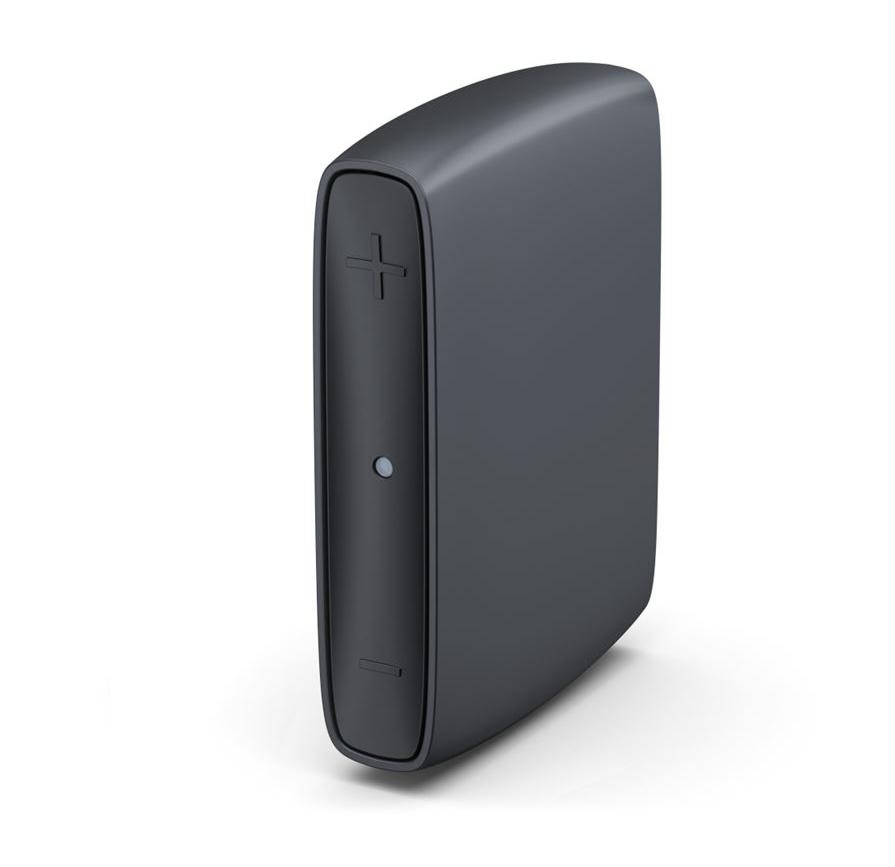
ReSound TV Streamer+
Hören Sie TV-Dialoge und andere Audioinhalte zu Hause über kompatible Hörgeräte, während alle anderen die Raumlautsprecher nutzen, wenn der Fernseher beide Ausgänge unterstützt.
Was ReSound TV Streamer+ kann
Der ReSound TV Streamer+ sendet Ton von einem TV, einer Stereoanlage oder einem Computer an kompatible Hörgeräte. Der TV wird über ein optisches oder analoges Audiokabel angeschlossen. Der Streamer wird über USB-C mit Strom versorgt und sendet den Ton der kabelgebundenen Quelle drahtlos an den Hörer. Mit einer gekoppelten Hörgeräte-Konfiguration können Sie Ihren Hörpegel wählen, und der Auracast-Übertragungsmodus ermöglicht mehreren kompatiblen Empfängern das gemeinsame Hören.
Which hearing aids work with ReSound TV Streamer+?
TV-Ton
- ReSound Nexia · Nachweis für die Produktfamilie. Bestätigen Sie vor dem Kauf die Kompatibilität Ihres genauen Hörgerätemodells.
ReSound documents this family. Wireless models only. Pair directly using the procedure in the TV Streamer+ manual. Verify custom, CROS and implant configurations separately. Pair the powered TV Streamer+ directly with the compatible hearing aid(s).
- ReSound Vivia · Nachweis für die Produktfamilie. Bestätigen Sie vor dem Kauf die Kompatibilität Ihres genauen Hörgerätemodells.
ReSound documents this family. Wireless models only. Pair directly using the procedure in the TV Streamer+ manual. Verify custom, CROS and implant configurations separately. Pair the powered TV Streamer+ directly with the compatible hearing aid(s).
- ReSound Savi · Nachweis für die Produktfamilie. Bestätigen Sie vor dem Kauf die Kompatibilität Ihres genauen Hörgerätemodells.
ReSound documents this family. Wireless models only. Pair directly using the procedure in the TV Streamer+ manual. Verify custom, CROS and implant configurations separately. Pair the powered TV Streamer+ directly with the compatible hearing aid(s).
- ReSound Enzo IA · Nachweis für die Produktfamilie. Bestätigen Sie vor dem Kauf die Kompatibilität Ihres genauen Hörgerätemodells.
ReSound documents this family. Wireless models only. Pair directly using the procedure in the TV Streamer+ manual. Verify custom, CROS and implant configurations separately. Pair the powered TV Streamer+ directly with the compatible hearing aid(s).
- ReSound Sensia · Nachweis für die Produktfamilie. Bestätigen Sie vor dem Kauf die Kompatibilität Ihres genauen Hörgerätemodells.
ReSound documents this family. Wireless models only. Pair directly using the procedure in the TV Streamer+ manual. Verify custom, CROS and implant configurations separately. Pair the powered TV Streamer+ directly with the compatible hearing aid(s).
- ReSound Enzo IA BTE
ReSound lists the TV-Streamer+ for its ENZO IA BTE lineup. Pair the hearing aid directly; implant-side support requires separate documentation. Pair the powered TV Streamer+ directly with the compatible hearing aid(s).
Wählen Sie das genaue Modell auf Ihren Hörgeräten oder Unterlagen. Ein Treffer für eine Produktfamilie belegt nicht die Unterstützung jedes Modells dieser Familie.
Dokumentierte Geräte und Konfigurationen anzeigen
- ReSound Nexia · Produktfamilie
Direct pairing to compatible hearing aids · TV-Ton
ReSound documents this family. Wireless models only. Pair directly using the procedure in the TV Streamer+ manual. Verify custom, CROS and implant configurations separately.
Zusätzliche Einrichtung erforderlichQuelle · 2026-11-18Nachweis für die Produktfamilie. Bestätigen Sie vor dem Kauf die Kompatibilität Ihres genauen Hörgerätemodells.
ReSound documents this family. Wireless models only. Pair directly using the procedure in the TV Streamer+ manual. Verify custom, CROS and implant configurations separately.
- Pair the powered TV Streamer+ directly with the compatible hearing aid(s).
- ReSound Vivia · Produktfamilie
Direct pairing to compatible hearing aids · TV-Ton
ReSound documents this family. Wireless models only. Pair directly using the procedure in the TV Streamer+ manual. Verify custom, CROS and implant configurations separately.
Zusätzliche Einrichtung erforderlichQuelle · 2026-11-18Nachweis für die Produktfamilie. Bestätigen Sie vor dem Kauf die Kompatibilität Ihres genauen Hörgerätemodells.
ReSound documents this family. Wireless models only. Pair directly using the procedure in the TV Streamer+ manual. Verify custom, CROS and implant configurations separately.
- Pair the powered TV Streamer+ directly with the compatible hearing aid(s).
- ReSound Savi · Produktfamilie
Direct pairing to compatible hearing aids · TV-Ton
ReSound documents this family. Wireless models only. Pair directly using the procedure in the TV Streamer+ manual. Verify custom, CROS and implant configurations separately.
Zusätzliche Einrichtung erforderlichQuelle · 2026-11-18Nachweis für die Produktfamilie. Bestätigen Sie vor dem Kauf die Kompatibilität Ihres genauen Hörgerätemodells.
ReSound documents this family. Wireless models only. Pair directly using the procedure in the TV Streamer+ manual. Verify custom, CROS and implant configurations separately.
- Pair the powered TV Streamer+ directly with the compatible hearing aid(s).
- ReSound Enzo IA · Produktfamilie
Direct pairing to compatible hearing aids · TV-Ton
ReSound documents this family. Wireless models only. Pair directly using the procedure in the TV Streamer+ manual. Verify custom, CROS and implant configurations separately.
Zusätzliche Einrichtung erforderlichQuelle · 2026-11-18Nachweis für die Produktfamilie. Bestätigen Sie vor dem Kauf die Kompatibilität Ihres genauen Hörgerätemodells.
ReSound documents this family. Wireless models only. Pair directly using the procedure in the TV Streamer+ manual. Verify custom, CROS and implant configurations separately.
- Pair the powered TV Streamer+ directly with the compatible hearing aid(s).
- ReSound Sensia · Produktfamilie
Direct pairing to compatible hearing aids · TV-Ton
ReSound documents this family. Wireless models only. Pair directly using the procedure in the TV Streamer+ manual. Verify custom, CROS and implant configurations separately.
Zusätzliche Einrichtung erforderlichQuelle · 2026-11-18Nachweis für die Produktfamilie. Bestätigen Sie vor dem Kauf die Kompatibilität Ihres genauen Hörgerätemodells.
ReSound documents this family. Wireless models only. Pair directly using the procedure in the TV Streamer+ manual. Verify custom, CROS and implant configurations separately.
- Pair the powered TV Streamer+ directly with the compatible hearing aid(s).
- ReSound Enzo IA BTE · Genaues Modell
Direct pairing to compatible hearing aids · TV-Ton
ReSound lists the TV-Streamer+ for its ENZO IA BTE lineup. Pair the hearing aid directly; implant-side support requires separate documentation.
Zusätzliche Einrichtung erforderlichQuelle · 2026-11-18ReSound lists the TV-Streamer+ for its ENZO IA BTE lineup. Pair the hearing aid directly; implant-side support requires separate documentation.
- Pair the powered TV Streamer+ directly with the compatible hearing aid(s).
- ReSound Nexia CIC · Genaues Modell
Direct pairing to compatible hearing aids · TV-Ton
The Nexia CIC is explicitly documented as a non-wireless model. The streamer needs a wireless receiver in the hearing aid.
Als inkompatibel dokumentiertQuelle · 2026-11-18 - ReSound Sensia CIC · Genaues Modell
Direct pairing to compatible hearing aids · TV-Ton
The Sensia CIC is explicitly documented as non-wireless. The streamer needs a wireless receiver in the hearing aid.
Als inkompatibel dokumentiertQuelle · 2026-11-18
Dokumentierte Funktionen
Connections
- Analog audio input
- UnterstütztDokumentation · 2026-11-18
- Companion app control
- ReSound Smart 3D is optional for streaming. It can start and stop playback, adjust volume, and expose supported options for AutoStreaming, sound delay and Auracast.
Konfiguration: Direct pairing to compatible hearing aids
Dokumentation · 2026-11-18 - Supported codecs
- Stereo PCM at 32, 44.1, or 48 kHz, AC-3 at 44.1 or 48 kHz
Konfiguration: TV or other source with optical output
Dokumentation · 2026-11-18 - Supported codecs
- LC3 (Bluetooth LE Audio Auracast)
Konfiguration: Auracast broadcast to compatible receivers
Dokumentation · 2026-11-18 - Keine Audiodurchleitung
A soundbar needs a separate source/audio path.
Dokumentation · 2026-11-18- Auracast broadcasting
- Unterstützt
The listener needs a receiver with working Auracast capability and a supported way to join the broadcast.
Konfiguration: Auracast broadcast to compatible receivers
Dokumentation · 2026-11-18 - Automatic streaming start
- AutoStreaming is off by default. With it enabled, the paired stream starts when the hearing aids or streamer power on.
Konfiguration: Direct pairing to compatible hearing aids
Dokumentation · 2026-11-18 - Bilateral and unilateral use
- Pair one hearing aid or a pair. For a pair, the second aid begins pairing automatically when the first succeeds.
Konfiguration: Direct pairing to compatible hearing aids
Dokumentation · 2026-11-18 - Bluetooth profiles
- Auracast (Bluetooth LE Audio broadcast output)
Konfiguration: Auracast broadcast to compatible receivers
Dokumentation · 2026-11-18 - Kein koaxialer Digitaleingang
No direct coaxial S/PDIF input. Any external converter is separate equipment.
Dokumentation · 2026-11-18- Computer audio
- A computer with a compatible wired analog or optical audio output can send playback to the streamer.Dokumentation · 2026-11-18
- Connection priority
- Answering a call on the phone connected to the hearing aids pauses TV audio. The TV stream resumes after the call.
Phone separately connected to hearing aids.
Konfiguration: Direct pairing to compatible hearing aids
Dokumentation · 2026-11-18 - Firmware updates
- The hearing-aid app may notify you of streamer updates. A fast green flash indicates an update in progress.Dokumentation · 2026-11-18
- Kein HDMI-ARC-Eingang
No direct HDMI ARC input. Any external converter is separate equipment.
Dokumentation · 2026-11-18- Kein HDMI-eARC-Eingang
No direct HDMI eARC input. Any external converter is separate equipment.
Dokumentation · 2026-11-18- Link to hearing aids
- GN direct hearing-aid pairing at 2.4 GHz
Konfiguration: Direct pairing to compatible hearing aids
Dokumentation · 2026-11-18 - Link to hearing aids
- Bluetooth LE Audio Auracast broadcast
Konfiguration: Auracast broadcast to compatible receivers
Dokumentation · 2026-11-18 - Accessory-to-hearing-aid range
- 7 m
GN does not require line of sight for the Plus. Exact Auracast coverage was not measured or specified separately.
Konfiguration: Direct pairing to compatible hearing aids
Dokumentation · 2026-11-18 - Audio input selection
- The streamer recognizes the analog or optical plug inserted into its one 3.5 mm-format audio input.Dokumentation · 2026-11-18
- Analog input details
- Stereo 3.5 mm analog line input, wired from L/R RCA using the supplied cable; 16 mV–2 V RMS sensitivity.
Konfiguration: TV or other source with analog L/R output
Dokumentation · 2026-11-18 - Multiple TV adapters
- GN lists up to eight TV Streamer+ units per binaural hearing-aid set.
Bilateral set per US/CA/VA datasheet. Model-specific limits or switching controls may differ.
Konfiguration: Direct pairing to compatible hearing aids
Dokumentation · 2026-11-18 - Optical audio formats
- Stereo PCM at 32, 44.1, or 48 kHz, AC-3 at 44.1 or 48 kHz
Konfiguration: TV or other source with optical output
Dokumentation · 2026-11-18 - Optical audio input
- UnterstütztDokumentation · 2026-11-18
- Hearing-aid pairing method
- Power both devices on, bring the aids within 5 cm, and briefly press the rear pairing button. The window lasts 3 minutes.
Konfiguration: Direct pairing to compatible hearing aids
Dokumentation · 2026-11-18 - Professional setup
- The hearing care professional can configure hearing-aid button behavior and AutoStreaming.
Konfiguration: Direct pairing to compatible hearing aids
Dokumentation · 2026-11-18 - Receiver requirements
- Compatible hearing aids use their built-in wireless receiver for direct pairing.
Check the exact wireless model; a general brand or Bluetooth match is insufficient.
Konfiguration: Direct pairing to compatible hearing aids
Dokumentation · 2026-11-18 - Receiver requirements
- An Auracast-capable receiver and a supported broadcast selection method are required.
Some devices need a firmware update and an Auracast assistant.
Konfiguration: Auracast broadcast to compatible receivers
Dokumentation · 2026-11-18 - Reconnection behavior
- Direct stream automatically resumes after returning into range within five minutes. Restart it from the hearing aids or app after a longer loss.
Konfiguration: Direct pairing to compatible hearing aids
Dokumentation · 2026-11-18 - Simultaneous listeners
- Multiple compatible hearing aids can stream from the same TV Streamer+.
Konfiguration: Direct pairing to compatible hearing aids
Dokumentation · 2026-11-18 - Simultaneous listeners
- GN specifies no listener-count limit in Auracast broadcast mode.
Konfiguration: Auracast broadcast to compatible receivers
Dokumentation · 2026-11-18 - Simultaneous source connections
- One active wired source. The single audio jack detects either the optical or analog cable.Dokumentation · 2026-11-18
- Stereo streaming
- Unterstützt
With suitable stereo input and bilateral receiver equipment; exact model-specific channel routing is unspecified.
Konfiguration: Direct pairing to compatible hearing aids
Dokumentation · 2026-11-18 - Stereo streaming
- Unterstützt · Unter bestimmten Bedingungen
With suitable input and stereo-capable Auracast receiver; individual hearing-aid handling varies.
Konfiguration: Auracast broadcast to compatible receivers
Dokumentation · 2026-11-18 - Stopping TV streaming
- Press the configured hearing-aid button, end streaming in the app, or switch off the TV.
Konfiguration: Direct pairing to compatible hearing aids
Dokumentation · 2026-11-18 - TV audio streaming
- UnterstütztDokumentation · 2026-11-18
- TV audio streaming
- Unterstützt
Turn on Auracast broadcast mode and join with a compatible receiver.
Konfiguration: Auracast broadcast to compatible receivers
Dokumentation · 2026-11-18 - Required TV settings
- Select an enabled optical audio output and choose stereo PCM at a supported rate if the TV’s output format can be changed.
If using AC-3, GN lists 44.1 or 48 kHz. No other optical format was verified.
Konfiguration: TV or other source with optical output
Dokumentation · 2026-11-18 - Independent TV stream volume
- Compatible hearing-aid users can adjust their listening volume while others use the TV at their preferred room volume.
Use the hearing-aid or app controls for the wearer’s listening level.
Dokumentation · 2026-11-18 - TV speakers alongside streaming
- Others can listen through the room speakers when the TV keeps those speakers active alongside the connected output.
TV or audio system must support keeping the desired speakers active while feeding the selected optical or analog output.
Dokumentation · 2026-11-18 - TV/environment balance
- The normal direct stream mixes TV audio with sounds picked up by the aids. Adjust stream level using compatible controls or the optional app.
Konfiguration: Direct pairing to compatible hearing aids
Dokumentation · 2026-11-18 - Kein USB-Audioeingang
The USB-A to USB-C cable supplies power. Use the shared analog/optical audio jack for sound.
Dokumentation · 2026-11-18- Wall mounting
- Attach to an upper or side edge of the TV’s rear panel with the supplied hook-and-loop strip after pairing and connecting cables.Dokumentation · 2026-11-18
Power and charging
- Electrical input requirements
- USB-compliant 5 V DC; 100 mA maximum consumptionDokumentation · 2026-11-18
- Netzteil nicht im Lieferumfang enthalten
Standard US box; use a suitable separate USB power supply if necessary.
Dokumentation · 2026-11-18- Power connector
- USB-C on streamer, USB-A on the supplied power cableDokumentation · 2026-11-18
- USB-C power input
- UnterstütztDokumentation · 2026-11-18
Design and everyday use
- Control accessibility
- Front buttons have visible + and − markings; pairing confirmation also includes a trill in the hearing aid.Dokumentation · 2026-11-18
- Dimensions
- 70.6 × 49.5 × 15.7
Width × height × depth in the standing product orientation. GN’s manual labels these as length, height, and width respectively. Hook-and-loop/cable clearance is unspecified.
Dokumentation · 2026-11-18 - Included items
- TV Streamer+, Optical TOSLINK to mini-TOSLINK cable, Stereo RCA to 3.5 mm analog cable, USB-A to USB-C power cable, Hook-and-loop mounting tapeDokumentation · 2026-11-18
- Routine maintenance
- Wipe with a damp cloth; avoid alcohol and household cleaners. Unplug during extended non-use.Dokumentation · 2026-11-18
- Operating conditions
- 5–40 °C (41–104 °F); avoid rain, moisture and liquidsDokumentation · 2026-11-18
- Physische Bedienelemente
- Front + and −: volume or lip-sync delay while in delay mode, Rear button: short press enters pairing; hold 10 seconds for delay mode, Volume + while plugging power in, held 10 seconds: factory resetDokumentation · 2026-11-18
- Regional variants
- US/Canada/VA manual and datasheet cover SAS-4; GN identifies standard 22926500, demonstration and VA kit codes, and an Amplifon-branded code.Dokumentation · 2026-11-18
- Required extras
- TV or source with compatible optical or stereo analog output, Compatible hearing aid or Auracast receiver, Suitable 5 V USB supply if the TV has no usable USB-A portDokumentation · 2026-11-18
- Repair and service options
- Contact the hearing care professional; only an authorized service center may repair it.Dokumentation · 2026-11-18
- Status indicators
- Rear white light: power, Front green steady: streaming, Front green off: standby, Front short flashes: pairing; steady for 3 seconds on success, Front fast flashes: firmware update; steady for 3 seconds on completion, Front long flashes: delay adjustment, Repeating three green flashes: possible software errorDokumentation · 2026-11-18
- Storage conditions
- −25 to 70 °C (−13 to 158 °F)Dokumentation · 2026-11-18
- Warranty terms
- 12-month GN manufacturer limited warranty from original purchase; local or provider extensions may apply.Dokumentation · 2026-11-18
- Wearing and placement options
- Hook-and-loop mounting strip for the back of the TV, Freestanding placement within cable reachDokumentation · 2026-11-18
- Weight
- 32 g
Bare streamer by datasheet context; cables and mounting tape not itemized in measurement.
Dokumentation · 2026-11-18
How to set up ReSound TV Streamer+
1. Verbinden Sie das mitgelieferte USB-A-zu-USB-C-Kabel mit dem Streamer und einer 5 V USB-Stromversorgung. Die hintere Betriebsanzeige leuchtet weiß. 2. Verbinden Sie das mitgelieferte optische Kabel von Digital Audio Out mit der gemeinsamen Audiobuchse des Streamers und entfernen Sie dabei beide Schutzkappen. Verwenden Sie das mitgelieferte rot/weiße RCA-Kabel, wenn der TV über analoge Audioausgänge verfügt. 3. Schalten Sie den Streamer und die Hörgeräte ein. Halten Sie die Hörgeräte innerhalb von 2 inches (5 cm) und drücken Sie kurz die hintere Kopplungstaste. Die vordere Anzeige blinkt grün, während jedes Hörgerät gekoppelt wird. Lassen Sie andere Hörgeräte ausgeschaltet oder mindestens 3 feet (1 m) entfernt. 4. Starten Sie das Streaming mit einer konfigurierten Hörgerätetaste oder in der Hörgeräte-App. AutoStreaming ist standardmäßig ausgeschaltet. Positionieren Sie den Streamer nach der Einrichtung mithilfe des mitgelieferten Klettbands in der Nähe der oberen oder seitlichen Kante auf der Rückseite des TV.
Vor dem Kauf prüfen
Check the exact hearing-aid model and the TV’s audio outputs before buying. The one audio jack accepts optical or analog cable connections. USB supplies power. TVs that disable their speakers or soundbar output when an external output is selected may need a different audio routing setup. GN rates the direct hearing-aid link at up to 7 meters (23 feet), depending on the aids, room layout and interference.
Adds a broadcast option for TV listeners
Compared with the earlier ReSound Unite TV Streamer 2, the ReSound TV Streamer+ gives listeners another way to hear the same TV. A nearby device that supports Auracast can join its broadcast. If you’re upgrading, also check the TV connection. The older streamer has a coaxial input, while the Plus takes analog or optical audio through a shared jack.
QuelleA soundbar needs its own connection
If you use the ReSound TV Streamer+ alongside a soundbar, both need a connection to the audio source. Some hearing-aid streamers handle that differently. For example, the Oticon TV Adapter 3.0 for compatible Oticon aids has an optical output that passes TV audio to the soundbar.
QuelleStart and stop the stream
Start TV audio with a configured hearing-aid button or the optional app. You can also enable AutoStreaming for power-on use. To stop, use the configured button, end the stream in the app, or switch the TV off. When your phone is already connected to the hearing aids, answering a call pauses TV audio and ending the call resumes it.
QuelleCheck audio, pairing and lip sync
Start with the rear white power light, then check the TV audio output and seat the audio cable at both ends. For optical, remove both caps and use stereo PCM if the TV’s output format is adjustable. If voices and picture do not match, hold the rear button for ten seconds, adjust the delay with + or −, then hold the rear button for three seconds to leave delay mode.
QuelleShared speakers depend on your TV
Check whether your TV can keep its internal speakers or soundbar active while sending audio to the streamer’s input cable. For an HDMI-only audio setup, you would need a separate way to obtain a compatible optical or analog output.
QuelleZugehörige Apps
Verwandtes Zubehör
Weitere in der Dokumentation genannte Geräte
Diese Namen wurden noch keinem genauen Gerät in unserem Katalog zugeordnet. Sie erzeugen daher keine bestätigten Treffer in der Suche.
Aktuelle Angebote werden geprüft…
Dokumentation geprüft am 18. Nov. 2026