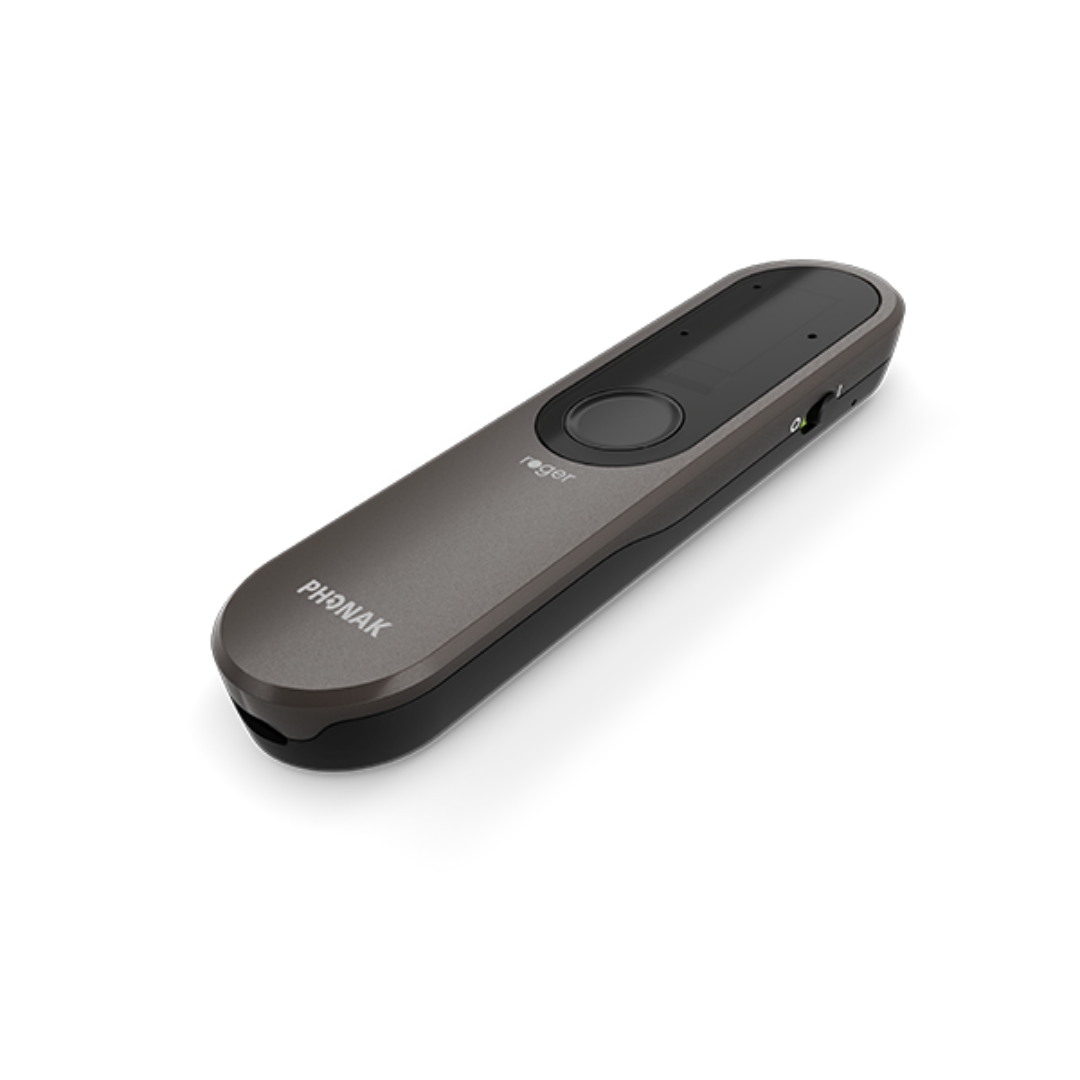
Phonak Roger On Sphere
Hören Sie Personen auf der anderen Seite eines Tisches oder im Raum und übertragen Sie Fernseh- oder Computerton mit einem Roger Empfänger an Hörgeräte.
Was Roger On Sphere kann
Beim Abendessen platzieren Sie Roger On Sphere in der Mitte des Tisches. Bei einem Empfang richten Sie es auf die sprechende Person. Ein Vortragender kann es auch an seinem Hemd befestigen. Seine Mikrofone trennen Sprache von Störgeräuschen und senden das Ergebnis an Ihre Roger-kompatiblen Hörgeräte. Die Dockingstation ermöglicht das Hören von TV, und ein USB-Kabel verwandelt das Mikrofon für Online-Anrufe in ein Headset.
Which hearing aids work with Phonak Roger On Sphere?
Mikrofonton
- Phonak Audéo EON Sphere
Install or confirm Roger reception separately in each hearing device. Install a digital Roger receiver in each hearing device that will receive the microphone. The Sphere includes unlimited installations.
- Phonak Audéo EON R
Install or confirm Roger reception separately in each hearing device. Install a digital Roger receiver in each hearing device that will receive the microphone. The Sphere includes unlimited installations.
- Phonak Audéo Marvel R
Install or confirm Roger reception separately in each hearing device. Install a digital Roger receiver in each hearing device that will receive the microphone. The Sphere includes unlimited installations.
- Phonak Audéo Marvel RT
Hearing device with an installed RogerDirect receiver: Install or confirm Roger reception separately in each hearing device. Install a digital Roger receiver in each hearing device that will receive the microphone. The Sphere includes unlimited installations.
Roger NeckLoop with the hearing device’s telecoil program: Use a personal Roger NeckLoop and select the hearing aid’s T or MT program. The hearing device must have a telecoil fitted and its T or MT program enabled.
- Phonak Audéo Marvel 312
Install or confirm Roger reception separately in each hearing device. Install a digital Roger receiver in each hearing device that will receive the microphone. The Sphere includes unlimited installations.
- Phonak Audéo Marvel 312T
Hearing device with an installed RogerDirect receiver: Install or confirm Roger reception separately in each hearing device. Install a digital Roger receiver in each hearing device that will receive the microphone. The Sphere includes unlimited installations.
Roger NeckLoop with the hearing device’s telecoil program: Use a personal Roger NeckLoop and select the hearing aid’s T or MT program. The hearing device must have a telecoil fitted and its T or MT program enabled.
TV-Ton
- Phonak Audéo EON Sphere
Install or confirm Roger reception separately in each hearing device. TV listening also requires the powered dock and a compatible TV audio output. Install a digital Roger receiver in each hearing device that will receive the microphone. The Sphere includes unlimited installations. Use a powered Sphere-compatible dock with the TV’s optical or analog audio output.
- Phonak Audéo EON R
Install or confirm Roger reception separately in each hearing device. TV listening also requires the powered dock and a compatible TV audio output. Install a digital Roger receiver in each hearing device that will receive the microphone. The Sphere includes unlimited installations. Use a powered Sphere-compatible dock with the TV’s optical or analog audio output.
- Phonak Audéo Marvel R
Install or confirm Roger reception separately in each hearing device. TV listening also requires the powered dock and a compatible TV audio output. Install a digital Roger receiver in each hearing device that will receive the microphone. The Sphere includes unlimited installations. Use a powered Sphere-compatible dock with the TV’s optical or analog audio output.
- Phonak Audéo Marvel RT
Hearing device with an installed RogerDirect receiver: Install or confirm Roger reception separately in each hearing device. TV listening also requires the powered dock and a compatible TV audio output. Install a digital Roger receiver in each hearing device that will receive the microphone. The Sphere includes unlimited installations. Use a powered Sphere-compatible dock with the TV’s optical or analog audio output.
Roger NeckLoop with the hearing device’s telecoil program: Use a personal Roger NeckLoop and select the hearing aid’s T or MT program. TV listening also requires the powered dock and a compatible TV audio output. The hearing device must have a telecoil fitted and its T or MT program enabled. Use a powered Sphere-compatible dock with the TV’s optical or analog audio output.
- Phonak Audéo Marvel 312
Install or confirm Roger reception separately in each hearing device. TV listening also requires the powered dock and a compatible TV audio output. Install a digital Roger receiver in each hearing device that will receive the microphone. The Sphere includes unlimited installations. Use a powered Sphere-compatible dock with the TV’s optical or analog audio output.
- Phonak Audéo Marvel 312T
Hearing device with an installed RogerDirect receiver: Install or confirm Roger reception separately in each hearing device. TV listening also requires the powered dock and a compatible TV audio output. Install a digital Roger receiver in each hearing device that will receive the microphone. The Sphere includes unlimited installations. Use a powered Sphere-compatible dock with the TV’s optical or analog audio output.
Roger NeckLoop with the hearing device’s telecoil program: Use a personal Roger NeckLoop and select the hearing aid’s T or MT program. TV listening also requires the powered dock and a compatible TV audio output. The hearing device must have a telecoil fitted and its T or MT program enabled. Use a powered Sphere-compatible dock with the TV’s optical or analog audio output.
Wählen Sie das genaue Modell auf Ihren Hörgeräten oder Unterlagen. Ein Treffer für eine Produktfamilie belegt nicht die Unterstützung jedes Modells dieser Familie.
Dokumentierte Geräte und Konfigurationen anzeigen
- Phonak Audéo EON Sphere · Genaues Modell
Hearing device with an installed RogerDirect receiver · Mikrofonton
Install or confirm Roger reception separately in each hearing device.
Zusätzliche Einrichtung erforderlichQuelle · 2026-11-18Install or confirm Roger reception separately in each hearing device.
- Install a digital Roger receiver in each hearing device that will receive the microphone. The Sphere includes unlimited installations.
- Phonak Audéo EON R · Genaues Modell
Hearing device with an installed RogerDirect receiver · Mikrofonton
Install or confirm Roger reception separately in each hearing device.
Zusätzliche Einrichtung erforderlichQuelle · 2026-11-18Install or confirm Roger reception separately in each hearing device.
- Install a digital Roger receiver in each hearing device that will receive the microphone. The Sphere includes unlimited installations.
- Phonak Audéo Marvel R · Genaues Modell
Hearing device with an installed RogerDirect receiver · Mikrofonton
Install or confirm Roger reception separately in each hearing device.
Zusätzliche Einrichtung erforderlichQuelle · 2026-11-18Install or confirm Roger reception separately in each hearing device.
- Install a digital Roger receiver in each hearing device that will receive the microphone. The Sphere includes unlimited installations.
- Phonak Audéo Marvel RT · Genaues Modell
Hearing device with an installed RogerDirect receiver · Mikrofonton
Install or confirm Roger reception separately in each hearing device.
Zusätzliche Einrichtung erforderlichQuelle · 2026-11-18Install or confirm Roger reception separately in each hearing device.
- Install a digital Roger receiver in each hearing device that will receive the microphone. The Sphere includes unlimited installations.
- Phonak Audéo Marvel 312 · Genaues Modell
Hearing device with an installed RogerDirect receiver · Mikrofonton
Install or confirm Roger reception separately in each hearing device.
Zusätzliche Einrichtung erforderlichQuelle · 2026-11-18Install or confirm Roger reception separately in each hearing device.
- Install a digital Roger receiver in each hearing device that will receive the microphone. The Sphere includes unlimited installations.
- Phonak Audéo Marvel 312T · Genaues Modell
Hearing device with an installed RogerDirect receiver · Mikrofonton
Install or confirm Roger reception separately in each hearing device.
Zusätzliche Einrichtung erforderlichQuelle · 2026-11-18Install or confirm Roger reception separately in each hearing device.
- Install a digital Roger receiver in each hearing device that will receive the microphone. The Sphere includes unlimited installations.
- Phonak Audéo Marvel 13T · Genaues Modell
Hearing device with an installed RogerDirect receiver · Mikrofonton
Install or confirm Roger reception separately in each hearing device.
Zusätzliche Einrichtung erforderlichQuelle · 2026-11-18Install or confirm Roger reception separately in each hearing device.
- Install a digital Roger receiver in each hearing device that will receive the microphone. The Sphere includes unlimited installations.
- Phonak Bolero M M · Genaues Modell
Hearing device with an installed RogerDirect receiver · Mikrofonton
Install or confirm Roger reception separately in each hearing device.
Zusätzliche Einrichtung erforderlichQuelle · 2026-11-18Install or confirm Roger reception separately in each hearing device.
- Install a digital Roger receiver in each hearing device that will receive the microphone. The Sphere includes unlimited installations.
- Phonak Bolero M PR · Genaues Modell
Hearing device with an installed RogerDirect receiver · Mikrofonton
Install or confirm Roger reception separately in each hearing device.
Zusätzliche Einrichtung erforderlichQuelle · 2026-11-18Install or confirm Roger reception separately in each hearing device.
- Install a digital Roger receiver in each hearing device that will receive the microphone. The Sphere includes unlimited installations.
- Phonak Virto M M-312 · Genaues Modell
Hearing device with an installed RogerDirect receiver · Mikrofonton
Install or confirm Roger reception separately in each hearing device.
Zusätzliche Einrichtung erforderlichQuelle · 2026-11-18Install or confirm Roger reception separately in each hearing device.
- Install a digital Roger receiver in each hearing device that will receive the microphone. The Sphere includes unlimited installations.
- Phonak Naída M SP · Genaues Modell
Hearing device with an installed RogerDirect receiver · Mikrofonton
Install or confirm Roger reception separately in each hearing device.
Zusätzliche Einrichtung erforderlichQuelle · 2026-11-18Install or confirm Roger reception separately in each hearing device.
- Install a digital Roger receiver in each hearing device that will receive the microphone. The Sphere includes unlimited installations.
- Phonak Audéo Paradise 13T · Genaues Modell
Hearing device with an installed RogerDirect receiver · Mikrofonton
Install or confirm Roger reception separately in each hearing device.
Zusätzliche Einrichtung erforderlichQuelle · 2026-11-18Install or confirm Roger reception separately in each hearing device.
- Install a digital Roger receiver in each hearing device that will receive the microphone. The Sphere includes unlimited installations.
- Phonak Audéo Paradise 312 · Genaues Modell
Hearing device with an installed RogerDirect receiver · Mikrofonton
Install or confirm Roger reception separately in each hearing device.
Zusätzliche Einrichtung erforderlichQuelle · 2026-11-18Install or confirm Roger reception separately in each hearing device.
- Install a digital Roger receiver in each hearing device that will receive the microphone. The Sphere includes unlimited installations.
- Phonak Audéo Paradise RT · Genaues Modell
Hearing device with an installed RogerDirect receiver · Mikrofonton
Install or confirm Roger reception separately in each hearing device.
Zusätzliche Einrichtung erforderlichQuelle · 2026-11-18Install or confirm Roger reception separately in each hearing device.
- Install a digital Roger receiver in each hearing device that will receive the microphone. The Sphere includes unlimited installations.
- Phonak Audéo Paradise R · Genaues Modell
Hearing device with an installed RogerDirect receiver · Mikrofonton
Install or confirm Roger reception separately in each hearing device.
Zusätzliche Einrichtung erforderlichQuelle · 2026-11-18Install or confirm Roger reception separately in each hearing device.
- Install a digital Roger receiver in each hearing device that will receive the microphone. The Sphere includes unlimited installations.
- Phonak Naída Paradise P-PR · Genaues Modell
Hearing device with an installed RogerDirect receiver · Mikrofonton
Install or confirm Roger reception separately in each hearing device.
Zusätzliche Einrichtung erforderlichQuelle · 2026-11-18Install or confirm Roger reception separately in each hearing device.
- Install a digital Roger receiver in each hearing device that will receive the microphone. The Sphere includes unlimited installations.
- Phonak Naída Paradise P-UP · Genaues Modell
Hearing device with an installed RogerDirect receiver · Mikrofonton
Install or confirm Roger reception separately in each hearing device.
Zusätzliche Einrichtung erforderlichQuelle · 2026-11-18Install or confirm Roger reception separately in each hearing device.
- Install a digital Roger receiver in each hearing device that will receive the microphone. The Sphere includes unlimited installations.
- Phonak Virto Paradise 312 · Genaues Modell
Hearing device with an installed RogerDirect receiver · Mikrofonton
Install or confirm Roger reception separately in each hearing device.
Zusätzliche Einrichtung erforderlichQuelle · 2026-11-18Install or confirm Roger reception separately in each hearing device.
- Install a digital Roger receiver in each hearing device that will receive the microphone. The Sphere includes unlimited installations.
- Phonak Audéo Lumity R · Genaues Modell
Hearing device with an installed RogerDirect receiver · Mikrofonton
Install or confirm Roger reception separately in each hearing device.
Zusätzliche Einrichtung erforderlichQuelle · 2026-11-18Install or confirm Roger reception separately in each hearing device.
- Install a digital Roger receiver in each hearing device that will receive the microphone. The Sphere includes unlimited installations.
- Phonak Audéo Lumity RT · Genaues Modell
Hearing device with an installed RogerDirect receiver · Mikrofonton
Install or confirm Roger reception separately in each hearing device.
Zusätzliche Einrichtung erforderlichQuelle · 2026-11-18Install or confirm Roger reception separately in each hearing device.
- Install a digital Roger receiver in each hearing device that will receive the microphone. The Sphere includes unlimited installations.
- Phonak Audéo Lumity Life · Genaues Modell
Hearing device with an installed RogerDirect receiver · Mikrofonton
Install or confirm Roger reception separately in each hearing device.
Zusätzliche Einrichtung erforderlichQuelle · 2026-11-18Install or confirm Roger reception separately in each hearing device.
- Install a digital Roger receiver in each hearing device that will receive the microphone. The Sphere includes unlimited installations.
- Phonak Audéo Lumity L-312 · Genaues Modell
Hearing device with an installed RogerDirect receiver · Mikrofonton
Install or confirm Roger reception separately in each hearing device.
Zusätzliche Einrichtung erforderlichQuelle · 2026-11-18Install or confirm Roger reception separately in each hearing device.
- Install a digital Roger receiver in each hearing device that will receive the microphone. The Sphere includes unlimited installations.
- Phonak Naída Lumity P-PR · Genaues Modell
Hearing device with an installed RogerDirect receiver · Mikrofonton
Install or confirm Roger reception separately in each hearing device.
Zusätzliche Einrichtung erforderlichQuelle · 2026-11-18Install or confirm Roger reception separately in each hearing device.
- Install a digital Roger receiver in each hearing device that will receive the microphone. The Sphere includes unlimited installations.
- Phonak Naída Lumity P-UP · Genaues Modell
Hearing device with an installed RogerDirect receiver · Mikrofonton
Install or confirm Roger reception separately in each hearing device.
Zusätzliche Einrichtung erforderlichQuelle · 2026-11-18Install or confirm Roger reception separately in each hearing device.
- Install a digital Roger receiver in each hearing device that will receive the microphone. The Sphere includes unlimited installations.
- Phonak Audéo Infinio Ultra R · Genaues Modell
Hearing device with an installed RogerDirect receiver · Mikrofonton
Install or confirm Roger reception separately in each hearing device.
Zusätzliche Einrichtung erforderlichQuelle · 2026-11-18Install or confirm Roger reception separately in each hearing device.
- Install a digital Roger receiver in each hearing device that will receive the microphone. The Sphere includes unlimited installations.
- Phonak Audéo Infinio Ultra Sphere · Genaues Modell
Hearing device with an installed RogerDirect receiver · Mikrofonton
Install or confirm Roger reception separately in each hearing device.
Zusätzliche Einrichtung erforderlichQuelle · 2026-11-18Install or confirm Roger reception separately in each hearing device.
- Install a digital Roger receiver in each hearing device that will receive the microphone. The Sphere includes unlimited installations.
- Phonak Virto Infinio R · Genaues Modell
Hearing device with an installed RogerDirect receiver · Mikrofonton
Install or confirm Roger reception separately in each hearing device.
Zusätzliche Einrichtung erforderlichQuelle · 2026-11-19Install or confirm Roger reception separately in each hearing device.
- Install a digital Roger receiver in each hearing device that will receive the microphone. The Sphere includes unlimited installations.
- Unitron Moxi Vivante RT · Genaues Modell
Hearing device with an installed RogerDirect receiver · Mikrofonton
Install or confirm Roger reception separately in each hearing device.
Zusätzliche Einrichtung erforderlichQuelle · 2026-11-19Install or confirm Roger reception separately in each hearing device.
- Install a digital Roger receiver in each hearing device that will receive the microphone. The Sphere includes unlimited installations.
- Unitron Moxi Vivante R · Genaues Modell
Hearing device with an installed RogerDirect receiver · Mikrofonton
Install or confirm Roger reception separately in each hearing device.
Zusätzliche Einrichtung erforderlichQuelle · 2026-11-19Install or confirm Roger reception separately in each hearing device.
- Install a digital Roger receiver in each hearing device that will receive the microphone. The Sphere includes unlimited installations.
- Phonak Virto Infinio 10 NW O · Genaues Modell
Roger NeckLoop with the hearing device’s telecoil program · Mikrofonton
Use a Roger NeckLoop with the optional fitted and enabled telecoil.
Zusätzliche Einrichtung erforderlichQuelle · 2026-11-19Use a Roger NeckLoop with the optional fitted and enabled telecoil.
- The hearing device must have a telecoil fitted and its T or MT program enabled.
- Phonak Virto Infinio Titanium · Genaues Modell
Roger NeckLoop with the hearing device’s telecoil program · Mikrofonton
Use a Roger NeckLoop with the optional fitted and enabled telecoil.
Zusätzliche Einrichtung erforderlichQuelle · 2026-11-19Use a Roger NeckLoop with the optional fitted and enabled telecoil.
- The hearing device must have a telecoil fitted and its T or MT program enabled.
- Phonak Audéo B 312T · Genaues Modell
Roger NeckLoop with the hearing device’s telecoil program · Mikrofonton
Use a personal Roger NeckLoop and select the hearing aid’s T or MT program.
Zusätzliche Einrichtung erforderlichQuelle · 2026-11-18Use a personal Roger NeckLoop and select the hearing aid’s T or MT program.
- The hearing device must have a telecoil fitted and its T or MT program enabled.
- Phonak Audéo B 13 · Genaues Modell
Roger NeckLoop with the hearing device’s telecoil program · Mikrofonton
Use a personal Roger NeckLoop and select the hearing aid’s T or MT program.
Zusätzliche Einrichtung erforderlichQuelle · 2026-11-18Use a personal Roger NeckLoop and select the hearing aid’s T or MT program.
- The hearing device must have a telecoil fitted and its T or MT program enabled.
- Phonak Audéo Marvel RT · Genaues Modell
Roger NeckLoop with the hearing device’s telecoil program · Mikrofonton
Use a personal Roger NeckLoop and select the hearing aid’s T or MT program.
Zusätzliche Einrichtung erforderlichQuelle · 2026-11-18Use a personal Roger NeckLoop and select the hearing aid’s T or MT program.
- The hearing device must have a telecoil fitted and its T or MT program enabled.
- Phonak Audéo Marvel 312T · Genaues Modell
Roger NeckLoop with the hearing device’s telecoil program · Mikrofonton
Use a personal Roger NeckLoop and select the hearing aid’s T or MT program.
Zusätzliche Einrichtung erforderlichQuelle · 2026-11-18Use a personal Roger NeckLoop and select the hearing aid’s T or MT program.
- The hearing device must have a telecoil fitted and its T or MT program enabled.
- Phonak Audéo Marvel 13T · Genaues Modell
Roger NeckLoop with the hearing device’s telecoil program · Mikrofonton
Use a personal Roger NeckLoop and select the hearing aid’s T or MT program.
Zusätzliche Einrichtung erforderlichQuelle · 2026-11-18Use a personal Roger NeckLoop and select the hearing aid’s T or MT program.
- The hearing device must have a telecoil fitted and its T or MT program enabled.
- Phonak Bolero M M · Genaues Modell
Roger NeckLoop with the hearing device’s telecoil program · Mikrofonton
Use a personal Roger NeckLoop and select the hearing aid’s T or MT program.
Zusätzliche Einrichtung erforderlichQuelle · 2026-11-18Use a personal Roger NeckLoop and select the hearing aid’s T or MT program.
- The hearing device must have a telecoil fitted and its T or MT program enabled.
- Phonak Naída M SP · Genaues Modell
Roger NeckLoop with the hearing device’s telecoil program · Mikrofonton
Use a personal Roger NeckLoop and select the hearing aid’s T or MT program.
Zusätzliche Einrichtung erforderlichQuelle · 2026-11-18Use a personal Roger NeckLoop and select the hearing aid’s T or MT program.
- The hearing device must have a telecoil fitted and its T or MT program enabled.
- Phonak Audéo Paradise 13T · Genaues Modell
Roger NeckLoop with the hearing device’s telecoil program · Mikrofonton
Use a personal Roger NeckLoop and select the hearing aid’s T or MT program.
Zusätzliche Einrichtung erforderlichQuelle · 2026-11-18Use a personal Roger NeckLoop and select the hearing aid’s T or MT program.
- The hearing device must have a telecoil fitted and its T or MT program enabled.
- Phonak Audéo Paradise RT · Genaues Modell
Roger NeckLoop with the hearing device’s telecoil program · Mikrofonton
Use a personal Roger NeckLoop and select the hearing aid’s T or MT program.
Zusätzliche Einrichtung erforderlichQuelle · 2026-11-18Use a personal Roger NeckLoop and select the hearing aid’s T or MT program.
- The hearing device must have a telecoil fitted and its T or MT program enabled.
- Phonak Naída Paradise P-UP · Genaues Modell
Roger NeckLoop with the hearing device’s telecoil program · Mikrofonton
Use a personal Roger NeckLoop and select the hearing aid’s T or MT program.
Zusätzliche Einrichtung erforderlichQuelle · 2026-11-18Use a personal Roger NeckLoop and select the hearing aid’s T or MT program.
- The hearing device must have a telecoil fitted and its T or MT program enabled.
- Phonak Audéo B R · Genaues Modell
Roger X connected through a compatible ComPilot streamer · Mikrofonton
A separate Roger X plugs into a compatible ComPilot or ComPilot II paired with the aids.
Zusätzliche Einrichtung erforderlichQuelle · 2026-11-18A separate Roger X plugs into a compatible ComPilot or ComPilot II paired with the aids.
- Use a paired Phonak ComPilot II streamer. A model-compatible ComPilot is another documented option.
- Connect a Roger X receiver to the required accessory input.
- Phonak Audéo B 10 · Genaues Modell
Roger X connected through a compatible ComPilot streamer · Mikrofonton
A separate Roger X plugs into a compatible ComPilot or ComPilot II paired with the aids.
Zusätzliche Einrichtung erforderlichQuelle · 2026-11-18A separate Roger X plugs into a compatible ComPilot or ComPilot II paired with the aids.
- Use a paired Phonak ComPilot II streamer. A model-compatible ComPilot is another documented option.
- Connect a Roger X receiver to the required accessory input.
- Phonak Audéo B 312 · Genaues Modell
Roger X connected through a compatible ComPilot streamer · Mikrofonton
A separate Roger X plugs into a compatible ComPilot or ComPilot II paired with the aids.
Zusätzliche Einrichtung erforderlichQuelle · 2026-11-18A separate Roger X plugs into a compatible ComPilot or ComPilot II paired with the aids.
- Use a paired Phonak ComPilot II streamer. A model-compatible ComPilot is another documented option.
- Connect a Roger X receiver to the required accessory input.
- Phonak Audéo B 312T · Genaues Modell
Roger X connected through a compatible ComPilot streamer · Mikrofonton
A separate Roger X plugs into a compatible ComPilot or ComPilot II paired with the aids.
Zusätzliche Einrichtung erforderlichQuelle · 2026-11-18A separate Roger X plugs into a compatible ComPilot or ComPilot II paired with the aids.
- Use a paired Phonak ComPilot II streamer. A model-compatible ComPilot is another documented option.
- Connect a Roger X receiver to the required accessory input.
- Phonak Audéo B 13 · Genaues Modell
Model-specific external Roger receiver · Mikrofonton
Attach the matching Roger 18 to this Audéo B-13.
Zusätzliche Einrichtung erforderlichQuelle · 2026-11-18Attach the matching Roger 18 to this Audéo B-13.
- Use the Roger 18 receiver made for the Audéo B-13.
- Phonak Naída B B-UP · Genaues Modell
Model-specific external Roger receiver · Mikrofonton
Attach a Roger 19 receiver to the Naída B-UP.
Zusätzliche Einrichtung erforderlichQuelle · 2026-11-18Attach a Roger 19 receiver to the Naída B-UP.
- Use the Roger 19 receiver made for the Naída B-UP.
- Phonak Naída B B-SP · Genaues Modell
Model-specific external Roger receiver · Mikrofonton
Attach the matching Roger 18 to the Naída B-SP.
Zusätzliche Einrichtung erforderlichQuelle · 2026-11-18Attach the matching Roger 18 to the Naída B-SP.
- Use the Roger 18 receiver made for the Naída B-SP.
- Cochlear Baha® 5 · Genaues Modell
Roger X connected through Cochlear Mini Microphone 2+ · Mikrofonton
Connect a Roger X to a Cochlear Wireless Mini Microphone 2+ paired with the sound processor.
Zusätzliche Einrichtung erforderlichQuelle · 2026-11-18Connect a Roger X to a Cochlear Wireless Mini Microphone 2+ paired with the sound processor.
- Connect a Roger X receiver to the required accessory input.
- Connect the Roger X to a Cochlear Wireless Mini Microphone 2+ paired with the sound processor.
- Cochlear Nucleus Kanso · Genaues Modell
Roger X connected through Cochlear Mini Microphone 2+ · Mikrofonton
Connect a Roger X to a Cochlear Wireless Mini Microphone 2+ paired with the sound processor.
Zusätzliche Einrichtung erforderlichQuelle · 2026-11-18Connect a Roger X to a Cochlear Wireless Mini Microphone 2+ paired with the sound processor.
- Connect a Roger X receiver to the required accessory input.
- Connect the Roger X to a Cochlear Wireless Mini Microphone 2+ paired with the sound processor.
- Cochlear Nucleus® 7 · Genaues Modell
Roger X connected through Cochlear Mini Microphone 2+ · Mikrofonton
Connect a Roger X to a Cochlear Wireless Mini Microphone 2+ paired with the sound processor.
Zusätzliche Einrichtung erforderlichQuelle · 2026-11-18Connect a Roger X to a Cochlear Wireless Mini Microphone 2+ paired with the sound processor.
- Connect a Roger X receiver to the required accessory input.
- Connect the Roger X to a Cochlear Wireless Mini Microphone 2+ paired with the sound processor.
- Cochlear Kanso® 2 · Genaues Modell
Roger X connected through Cochlear Mini Microphone 2+ · Mikrofonton
Connect a Roger X to a Cochlear Wireless Mini Microphone 2+ paired with the sound processor.
Zusätzliche Einrichtung erforderlichQuelle · 2026-11-18Connect a Roger X to a Cochlear Wireless Mini Microphone 2+ paired with the sound processor.
- Connect a Roger X receiver to the required accessory input.
- Connect the Roger X to a Cochlear Wireless Mini Microphone 2+ paired with the sound processor.
- Cochlear Nucleus® 8 · Genaues Modell
Roger X connected through Cochlear Mini Microphone 2+ · Mikrofonton
Connect a Roger X to a Cochlear Wireless Mini Microphone 2+ paired with the sound processor.
Zusätzliche Einrichtung erforderlichQuelle · 2026-11-18Connect a Roger X to a Cochlear Wireless Mini Microphone 2+ paired with the sound processor.
- Connect a Roger X receiver to the required accessory input.
- Connect the Roger X to a Cochlear Wireless Mini Microphone 2+ paired with the sound processor.
- Cochlear Osia® 2 · Genaues Modell
Roger X connected through Cochlear Mini Microphone 2+ · Mikrofonton
Connect a Roger X to a Cochlear Wireless Mini Microphone 2+ paired with the sound processor.
Zusätzliche Einrichtung erforderlichQuelle · 2026-11-18Connect a Roger X to a Cochlear Wireless Mini Microphone 2+ paired with the sound processor.
- Connect a Roger X receiver to the required accessory input.
- Connect the Roger X to a Cochlear Wireless Mini Microphone 2+ paired with the sound processor.
- Cochlear Nucleus® 7 · Genaues Modell
Model-specific external Roger receiver · Mikrofonton
Use the Roger 20 receiver made for Nucleus 7 or 8.
Zusätzliche Einrichtung erforderlichQuelle · 2026-11-18Use the Roger 20 receiver made for Nucleus 7 or 8.
- Configure Roger input on the processor with the model-specific Roger 20 attached.
- Cochlear Nucleus® 8 · Genaues Modell
Model-specific external Roger receiver · Mikrofonton
Use the Roger 20 receiver made for Nucleus 7 or 8.
Zusätzliche Einrichtung erforderlichQuelle · 2026-11-18Use the Roger 20 receiver made for Nucleus 7 or 8.
- Configure Roger input on the processor with the model-specific Roger 20 attached.
- Cochlear Nucleus® 6 Sound Processor · Genaues Modell
Model-specific external Roger receiver · Mikrofonton
Fit a Roger 14 receiver to the Nucleus 6 processor.
Zusätzliche Einrichtung erforderlichQuelle · 2026-11-18Fit a Roger 14 receiver to the Nucleus 6 processor.
- Configure the processor to receive sound through its attached Roger 14.
- Phonak Audéo EON Sphere · Genaues Modell
Hearing device with an installed RogerDirect receiver · TV-Ton
Install or confirm Roger reception separately in each hearing device. TV listening also requires the powered dock and a compatible TV audio output.
Zusätzliche Einrichtung erforderlichQuelle · 2026-11-18Install or confirm Roger reception separately in each hearing device. TV listening also requires the powered dock and a compatible TV audio output.
- Install a digital Roger receiver in each hearing device that will receive the microphone. The Sphere includes unlimited installations.
- Use a powered Sphere-compatible dock with the TV’s optical or analog audio output.
- Phonak Audéo EON Sphere · Genaues Modell
Two RogerDirect devices with stereo enabled in myRogerMic · stereo_audio
Use a compatible pair with RogerDirect activated on both sides and enable stereo in myRogerMic.
Zusätzliche Einrichtung erforderlichQuelle · 2026-11-18Use a compatible pair with RogerDirect activated on both sides and enable stereo in myRogerMic.
- Install a digital Roger receiver in each hearing device that will receive the microphone. The Sphere includes unlimited installations.
- Use two compatible RogerDirect devices in table or wide pointing mode.
- Enable stereo in the optional myRogerMic app.
- Phonak Audéo EON R · Genaues Modell
Hearing device with an installed RogerDirect receiver · TV-Ton
Install or confirm Roger reception separately in each hearing device. TV listening also requires the powered dock and a compatible TV audio output.
Zusätzliche Einrichtung erforderlichQuelle · 2026-11-18Install or confirm Roger reception separately in each hearing device. TV listening also requires the powered dock and a compatible TV audio output.
- Install a digital Roger receiver in each hearing device that will receive the microphone. The Sphere includes unlimited installations.
- Use a powered Sphere-compatible dock with the TV’s optical or analog audio output.
- Phonak Audéo EON R · Genaues Modell
Two RogerDirect devices with stereo enabled in myRogerMic · stereo_audio
Use a compatible pair with RogerDirect activated on both sides and enable stereo in myRogerMic.
Zusätzliche Einrichtung erforderlichQuelle · 2026-11-18Use a compatible pair with RogerDirect activated on both sides and enable stereo in myRogerMic.
- Install a digital Roger receiver in each hearing device that will receive the microphone. The Sphere includes unlimited installations.
- Use two compatible RogerDirect devices in table or wide pointing mode.
- Enable stereo in the optional myRogerMic app.
- Phonak Audéo Marvel R · Genaues Modell
Hearing device with an installed RogerDirect receiver · TV-Ton
Install or confirm Roger reception separately in each hearing device. TV listening also requires the powered dock and a compatible TV audio output.
Zusätzliche Einrichtung erforderlichQuelle · 2026-11-18Install or confirm Roger reception separately in each hearing device. TV listening also requires the powered dock and a compatible TV audio output.
- Install a digital Roger receiver in each hearing device that will receive the microphone. The Sphere includes unlimited installations.
- Use a powered Sphere-compatible dock with the TV’s optical or analog audio output.
- Phonak Audéo Marvel R · Genaues Modell
Two RogerDirect devices with stereo enabled in myRogerMic · stereo_audio
Use a compatible pair with RogerDirect activated on both sides and enable stereo in myRogerMic.
Zusätzliche Einrichtung erforderlichQuelle · 2026-11-18Use a compatible pair with RogerDirect activated on both sides and enable stereo in myRogerMic.
- Install a digital Roger receiver in each hearing device that will receive the microphone. The Sphere includes unlimited installations.
- Use two compatible RogerDirect devices in table or wide pointing mode.
- Enable stereo in the optional myRogerMic app.
- Phonak Audéo Marvel RT · Genaues Modell
Hearing device with an installed RogerDirect receiver · TV-Ton
Install or confirm Roger reception separately in each hearing device. TV listening also requires the powered dock and a compatible TV audio output.
Zusätzliche Einrichtung erforderlichQuelle · 2026-11-18Install or confirm Roger reception separately in each hearing device. TV listening also requires the powered dock and a compatible TV audio output.
- Install a digital Roger receiver in each hearing device that will receive the microphone. The Sphere includes unlimited installations.
- Use a powered Sphere-compatible dock with the TV’s optical or analog audio output.
- Phonak Audéo Marvel RT · Genaues Modell
Two RogerDirect devices with stereo enabled in myRogerMic · stereo_audio
Use a compatible pair with RogerDirect activated on both sides and enable stereo in myRogerMic.
Zusätzliche Einrichtung erforderlichQuelle · 2026-11-18Use a compatible pair with RogerDirect activated on both sides and enable stereo in myRogerMic.
- Install a digital Roger receiver in each hearing device that will receive the microphone. The Sphere includes unlimited installations.
- Use two compatible RogerDirect devices in table or wide pointing mode.
- Enable stereo in the optional myRogerMic app.
- Phonak Audéo Marvel 312 · Genaues Modell
Hearing device with an installed RogerDirect receiver · TV-Ton
Install or confirm Roger reception separately in each hearing device. TV listening also requires the powered dock and a compatible TV audio output.
Zusätzliche Einrichtung erforderlichQuelle · 2026-11-18Install or confirm Roger reception separately in each hearing device. TV listening also requires the powered dock and a compatible TV audio output.
- Install a digital Roger receiver in each hearing device that will receive the microphone. The Sphere includes unlimited installations.
- Use a powered Sphere-compatible dock with the TV’s optical or analog audio output.
- Phonak Audéo Marvel 312 · Genaues Modell
Two RogerDirect devices with stereo enabled in myRogerMic · stereo_audio
Use a compatible pair with RogerDirect activated on both sides and enable stereo in myRogerMic.
Zusätzliche Einrichtung erforderlichQuelle · 2026-11-18Use a compatible pair with RogerDirect activated on both sides and enable stereo in myRogerMic.
- Install a digital Roger receiver in each hearing device that will receive the microphone. The Sphere includes unlimited installations.
- Use two compatible RogerDirect devices in table or wide pointing mode.
- Enable stereo in the optional myRogerMic app.
- Phonak Audéo Marvel 312T · Genaues Modell
Hearing device with an installed RogerDirect receiver · TV-Ton
Install or confirm Roger reception separately in each hearing device. TV listening also requires the powered dock and a compatible TV audio output.
Zusätzliche Einrichtung erforderlichQuelle · 2026-11-18Install or confirm Roger reception separately in each hearing device. TV listening also requires the powered dock and a compatible TV audio output.
- Install a digital Roger receiver in each hearing device that will receive the microphone. The Sphere includes unlimited installations.
- Use a powered Sphere-compatible dock with the TV’s optical or analog audio output.
- Phonak Audéo Marvel 312T · Genaues Modell
Two RogerDirect devices with stereo enabled in myRogerMic · stereo_audio
Use a compatible pair with RogerDirect activated on both sides and enable stereo in myRogerMic.
Zusätzliche Einrichtung erforderlichQuelle · 2026-11-18Use a compatible pair with RogerDirect activated on both sides and enable stereo in myRogerMic.
- Install a digital Roger receiver in each hearing device that will receive the microphone. The Sphere includes unlimited installations.
- Use two compatible RogerDirect devices in table or wide pointing mode.
- Enable stereo in the optional myRogerMic app.
- Phonak Audéo Marvel 13T · Genaues Modell
Hearing device with an installed RogerDirect receiver · TV-Ton
Install or confirm Roger reception separately in each hearing device. TV listening also requires the powered dock and a compatible TV audio output.
Zusätzliche Einrichtung erforderlichQuelle · 2026-11-18Install or confirm Roger reception separately in each hearing device. TV listening also requires the powered dock and a compatible TV audio output.
- Install a digital Roger receiver in each hearing device that will receive the microphone. The Sphere includes unlimited installations.
- Use a powered Sphere-compatible dock with the TV’s optical or analog audio output.
- Phonak Audéo Marvel 13T · Genaues Modell
Two RogerDirect devices with stereo enabled in myRogerMic · stereo_audio
Use a compatible pair with RogerDirect activated on both sides and enable stereo in myRogerMic.
Zusätzliche Einrichtung erforderlichQuelle · 2026-11-18Use a compatible pair with RogerDirect activated on both sides and enable stereo in myRogerMic.
- Install a digital Roger receiver in each hearing device that will receive the microphone. The Sphere includes unlimited installations.
- Use two compatible RogerDirect devices in table or wide pointing mode.
- Enable stereo in the optional myRogerMic app.
- Phonak Bolero M M · Genaues Modell
Hearing device with an installed RogerDirect receiver · TV-Ton
Install or confirm Roger reception separately in each hearing device. TV listening also requires the powered dock and a compatible TV audio output.
Zusätzliche Einrichtung erforderlichQuelle · 2026-11-18Install or confirm Roger reception separately in each hearing device. TV listening also requires the powered dock and a compatible TV audio output.
- Install a digital Roger receiver in each hearing device that will receive the microphone. The Sphere includes unlimited installations.
- Use a powered Sphere-compatible dock with the TV’s optical or analog audio output.
- Phonak Bolero M M · Genaues Modell
Two RogerDirect devices with stereo enabled in myRogerMic · stereo_audio
Use a compatible pair with RogerDirect activated on both sides and enable stereo in myRogerMic.
Zusätzliche Einrichtung erforderlichQuelle · 2026-11-18Use a compatible pair with RogerDirect activated on both sides and enable stereo in myRogerMic.
- Install a digital Roger receiver in each hearing device that will receive the microphone. The Sphere includes unlimited installations.
- Use two compatible RogerDirect devices in table or wide pointing mode.
- Enable stereo in the optional myRogerMic app.
- Phonak Bolero M PR · Genaues Modell
Hearing device with an installed RogerDirect receiver · TV-Ton
Install or confirm Roger reception separately in each hearing device. TV listening also requires the powered dock and a compatible TV audio output.
Zusätzliche Einrichtung erforderlichQuelle · 2026-11-18Install or confirm Roger reception separately in each hearing device. TV listening also requires the powered dock and a compatible TV audio output.
- Install a digital Roger receiver in each hearing device that will receive the microphone. The Sphere includes unlimited installations.
- Use a powered Sphere-compatible dock with the TV’s optical or analog audio output.
- Phonak Bolero M PR · Genaues Modell
Two RogerDirect devices with stereo enabled in myRogerMic · stereo_audio
Use a compatible pair with RogerDirect activated on both sides and enable stereo in myRogerMic.
Zusätzliche Einrichtung erforderlichQuelle · 2026-11-18Use a compatible pair with RogerDirect activated on both sides and enable stereo in myRogerMic.
- Install a digital Roger receiver in each hearing device that will receive the microphone. The Sphere includes unlimited installations.
- Use two compatible RogerDirect devices in table or wide pointing mode.
- Enable stereo in the optional myRogerMic app.
- Phonak Virto M M-312 · Genaues Modell
Hearing device with an installed RogerDirect receiver · TV-Ton
Install or confirm Roger reception separately in each hearing device. TV listening also requires the powered dock and a compatible TV audio output.
Zusätzliche Einrichtung erforderlichQuelle · 2026-11-18Install or confirm Roger reception separately in each hearing device. TV listening also requires the powered dock and a compatible TV audio output.
- Install a digital Roger receiver in each hearing device that will receive the microphone. The Sphere includes unlimited installations.
- Use a powered Sphere-compatible dock with the TV’s optical or analog audio output.
- Phonak Virto M M-312 · Genaues Modell
Two RogerDirect devices with stereo enabled in myRogerMic · stereo_audio
Use a compatible pair with RogerDirect activated on both sides and enable stereo in myRogerMic.
Zusätzliche Einrichtung erforderlichQuelle · 2026-11-18Use a compatible pair with RogerDirect activated on both sides and enable stereo in myRogerMic.
- Install a digital Roger receiver in each hearing device that will receive the microphone. The Sphere includes unlimited installations.
- Use two compatible RogerDirect devices in table or wide pointing mode.
- Enable stereo in the optional myRogerMic app.
- Phonak Naída M SP · Genaues Modell
Hearing device with an installed RogerDirect receiver · TV-Ton
Install or confirm Roger reception separately in each hearing device. TV listening also requires the powered dock and a compatible TV audio output.
Zusätzliche Einrichtung erforderlichQuelle · 2026-11-18Install or confirm Roger reception separately in each hearing device. TV listening also requires the powered dock and a compatible TV audio output.
- Install a digital Roger receiver in each hearing device that will receive the microphone. The Sphere includes unlimited installations.
- Use a powered Sphere-compatible dock with the TV’s optical or analog audio output.
- Phonak Naída M SP · Genaues Modell
Two RogerDirect devices with stereo enabled in myRogerMic · stereo_audio
Use a compatible pair with RogerDirect activated on both sides and enable stereo in myRogerMic.
Zusätzliche Einrichtung erforderlichQuelle · 2026-11-18Use a compatible pair with RogerDirect activated on both sides and enable stereo in myRogerMic.
- Install a digital Roger receiver in each hearing device that will receive the microphone. The Sphere includes unlimited installations.
- Use two compatible RogerDirect devices in table or wide pointing mode.
- Enable stereo in the optional myRogerMic app.
- Phonak Audéo Paradise 13T · Genaues Modell
Hearing device with an installed RogerDirect receiver · TV-Ton
Install or confirm Roger reception separately in each hearing device. TV listening also requires the powered dock and a compatible TV audio output.
Zusätzliche Einrichtung erforderlichQuelle · 2026-11-18Install or confirm Roger reception separately in each hearing device. TV listening also requires the powered dock and a compatible TV audio output.
- Install a digital Roger receiver in each hearing device that will receive the microphone. The Sphere includes unlimited installations.
- Use a powered Sphere-compatible dock with the TV’s optical or analog audio output.
- Phonak Audéo Paradise 13T · Genaues Modell
Two RogerDirect devices with stereo enabled in myRogerMic · stereo_audio
Use a compatible pair with RogerDirect activated on both sides and enable stereo in myRogerMic.
Zusätzliche Einrichtung erforderlichQuelle · 2026-11-18Use a compatible pair with RogerDirect activated on both sides and enable stereo in myRogerMic.
- Install a digital Roger receiver in each hearing device that will receive the microphone. The Sphere includes unlimited installations.
- Use two compatible RogerDirect devices in table or wide pointing mode.
- Enable stereo in the optional myRogerMic app.
- Phonak Audéo Paradise 312 · Genaues Modell
Hearing device with an installed RogerDirect receiver · TV-Ton
Install or confirm Roger reception separately in each hearing device. TV listening also requires the powered dock and a compatible TV audio output.
Zusätzliche Einrichtung erforderlichQuelle · 2026-11-18Install or confirm Roger reception separately in each hearing device. TV listening also requires the powered dock and a compatible TV audio output.
- Install a digital Roger receiver in each hearing device that will receive the microphone. The Sphere includes unlimited installations.
- Use a powered Sphere-compatible dock with the TV’s optical or analog audio output.
- Phonak Audéo Paradise 312 · Genaues Modell
Two RogerDirect devices with stereo enabled in myRogerMic · stereo_audio
Use a compatible pair with RogerDirect activated on both sides and enable stereo in myRogerMic.
Zusätzliche Einrichtung erforderlichQuelle · 2026-11-18Use a compatible pair with RogerDirect activated on both sides and enable stereo in myRogerMic.
- Install a digital Roger receiver in each hearing device that will receive the microphone. The Sphere includes unlimited installations.
- Use two compatible RogerDirect devices in table or wide pointing mode.
- Enable stereo in the optional myRogerMic app.
- Phonak Audéo Paradise RT · Genaues Modell
Hearing device with an installed RogerDirect receiver · TV-Ton
Install or confirm Roger reception separately in each hearing device. TV listening also requires the powered dock and a compatible TV audio output.
Zusätzliche Einrichtung erforderlichQuelle · 2026-11-18Install or confirm Roger reception separately in each hearing device. TV listening also requires the powered dock and a compatible TV audio output.
- Install a digital Roger receiver in each hearing device that will receive the microphone. The Sphere includes unlimited installations.
- Use a powered Sphere-compatible dock with the TV’s optical or analog audio output.
- Phonak Audéo Paradise RT · Genaues Modell
Two RogerDirect devices with stereo enabled in myRogerMic · stereo_audio
Use a compatible pair with RogerDirect activated on both sides and enable stereo in myRogerMic.
Zusätzliche Einrichtung erforderlichQuelle · 2026-11-18Use a compatible pair with RogerDirect activated on both sides and enable stereo in myRogerMic.
- Install a digital Roger receiver in each hearing device that will receive the microphone. The Sphere includes unlimited installations.
- Use two compatible RogerDirect devices in table or wide pointing mode.
- Enable stereo in the optional myRogerMic app.
- Phonak Audéo Paradise R · Genaues Modell
Hearing device with an installed RogerDirect receiver · TV-Ton
Install or confirm Roger reception separately in each hearing device. TV listening also requires the powered dock and a compatible TV audio output.
Zusätzliche Einrichtung erforderlichQuelle · 2026-11-18Install or confirm Roger reception separately in each hearing device. TV listening also requires the powered dock and a compatible TV audio output.
- Install a digital Roger receiver in each hearing device that will receive the microphone. The Sphere includes unlimited installations.
- Use a powered Sphere-compatible dock with the TV’s optical or analog audio output.
- Phonak Audéo Paradise R · Genaues Modell
Two RogerDirect devices with stereo enabled in myRogerMic · stereo_audio
Use a compatible pair with RogerDirect activated on both sides and enable stereo in myRogerMic.
Zusätzliche Einrichtung erforderlichQuelle · 2026-11-18Use a compatible pair with RogerDirect activated on both sides and enable stereo in myRogerMic.
- Install a digital Roger receiver in each hearing device that will receive the microphone. The Sphere includes unlimited installations.
- Use two compatible RogerDirect devices in table or wide pointing mode.
- Enable stereo in the optional myRogerMic app.
- Phonak Naída Paradise P-PR · Genaues Modell
Hearing device with an installed RogerDirect receiver · TV-Ton
Install or confirm Roger reception separately in each hearing device. TV listening also requires the powered dock and a compatible TV audio output.
Zusätzliche Einrichtung erforderlichQuelle · 2026-11-18Install or confirm Roger reception separately in each hearing device. TV listening also requires the powered dock and a compatible TV audio output.
- Install a digital Roger receiver in each hearing device that will receive the microphone. The Sphere includes unlimited installations.
- Use a powered Sphere-compatible dock with the TV’s optical or analog audio output.
- Phonak Naída Paradise P-PR · Genaues Modell
Two RogerDirect devices with stereo enabled in myRogerMic · stereo_audio
Use a compatible pair with RogerDirect activated on both sides and enable stereo in myRogerMic.
Zusätzliche Einrichtung erforderlichQuelle · 2026-11-18Use a compatible pair with RogerDirect activated on both sides and enable stereo in myRogerMic.
- Install a digital Roger receiver in each hearing device that will receive the microphone. The Sphere includes unlimited installations.
- Use two compatible RogerDirect devices in table or wide pointing mode.
- Enable stereo in the optional myRogerMic app.
- Phonak Naída Paradise P-UP · Genaues Modell
Hearing device with an installed RogerDirect receiver · TV-Ton
Install or confirm Roger reception separately in each hearing device. TV listening also requires the powered dock and a compatible TV audio output.
Zusätzliche Einrichtung erforderlichQuelle · 2026-11-18Install or confirm Roger reception separately in each hearing device. TV listening also requires the powered dock and a compatible TV audio output.
- Install a digital Roger receiver in each hearing device that will receive the microphone. The Sphere includes unlimited installations.
- Use a powered Sphere-compatible dock with the TV’s optical or analog audio output.
- Phonak Naída Paradise P-UP · Genaues Modell
Two RogerDirect devices with stereo enabled in myRogerMic · stereo_audio
Use a compatible pair with RogerDirect activated on both sides and enable stereo in myRogerMic.
Zusätzliche Einrichtung erforderlichQuelle · 2026-11-18Use a compatible pair with RogerDirect activated on both sides and enable stereo in myRogerMic.
- Install a digital Roger receiver in each hearing device that will receive the microphone. The Sphere includes unlimited installations.
- Use two compatible RogerDirect devices in table or wide pointing mode.
- Enable stereo in the optional myRogerMic app.
- Phonak Virto Paradise 312 · Genaues Modell
Hearing device with an installed RogerDirect receiver · TV-Ton
Install or confirm Roger reception separately in each hearing device. TV listening also requires the powered dock and a compatible TV audio output.
Zusätzliche Einrichtung erforderlichQuelle · 2026-11-18Install or confirm Roger reception separately in each hearing device. TV listening also requires the powered dock and a compatible TV audio output.
- Install a digital Roger receiver in each hearing device that will receive the microphone. The Sphere includes unlimited installations.
- Use a powered Sphere-compatible dock with the TV’s optical or analog audio output.
- Phonak Virto Paradise 312 · Genaues Modell
Two RogerDirect devices with stereo enabled in myRogerMic · stereo_audio
Use a compatible pair with RogerDirect activated on both sides and enable stereo in myRogerMic.
Zusätzliche Einrichtung erforderlichQuelle · 2026-11-18Use a compatible pair with RogerDirect activated on both sides and enable stereo in myRogerMic.
- Install a digital Roger receiver in each hearing device that will receive the microphone. The Sphere includes unlimited installations.
- Use two compatible RogerDirect devices in table or wide pointing mode.
- Enable stereo in the optional myRogerMic app.
- Phonak Audéo Lumity R · Genaues Modell
Hearing device with an installed RogerDirect receiver · TV-Ton
Install or confirm Roger reception separately in each hearing device. TV listening also requires the powered dock and a compatible TV audio output.
Zusätzliche Einrichtung erforderlichQuelle · 2026-11-18Install or confirm Roger reception separately in each hearing device. TV listening also requires the powered dock and a compatible TV audio output.
- Install a digital Roger receiver in each hearing device that will receive the microphone. The Sphere includes unlimited installations.
- Use a powered Sphere-compatible dock with the TV’s optical or analog audio output.
- Phonak Audéo Lumity R · Genaues Modell
Two RogerDirect devices with stereo enabled in myRogerMic · stereo_audio
Use a compatible pair with RogerDirect activated on both sides and enable stereo in myRogerMic.
Zusätzliche Einrichtung erforderlichQuelle · 2026-11-18Use a compatible pair with RogerDirect activated on both sides and enable stereo in myRogerMic.
- Install a digital Roger receiver in each hearing device that will receive the microphone. The Sphere includes unlimited installations.
- Use two compatible RogerDirect devices in table or wide pointing mode.
- Enable stereo in the optional myRogerMic app.
- Phonak Audéo Lumity RT · Genaues Modell
Hearing device with an installed RogerDirect receiver · TV-Ton
Install or confirm Roger reception separately in each hearing device. TV listening also requires the powered dock and a compatible TV audio output.
Zusätzliche Einrichtung erforderlichQuelle · 2026-11-18Install or confirm Roger reception separately in each hearing device. TV listening also requires the powered dock and a compatible TV audio output.
- Install a digital Roger receiver in each hearing device that will receive the microphone. The Sphere includes unlimited installations.
- Use a powered Sphere-compatible dock with the TV’s optical or analog audio output.
- Phonak Audéo Lumity RT · Genaues Modell
Two RogerDirect devices with stereo enabled in myRogerMic · stereo_audio
Use a compatible pair with RogerDirect activated on both sides and enable stereo in myRogerMic.
Zusätzliche Einrichtung erforderlichQuelle · 2026-11-18Use a compatible pair with RogerDirect activated on both sides and enable stereo in myRogerMic.
- Install a digital Roger receiver in each hearing device that will receive the microphone. The Sphere includes unlimited installations.
- Use two compatible RogerDirect devices in table or wide pointing mode.
- Enable stereo in the optional myRogerMic app.
- Phonak Audéo Lumity Life · Genaues Modell
Hearing device with an installed RogerDirect receiver · TV-Ton
Install or confirm Roger reception separately in each hearing device. TV listening also requires the powered dock and a compatible TV audio output.
Zusätzliche Einrichtung erforderlichQuelle · 2026-11-18Install or confirm Roger reception separately in each hearing device. TV listening also requires the powered dock and a compatible TV audio output.
- Install a digital Roger receiver in each hearing device that will receive the microphone. The Sphere includes unlimited installations.
- Use a powered Sphere-compatible dock with the TV’s optical or analog audio output.
- Phonak Audéo Lumity Life · Genaues Modell
Two RogerDirect devices with stereo enabled in myRogerMic · stereo_audio
Use a compatible pair with RogerDirect activated on both sides and enable stereo in myRogerMic.
Zusätzliche Einrichtung erforderlichQuelle · 2026-11-18Use a compatible pair with RogerDirect activated on both sides and enable stereo in myRogerMic.
- Install a digital Roger receiver in each hearing device that will receive the microphone. The Sphere includes unlimited installations.
- Use two compatible RogerDirect devices in table or wide pointing mode.
- Enable stereo in the optional myRogerMic app.
- Phonak Audéo Lumity L-312 · Genaues Modell
Hearing device with an installed RogerDirect receiver · TV-Ton
Install or confirm Roger reception separately in each hearing device. TV listening also requires the powered dock and a compatible TV audio output.
Zusätzliche Einrichtung erforderlichQuelle · 2026-11-18Install or confirm Roger reception separately in each hearing device. TV listening also requires the powered dock and a compatible TV audio output.
- Install a digital Roger receiver in each hearing device that will receive the microphone. The Sphere includes unlimited installations.
- Use a powered Sphere-compatible dock with the TV’s optical or analog audio output.
- Phonak Audéo Lumity L-312 · Genaues Modell
Two RogerDirect devices with stereo enabled in myRogerMic · stereo_audio
Use a compatible pair with RogerDirect activated on both sides and enable stereo in myRogerMic.
Zusätzliche Einrichtung erforderlichQuelle · 2026-11-18Use a compatible pair with RogerDirect activated on both sides and enable stereo in myRogerMic.
- Install a digital Roger receiver in each hearing device that will receive the microphone. The Sphere includes unlimited installations.
- Use two compatible RogerDirect devices in table or wide pointing mode.
- Enable stereo in the optional myRogerMic app.
- Phonak Naída Lumity P-PR · Genaues Modell
Hearing device with an installed RogerDirect receiver · TV-Ton
Install or confirm Roger reception separately in each hearing device. TV listening also requires the powered dock and a compatible TV audio output.
Zusätzliche Einrichtung erforderlichQuelle · 2026-11-18Install or confirm Roger reception separately in each hearing device. TV listening also requires the powered dock and a compatible TV audio output.
- Install a digital Roger receiver in each hearing device that will receive the microphone. The Sphere includes unlimited installations.
- Use a powered Sphere-compatible dock with the TV’s optical or analog audio output.
- Phonak Naída Lumity P-PR · Genaues Modell
Two RogerDirect devices with stereo enabled in myRogerMic · stereo_audio
Use a compatible pair with RogerDirect activated on both sides and enable stereo in myRogerMic.
Zusätzliche Einrichtung erforderlichQuelle · 2026-11-18Use a compatible pair with RogerDirect activated on both sides and enable stereo in myRogerMic.
- Install a digital Roger receiver in each hearing device that will receive the microphone. The Sphere includes unlimited installations.
- Use two compatible RogerDirect devices in table or wide pointing mode.
- Enable stereo in the optional myRogerMic app.
- Phonak Naída Lumity P-UP · Genaues Modell
Hearing device with an installed RogerDirect receiver · TV-Ton
Install or confirm Roger reception separately in each hearing device. TV listening also requires the powered dock and a compatible TV audio output.
Zusätzliche Einrichtung erforderlichQuelle · 2026-11-18Install or confirm Roger reception separately in each hearing device. TV listening also requires the powered dock and a compatible TV audio output.
- Install a digital Roger receiver in each hearing device that will receive the microphone. The Sphere includes unlimited installations.
- Use a powered Sphere-compatible dock with the TV’s optical or analog audio output.
- Phonak Naída Lumity P-UP · Genaues Modell
Two RogerDirect devices with stereo enabled in myRogerMic · stereo_audio
Use a compatible pair with RogerDirect activated on both sides and enable stereo in myRogerMic.
Zusätzliche Einrichtung erforderlichQuelle · 2026-11-18Use a compatible pair with RogerDirect activated on both sides and enable stereo in myRogerMic.
- Install a digital Roger receiver in each hearing device that will receive the microphone. The Sphere includes unlimited installations.
- Use two compatible RogerDirect devices in table or wide pointing mode.
- Enable stereo in the optional myRogerMic app.
- Phonak Audéo Infinio Ultra R · Genaues Modell
Hearing device with an installed RogerDirect receiver · TV-Ton
Install or confirm Roger reception separately in each hearing device. TV listening also requires the powered dock and a compatible TV audio output.
Zusätzliche Einrichtung erforderlichQuelle · 2026-11-18Install or confirm Roger reception separately in each hearing device. TV listening also requires the powered dock and a compatible TV audio output.
- Install a digital Roger receiver in each hearing device that will receive the microphone. The Sphere includes unlimited installations.
- Use a powered Sphere-compatible dock with the TV’s optical or analog audio output.
- Phonak Audéo Infinio Ultra R · Genaues Modell
Two RogerDirect devices with stereo enabled in myRogerMic · stereo_audio
Use a compatible pair with RogerDirect activated on both sides and enable stereo in myRogerMic.
Zusätzliche Einrichtung erforderlichQuelle · 2026-11-18Use a compatible pair with RogerDirect activated on both sides and enable stereo in myRogerMic.
- Install a digital Roger receiver in each hearing device that will receive the microphone. The Sphere includes unlimited installations.
- Use two compatible RogerDirect devices in table or wide pointing mode.
- Enable stereo in the optional myRogerMic app.
- Phonak Audéo Infinio Ultra Sphere · Genaues Modell
Hearing device with an installed RogerDirect receiver · TV-Ton
Install or confirm Roger reception separately in each hearing device. TV listening also requires the powered dock and a compatible TV audio output.
Zusätzliche Einrichtung erforderlichQuelle · 2026-11-18Install or confirm Roger reception separately in each hearing device. TV listening also requires the powered dock and a compatible TV audio output.
- Install a digital Roger receiver in each hearing device that will receive the microphone. The Sphere includes unlimited installations.
- Use a powered Sphere-compatible dock with the TV’s optical or analog audio output.
- Phonak Audéo Infinio Ultra Sphere · Genaues Modell
Two RogerDirect devices with stereo enabled in myRogerMic · stereo_audio
Use a compatible pair with RogerDirect activated on both sides and enable stereo in myRogerMic.
Zusätzliche Einrichtung erforderlichQuelle · 2026-11-18Use a compatible pair with RogerDirect activated on both sides and enable stereo in myRogerMic.
- Install a digital Roger receiver in each hearing device that will receive the microphone. The Sphere includes unlimited installations.
- Use two compatible RogerDirect devices in table or wide pointing mode.
- Enable stereo in the optional myRogerMic app.
- Phonak Virto Infinio R · Genaues Modell
Hearing device with an installed RogerDirect receiver · TV-Ton
Install or confirm Roger reception separately in each hearing device. TV listening also requires the powered dock and a compatible TV audio output.
Zusätzliche Einrichtung erforderlichQuelle · 2026-11-19Install or confirm Roger reception separately in each hearing device. TV listening also requires the powered dock and a compatible TV audio output.
- Install a digital Roger receiver in each hearing device that will receive the microphone. The Sphere includes unlimited installations.
- Use a powered Sphere-compatible dock with the TV’s optical or analog audio output.
- Phonak Virto Infinio R · Genaues Modell
Two RogerDirect devices with stereo enabled in myRogerMic · stereo_audio
Use a compatible pair with RogerDirect activated on both sides and enable stereo in myRogerMic.
Zusätzliche Einrichtung erforderlichQuelle · 2026-11-19Use a compatible pair with RogerDirect activated on both sides and enable stereo in myRogerMic.
- Install a digital Roger receiver in each hearing device that will receive the microphone. The Sphere includes unlimited installations.
- Use two compatible RogerDirect devices in table or wide pointing mode.
- Enable stereo in the optional myRogerMic app.
- Unitron Moxi Vivante RT · Genaues Modell
Hearing device with an installed RogerDirect receiver · TV-Ton
Install or confirm Roger reception separately in each hearing device. TV listening also requires the powered dock and a compatible TV audio output.
Zusätzliche Einrichtung erforderlichQuelle · 2026-11-19Install or confirm Roger reception separately in each hearing device. TV listening also requires the powered dock and a compatible TV audio output.
- Install a digital Roger receiver in each hearing device that will receive the microphone. The Sphere includes unlimited installations.
- Use a powered Sphere-compatible dock with the TV’s optical or analog audio output.
- Unitron Moxi Vivante RT · Genaues Modell
Two RogerDirect devices with stereo enabled in myRogerMic · stereo_audio
Use a compatible pair with RogerDirect activated on both sides and enable stereo in myRogerMic.
Zusätzliche Einrichtung erforderlichQuelle · 2026-11-19Use a compatible pair with RogerDirect activated on both sides and enable stereo in myRogerMic.
- Install a digital Roger receiver in each hearing device that will receive the microphone. The Sphere includes unlimited installations.
- Use two compatible RogerDirect devices in table or wide pointing mode.
- Enable stereo in the optional myRogerMic app.
- Unitron Moxi Vivante R · Genaues Modell
Hearing device with an installed RogerDirect receiver · TV-Ton
Install or confirm Roger reception separately in each hearing device. TV listening also requires the powered dock and a compatible TV audio output.
Zusätzliche Einrichtung erforderlichQuelle · 2026-11-19Install or confirm Roger reception separately in each hearing device. TV listening also requires the powered dock and a compatible TV audio output.
- Install a digital Roger receiver in each hearing device that will receive the microphone. The Sphere includes unlimited installations.
- Use a powered Sphere-compatible dock with the TV’s optical or analog audio output.
- Unitron Moxi Vivante R · Genaues Modell
Two RogerDirect devices with stereo enabled in myRogerMic · stereo_audio
Use a compatible pair with RogerDirect activated on both sides and enable stereo in myRogerMic.
Zusätzliche Einrichtung erforderlichQuelle · 2026-11-19Use a compatible pair with RogerDirect activated on both sides and enable stereo in myRogerMic.
- Install a digital Roger receiver in each hearing device that will receive the microphone. The Sphere includes unlimited installations.
- Use two compatible RogerDirect devices in table or wide pointing mode.
- Enable stereo in the optional myRogerMic app.
- Phonak Virto Infinio 10 NW O · Genaues Modell
Roger NeckLoop with the hearing device’s telecoil program · TV-Ton
Use a Roger NeckLoop with the optional fitted and enabled telecoil. TV listening also requires the powered dock and a compatible TV audio output.
Zusätzliche Einrichtung erforderlichQuelle · 2026-11-19Use a Roger NeckLoop with the optional fitted and enabled telecoil. TV listening also requires the powered dock and a compatible TV audio output.
- The hearing device must have a telecoil fitted and its T or MT program enabled.
- Use a powered Sphere-compatible dock with the TV’s optical or analog audio output.
- Phonak Virto Infinio Titanium · Genaues Modell
Roger NeckLoop with the hearing device’s telecoil program · TV-Ton
Use a Roger NeckLoop with the optional fitted and enabled telecoil. TV listening also requires the powered dock and a compatible TV audio output.
Zusätzliche Einrichtung erforderlichQuelle · 2026-11-19Use a Roger NeckLoop with the optional fitted and enabled telecoil. TV listening also requires the powered dock and a compatible TV audio output.
- The hearing device must have a telecoil fitted and its T or MT program enabled.
- Use a powered Sphere-compatible dock with the TV’s optical or analog audio output.
- Phonak Audéo B 312T · Genaues Modell
Roger NeckLoop with the hearing device’s telecoil program · TV-Ton
Use a personal Roger NeckLoop and select the hearing aid’s T or MT program. TV listening also requires the powered dock and a compatible TV audio output.
Zusätzliche Einrichtung erforderlichQuelle · 2026-11-18Use a personal Roger NeckLoop and select the hearing aid’s T or MT program. TV listening also requires the powered dock and a compatible TV audio output.
- The hearing device must have a telecoil fitted and its T or MT program enabled.
- Use a powered Sphere-compatible dock with the TV’s optical or analog audio output.
- Phonak Audéo B 13 · Genaues Modell
Roger NeckLoop with the hearing device’s telecoil program · TV-Ton
Use a personal Roger NeckLoop and select the hearing aid’s T or MT program. TV listening also requires the powered dock and a compatible TV audio output.
Zusätzliche Einrichtung erforderlichQuelle · 2026-11-18Use a personal Roger NeckLoop and select the hearing aid’s T or MT program. TV listening also requires the powered dock and a compatible TV audio output.
- The hearing device must have a telecoil fitted and its T or MT program enabled.
- Use a powered Sphere-compatible dock with the TV’s optical or analog audio output.
- Phonak Audéo Marvel RT · Genaues Modell
Roger NeckLoop with the hearing device’s telecoil program · TV-Ton
Use a personal Roger NeckLoop and select the hearing aid’s T or MT program. TV listening also requires the powered dock and a compatible TV audio output.
Zusätzliche Einrichtung erforderlichQuelle · 2026-11-18Use a personal Roger NeckLoop and select the hearing aid’s T or MT program. TV listening also requires the powered dock and a compatible TV audio output.
- The hearing device must have a telecoil fitted and its T or MT program enabled.
- Use a powered Sphere-compatible dock with the TV’s optical or analog audio output.
- Phonak Audéo Marvel 312T · Genaues Modell
Roger NeckLoop with the hearing device’s telecoil program · TV-Ton
Use a personal Roger NeckLoop and select the hearing aid’s T or MT program. TV listening also requires the powered dock and a compatible TV audio output.
Zusätzliche Einrichtung erforderlichQuelle · 2026-11-18Use a personal Roger NeckLoop and select the hearing aid’s T or MT program. TV listening also requires the powered dock and a compatible TV audio output.
- The hearing device must have a telecoil fitted and its T or MT program enabled.
- Use a powered Sphere-compatible dock with the TV’s optical or analog audio output.
- Phonak Audéo Marvel 13T · Genaues Modell
Roger NeckLoop with the hearing device’s telecoil program · TV-Ton
Use a personal Roger NeckLoop and select the hearing aid’s T or MT program. TV listening also requires the powered dock and a compatible TV audio output.
Zusätzliche Einrichtung erforderlichQuelle · 2026-11-18Use a personal Roger NeckLoop and select the hearing aid’s T or MT program. TV listening also requires the powered dock and a compatible TV audio output.
- The hearing device must have a telecoil fitted and its T or MT program enabled.
- Use a powered Sphere-compatible dock with the TV’s optical or analog audio output.
- Phonak Bolero M M · Genaues Modell
Roger NeckLoop with the hearing device’s telecoil program · TV-Ton
Use a personal Roger NeckLoop and select the hearing aid’s T or MT program. TV listening also requires the powered dock and a compatible TV audio output.
Zusätzliche Einrichtung erforderlichQuelle · 2026-11-18Use a personal Roger NeckLoop and select the hearing aid’s T or MT program. TV listening also requires the powered dock and a compatible TV audio output.
- The hearing device must have a telecoil fitted and its T or MT program enabled.
- Use a powered Sphere-compatible dock with the TV’s optical or analog audio output.
- Phonak Naída M SP · Genaues Modell
Roger NeckLoop with the hearing device’s telecoil program · TV-Ton
Use a personal Roger NeckLoop and select the hearing aid’s T or MT program. TV listening also requires the powered dock and a compatible TV audio output.
Zusätzliche Einrichtung erforderlichQuelle · 2026-11-18Use a personal Roger NeckLoop and select the hearing aid’s T or MT program. TV listening also requires the powered dock and a compatible TV audio output.
- The hearing device must have a telecoil fitted and its T or MT program enabled.
- Use a powered Sphere-compatible dock with the TV’s optical or analog audio output.
- Phonak Audéo Paradise 13T · Genaues Modell
Roger NeckLoop with the hearing device’s telecoil program · TV-Ton
Use a personal Roger NeckLoop and select the hearing aid’s T or MT program. TV listening also requires the powered dock and a compatible TV audio output.
Zusätzliche Einrichtung erforderlichQuelle · 2026-11-18Use a personal Roger NeckLoop and select the hearing aid’s T or MT program. TV listening also requires the powered dock and a compatible TV audio output.
- The hearing device must have a telecoil fitted and its T or MT program enabled.
- Use a powered Sphere-compatible dock with the TV’s optical or analog audio output.
- Phonak Audéo Paradise RT · Genaues Modell
Roger NeckLoop with the hearing device’s telecoil program · TV-Ton
Use a personal Roger NeckLoop and select the hearing aid’s T or MT program. TV listening also requires the powered dock and a compatible TV audio output.
Zusätzliche Einrichtung erforderlichQuelle · 2026-11-18Use a personal Roger NeckLoop and select the hearing aid’s T or MT program. TV listening also requires the powered dock and a compatible TV audio output.
- The hearing device must have a telecoil fitted and its T or MT program enabled.
- Use a powered Sphere-compatible dock with the TV’s optical or analog audio output.
- Phonak Naída Paradise P-UP · Genaues Modell
Roger NeckLoop with the hearing device’s telecoil program · TV-Ton
Use a personal Roger NeckLoop and select the hearing aid’s T or MT program. TV listening also requires the powered dock and a compatible TV audio output.
Zusätzliche Einrichtung erforderlichQuelle · 2026-11-18Use a personal Roger NeckLoop and select the hearing aid’s T or MT program. TV listening also requires the powered dock and a compatible TV audio output.
- The hearing device must have a telecoil fitted and its T or MT program enabled.
- Use a powered Sphere-compatible dock with the TV’s optical or analog audio output.
- Phonak Audéo B R · Genaues Modell
Roger X connected through a compatible ComPilot streamer · TV-Ton
A separate Roger X plugs into a compatible ComPilot or ComPilot II paired with the aids. TV listening also requires the powered dock and a compatible TV audio output.
Zusätzliche Einrichtung erforderlichQuelle · 2026-11-18A separate Roger X plugs into a compatible ComPilot or ComPilot II paired with the aids. TV listening also requires the powered dock and a compatible TV audio output.
- Use a paired Phonak ComPilot II streamer. A model-compatible ComPilot is another documented option.
- Connect a Roger X receiver to the required accessory input.
- Use a powered Sphere-compatible dock with the TV’s optical or analog audio output.
- Phonak Audéo B 10 · Genaues Modell
Roger X connected through a compatible ComPilot streamer · TV-Ton
A separate Roger X plugs into a compatible ComPilot or ComPilot II paired with the aids. TV listening also requires the powered dock and a compatible TV audio output.
Zusätzliche Einrichtung erforderlichQuelle · 2026-11-18A separate Roger X plugs into a compatible ComPilot or ComPilot II paired with the aids. TV listening also requires the powered dock and a compatible TV audio output.
- Use a paired Phonak ComPilot II streamer. A model-compatible ComPilot is another documented option.
- Connect a Roger X receiver to the required accessory input.
- Use a powered Sphere-compatible dock with the TV’s optical or analog audio output.
- Phonak Audéo B 312 · Genaues Modell
Roger X connected through a compatible ComPilot streamer · TV-Ton
A separate Roger X plugs into a compatible ComPilot or ComPilot II paired with the aids. TV listening also requires the powered dock and a compatible TV audio output.
Zusätzliche Einrichtung erforderlichQuelle · 2026-11-18A separate Roger X plugs into a compatible ComPilot or ComPilot II paired with the aids. TV listening also requires the powered dock and a compatible TV audio output.
- Use a paired Phonak ComPilot II streamer. A model-compatible ComPilot is another documented option.
- Connect a Roger X receiver to the required accessory input.
- Use a powered Sphere-compatible dock with the TV’s optical or analog audio output.
- Phonak Audéo B 312T · Genaues Modell
Roger X connected through a compatible ComPilot streamer · TV-Ton
A separate Roger X plugs into a compatible ComPilot or ComPilot II paired with the aids. TV listening also requires the powered dock and a compatible TV audio output.
Zusätzliche Einrichtung erforderlichQuelle · 2026-11-18A separate Roger X plugs into a compatible ComPilot or ComPilot II paired with the aids. TV listening also requires the powered dock and a compatible TV audio output.
- Use a paired Phonak ComPilot II streamer. A model-compatible ComPilot is another documented option.
- Connect a Roger X receiver to the required accessory input.
- Use a powered Sphere-compatible dock with the TV’s optical or analog audio output.
- Phonak Audéo B 13 · Genaues Modell
Model-specific external Roger receiver · TV-Ton
Attach the matching Roger 18 to this Audéo B-13. TV listening also requires the powered dock and a compatible TV audio output.
Zusätzliche Einrichtung erforderlichQuelle · 2026-11-18Attach the matching Roger 18 to this Audéo B-13. TV listening also requires the powered dock and a compatible TV audio output.
- Use the Roger 18 receiver made for the Audéo B-13.
- Use a powered Sphere-compatible dock with the TV’s optical or analog audio output.
- Phonak Naída B B-UP · Genaues Modell
Model-specific external Roger receiver · TV-Ton
Attach a Roger 19 receiver to the Naída B-UP. TV listening also requires the powered dock and a compatible TV audio output.
Zusätzliche Einrichtung erforderlichQuelle · 2026-11-18Attach a Roger 19 receiver to the Naída B-UP. TV listening also requires the powered dock and a compatible TV audio output.
- Use the Roger 19 receiver made for the Naída B-UP.
- Use a powered Sphere-compatible dock with the TV’s optical or analog audio output.
- Phonak Naída B B-SP · Genaues Modell
Model-specific external Roger receiver · TV-Ton
Attach the matching Roger 18 to the Naída B-SP. TV listening also requires the powered dock and a compatible TV audio output.
Zusätzliche Einrichtung erforderlichQuelle · 2026-11-18Attach the matching Roger 18 to the Naída B-SP. TV listening also requires the powered dock and a compatible TV audio output.
- Use the Roger 18 receiver made for the Naída B-SP.
- Use a powered Sphere-compatible dock with the TV’s optical or analog audio output.
- Cochlear Baha® 5 · Genaues Modell
Roger X connected through Cochlear Mini Microphone 2+ · TV-Ton
Connect a Roger X to a Cochlear Wireless Mini Microphone 2+ paired with the sound processor. TV listening also requires the powered dock and a compatible TV audio output.
Zusätzliche Einrichtung erforderlichQuelle · 2026-11-18Connect a Roger X to a Cochlear Wireless Mini Microphone 2+ paired with the sound processor. TV listening also requires the powered dock and a compatible TV audio output.
- Connect a Roger X receiver to the required accessory input.
- Connect the Roger X to a Cochlear Wireless Mini Microphone 2+ paired with the sound processor.
- Use a powered Sphere-compatible dock with the TV’s optical or analog audio output.
- Cochlear Nucleus Kanso · Genaues Modell
Roger X connected through Cochlear Mini Microphone 2+ · TV-Ton
Connect a Roger X to a Cochlear Wireless Mini Microphone 2+ paired with the sound processor. TV listening also requires the powered dock and a compatible TV audio output.
Zusätzliche Einrichtung erforderlichQuelle · 2026-11-18Connect a Roger X to a Cochlear Wireless Mini Microphone 2+ paired with the sound processor. TV listening also requires the powered dock and a compatible TV audio output.
- Connect a Roger X receiver to the required accessory input.
- Connect the Roger X to a Cochlear Wireless Mini Microphone 2+ paired with the sound processor.
- Use a powered Sphere-compatible dock with the TV’s optical or analog audio output.
- Cochlear Nucleus® 7 · Genaues Modell
Roger X connected through Cochlear Mini Microphone 2+ · TV-Ton
Connect a Roger X to a Cochlear Wireless Mini Microphone 2+ paired with the sound processor. TV listening also requires the powered dock and a compatible TV audio output.
Zusätzliche Einrichtung erforderlichQuelle · 2026-11-18Connect a Roger X to a Cochlear Wireless Mini Microphone 2+ paired with the sound processor. TV listening also requires the powered dock and a compatible TV audio output.
- Connect a Roger X receiver to the required accessory input.
- Connect the Roger X to a Cochlear Wireless Mini Microphone 2+ paired with the sound processor.
- Use a powered Sphere-compatible dock with the TV’s optical or analog audio output.
- Cochlear Kanso® 2 · Genaues Modell
Roger X connected through Cochlear Mini Microphone 2+ · TV-Ton
Connect a Roger X to a Cochlear Wireless Mini Microphone 2+ paired with the sound processor. TV listening also requires the powered dock and a compatible TV audio output.
Zusätzliche Einrichtung erforderlichQuelle · 2026-11-18Connect a Roger X to a Cochlear Wireless Mini Microphone 2+ paired with the sound processor. TV listening also requires the powered dock and a compatible TV audio output.
- Connect a Roger X receiver to the required accessory input.
- Connect the Roger X to a Cochlear Wireless Mini Microphone 2+ paired with the sound processor.
- Use a powered Sphere-compatible dock with the TV’s optical or analog audio output.
- Cochlear Nucleus® 8 · Genaues Modell
Roger X connected through Cochlear Mini Microphone 2+ · TV-Ton
Connect a Roger X to a Cochlear Wireless Mini Microphone 2+ paired with the sound processor. TV listening also requires the powered dock and a compatible TV audio output.
Zusätzliche Einrichtung erforderlichQuelle · 2026-11-18Connect a Roger X to a Cochlear Wireless Mini Microphone 2+ paired with the sound processor. TV listening also requires the powered dock and a compatible TV audio output.
- Connect a Roger X receiver to the required accessory input.
- Connect the Roger X to a Cochlear Wireless Mini Microphone 2+ paired with the sound processor.
- Use a powered Sphere-compatible dock with the TV’s optical or analog audio output.
- Cochlear Osia® 2 · Genaues Modell
Roger X connected through Cochlear Mini Microphone 2+ · TV-Ton
Connect a Roger X to a Cochlear Wireless Mini Microphone 2+ paired with the sound processor. TV listening also requires the powered dock and a compatible TV audio output.
Zusätzliche Einrichtung erforderlichQuelle · 2026-11-18Connect a Roger X to a Cochlear Wireless Mini Microphone 2+ paired with the sound processor. TV listening also requires the powered dock and a compatible TV audio output.
- Connect a Roger X receiver to the required accessory input.
- Connect the Roger X to a Cochlear Wireless Mini Microphone 2+ paired with the sound processor.
- Use a powered Sphere-compatible dock with the TV’s optical or analog audio output.
- Cochlear Nucleus® 7 · Genaues Modell
Model-specific external Roger receiver · TV-Ton
Use the Roger 20 receiver made for Nucleus 7 or 8. TV listening also requires the powered dock and a compatible TV audio output.
Zusätzliche Einrichtung erforderlichQuelle · 2026-11-18Use the Roger 20 receiver made for Nucleus 7 or 8. TV listening also requires the powered dock and a compatible TV audio output.
- Configure Roger input on the processor with the model-specific Roger 20 attached.
- Use a powered Sphere-compatible dock with the TV’s optical or analog audio output.
- Cochlear Nucleus® 8 · Genaues Modell
Model-specific external Roger receiver · TV-Ton
Use the Roger 20 receiver made for Nucleus 7 or 8. TV listening also requires the powered dock and a compatible TV audio output.
Zusätzliche Einrichtung erforderlichQuelle · 2026-11-18Use the Roger 20 receiver made for Nucleus 7 or 8. TV listening also requires the powered dock and a compatible TV audio output.
- Configure Roger input on the processor with the model-specific Roger 20 attached.
- Use a powered Sphere-compatible dock with the TV’s optical or analog audio output.
- Cochlear Nucleus® 6 Sound Processor · Genaues Modell
Model-specific external Roger receiver · TV-Ton
Fit a Roger 14 receiver to the Nucleus 6 processor. TV listening also requires the powered dock and a compatible TV audio output.
Zusätzliche Einrichtung erforderlichQuelle · 2026-11-18Fit a Roger 14 receiver to the Nucleus 6 processor. TV listening also requires the powered dock and a compatible TV audio output.
- Configure the processor to receive sound through its attached Roger 14.
- Use a powered Sphere-compatible dock with the TV’s optical or analog audio output.
Dokumentierte Funktionen
Listening and control
- Mute accessory microphone
- Hold the function button for two seconds to mute or unmute a single microphoneDokumentation · 2026-11-18
- Audio bandwidth
- 100 Hz to 7.3 kHzDokumentation · 2026-11-19
- Automatic mode switching
- The microphone switches between table, pointing and presenter use according to its position. The function button also lets you lock a mode.Dokumentation · 2026-11-18
- Gespeicherte Mikrofoneinstellungen
- Save a custom microphone mode · Unter bestimmten Bedingungen
Create the mode in the optional myRogerMic app.
Konfiguration: Optional myRogerMic app on a Bluetooth LE phone
Dokumentation · 2026-11-19 - Directional microphone
- Point the microphone at the person speakingDokumentation · 2026-11-18
- Manual listening direction
- Select one or more directions at the table · Unter bestimmten Bedingungen
Use the optional myRogerMic app to steer the beam.
Konfiguration: Optional myRogerMic app on a Bluetooth LE phone
Dokumentation · 2026-11-18 - Remote-microphone runtime
- About 8 hours with RogerDirect
Konfiguration: Hearing device with an installed RogerDirect receiver
Dokumentation · 2026-11-19 - Remote-microphone runtime
- About 6 hours with an external Roger receiver
Konfiguration: Hearing device with a compatible external Roger receiver
Dokumentation · 2026-11-19 - Built-in microphone count
- Three microphone elementsDokumentation · 2026-11-19
- Microphone modes
- Table, Pointing, Presenter, Wide pointing (enabled in myRogerMic)Dokumentation · 2026-11-19
- Maximum microphones per network
- Up to 10 microphones in a network
Konfiguration: Network of compatible Roger microphones
Dokumentation · 2026-11-19 - Multiple microphones
- Up to ten compatible Roger microphones can share a network, including Roger On, Select and Table Mic versions. Sphere can operate on the table or be worn by a talker.Dokumentation · 2026-11-19
- Table mode in a microphone network
- Table or presenter mode available in a microphone network · Unter bestimmten Bedingungen
Connect compatible Roger microphones. Handheld pointing mode is unavailable while linked in this network.
Konfiguration: Network of compatible Roger microphones
Dokumentation · 2026-11-18 - Noise management
- An onboard neural network separates speech from noise continuously. The microphone also selects a directional beam and adjusts gain as the ambient noise changes.Dokumentation · 2026-11-19
- On-device AI speech separation
- Always-on speech separation in the microphone itselfDokumentation · 2026-11-19
- Own-voice attenuation
- Turn down pickup of your own voice at a table · Unter bestimmten Bedingungen
Face the USB port toward you and reduce the rear-facing beam in myRogerMic.
Konfiguration: Optional myRogerMic app on a Bluetooth LE phone
Dokumentation · 2026-11-18 - Passing the microphone
- Give the microphone to the next speaker to clip on within 8 inches of their mouth. Between seated speakers, it can stay in the middle of the table.Dokumentation · 2026-11-18
- Microphone placement
- At a table, place it in the middle. For pointing, aim at the speaker’s mouth and keep the microphone openings clear. For a presenter, clip it within 8 inches of their mouth.Dokumentation · 2026-11-18
- Remote microphone
- Worn, handheld or on a tableDokumentation · 2026-11-18
- Stream volume control
- Press + or − on the dock to change the incoming audio level. For a directly connected audio device, adjust the source volume.Dokumentation · 2026-11-18
- Table microphone mode
- Place flat in the center of a groupDokumentation · 2026-11-18
- Lautstärkeregelung
- Dock buttons adjust the TV stream · Unter bestimmten Bedingungen
Use the docking station with a connected audio source.
Konfiguration: Powered Roger On Sphere TV dock
Dokumentation · 2026-11-18
Connections
- Analog audio input
- 3.5 mm headphone output via the audio cableDokumentation · 2026-11-18
- Companion app control
- The optional myRogerMic app steers beams, selects microphone modes, controls mute, enables stereo or wide pointing, and displays battery status.Dokumentation · 2026-11-18
- Supported codecs
- Stereo PCM and Dolby Digital for optical audio into the dock
Konfiguration: Powered Roger On Sphere TV dock
Dokumentation · 2026-11-19 - Keine Auracast-Übertragung
- Uses proprietary Roger wireless audioDokumentation · 2026-11-19
- Automatic streaming start
- A docked microphone automatically sends the TV audio when the TV starts playing.
Konfiguration: Powered Roger On Sphere TV dock
Dokumentation · 2026-11-18 - Bilateral and unilateral use
- With a pair of compatible RogerDirect hearing devices, stereo lets you hear the direction of a talker in table and wide pointing modes. · Unter bestimmten Bedingungen
Enable stereo in myRogerMic and face the USB port toward you on the table.
Konfiguration: Two RogerDirect devices with stereo enabled in myRogerMic
Dokumentation · 2026-11-18 - Call controls
- Start the online call on the computer, Mute or unmute your outgoing microphone in the calling app
Konfiguration: USB audio device or computer
Dokumentation · 2026-11-18 - Call microphone path
- The Roger microphone picks up your voice and sends it back through the USB cable. Clip it to your shirt for the best voice pickup.
Konfiguration: USB audio device or computer
Dokumentation · 2026-11-18 - Kein koaxialer Digitaleingang
- Coaxial digital audio input unavailable on the dock
Konfiguration: Powered Roger On Sphere TV dock
Dokumentation · 2026-11-19 - Computer audio
- Use the supplied USB cable to hear computer audio, or to hear and speak during an online call.
Konfiguration: USB audio device or computer
Dokumentation · 2026-11-18 - Connection priority
- Press and hold the center button for two seconds to use a single microphone and mute the other network microphones. Hold again to restore the network.
Konfiguration: Network of compatible Roger microphones
Dokumentation · 2026-11-18 - Firmware updates
- If a reset fails to restore operation, Phonak directs users to a hearing care professional to check for a software update.Dokumentation · 2026-11-18
- Kein HDMI-ARC-Eingang
- HDMI ARC input unavailable on the dock
Konfiguration: Powered Roger On Sphere TV dock
Dokumentation · 2026-11-19 - Kein HDMI-eARC-Eingang
- HDMI eARC input unavailable on the dock
Konfiguration: Powered Roger On Sphere TV dock
Dokumentation · 2026-11-19 - Link to hearing aids
- RogerDirect with installed digital receiver, External personal Roger receiverDokumentation · 2026-11-19
- Accessory-to-hearing-aid range
- Up to 25 m (80 ft) with clear line of sightDokumentation · 2026-11-19
- Audio input selection
- Dock the microphone for TV, or plug in the USB or analog cable for a portable audio source. USB playback starts streaming automatically.Dokumentation · 2026-11-18
- Analog input details
- Connect the microphone to a headphone output using its USB-to-3.5 mm analog cable. The dock also accepts analog or optical sound at its combined input. Maximum analog input is 1 Vrms.Dokumentation · 2026-11-19
- Optical audio formats
- Stereo PCM, Dolby Digital
Konfiguration: Powered Roger On Sphere TV dock
Dokumentation · 2026-11-19 - Optical audio input
- Optical (Toslink) · Unter bestimmten Bedingungen
Requires the docking station.
Konfiguration: Powered Roger On Sphere TV dock
Dokumentation · 2026-11-19 - Hearing-aid pairing method
- Turn on both devices, hold them within 4 inches (10 cm), and press the Connect button on Roger On Sphere. Check the screen for confirmation.Dokumentation · 2026-11-18
- Hands-free phone calls
- Online calls using the microphone as a wired headset · Unter bestimmten Bedingungen
Use a compatible digital USB connection for the online call. Phonak demonstrates computer calling and also describes USB headset mode on a compatible smartphone.
Konfiguration: USB audio device or computer
Dokumentation · 2026-11-19 - Phone requirements
- The myRogerMic control app uses a Bluetooth Low Energy phone. Audio streaming from a smartphone uses its USB audio connection or a compatible headphone output.Dokumentation · 2026-11-18
- Phone requirements
- For app control on Android, use a Google Mobile Services-certified phone with Android 10 or later and Bluetooth 4.2 with Low Energy support. The US App Store requires iOS 16.4 or later on iPhone.
Konfiguration: Optional myRogerMic app on a Bluetooth LE phone
Dokumentation · 2026-11-19 - Professional setup
- A hearing care professional can set up RogerDirect in advance. Phonak also provides instructions for installing receivers yourself.Dokumentation · 2026-11-19
- Receiver licenses supplied
- Unlimited digital receiver installationsDokumentation · 2026-11-19
- Receiver requirements
- Install the digital receiver in each RogerDirect device, or attach/use the personal Roger receiver specified for that hearing device. SoundField receivers are excluded.Dokumentation · 2026-11-19
- Reconnection behavior
- A receiver or microphone already connected to this network stays linked after restarting. Pressing Connect for eight seconds clears the network.Dokumentation · 2026-11-18
- Simultaneous listeners
- Phonak specifies an unlimited number of connected personal Roger receivers. Each listener needs a compatible receiver.Dokumentation · 2026-11-19
- Simultaneous source connections
- During TV streaming the microphone mutes automatically. Switch it on and press the function button to hear the TV and the Roger microphone together.
Konfiguration: Powered Roger On Sphere TV dock
Dokumentation · 2026-11-18 - Stereo streaming
- Spatial stereo for table and wide pointing modes · Unter bestimmten Bedingungen
Requires a pair of compatible RogerDirect hearing devices and stereo enabled in myRogerMic. This rating covers microphone listening.
Konfiguration: Two RogerDirect devices with stereo enabled in myRogerMic
Dokumentation · 2026-11-18 - Stopping TV streaming
- Switch off the TV or lift the microphone out of the dock to end transmission.
Konfiguration: Powered Roger On Sphere TV dock
Dokumentation · 2026-11-18 - Telecoil use
- The optional Roger NeckLoop receives the radio signal and sends it to a hearing device’s telecoil. The loop is worn by the listener. · Unter bestimmten Bedingungen
Requires the Roger NeckLoop and an enabled telecoil program.
Konfiguration: Roger NeckLoop with the hearing device’s telecoil program
Dokumentation · 2026-11-18 - Kein T-Spulen-Eingang
- No loop audio input on the microphoneDokumentation · 2026-11-19
- TV audio streaming
- TV sound through the dock · Unter bestimmten Bedingungen
Use the powered dock with an optical or compatible analog TV output.
Konfiguration: Powered Roger On Sphere TV dock
Dokumentation · 2026-11-18 - Required TV settings
- Use the TV’s optical audio output with stereo PCM or Dolby Digital, or use a compatible analog output.
Konfiguration: Powered Roger On Sphere TV dock
Dokumentation · 2026-11-19 - Independent TV stream volume
- The dock’s + and − buttons set the level of TV audio sent to the Roger receivers.
Konfiguration: Powered Roger On Sphere TV dock
Dokumentation · 2026-11-18 - USB audio input
- Digital USB audio in and two-way USB headset audioDokumentation · 2026-11-19
- Wireless range extender
- Extend the wireless link from the microphone to the hearing device · Unter bestimmten Bedingungen
Turn on Range Extender in myRogerMic. Phonak does not give a separate distance rating here.
Konfiguration: Optional myRogerMic app on a Bluetooth LE phone
Dokumentation · 2026-11-19 - Wireless transmission delay
- Less than 20 ms for Roger wireless transportDokumentation · 2026-11-19
Power and charging
- Replaceable accessory battery
- User-replaceable battery with a matching Phonak replacementDokumentation · 2026-11-18
- Accessory battery type
- Rechargeable lithium-ion, 300 mAh, 3.7 V.Dokumentation · 2026-11-19
- Accessory charge time
- About 3 hours to full with the supplied charger (80% after 1 hour)
Konfiguration: Charging with the supplied power adapter
Dokumentation · 2026-11-18 - Rechargeable accessory battery
- Rechargeable lithium-ion batteryDokumentation · 2026-11-19
- Battery status reporting
- The screen shows full, midway and empty battery icons. The battery icon moves during charging and stops when full. The app also shows battery status.Dokumentation · 2026-11-18
- Electrical input requirements
- Power adapter accepts 100–240 V AC, 50/60 Hz. Output is 5 V DC, 0.5–1 A. Use the original Phonak supply.Dokumentation · 2026-11-18
- Power adapter included
- Power adapter included in the dock kit
Konfiguration: Powered Roger On Sphere TV dock
Dokumentation · 2026-11-19 - Power connector
- USB-C on the microphone and dock. The microphone also charges when seated in its powered dock.Dokumentation · 2026-11-19
- USB-C power input
- USB-C on the microphone and dockDokumentation · 2026-11-19
- Use while charging
- Docked TV streaming while powered · Unter bestimmten Bedingungen
Use the powered docking station for TV audio. A separate rating for handheld operation during charging is unavailable.
Konfiguration: Powered Roger On Sphere TV dock
Dokumentation · 2026-11-18
Design and everyday use
- Control accessibility
- The physical function button locks the pickup mode or mutes the microphone. myRogerMic offers the same mode and mute controls on a phone.Dokumentation · 2026-11-18
- Dimensions
- 112 × 28.4 × 14.3 mm (length × width × height)Dokumentation · 2026-11-19
- Included items
- Roger On Sphere microphone, Docking station, Power adapter, USB cable, Optical audio cable, Analog audio cable, Lanyard, Protective sleeve · Unter bestimmten Bedingungen
These are the contents of the dock kit. The user guide also describes a package sold without a dock.
Konfiguration: Powered Roger On Sphere TV dock
Dokumentation · 2026-11-19 - Ingress protection rating
- IP54. Protected against dust and splashes. Keep out of water.Dokumentation · 2026-11-19
- Routine maintenance
- Use a dry lint-free cloth. Clean and dry the microphone after exposure to moisture or dust, keep dock openings clear, and recharge at least every three months during storage.Dokumentation · 2026-11-18
- Operating conditions
- 32–113°F (0–45°C), below 90% relative humidity without condensation.Dokumentation · 2026-11-19
- Physische Bedienelemente
- On/off slider, Function button for modes and mute, Rear Connect button, Dock volume buttonsDokumentation · 2026-11-18
- Regional variants
- Graphite Grey and Velvet Black are available. The owner manual distinguishes packages with and without a dock. Confirm the seller’s bundle.Dokumentation · 2026-11-19
- Replacement parts
- User-replaceable Phonak lithium-ion battery from a hearing care professional or authorized distributorDokumentation · 2026-11-18
- Required extras
- External personal Roger receiver that fits the hearing device, Matching shoe or streamer where the device requires it · Unter bestimmten Bedingungen
Applies to hearing devices without RogerDirect. Receiver hardware and the input connection vary by model.
Konfiguration: Hearing device with a compatible external Roger receiver
Dokumentation · 2026-11-18 - Repair and service options
- Contact the hearing care professional for repairs. Phonak specifies at least five years of service following phase-out.Dokumentation · 2026-11-18
- Status indicators
- Microphone mode, Mode lock, Battery and charging icons, Connection feedback, Call or audio input icon, Mute and radio statusDokumentation · 2026-11-18
- Storage conditions
- −4 to 140°F (−20 to 60°C) for up to one week, −4 to 113°F (−20 to 45°C) for up to three months, or −4 to 77°F (−20 to 25°C) for up to a year. Keep humidity below 90% without condensation.Dokumentation · 2026-11-19
- Warranty terms
- One-year limited international warranty from purchase for manufacturing or material defects with proof of purchase. Ask the seller about local terms and exclusions.Dokumentation · 2026-11-18
- Wearing and placement options
- Shirt clip, LanyardDokumentation · 2026-11-18
- Weight
- 41 gDokumentation · 2026-11-19
How to set up Phonak Roger On Sphere
Laden Sie das Mikrofon auf. Wenn Ihre Hörgeräte über RogerDirect verfügen, folgen Sie der Anleitung zur Einrichtung des Empfängers, um in jedem Hörgerät, das einen benötigt, einen Empfänger zu installieren. Bringen Sie bei einem Ex-Hörer den für Ihr Modell angegebenen Empfänger an oder tragen Sie ihn, und wählen Sie dessen Hörprogramm aus. Schalten Sie beide Geräte ein, bringen Sie sie auf weniger als 4 inches zusammen und drücken Sie Connect auf der Rückseite des Mikrofons. Stellen Sie das Mikrofon auf den Tisch, richten Sie es auf den Lautsprecher oder befestigen Sie es innerhalb von 8 inches am Mund der Person.
Vor dem Kauf prüfen
Check the receiving hardware for your exact hearing device. Wireless stereo listening requires two RogerDirect devices and the myRogerMic app. In a network with other Roger microphones, Sphere can sit on a table or be worn by a speaker. Handheld pointing is available when used on its own. Check whether your package includes the TV dock.
Following a group or hearing one partner
For a walk with one person, Phonak PartnerMic clips to their shirt and pairs directly with compatible Phonak hearing aids. At a group dinner, you can leave Roger On Sphere in the middle of the table and use its app to choose which seats to listen to. Each hearing device needs a compatible Roger receiver.
QuelleListening through a full day of meetings
For a day of meetings, Roger Table Mic 3 runs for about 16 hours and its remote lets you choose a shorter or longer pickup range at the table. Both microphones work with compatible personal Roger receivers. Roger On Sphere can also be worn by a presenter or aimed at one speaker. Phonak rates it for about eight hours with RogerDirect or six with an external receiver.
QuelleUsing more than one microphone around a table
If your meetings grew beyond one table, the original 2021 Roger On had to be worn by a speaker when linked with other Roger microphones. Roger On Sphere can stay on the table in that same kind of network. You can link up to ten compatible microphones and mix tabletop positions with worn microphones.
QuelleConnect TV sound through the dock
Connect the dock to power and to the TV’s optical output. A compatible analog output also works. Set the microphone in the dock and turn on the TV. Use the dock’s volume buttons to set your listening level. Lift out the microphone to stop.
QuelleLet both ears locate the speaker
With two compatible RogerDirect hearing devices, enable stereo in the myRogerMic app. Put the microphone on the table with its USB port facing you. You can also use stereo when wide pointing is enabled.
QuelleCheck the receiving path before you buy
An eligible RogerDirect device can receive a digital receiver installation from this microphone. Other hearing devices may need an external receiver matched to their audio shoe, streamer or telecoil. Roger SoundField receivers are excluded.
QuelleWhat Phonak measured in noise
Phonak played speech and café noise through speakers and recorded the microphone output through a Roger NeckLoop. At one noisy table setting, Roger On Sphere produced 3 dB more output signal-to-noise improvement than Roger On 3. The result describes that recording setup. Individual listeners were not tested in that comparison.
QuelleZugehörige Apps
Verwandtes Zubehör
Weitere in der Dokumentation genannte Geräte
Diese Namen wurden noch keinem genauen Gerät in unserem Katalog zugeordnet. Sie erzeugen daher keine bestätigten Treffer in der Suche.
Aktuelle Angebote werden geprüft…
Dokumentation geprüft am 19. Nov. 2026