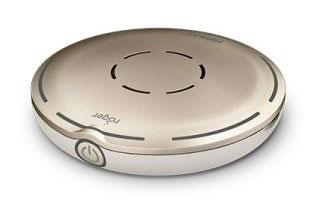
Phonak Roger Select 3
Wählen Sie eine Stimme an einem Tisch aus, hören Sie einer einzelnen sprechenden Person zu oder streamen Sie Fernsehen über die mitgelieferte Dockingstation.
Was Roger Select 3 kann
Bei einem lauten Abendessen legen Sie Roger Select 3 in die Mitte des Tisches. Es folgt der jeweils sprechenden Person. Wenn sich zwei Gespräche überschneiden, tippen Sie auf die Seite, die zu der Person zeigt, die Sie hören möchten. Eine sprechende Person kann es auch an ihrem Hemd tragen. Zu Hause sendet die Dockingstation den TV-Ton an dieselben Roger-Empfänger.
Which hearing aids work with Phonak Roger Select 3?
Mikrofonton
- Phonak Audéo EON R
A RogerDirect receiver must be installed in each hearing aid that will receive the microphone. Install or confirm the RogerDirect receiver in each hearing aid.
- Phonak Audéo EON Sphere
A RogerDirect receiver must be installed in each hearing aid that will receive the microphone. Install or confirm the RogerDirect receiver in each hearing aid.
- Phonak Audéo Lumity L-312
A RogerDirect receiver must be installed in each hearing aid that will receive the microphone. Install or confirm the RogerDirect receiver in each hearing aid.
- Phonak Audéo Lumity Life
A RogerDirect receiver must be installed in each hearing aid that will receive the microphone. Install or confirm the RogerDirect receiver in each hearing aid.
- Phonak Audéo Lumity R
A RogerDirect receiver must be installed in each hearing aid that will receive the microphone. Install or confirm the RogerDirect receiver in each hearing aid.
- Phonak Audéo Lumity RT
A RogerDirect receiver must be installed in each hearing aid that will receive the microphone. Install or confirm the RogerDirect receiver in each hearing aid.
TV-Ton
- Phonak Audéo EON R
A RogerDirect receiver must be installed in each hearing aid that will receive the microphone. Connect the powered Select dock to the TV’s optical or analog audio output. Install or confirm the RogerDirect receiver in each hearing aid. Power the Select dock and connect it to a compatible optical or analog TV output.
- Phonak Audéo EON Sphere
A RogerDirect receiver must be installed in each hearing aid that will receive the microphone. Connect the powered Select dock to the TV’s optical or analog audio output. Install or confirm the RogerDirect receiver in each hearing aid. Power the Select dock and connect it to a compatible optical or analog TV output.
- Phonak Audéo Lumity L-312
A RogerDirect receiver must be installed in each hearing aid that will receive the microphone. Connect the powered Select dock to the TV’s optical or analog audio output. Install or confirm the RogerDirect receiver in each hearing aid. Power the Select dock and connect it to a compatible optical or analog TV output.
- Phonak Audéo Lumity Life
A RogerDirect receiver must be installed in each hearing aid that will receive the microphone. Connect the powered Select dock to the TV’s optical or analog audio output. Install or confirm the RogerDirect receiver in each hearing aid. Power the Select dock and connect it to a compatible optical or analog TV output.
- Phonak Audéo Lumity R
A RogerDirect receiver must be installed in each hearing aid that will receive the microphone. Connect the powered Select dock to the TV’s optical or analog audio output. Install or confirm the RogerDirect receiver in each hearing aid. Power the Select dock and connect it to a compatible optical or analog TV output.
- Phonak Audéo Lumity RT
A RogerDirect receiver must be installed in each hearing aid that will receive the microphone. Connect the powered Select dock to the TV’s optical or analog audio output. Install or confirm the RogerDirect receiver in each hearing aid. Power the Select dock and connect it to a compatible optical or analog TV output.
Wählen Sie das genaue Modell auf Ihren Hörgeräten oder Unterlagen. Ein Treffer für eine Produktfamilie belegt nicht die Unterstützung jedes Modells dieser Familie.
Dokumentierte Geräte und Konfigurationen anzeigen
- Phonak Audéo EON R · Genaues Modell
With a RogerDirect receiver installed in each compatible hearing aid · Mikrofonton
A RogerDirect receiver must be installed in each hearing aid that will receive the microphone.
Zusätzliche Einrichtung erforderlichQuelle · 2026-11-18A RogerDirect receiver must be installed in each hearing aid that will receive the microphone.
- Install or confirm the RogerDirect receiver in each hearing aid.
- Phonak Audéo EON R · Genaues Modell
With a RogerDirect receiver installed in each compatible hearing aid · TV-Ton
A RogerDirect receiver must be installed in each hearing aid that will receive the microphone. Connect the powered Select dock to the TV’s optical or analog audio output.
Zusätzliche Einrichtung erforderlichQuelle · 2026-11-18A RogerDirect receiver must be installed in each hearing aid that will receive the microphone. Connect the powered Select dock to the TV’s optical or analog audio output.
- Install or confirm the RogerDirect receiver in each hearing aid.
- Power the Select dock and connect it to a compatible optical or analog TV output.
- Phonak Audéo EON R · Genaues Modell
With a RogerDirect receiver installed in each compatible hearing aid · phone_calls
Phonak excludes Bluetooth calls through Select 3 with RogerDirect.
Als inkompatibel dokumentiertQuelle · 2026-11-19 - Phonak Audéo EON Sphere · Genaues Modell
With a RogerDirect receiver installed in each compatible hearing aid · Mikrofonton
A RogerDirect receiver must be installed in each hearing aid that will receive the microphone.
Zusätzliche Einrichtung erforderlichQuelle · 2026-11-18A RogerDirect receiver must be installed in each hearing aid that will receive the microphone.
- Install or confirm the RogerDirect receiver in each hearing aid.
- Phonak Audéo EON Sphere · Genaues Modell
With a RogerDirect receiver installed in each compatible hearing aid · TV-Ton
A RogerDirect receiver must be installed in each hearing aid that will receive the microphone. Connect the powered Select dock to the TV’s optical or analog audio output.
Zusätzliche Einrichtung erforderlichQuelle · 2026-11-18A RogerDirect receiver must be installed in each hearing aid that will receive the microphone. Connect the powered Select dock to the TV’s optical or analog audio output.
- Install or confirm the RogerDirect receiver in each hearing aid.
- Power the Select dock and connect it to a compatible optical or analog TV output.
- Phonak Audéo EON Sphere · Genaues Modell
With a RogerDirect receiver installed in each compatible hearing aid · phone_calls
Phonak excludes Bluetooth calls through Select 3 with RogerDirect.
Als inkompatibel dokumentiertQuelle · 2026-11-19 - Phonak Audéo Lumity L-312 · Genaues Modell
With a RogerDirect receiver installed in each compatible hearing aid · Mikrofonton
A RogerDirect receiver must be installed in each hearing aid that will receive the microphone.
Zusätzliche Einrichtung erforderlichQuelle · 2026-11-18A RogerDirect receiver must be installed in each hearing aid that will receive the microphone.
- Install or confirm the RogerDirect receiver in each hearing aid.
- Phonak Audéo Lumity L-312 · Genaues Modell
With a RogerDirect receiver installed in each compatible hearing aid · TV-Ton
A RogerDirect receiver must be installed in each hearing aid that will receive the microphone. Connect the powered Select dock to the TV’s optical or analog audio output.
Zusätzliche Einrichtung erforderlichQuelle · 2026-11-18A RogerDirect receiver must be installed in each hearing aid that will receive the microphone. Connect the powered Select dock to the TV’s optical or analog audio output.
- Install or confirm the RogerDirect receiver in each hearing aid.
- Power the Select dock and connect it to a compatible optical or analog TV output.
- Phonak Audéo Lumity L-312 · Genaues Modell
With a RogerDirect receiver installed in each compatible hearing aid · phone_calls
Phonak excludes Bluetooth calls through Select 3 with RogerDirect.
Als inkompatibel dokumentiertQuelle · 2026-11-19 - Phonak Audéo Lumity Life · Genaues Modell
With a RogerDirect receiver installed in each compatible hearing aid · Mikrofonton
A RogerDirect receiver must be installed in each hearing aid that will receive the microphone.
Zusätzliche Einrichtung erforderlichQuelle · 2026-11-18A RogerDirect receiver must be installed in each hearing aid that will receive the microphone.
- Install or confirm the RogerDirect receiver in each hearing aid.
- Phonak Audéo Lumity Life · Genaues Modell
With a RogerDirect receiver installed in each compatible hearing aid · TV-Ton
A RogerDirect receiver must be installed in each hearing aid that will receive the microphone. Connect the powered Select dock to the TV’s optical or analog audio output.
Zusätzliche Einrichtung erforderlichQuelle · 2026-11-18A RogerDirect receiver must be installed in each hearing aid that will receive the microphone. Connect the powered Select dock to the TV’s optical or analog audio output.
- Install or confirm the RogerDirect receiver in each hearing aid.
- Power the Select dock and connect it to a compatible optical or analog TV output.
- Phonak Audéo Lumity Life · Genaues Modell
With a RogerDirect receiver installed in each compatible hearing aid · phone_calls
Phonak excludes Bluetooth calls through Select 3 with RogerDirect.
Als inkompatibel dokumentiertQuelle · 2026-11-19 - Phonak Audéo Lumity R · Genaues Modell
With a RogerDirect receiver installed in each compatible hearing aid · Mikrofonton
A RogerDirect receiver must be installed in each hearing aid that will receive the microphone.
Zusätzliche Einrichtung erforderlichQuelle · 2026-11-18A RogerDirect receiver must be installed in each hearing aid that will receive the microphone.
- Install or confirm the RogerDirect receiver in each hearing aid.
- Phonak Audéo Lumity R · Genaues Modell
With a RogerDirect receiver installed in each compatible hearing aid · TV-Ton
A RogerDirect receiver must be installed in each hearing aid that will receive the microphone. Connect the powered Select dock to the TV’s optical or analog audio output.
Zusätzliche Einrichtung erforderlichQuelle · 2026-11-18A RogerDirect receiver must be installed in each hearing aid that will receive the microphone. Connect the powered Select dock to the TV’s optical or analog audio output.
- Install or confirm the RogerDirect receiver in each hearing aid.
- Power the Select dock and connect it to a compatible optical or analog TV output.
- Phonak Audéo Lumity R · Genaues Modell
With a RogerDirect receiver installed in each compatible hearing aid · phone_calls
Phonak excludes Bluetooth calls through Select 3 with RogerDirect.
Als inkompatibel dokumentiertQuelle · 2026-11-19 - Phonak Audéo Lumity RT · Genaues Modell
With a RogerDirect receiver installed in each compatible hearing aid · Mikrofonton
A RogerDirect receiver must be installed in each hearing aid that will receive the microphone.
Zusätzliche Einrichtung erforderlichQuelle · 2026-11-18A RogerDirect receiver must be installed in each hearing aid that will receive the microphone.
- Install or confirm the RogerDirect receiver in each hearing aid.
- Phonak Audéo Lumity RT · Genaues Modell
With a RogerDirect receiver installed in each compatible hearing aid · TV-Ton
A RogerDirect receiver must be installed in each hearing aid that will receive the microphone. Connect the powered Select dock to the TV’s optical or analog audio output.
Zusätzliche Einrichtung erforderlichQuelle · 2026-11-18A RogerDirect receiver must be installed in each hearing aid that will receive the microphone. Connect the powered Select dock to the TV’s optical or analog audio output.
- Install or confirm the RogerDirect receiver in each hearing aid.
- Power the Select dock and connect it to a compatible optical or analog TV output.
- Phonak Audéo Lumity RT · Genaues Modell
With a RogerDirect receiver installed in each compatible hearing aid · phone_calls
Phonak excludes Bluetooth calls through Select 3 with RogerDirect.
Als inkompatibel dokumentiertQuelle · 2026-11-19 - Phonak Audéo Paradise 13T · Genaues Modell
With a RogerDirect receiver installed in each compatible hearing aid · Mikrofonton
A RogerDirect receiver must be installed in each hearing aid that will receive the microphone.
Zusätzliche Einrichtung erforderlichQuelle · 2026-11-18A RogerDirect receiver must be installed in each hearing aid that will receive the microphone.
- Install or confirm the RogerDirect receiver in each hearing aid.
- Phonak Audéo Paradise 13T · Genaues Modell
With a RogerDirect receiver installed in each compatible hearing aid · TV-Ton
A RogerDirect receiver must be installed in each hearing aid that will receive the microphone. Connect the powered Select dock to the TV’s optical or analog audio output.
Zusätzliche Einrichtung erforderlichQuelle · 2026-11-18A RogerDirect receiver must be installed in each hearing aid that will receive the microphone. Connect the powered Select dock to the TV’s optical or analog audio output.
- Install or confirm the RogerDirect receiver in each hearing aid.
- Power the Select dock and connect it to a compatible optical or analog TV output.
- Phonak Audéo Paradise 13T · Genaues Modell
With a RogerDirect receiver installed in each compatible hearing aid · phone_calls
Phonak excludes Bluetooth calls through Select 3 with RogerDirect.
Als inkompatibel dokumentiertQuelle · 2026-11-19 - Phonak Audéo Paradise 312 · Genaues Modell
With a RogerDirect receiver installed in each compatible hearing aid · Mikrofonton
A RogerDirect receiver must be installed in each hearing aid that will receive the microphone.
Zusätzliche Einrichtung erforderlichQuelle · 2026-11-18A RogerDirect receiver must be installed in each hearing aid that will receive the microphone.
- Install or confirm the RogerDirect receiver in each hearing aid.
- Phonak Audéo Paradise 312 · Genaues Modell
With a RogerDirect receiver installed in each compatible hearing aid · TV-Ton
A RogerDirect receiver must be installed in each hearing aid that will receive the microphone. Connect the powered Select dock to the TV’s optical or analog audio output.
Zusätzliche Einrichtung erforderlichQuelle · 2026-11-18A RogerDirect receiver must be installed in each hearing aid that will receive the microphone. Connect the powered Select dock to the TV’s optical or analog audio output.
- Install or confirm the RogerDirect receiver in each hearing aid.
- Power the Select dock and connect it to a compatible optical or analog TV output.
- Phonak Audéo Paradise 312 · Genaues Modell
With a RogerDirect receiver installed in each compatible hearing aid · phone_calls
Phonak excludes Bluetooth calls through Select 3 with RogerDirect.
Als inkompatibel dokumentiertQuelle · 2026-11-19 - Phonak Audéo Paradise R · Genaues Modell
With a RogerDirect receiver installed in each compatible hearing aid · Mikrofonton
A RogerDirect receiver must be installed in each hearing aid that will receive the microphone.
Zusätzliche Einrichtung erforderlichQuelle · 2026-11-18A RogerDirect receiver must be installed in each hearing aid that will receive the microphone.
- Install or confirm the RogerDirect receiver in each hearing aid.
- Phonak Audéo Paradise R · Genaues Modell
With a RogerDirect receiver installed in each compatible hearing aid · TV-Ton
A RogerDirect receiver must be installed in each hearing aid that will receive the microphone. Connect the powered Select dock to the TV’s optical or analog audio output.
Zusätzliche Einrichtung erforderlichQuelle · 2026-11-18A RogerDirect receiver must be installed in each hearing aid that will receive the microphone. Connect the powered Select dock to the TV’s optical or analog audio output.
- Install or confirm the RogerDirect receiver in each hearing aid.
- Power the Select dock and connect it to a compatible optical or analog TV output.
- Phonak Audéo Paradise R · Genaues Modell
With a RogerDirect receiver installed in each compatible hearing aid · phone_calls
Phonak excludes Bluetooth calls through Select 3 with RogerDirect.
Als inkompatibel dokumentiertQuelle · 2026-11-19 - Phonak Audéo Paradise RT · Genaues Modell
With a RogerDirect receiver installed in each compatible hearing aid · Mikrofonton
A RogerDirect receiver must be installed in each hearing aid that will receive the microphone.
Zusätzliche Einrichtung erforderlichQuelle · 2026-11-18A RogerDirect receiver must be installed in each hearing aid that will receive the microphone.
- Install or confirm the RogerDirect receiver in each hearing aid.
- Phonak Audéo Paradise RT · Genaues Modell
With a RogerDirect receiver installed in each compatible hearing aid · TV-Ton
A RogerDirect receiver must be installed in each hearing aid that will receive the microphone. Connect the powered Select dock to the TV’s optical or analog audio output.
Zusätzliche Einrichtung erforderlichQuelle · 2026-11-18A RogerDirect receiver must be installed in each hearing aid that will receive the microphone. Connect the powered Select dock to the TV’s optical or analog audio output.
- Install or confirm the RogerDirect receiver in each hearing aid.
- Power the Select dock and connect it to a compatible optical or analog TV output.
- Phonak Audéo Paradise RT · Genaues Modell
With a RogerDirect receiver installed in each compatible hearing aid · phone_calls
Phonak excludes Bluetooth calls through Select 3 with RogerDirect.
Als inkompatibel dokumentiertQuelle · 2026-11-19 - Phonak Naída M SP · Genaues Modell
With a RogerDirect receiver installed in each compatible hearing aid · Mikrofonton
A RogerDirect receiver must be installed in each hearing aid that will receive the microphone.
Zusätzliche Einrichtung erforderlichQuelle · 2026-11-18A RogerDirect receiver must be installed in each hearing aid that will receive the microphone.
- Install or confirm the RogerDirect receiver in each hearing aid.
- Phonak Naída M SP · Genaues Modell
With a RogerDirect receiver installed in each compatible hearing aid · TV-Ton
A RogerDirect receiver must be installed in each hearing aid that will receive the microphone. Connect the powered Select dock to the TV’s optical or analog audio output.
Zusätzliche Einrichtung erforderlichQuelle · 2026-11-18A RogerDirect receiver must be installed in each hearing aid that will receive the microphone. Connect the powered Select dock to the TV’s optical or analog audio output.
- Install or confirm the RogerDirect receiver in each hearing aid.
- Power the Select dock and connect it to a compatible optical or analog TV output.
- Phonak Naída M SP · Genaues Modell
With a RogerDirect receiver installed in each compatible hearing aid · phone_calls
Phonak excludes Bluetooth calls through Select 3 with RogerDirect.
Als inkompatibel dokumentiertQuelle · 2026-11-19 - Phonak Naída Paradise P-PR · Genaues Modell
With a RogerDirect receiver installed in each compatible hearing aid · Mikrofonton
A RogerDirect receiver must be installed in each hearing aid that will receive the microphone.
Zusätzliche Einrichtung erforderlichQuelle · 2026-11-18A RogerDirect receiver must be installed in each hearing aid that will receive the microphone.
- Install or confirm the RogerDirect receiver in each hearing aid.
- Phonak Naída Paradise P-PR · Genaues Modell
With a RogerDirect receiver installed in each compatible hearing aid · TV-Ton
A RogerDirect receiver must be installed in each hearing aid that will receive the microphone. Connect the powered Select dock to the TV’s optical or analog audio output.
Zusätzliche Einrichtung erforderlichQuelle · 2026-11-18A RogerDirect receiver must be installed in each hearing aid that will receive the microphone. Connect the powered Select dock to the TV’s optical or analog audio output.
- Install or confirm the RogerDirect receiver in each hearing aid.
- Power the Select dock and connect it to a compatible optical or analog TV output.
- Phonak Naída Paradise P-PR · Genaues Modell
With a RogerDirect receiver installed in each compatible hearing aid · phone_calls
Phonak excludes Bluetooth calls through Select 3 with RogerDirect.
Als inkompatibel dokumentiertQuelle · 2026-11-19 - Phonak Naída Paradise P-UP · Genaues Modell
With a RogerDirect receiver installed in each compatible hearing aid · Mikrofonton
A RogerDirect receiver must be installed in each hearing aid that will receive the microphone.
Zusätzliche Einrichtung erforderlichQuelle · 2026-11-18A RogerDirect receiver must be installed in each hearing aid that will receive the microphone.
- Install or confirm the RogerDirect receiver in each hearing aid.
- Phonak Naída Paradise P-UP · Genaues Modell
With a RogerDirect receiver installed in each compatible hearing aid · TV-Ton
A RogerDirect receiver must be installed in each hearing aid that will receive the microphone. Connect the powered Select dock to the TV’s optical or analog audio output.
Zusätzliche Einrichtung erforderlichQuelle · 2026-11-18A RogerDirect receiver must be installed in each hearing aid that will receive the microphone. Connect the powered Select dock to the TV’s optical or analog audio output.
- Install or confirm the RogerDirect receiver in each hearing aid.
- Power the Select dock and connect it to a compatible optical or analog TV output.
- Phonak Naída Paradise P-UP · Genaues Modell
With a RogerDirect receiver installed in each compatible hearing aid · phone_calls
Phonak excludes Bluetooth calls through Select 3 with RogerDirect.
Als inkompatibel dokumentiertQuelle · 2026-11-19 - Phonak Virto M M-312 · Genaues Modell
With a RogerDirect receiver installed in each compatible hearing aid · Mikrofonton
A RogerDirect receiver must be installed in each hearing aid that will receive the microphone.
Zusätzliche Einrichtung erforderlichQuelle · 2026-11-18A RogerDirect receiver must be installed in each hearing aid that will receive the microphone.
- Install or confirm the RogerDirect receiver in each hearing aid.
- Phonak Virto M M-312 · Genaues Modell
With a RogerDirect receiver installed in each compatible hearing aid · TV-Ton
A RogerDirect receiver must be installed in each hearing aid that will receive the microphone. Connect the powered Select dock to the TV’s optical or analog audio output.
Zusätzliche Einrichtung erforderlichQuelle · 2026-11-18A RogerDirect receiver must be installed in each hearing aid that will receive the microphone. Connect the powered Select dock to the TV’s optical or analog audio output.
- Install or confirm the RogerDirect receiver in each hearing aid.
- Power the Select dock and connect it to a compatible optical or analog TV output.
- Phonak Virto M M-312 · Genaues Modell
With a RogerDirect receiver installed in each compatible hearing aid · phone_calls
Phonak excludes Bluetooth calls through Select 3 with RogerDirect.
Als inkompatibel dokumentiertQuelle · 2026-11-19 - Phonak Bolero M M · Genaues Modell
With a RogerDirect receiver installed in each compatible hearing aid · Mikrofonton
A RogerDirect receiver must be installed in each hearing aid that will receive the microphone.
Zusätzliche Einrichtung erforderlichQuelle · 2026-11-18A RogerDirect receiver must be installed in each hearing aid that will receive the microphone.
- Install or confirm the RogerDirect receiver in each hearing aid.
- Phonak Bolero M M · Genaues Modell
With a RogerDirect receiver installed in each compatible hearing aid · TV-Ton
A RogerDirect receiver must be installed in each hearing aid that will receive the microphone. Connect the powered Select dock to the TV’s optical or analog audio output.
Zusätzliche Einrichtung erforderlichQuelle · 2026-11-18A RogerDirect receiver must be installed in each hearing aid that will receive the microphone. Connect the powered Select dock to the TV’s optical or analog audio output.
- Install or confirm the RogerDirect receiver in each hearing aid.
- Power the Select dock and connect it to a compatible optical or analog TV output.
- Phonak Bolero M M · Genaues Modell
With a RogerDirect receiver installed in each compatible hearing aid · phone_calls
Phonak excludes Bluetooth calls through Select 3 with RogerDirect.
Als inkompatibel dokumentiertQuelle · 2026-11-19 - Phonak Bolero M PR · Genaues Modell
With a RogerDirect receiver installed in each compatible hearing aid · Mikrofonton
A RogerDirect receiver must be installed in each hearing aid that will receive the microphone.
Zusätzliche Einrichtung erforderlichQuelle · 2026-11-18A RogerDirect receiver must be installed in each hearing aid that will receive the microphone.
- Install or confirm the RogerDirect receiver in each hearing aid.
- Phonak Bolero M PR · Genaues Modell
With a RogerDirect receiver installed in each compatible hearing aid · TV-Ton
A RogerDirect receiver must be installed in each hearing aid that will receive the microphone. Connect the powered Select dock to the TV’s optical or analog audio output.
Zusätzliche Einrichtung erforderlichQuelle · 2026-11-18A RogerDirect receiver must be installed in each hearing aid that will receive the microphone. Connect the powered Select dock to the TV’s optical or analog audio output.
- Install or confirm the RogerDirect receiver in each hearing aid.
- Power the Select dock and connect it to a compatible optical or analog TV output.
- Phonak Bolero M PR · Genaues Modell
With a RogerDirect receiver installed in each compatible hearing aid · phone_calls
Phonak excludes Bluetooth calls through Select 3 with RogerDirect.
Als inkompatibel dokumentiertQuelle · 2026-11-19 - Phonak Naída B B-R RIC · Genaues Modell
Older hearing aid with a Roger X and compatible streamer · Mikrofonton
Verify the eligible receiver path for this exact model. Active Roger X receiver matched to the older hearing-aid setup. Phonak ComPilot II with the Roger X connected.
Zusätzliche Einrichtung erforderlichQuelle · 2026-11-18Verify the eligible receiver path for this exact model. Active Roger X receiver matched to the older hearing-aid setup. Phonak ComPilot II with the Roger X connected.
- Active Roger X receiver matched to the older hearing-aid setup.
- Phonak ComPilot II with the Roger X connected.
- Phonak Naída B B-R RIC · Genaues Modell
Older hearing aid with a Roger X and compatible streamer · TV-Ton
Verify the eligible receiver path for this exact model. Active Roger X receiver matched to the older hearing-aid setup. Phonak ComPilot II with the Roger X connected. Connect the powered Select dock to the TV’s optical or analog audio output.
Zusätzliche Einrichtung erforderlichQuelle · 2026-11-18Verify the eligible receiver path for this exact model. Active Roger X receiver matched to the older hearing-aid setup. Phonak ComPilot II with the Roger X connected. Connect the powered Select dock to the TV’s optical or analog audio output.
- Active Roger X receiver matched to the older hearing-aid setup.
- Phonak ComPilot II with the Roger X connected.
- Power the Select dock and connect it to a compatible optical or analog TV output.
- Phonak Naída B B-SP · Genaues Modell
Older hearing aid with matching external integrated Roger receiver · Mikrofonton
Verify the eligible receiver path for this exact model. Fit a compatible Roger 18 external receiver.
Zusätzliche Einrichtung erforderlichQuelle · 2026-11-18Verify the eligible receiver path for this exact model. Fit a compatible Roger 18 external receiver.
- Fit a compatible Roger 18 external receiver.
- Phonak Naída B B-SP · Genaues Modell
Older hearing aid with matching external integrated Roger receiver · TV-Ton
Verify the eligible receiver path for this exact model. Fit a compatible Roger 18 external receiver. Connect the powered Select dock to the TV’s optical or analog audio output.
Zusätzliche Einrichtung erforderlichQuelle · 2026-11-18Verify the eligible receiver path for this exact model. Fit a compatible Roger 18 external receiver. Connect the powered Select dock to the TV’s optical or analog audio output.
- Fit a compatible Roger 18 external receiver.
- Power the Select dock and connect it to a compatible optical or analog TV output.
- Phonak Naída B B-SP · Genaues Modell
Older hearing aid with a Roger X and compatible audio shoe · Mikrofonton
Verify the eligible receiver path for this exact model. Active Roger X receiver matched to the older hearing-aid setup. Use Phonak audio shoe AS18 with the receiver.
Zusätzliche Einrichtung erforderlichQuelle · 2026-11-18Verify the eligible receiver path for this exact model. Active Roger X receiver matched to the older hearing-aid setup. Use Phonak audio shoe AS18 with the receiver.
- Active Roger X receiver matched to the older hearing-aid setup.
- Use Phonak audio shoe AS18 with the receiver.
- Phonak Naída B B-SP · Genaues Modell
Older hearing aid with a Roger X and compatible audio shoe · TV-Ton
Verify the eligible receiver path for this exact model. Active Roger X receiver matched to the older hearing-aid setup. Use Phonak audio shoe AS18 with the receiver. Connect the powered Select dock to the TV’s optical or analog audio output.
Zusätzliche Einrichtung erforderlichQuelle · 2026-11-18Verify the eligible receiver path for this exact model. Active Roger X receiver matched to the older hearing-aid setup. Use Phonak audio shoe AS18 with the receiver. Connect the powered Select dock to the TV’s optical or analog audio output.
- Active Roger X receiver matched to the older hearing-aid setup.
- Use Phonak audio shoe AS18 with the receiver.
- Power the Select dock and connect it to a compatible optical or analog TV output.
- Phonak Naída B B-UP · Genaues Modell
Older hearing aid with matching external integrated Roger receiver · Mikrofonton
Verify the eligible receiver path for this exact model. Fit a compatible Roger 19 external receiver.
Zusätzliche Einrichtung erforderlichQuelle · 2026-11-18Verify the eligible receiver path for this exact model. Fit a compatible Roger 19 external receiver.
- Fit a compatible Roger 19 external receiver.
- Phonak Naída B B-UP · Genaues Modell
Older hearing aid with matching external integrated Roger receiver · TV-Ton
Verify the eligible receiver path for this exact model. Fit a compatible Roger 19 external receiver. Connect the powered Select dock to the TV’s optical or analog audio output.
Zusätzliche Einrichtung erforderlichQuelle · 2026-11-18Verify the eligible receiver path for this exact model. Fit a compatible Roger 19 external receiver. Connect the powered Select dock to the TV’s optical or analog audio output.
- Fit a compatible Roger 19 external receiver.
- Power the Select dock and connect it to a compatible optical or analog TV output.
- Phonak Naída B B-UP · Genaues Modell
Older hearing aid with a Roger X and compatible audio shoe · Mikrofonton
Verify the eligible receiver path for this exact model. Active Roger X receiver matched to the older hearing-aid setup. Use Phonak audio shoe AS19 with the receiver.
Zusätzliche Einrichtung erforderlichQuelle · 2026-11-18Verify the eligible receiver path for this exact model. Active Roger X receiver matched to the older hearing-aid setup. Use Phonak audio shoe AS19 with the receiver.
- Active Roger X receiver matched to the older hearing-aid setup.
- Use Phonak audio shoe AS19 with the receiver.
- Phonak Naída B B-UP · Genaues Modell
Older hearing aid with a Roger X and compatible audio shoe · TV-Ton
Verify the eligible receiver path for this exact model. Active Roger X receiver matched to the older hearing-aid setup. Use Phonak audio shoe AS19 with the receiver. Connect the powered Select dock to the TV’s optical or analog audio output.
Zusätzliche Einrichtung erforderlichQuelle · 2026-11-18Verify the eligible receiver path for this exact model. Active Roger X receiver matched to the older hearing-aid setup. Use Phonak audio shoe AS19 with the receiver. Connect the powered Select dock to the TV’s optical or analog audio output.
- Active Roger X receiver matched to the older hearing-aid setup.
- Use Phonak audio shoe AS19 with the receiver.
- Power the Select dock and connect it to a compatible optical or analog TV output.
- Phonak Audéo Marvel R · Genaues Modell
With a RogerDirect receiver installed in each compatible hearing aid · Mikrofonton
Install or confirm Roger reception separately in each hearing device.
Zusätzliche Einrichtung erforderlichQuelle · 2026-11-18Install or confirm Roger reception separately in each hearing device.
- Install or confirm the RogerDirect receiver in each hearing aid.
- Phonak Audéo Marvel R · Genaues Modell
With a RogerDirect receiver installed in each compatible hearing aid · TV-Ton
Install or confirm Roger reception separately in each hearing device. Connect the powered Select dock to the TV’s optical or analog audio output.
Zusätzliche Einrichtung erforderlichQuelle · 2026-11-18Install or confirm Roger reception separately in each hearing device. Connect the powered Select dock to the TV’s optical or analog audio output.
- Install or confirm the RogerDirect receiver in each hearing aid.
- Power the Select dock and connect it to a compatible optical or analog TV output.
- Phonak Audéo Marvel R · Genaues Modell
With a RogerDirect receiver installed in each compatible hearing aid · phone_calls
Phonak excludes Bluetooth calls through Select 3 with RogerDirect.
Als inkompatibel dokumentiertQuelle · 2026-11-19 - Phonak Audéo Marvel RT · Genaues Modell
With a RogerDirect receiver installed in each compatible hearing aid · Mikrofonton
Install or confirm Roger reception separately in each hearing device.
Zusätzliche Einrichtung erforderlichQuelle · 2026-11-18Install or confirm Roger reception separately in each hearing device.
- Install or confirm the RogerDirect receiver in each hearing aid.
- Phonak Audéo Marvel RT · Genaues Modell
With a RogerDirect receiver installed in each compatible hearing aid · TV-Ton
Install or confirm Roger reception separately in each hearing device. Connect the powered Select dock to the TV’s optical or analog audio output.
Zusätzliche Einrichtung erforderlichQuelle · 2026-11-18Install or confirm Roger reception separately in each hearing device. Connect the powered Select dock to the TV’s optical or analog audio output.
- Install or confirm the RogerDirect receiver in each hearing aid.
- Power the Select dock and connect it to a compatible optical or analog TV output.
- Phonak Audéo Marvel RT · Genaues Modell
With a RogerDirect receiver installed in each compatible hearing aid · phone_calls
Phonak excludes Bluetooth calls through Select 3 with RogerDirect.
Als inkompatibel dokumentiertQuelle · 2026-11-19 - Phonak Audéo Marvel 312 · Genaues Modell
With a RogerDirect receiver installed in each compatible hearing aid · Mikrofonton
Install or confirm Roger reception separately in each hearing device.
Zusätzliche Einrichtung erforderlichQuelle · 2026-11-18Install or confirm Roger reception separately in each hearing device.
- Install or confirm the RogerDirect receiver in each hearing aid.
- Phonak Audéo Marvel 312 · Genaues Modell
With a RogerDirect receiver installed in each compatible hearing aid · TV-Ton
Install or confirm Roger reception separately in each hearing device. Connect the powered Select dock to the TV’s optical or analog audio output.
Zusätzliche Einrichtung erforderlichQuelle · 2026-11-18Install or confirm Roger reception separately in each hearing device. Connect the powered Select dock to the TV’s optical or analog audio output.
- Install or confirm the RogerDirect receiver in each hearing aid.
- Power the Select dock and connect it to a compatible optical or analog TV output.
- Phonak Audéo Marvel 312 · Genaues Modell
With a RogerDirect receiver installed in each compatible hearing aid · phone_calls
Phonak excludes Bluetooth calls through Select 3 with RogerDirect.
Als inkompatibel dokumentiertQuelle · 2026-11-19 - Phonak Audéo Marvel 312T · Genaues Modell
With a RogerDirect receiver installed in each compatible hearing aid · Mikrofonton
Install or confirm Roger reception separately in each hearing device.
Zusätzliche Einrichtung erforderlichQuelle · 2026-11-18Install or confirm Roger reception separately in each hearing device.
- Install or confirm the RogerDirect receiver in each hearing aid.
- Phonak Audéo Marvel 312T · Genaues Modell
With a RogerDirect receiver installed in each compatible hearing aid · TV-Ton
Install or confirm Roger reception separately in each hearing device. Connect the powered Select dock to the TV’s optical or analog audio output.
Zusätzliche Einrichtung erforderlichQuelle · 2026-11-18Install or confirm Roger reception separately in each hearing device. Connect the powered Select dock to the TV’s optical or analog audio output.
- Install or confirm the RogerDirect receiver in each hearing aid.
- Power the Select dock and connect it to a compatible optical or analog TV output.
- Phonak Audéo Marvel 312T · Genaues Modell
With a RogerDirect receiver installed in each compatible hearing aid · phone_calls
Phonak excludes Bluetooth calls through Select 3 with RogerDirect.
Als inkompatibel dokumentiertQuelle · 2026-11-19 - Phonak Audéo Marvel 13T · Genaues Modell
With a RogerDirect receiver installed in each compatible hearing aid · Mikrofonton
Install or confirm Roger reception separately in each hearing device.
Zusätzliche Einrichtung erforderlichQuelle · 2026-11-18Install or confirm Roger reception separately in each hearing device.
- Install or confirm the RogerDirect receiver in each hearing aid.
- Phonak Audéo Marvel 13T · Genaues Modell
With a RogerDirect receiver installed in each compatible hearing aid · TV-Ton
Install or confirm Roger reception separately in each hearing device. Connect the powered Select dock to the TV’s optical or analog audio output.
Zusätzliche Einrichtung erforderlichQuelle · 2026-11-18Install or confirm Roger reception separately in each hearing device. Connect the powered Select dock to the TV’s optical or analog audio output.
- Install or confirm the RogerDirect receiver in each hearing aid.
- Power the Select dock and connect it to a compatible optical or analog TV output.
- Phonak Audéo Marvel 13T · Genaues Modell
With a RogerDirect receiver installed in each compatible hearing aid · phone_calls
Phonak excludes Bluetooth calls through Select 3 with RogerDirect.
Als inkompatibel dokumentiertQuelle · 2026-11-19 - Phonak Virto Paradise 312 · Genaues Modell
With a RogerDirect receiver installed in each compatible hearing aid · Mikrofonton
Install or confirm Roger reception separately in each hearing device.
Zusätzliche Einrichtung erforderlichQuelle · 2026-11-18Install or confirm Roger reception separately in each hearing device.
- Install or confirm the RogerDirect receiver in each hearing aid.
- Phonak Virto Paradise 312 · Genaues Modell
With a RogerDirect receiver installed in each compatible hearing aid · TV-Ton
Install or confirm Roger reception separately in each hearing device. Connect the powered Select dock to the TV’s optical or analog audio output.
Zusätzliche Einrichtung erforderlichQuelle · 2026-11-18Install or confirm Roger reception separately in each hearing device. Connect the powered Select dock to the TV’s optical or analog audio output.
- Install or confirm the RogerDirect receiver in each hearing aid.
- Power the Select dock and connect it to a compatible optical or analog TV output.
- Phonak Virto Paradise 312 · Genaues Modell
With a RogerDirect receiver installed in each compatible hearing aid · phone_calls
Phonak excludes Bluetooth calls through Select 3 with RogerDirect.
Als inkompatibel dokumentiertQuelle · 2026-11-19 - Phonak Naída Lumity P-PR · Genaues Modell
With a RogerDirect receiver installed in each compatible hearing aid · Mikrofonton
Install or confirm Roger reception separately in each hearing device.
Zusätzliche Einrichtung erforderlichQuelle · 2026-11-18Install or confirm Roger reception separately in each hearing device.
- Install or confirm the RogerDirect receiver in each hearing aid.
- Phonak Naída Lumity P-PR · Genaues Modell
With a RogerDirect receiver installed in each compatible hearing aid · TV-Ton
Install or confirm Roger reception separately in each hearing device. Connect the powered Select dock to the TV’s optical or analog audio output.
Zusätzliche Einrichtung erforderlichQuelle · 2026-11-18Install or confirm Roger reception separately in each hearing device. Connect the powered Select dock to the TV’s optical or analog audio output.
- Install or confirm the RogerDirect receiver in each hearing aid.
- Power the Select dock and connect it to a compatible optical or analog TV output.
- Phonak Naída Lumity P-PR · Genaues Modell
With a RogerDirect receiver installed in each compatible hearing aid · phone_calls
Phonak excludes Bluetooth calls through Select 3 with RogerDirect.
Als inkompatibel dokumentiertQuelle · 2026-11-19 - Phonak Naída Lumity P-UP · Genaues Modell
With a RogerDirect receiver installed in each compatible hearing aid · Mikrofonton
Install or confirm Roger reception separately in each hearing device.
Zusätzliche Einrichtung erforderlichQuelle · 2026-11-18Install or confirm Roger reception separately in each hearing device.
- Install or confirm the RogerDirect receiver in each hearing aid.
- Phonak Naída Lumity P-UP · Genaues Modell
With a RogerDirect receiver installed in each compatible hearing aid · TV-Ton
Install or confirm Roger reception separately in each hearing device. Connect the powered Select dock to the TV’s optical or analog audio output.
Zusätzliche Einrichtung erforderlichQuelle · 2026-11-18Install or confirm Roger reception separately in each hearing device. Connect the powered Select dock to the TV’s optical or analog audio output.
- Install or confirm the RogerDirect receiver in each hearing aid.
- Power the Select dock and connect it to a compatible optical or analog TV output.
- Phonak Naída Lumity P-UP · Genaues Modell
With a RogerDirect receiver installed in each compatible hearing aid · phone_calls
Phonak excludes Bluetooth calls through Select 3 with RogerDirect.
Als inkompatibel dokumentiertQuelle · 2026-11-19 - Phonak Audéo Infinio Ultra R · Genaues Modell
With a RogerDirect receiver installed in each compatible hearing aid · Mikrofonton
Install or confirm Roger reception separately in each hearing device.
Zusätzliche Einrichtung erforderlichQuelle · 2026-11-18Install or confirm Roger reception separately in each hearing device.
- Install or confirm the RogerDirect receiver in each hearing aid.
- Phonak Audéo Infinio Ultra R · Genaues Modell
With a RogerDirect receiver installed in each compatible hearing aid · TV-Ton
Install or confirm Roger reception separately in each hearing device. Connect the powered Select dock to the TV’s optical or analog audio output.
Zusätzliche Einrichtung erforderlichQuelle · 2026-11-18Install or confirm Roger reception separately in each hearing device. Connect the powered Select dock to the TV’s optical or analog audio output.
- Install or confirm the RogerDirect receiver in each hearing aid.
- Power the Select dock and connect it to a compatible optical or analog TV output.
- Phonak Audéo Infinio Ultra R · Genaues Modell
With a RogerDirect receiver installed in each compatible hearing aid · phone_calls
Phonak excludes Bluetooth calls through Select 3 with RogerDirect.
Als inkompatibel dokumentiertQuelle · 2026-11-19 - Phonak Audéo Infinio Ultra Sphere · Genaues Modell
With a RogerDirect receiver installed in each compatible hearing aid · Mikrofonton
Install or confirm Roger reception separately in each hearing device.
Zusätzliche Einrichtung erforderlichQuelle · 2026-11-18Install or confirm Roger reception separately in each hearing device.
- Install or confirm the RogerDirect receiver in each hearing aid.
- Phonak Audéo Infinio Ultra Sphere · Genaues Modell
With a RogerDirect receiver installed in each compatible hearing aid · TV-Ton
Install or confirm Roger reception separately in each hearing device. Connect the powered Select dock to the TV’s optical or analog audio output.
Zusätzliche Einrichtung erforderlichQuelle · 2026-11-18Install or confirm Roger reception separately in each hearing device. Connect the powered Select dock to the TV’s optical or analog audio output.
- Install or confirm the RogerDirect receiver in each hearing aid.
- Power the Select dock and connect it to a compatible optical or analog TV output.
- Phonak Audéo Infinio Ultra Sphere · Genaues Modell
With a RogerDirect receiver installed in each compatible hearing aid · phone_calls
Phonak excludes Bluetooth calls through Select 3 with RogerDirect.
Als inkompatibel dokumentiertQuelle · 2026-11-19 - Phonak Virto Infinio R · Genaues Modell
With a RogerDirect receiver installed in each compatible hearing aid · Mikrofonton
Install or confirm Roger reception separately in each hearing device.
Zusätzliche Einrichtung erforderlichQuelle · 2026-11-19Install or confirm Roger reception separately in each hearing device.
- Install or confirm the RogerDirect receiver in each hearing aid.
- Phonak Virto Infinio R · Genaues Modell
With a RogerDirect receiver installed in each compatible hearing aid · TV-Ton
Install or confirm Roger reception separately in each hearing device. Connect the powered Select dock to the TV’s optical or analog audio output.
Zusätzliche Einrichtung erforderlichQuelle · 2026-11-19Install or confirm Roger reception separately in each hearing device. Connect the powered Select dock to the TV’s optical or analog audio output.
- Install or confirm the RogerDirect receiver in each hearing aid.
- Power the Select dock and connect it to a compatible optical or analog TV output.
- Phonak Virto Infinio R · Genaues Modell
With a RogerDirect receiver installed in each compatible hearing aid · phone_calls
Phonak excludes Bluetooth calls through Select 3 with RogerDirect.
Als inkompatibel dokumentiertQuelle · 2026-11-19 - Unitron Moxi Vivante RT · Genaues Modell
With a RogerDirect receiver installed in each compatible hearing aid · Mikrofonton
Install or confirm Roger reception separately in each hearing device.
Zusätzliche Einrichtung erforderlichQuelle · 2026-11-19Install or confirm Roger reception separately in each hearing device.
- Install or confirm the RogerDirect receiver in each hearing aid.
- Unitron Moxi Vivante RT · Genaues Modell
With a RogerDirect receiver installed in each compatible hearing aid · TV-Ton
Install or confirm Roger reception separately in each hearing device. Connect the powered Select dock to the TV’s optical or analog audio output.
Zusätzliche Einrichtung erforderlichQuelle · 2026-11-19Install or confirm Roger reception separately in each hearing device. Connect the powered Select dock to the TV’s optical or analog audio output.
- Install or confirm the RogerDirect receiver in each hearing aid.
- Power the Select dock and connect it to a compatible optical or analog TV output.
- Unitron Moxi Vivante RT · Genaues Modell
With a RogerDirect receiver installed in each compatible hearing aid · phone_calls
Phonak excludes Bluetooth calls through Select 3 with RogerDirect.
Als inkompatibel dokumentiertQuelle · 2026-11-19 - Unitron Moxi Vivante R · Genaues Modell
With a RogerDirect receiver installed in each compatible hearing aid · Mikrofonton
Install or confirm Roger reception separately in each hearing device.
Zusätzliche Einrichtung erforderlichQuelle · 2026-11-19Install or confirm Roger reception separately in each hearing device.
- Install or confirm the RogerDirect receiver in each hearing aid.
- Unitron Moxi Vivante R · Genaues Modell
With a RogerDirect receiver installed in each compatible hearing aid · TV-Ton
Install or confirm Roger reception separately in each hearing device. Connect the powered Select dock to the TV’s optical or analog audio output.
Zusätzliche Einrichtung erforderlichQuelle · 2026-11-19Install or confirm Roger reception separately in each hearing device. Connect the powered Select dock to the TV’s optical or analog audio output.
- Install or confirm the RogerDirect receiver in each hearing aid.
- Power the Select dock and connect it to a compatible optical or analog TV output.
- Unitron Moxi Vivante R · Genaues Modell
With a RogerDirect receiver installed in each compatible hearing aid · phone_calls
Phonak excludes Bluetooth calls through Select 3 with RogerDirect.
Als inkompatibel dokumentiertQuelle · 2026-11-19 - Phonak Virto Infinio 10 NW O · Genaues Modell
Roger NeckLoop with the hearing device’s telecoil program · Mikrofonton
Use a Roger NeckLoop with the optional fitted and enabled telecoil.
Zusätzliche Einrichtung erforderlichQuelle · 2026-11-19Use a Roger NeckLoop with the optional fitted and enabled telecoil.
- The hearing device must have a telecoil fitted and its T or MT program enabled.
- Phonak Virto Infinio 10 NW O · Genaues Modell
Roger NeckLoop with the hearing device’s telecoil program · TV-Ton
Use a Roger NeckLoop with the optional fitted and enabled telecoil. Connect the powered Select dock to the TV’s optical or analog audio output.
Zusätzliche Einrichtung erforderlichQuelle · 2026-11-19Use a Roger NeckLoop with the optional fitted and enabled telecoil. Connect the powered Select dock to the TV’s optical or analog audio output.
- The hearing device must have a telecoil fitted and its T or MT program enabled.
- Power the Select dock and connect it to a compatible optical or analog TV output.
- Phonak Virto Infinio Titanium · Genaues Modell
Roger NeckLoop with the hearing device’s telecoil program · Mikrofonton
Use a Roger NeckLoop with the optional fitted and enabled telecoil.
Zusätzliche Einrichtung erforderlichQuelle · 2026-11-19Use a Roger NeckLoop with the optional fitted and enabled telecoil.
- The hearing device must have a telecoil fitted and its T or MT program enabled.
- Phonak Virto Infinio Titanium · Genaues Modell
Roger NeckLoop with the hearing device’s telecoil program · TV-Ton
Use a Roger NeckLoop with the optional fitted and enabled telecoil. Connect the powered Select dock to the TV’s optical or analog audio output.
Zusätzliche Einrichtung erforderlichQuelle · 2026-11-19Use a Roger NeckLoop with the optional fitted and enabled telecoil. Connect the powered Select dock to the TV’s optical or analog audio output.
- The hearing device must have a telecoil fitted and its T or MT program enabled.
- Power the Select dock and connect it to a compatible optical or analog TV output.
- Phonak Audéo B 312T · Genaues Modell
Roger NeckLoop with the hearing device’s telecoil program · Mikrofonton
Use a personal Roger NeckLoop and select the hearing aid’s T or MT program.
Zusätzliche Einrichtung erforderlichQuelle · 2026-11-18Use a personal Roger NeckLoop and select the hearing aid’s T or MT program.
- The hearing device must have a telecoil fitted and its T or MT program enabled.
- Phonak Audéo B 312T · Genaues Modell
Roger NeckLoop with the hearing device’s telecoil program · TV-Ton
Use a personal Roger NeckLoop and select the hearing aid’s T or MT program. Connect the powered Select dock to the TV’s optical or analog audio output.
Zusätzliche Einrichtung erforderlichQuelle · 2026-11-18Use a personal Roger NeckLoop and select the hearing aid’s T or MT program. Connect the powered Select dock to the TV’s optical or analog audio output.
- The hearing device must have a telecoil fitted and its T or MT program enabled.
- Power the Select dock and connect it to a compatible optical or analog TV output.
- Phonak Audéo B 13 · Genaues Modell
Roger NeckLoop with the hearing device’s telecoil program · Mikrofonton
Use a personal Roger NeckLoop and select the hearing aid’s T or MT program.
Zusätzliche Einrichtung erforderlichQuelle · 2026-11-18Use a personal Roger NeckLoop and select the hearing aid’s T or MT program.
- The hearing device must have a telecoil fitted and its T or MT program enabled.
- Phonak Audéo B 13 · Genaues Modell
Roger NeckLoop with the hearing device’s telecoil program · TV-Ton
Use a personal Roger NeckLoop and select the hearing aid’s T or MT program. Connect the powered Select dock to the TV’s optical or analog audio output.
Zusätzliche Einrichtung erforderlichQuelle · 2026-11-18Use a personal Roger NeckLoop and select the hearing aid’s T or MT program. Connect the powered Select dock to the TV’s optical or analog audio output.
- The hearing device must have a telecoil fitted and its T or MT program enabled.
- Power the Select dock and connect it to a compatible optical or analog TV output.
- Phonak Audéo Marvel RT · Genaues Modell
Roger NeckLoop with the hearing device’s telecoil program · Mikrofonton
Use a personal Roger NeckLoop and select the hearing aid’s T or MT program.
Zusätzliche Einrichtung erforderlichQuelle · 2026-11-18Use a personal Roger NeckLoop and select the hearing aid’s T or MT program.
- The hearing device must have a telecoil fitted and its T or MT program enabled.
- Phonak Audéo Marvel RT · Genaues Modell
Roger NeckLoop with the hearing device’s telecoil program · TV-Ton
Use a personal Roger NeckLoop and select the hearing aid’s T or MT program. Connect the powered Select dock to the TV’s optical or analog audio output.
Zusätzliche Einrichtung erforderlichQuelle · 2026-11-18Use a personal Roger NeckLoop and select the hearing aid’s T or MT program. Connect the powered Select dock to the TV’s optical or analog audio output.
- The hearing device must have a telecoil fitted and its T or MT program enabled.
- Power the Select dock and connect it to a compatible optical or analog TV output.
- Phonak Audéo Marvel 312T · Genaues Modell
Roger NeckLoop with the hearing device’s telecoil program · Mikrofonton
Use a personal Roger NeckLoop and select the hearing aid’s T or MT program.
Zusätzliche Einrichtung erforderlichQuelle · 2026-11-18Use a personal Roger NeckLoop and select the hearing aid’s T or MT program.
- The hearing device must have a telecoil fitted and its T or MT program enabled.
- Phonak Audéo Marvel 312T · Genaues Modell
Roger NeckLoop with the hearing device’s telecoil program · TV-Ton
Use a personal Roger NeckLoop and select the hearing aid’s T or MT program. Connect the powered Select dock to the TV’s optical or analog audio output.
Zusätzliche Einrichtung erforderlichQuelle · 2026-11-18Use a personal Roger NeckLoop and select the hearing aid’s T or MT program. Connect the powered Select dock to the TV’s optical or analog audio output.
- The hearing device must have a telecoil fitted and its T or MT program enabled.
- Power the Select dock and connect it to a compatible optical or analog TV output.
- Phonak Audéo Marvel 13T · Genaues Modell
Roger NeckLoop with the hearing device’s telecoil program · Mikrofonton
Use a personal Roger NeckLoop and select the hearing aid’s T or MT program.
Zusätzliche Einrichtung erforderlichQuelle · 2026-11-18Use a personal Roger NeckLoop and select the hearing aid’s T or MT program.
- The hearing device must have a telecoil fitted and its T or MT program enabled.
- Phonak Audéo Marvel 13T · Genaues Modell
Roger NeckLoop with the hearing device’s telecoil program · TV-Ton
Use a personal Roger NeckLoop and select the hearing aid’s T or MT program. Connect the powered Select dock to the TV’s optical or analog audio output.
Zusätzliche Einrichtung erforderlichQuelle · 2026-11-18Use a personal Roger NeckLoop and select the hearing aid’s T or MT program. Connect the powered Select dock to the TV’s optical or analog audio output.
- The hearing device must have a telecoil fitted and its T or MT program enabled.
- Power the Select dock and connect it to a compatible optical or analog TV output.
- Phonak Bolero M M · Genaues Modell
Roger NeckLoop with the hearing device’s telecoil program · Mikrofonton
Use a personal Roger NeckLoop and select the hearing aid’s T or MT program.
Zusätzliche Einrichtung erforderlichQuelle · 2026-11-18Use a personal Roger NeckLoop and select the hearing aid’s T or MT program.
- The hearing device must have a telecoil fitted and its T or MT program enabled.
- Phonak Bolero M M · Genaues Modell
Roger NeckLoop with the hearing device’s telecoil program · TV-Ton
Use a personal Roger NeckLoop and select the hearing aid’s T or MT program. Connect the powered Select dock to the TV’s optical or analog audio output.
Zusätzliche Einrichtung erforderlichQuelle · 2026-11-18Use a personal Roger NeckLoop and select the hearing aid’s T or MT program. Connect the powered Select dock to the TV’s optical or analog audio output.
- The hearing device must have a telecoil fitted and its T or MT program enabled.
- Power the Select dock and connect it to a compatible optical or analog TV output.
- Phonak Naída M SP · Genaues Modell
Roger NeckLoop with the hearing device’s telecoil program · Mikrofonton
Use a personal Roger NeckLoop and select the hearing aid’s T or MT program.
Zusätzliche Einrichtung erforderlichQuelle · 2026-11-18Use a personal Roger NeckLoop and select the hearing aid’s T or MT program.
- The hearing device must have a telecoil fitted and its T or MT program enabled.
- Phonak Naída M SP · Genaues Modell
Roger NeckLoop with the hearing device’s telecoil program · TV-Ton
Use a personal Roger NeckLoop and select the hearing aid’s T or MT program. Connect the powered Select dock to the TV’s optical or analog audio output.
Zusätzliche Einrichtung erforderlichQuelle · 2026-11-18Use a personal Roger NeckLoop and select the hearing aid’s T or MT program. Connect the powered Select dock to the TV’s optical or analog audio output.
- The hearing device must have a telecoil fitted and its T or MT program enabled.
- Power the Select dock and connect it to a compatible optical or analog TV output.
- Phonak Audéo Paradise 13T · Genaues Modell
Roger NeckLoop with the hearing device’s telecoil program · Mikrofonton
Use a personal Roger NeckLoop and select the hearing aid’s T or MT program.
Zusätzliche Einrichtung erforderlichQuelle · 2026-11-18Use a personal Roger NeckLoop and select the hearing aid’s T or MT program.
- The hearing device must have a telecoil fitted and its T or MT program enabled.
- Phonak Audéo Paradise 13T · Genaues Modell
Roger NeckLoop with the hearing device’s telecoil program · TV-Ton
Use a personal Roger NeckLoop and select the hearing aid’s T or MT program. Connect the powered Select dock to the TV’s optical or analog audio output.
Zusätzliche Einrichtung erforderlichQuelle · 2026-11-18Use a personal Roger NeckLoop and select the hearing aid’s T or MT program. Connect the powered Select dock to the TV’s optical or analog audio output.
- The hearing device must have a telecoil fitted and its T or MT program enabled.
- Power the Select dock and connect it to a compatible optical or analog TV output.
- Phonak Audéo Paradise RT · Genaues Modell
Roger NeckLoop with the hearing device’s telecoil program · Mikrofonton
Use a personal Roger NeckLoop and select the hearing aid’s T or MT program.
Zusätzliche Einrichtung erforderlichQuelle · 2026-11-18Use a personal Roger NeckLoop and select the hearing aid’s T or MT program.
- The hearing device must have a telecoil fitted and its T or MT program enabled.
- Phonak Audéo Paradise RT · Genaues Modell
Roger NeckLoop with the hearing device’s telecoil program · TV-Ton
Use a personal Roger NeckLoop and select the hearing aid’s T or MT program. Connect the powered Select dock to the TV’s optical or analog audio output.
Zusätzliche Einrichtung erforderlichQuelle · 2026-11-18Use a personal Roger NeckLoop and select the hearing aid’s T or MT program. Connect the powered Select dock to the TV’s optical or analog audio output.
- The hearing device must have a telecoil fitted and its T or MT program enabled.
- Power the Select dock and connect it to a compatible optical or analog TV output.
- Phonak Naída Paradise P-UP · Genaues Modell
Roger NeckLoop with the hearing device’s telecoil program · Mikrofonton
Use a personal Roger NeckLoop and select the hearing aid’s T or MT program.
Zusätzliche Einrichtung erforderlichQuelle · 2026-11-18Use a personal Roger NeckLoop and select the hearing aid’s T or MT program.
- The hearing device must have a telecoil fitted and its T or MT program enabled.
- Phonak Naída Paradise P-UP · Genaues Modell
Roger NeckLoop with the hearing device’s telecoil program · TV-Ton
Use a personal Roger NeckLoop and select the hearing aid’s T or MT program. Connect the powered Select dock to the TV’s optical or analog audio output.
Zusätzliche Einrichtung erforderlichQuelle · 2026-11-18Use a personal Roger NeckLoop and select the hearing aid’s T or MT program. Connect the powered Select dock to the TV’s optical or analog audio output.
- The hearing device must have a telecoil fitted and its T or MT program enabled.
- Power the Select dock and connect it to a compatible optical or analog TV output.
- Phonak Audéo B R · Genaues Modell
Roger X connected through a compatible ComPilot streamer · Mikrofonton
A separate Roger X plugs into a compatible ComPilot or ComPilot II paired with the aids.
Zusätzliche Einrichtung erforderlichQuelle · 2026-11-18A separate Roger X plugs into a compatible ComPilot or ComPilot II paired with the aids.
- Use a paired Phonak ComPilot II streamer. A model-compatible ComPilot is another documented option.
- Connect a Roger X receiver to the required accessory input.
- Phonak Audéo B R · Genaues Modell
Roger X connected through a compatible ComPilot streamer · TV-Ton
A separate Roger X plugs into a compatible ComPilot or ComPilot II paired with the aids. Connect the powered Select dock to the TV’s optical or analog audio output.
Zusätzliche Einrichtung erforderlichQuelle · 2026-11-18A separate Roger X plugs into a compatible ComPilot or ComPilot II paired with the aids. Connect the powered Select dock to the TV’s optical or analog audio output.
- Use a paired Phonak ComPilot II streamer. A model-compatible ComPilot is another documented option.
- Connect a Roger X receiver to the required accessory input.
- Power the Select dock and connect it to a compatible optical or analog TV output.
- Phonak Audéo B 10 · Genaues Modell
Roger X connected through a compatible ComPilot streamer · Mikrofonton
A separate Roger X plugs into a compatible ComPilot or ComPilot II paired with the aids.
Zusätzliche Einrichtung erforderlichQuelle · 2026-11-18A separate Roger X plugs into a compatible ComPilot or ComPilot II paired with the aids.
- Use a paired Phonak ComPilot II streamer. A model-compatible ComPilot is another documented option.
- Connect a Roger X receiver to the required accessory input.
- Phonak Audéo B 10 · Genaues Modell
Roger X connected through a compatible ComPilot streamer · TV-Ton
A separate Roger X plugs into a compatible ComPilot or ComPilot II paired with the aids. Connect the powered Select dock to the TV’s optical or analog audio output.
Zusätzliche Einrichtung erforderlichQuelle · 2026-11-18A separate Roger X plugs into a compatible ComPilot or ComPilot II paired with the aids. Connect the powered Select dock to the TV’s optical or analog audio output.
- Use a paired Phonak ComPilot II streamer. A model-compatible ComPilot is another documented option.
- Connect a Roger X receiver to the required accessory input.
- Power the Select dock and connect it to a compatible optical or analog TV output.
- Phonak Audéo B 312 · Genaues Modell
Roger X connected through a compatible ComPilot streamer · Mikrofonton
A separate Roger X plugs into a compatible ComPilot or ComPilot II paired with the aids.
Zusätzliche Einrichtung erforderlichQuelle · 2026-11-18A separate Roger X plugs into a compatible ComPilot or ComPilot II paired with the aids.
- Use a paired Phonak ComPilot II streamer. A model-compatible ComPilot is another documented option.
- Connect a Roger X receiver to the required accessory input.
- Phonak Audéo B 312 · Genaues Modell
Roger X connected through a compatible ComPilot streamer · TV-Ton
A separate Roger X plugs into a compatible ComPilot or ComPilot II paired with the aids. Connect the powered Select dock to the TV’s optical or analog audio output.
Zusätzliche Einrichtung erforderlichQuelle · 2026-11-18A separate Roger X plugs into a compatible ComPilot or ComPilot II paired with the aids. Connect the powered Select dock to the TV’s optical or analog audio output.
- Use a paired Phonak ComPilot II streamer. A model-compatible ComPilot is another documented option.
- Connect a Roger X receiver to the required accessory input.
- Power the Select dock and connect it to a compatible optical or analog TV output.
- Phonak Audéo B 312T · Genaues Modell
Roger X connected through a compatible ComPilot streamer · Mikrofonton
A separate Roger X plugs into a compatible ComPilot or ComPilot II paired with the aids.
Zusätzliche Einrichtung erforderlichQuelle · 2026-11-18A separate Roger X plugs into a compatible ComPilot or ComPilot II paired with the aids.
- Use a paired Phonak ComPilot II streamer. A model-compatible ComPilot is another documented option.
- Connect a Roger X receiver to the required accessory input.
- Phonak Audéo B 312T · Genaues Modell
Roger X connected through a compatible ComPilot streamer · TV-Ton
A separate Roger X plugs into a compatible ComPilot or ComPilot II paired with the aids. Connect the powered Select dock to the TV’s optical or analog audio output.
Zusätzliche Einrichtung erforderlichQuelle · 2026-11-18A separate Roger X plugs into a compatible ComPilot or ComPilot II paired with the aids. Connect the powered Select dock to the TV’s optical or analog audio output.
- Use a paired Phonak ComPilot II streamer. A model-compatible ComPilot is another documented option.
- Connect a Roger X receiver to the required accessory input.
- Power the Select dock and connect it to a compatible optical or analog TV output.
- Phonak Audéo B 13 · Genaues Modell
Model-specific external Roger receiver · Mikrofonton
Attach the matching Roger 18 to this Audéo B-13.
Zusätzliche Einrichtung erforderlichQuelle · 2026-11-18Attach the matching Roger 18 to this Audéo B-13.
- Use the Roger 18 receiver made for the Audéo B-13.
- Phonak Audéo B 13 · Genaues Modell
Model-specific external Roger receiver · TV-Ton
Attach the matching Roger 18 to this Audéo B-13. Connect the powered Select dock to the TV’s optical or analog audio output.
Zusätzliche Einrichtung erforderlichQuelle · 2026-11-18Attach the matching Roger 18 to this Audéo B-13. Connect the powered Select dock to the TV’s optical or analog audio output.
- Use the Roger 18 receiver made for the Audéo B-13.
- Power the Select dock and connect it to a compatible optical or analog TV output.
- Cochlear Baha® 5 · Genaues Modell
Roger X connected through Cochlear Mini Microphone 2+ · Mikrofonton
Connect a Roger X to a Cochlear Wireless Mini Microphone 2+ paired with the sound processor.
Zusätzliche Einrichtung erforderlichQuelle · 2026-11-18Connect a Roger X to a Cochlear Wireless Mini Microphone 2+ paired with the sound processor.
- Connect a Roger X receiver to the required accessory input.
- Connect the Roger X to a Cochlear Wireless Mini Microphone 2+ paired with the sound processor.
- Cochlear Baha® 5 · Genaues Modell
Roger X connected through Cochlear Mini Microphone 2+ · TV-Ton
Connect a Roger X to a Cochlear Wireless Mini Microphone 2+ paired with the sound processor. Connect the powered Select dock to the TV’s optical or analog audio output.
Zusätzliche Einrichtung erforderlichQuelle · 2026-11-18Connect a Roger X to a Cochlear Wireless Mini Microphone 2+ paired with the sound processor. Connect the powered Select dock to the TV’s optical or analog audio output.
- Connect a Roger X receiver to the required accessory input.
- Connect the Roger X to a Cochlear Wireless Mini Microphone 2+ paired with the sound processor.
- Power the Select dock and connect it to a compatible optical or analog TV output.
- Cochlear Nucleus Kanso · Genaues Modell
Roger X connected through Cochlear Mini Microphone 2+ · Mikrofonton
Connect a Roger X to a Cochlear Wireless Mini Microphone 2+ paired with the sound processor.
Zusätzliche Einrichtung erforderlichQuelle · 2026-11-18Connect a Roger X to a Cochlear Wireless Mini Microphone 2+ paired with the sound processor.
- Connect a Roger X receiver to the required accessory input.
- Connect the Roger X to a Cochlear Wireless Mini Microphone 2+ paired with the sound processor.
- Cochlear Nucleus Kanso · Genaues Modell
Roger X connected through Cochlear Mini Microphone 2+ · TV-Ton
Connect a Roger X to a Cochlear Wireless Mini Microphone 2+ paired with the sound processor. Connect the powered Select dock to the TV’s optical or analog audio output.
Zusätzliche Einrichtung erforderlichQuelle · 2026-11-18Connect a Roger X to a Cochlear Wireless Mini Microphone 2+ paired with the sound processor. Connect the powered Select dock to the TV’s optical or analog audio output.
- Connect a Roger X receiver to the required accessory input.
- Connect the Roger X to a Cochlear Wireless Mini Microphone 2+ paired with the sound processor.
- Power the Select dock and connect it to a compatible optical or analog TV output.
- Cochlear Nucleus® 7 · Genaues Modell
Roger X connected through Cochlear Mini Microphone 2+ · Mikrofonton
Connect a Roger X to a Cochlear Wireless Mini Microphone 2+ paired with the sound processor.
Zusätzliche Einrichtung erforderlichQuelle · 2026-11-18Connect a Roger X to a Cochlear Wireless Mini Microphone 2+ paired with the sound processor.
- Connect a Roger X receiver to the required accessory input.
- Connect the Roger X to a Cochlear Wireless Mini Microphone 2+ paired with the sound processor.
- Cochlear Nucleus® 7 · Genaues Modell
Roger X connected through Cochlear Mini Microphone 2+ · TV-Ton
Connect a Roger X to a Cochlear Wireless Mini Microphone 2+ paired with the sound processor. Connect the powered Select dock to the TV’s optical or analog audio output.
Zusätzliche Einrichtung erforderlichQuelle · 2026-11-18Connect a Roger X to a Cochlear Wireless Mini Microphone 2+ paired with the sound processor. Connect the powered Select dock to the TV’s optical or analog audio output.
- Connect a Roger X receiver to the required accessory input.
- Connect the Roger X to a Cochlear Wireless Mini Microphone 2+ paired with the sound processor.
- Power the Select dock and connect it to a compatible optical or analog TV output.
- Cochlear Kanso® 2 · Genaues Modell
Roger X connected through Cochlear Mini Microphone 2+ · Mikrofonton
Connect a Roger X to a Cochlear Wireless Mini Microphone 2+ paired with the sound processor.
Zusätzliche Einrichtung erforderlichQuelle · 2026-11-18Connect a Roger X to a Cochlear Wireless Mini Microphone 2+ paired with the sound processor.
- Connect a Roger X receiver to the required accessory input.
- Connect the Roger X to a Cochlear Wireless Mini Microphone 2+ paired with the sound processor.
- Cochlear Kanso® 2 · Genaues Modell
Roger X connected through Cochlear Mini Microphone 2+ · TV-Ton
Connect a Roger X to a Cochlear Wireless Mini Microphone 2+ paired with the sound processor. Connect the powered Select dock to the TV’s optical or analog audio output.
Zusätzliche Einrichtung erforderlichQuelle · 2026-11-18Connect a Roger X to a Cochlear Wireless Mini Microphone 2+ paired with the sound processor. Connect the powered Select dock to the TV’s optical or analog audio output.
- Connect a Roger X receiver to the required accessory input.
- Connect the Roger X to a Cochlear Wireless Mini Microphone 2+ paired with the sound processor.
- Power the Select dock and connect it to a compatible optical or analog TV output.
- Cochlear Nucleus® 8 · Genaues Modell
Roger X connected through Cochlear Mini Microphone 2+ · Mikrofonton
Connect a Roger X to a Cochlear Wireless Mini Microphone 2+ paired with the sound processor.
Zusätzliche Einrichtung erforderlichQuelle · 2026-11-18Connect a Roger X to a Cochlear Wireless Mini Microphone 2+ paired with the sound processor.
- Connect a Roger X receiver to the required accessory input.
- Connect the Roger X to a Cochlear Wireless Mini Microphone 2+ paired with the sound processor.
- Cochlear Nucleus® 8 · Genaues Modell
Roger X connected through Cochlear Mini Microphone 2+ · TV-Ton
Connect a Roger X to a Cochlear Wireless Mini Microphone 2+ paired with the sound processor. Connect the powered Select dock to the TV’s optical or analog audio output.
Zusätzliche Einrichtung erforderlichQuelle · 2026-11-18Connect a Roger X to a Cochlear Wireless Mini Microphone 2+ paired with the sound processor. Connect the powered Select dock to the TV’s optical or analog audio output.
- Connect a Roger X receiver to the required accessory input.
- Connect the Roger X to a Cochlear Wireless Mini Microphone 2+ paired with the sound processor.
- Power the Select dock and connect it to a compatible optical or analog TV output.
- Cochlear Osia® 2 · Genaues Modell
Roger X connected through Cochlear Mini Microphone 2+ · Mikrofonton
Connect a Roger X to a Cochlear Wireless Mini Microphone 2+ paired with the sound processor.
Zusätzliche Einrichtung erforderlichQuelle · 2026-11-18Connect a Roger X to a Cochlear Wireless Mini Microphone 2+ paired with the sound processor.
- Connect a Roger X receiver to the required accessory input.
- Connect the Roger X to a Cochlear Wireless Mini Microphone 2+ paired with the sound processor.
- Cochlear Osia® 2 · Genaues Modell
Roger X connected through Cochlear Mini Microphone 2+ · TV-Ton
Connect a Roger X to a Cochlear Wireless Mini Microphone 2+ paired with the sound processor. Connect the powered Select dock to the TV’s optical or analog audio output.
Zusätzliche Einrichtung erforderlichQuelle · 2026-11-18Connect a Roger X to a Cochlear Wireless Mini Microphone 2+ paired with the sound processor. Connect the powered Select dock to the TV’s optical or analog audio output.
- Connect a Roger X receiver to the required accessory input.
- Connect the Roger X to a Cochlear Wireless Mini Microphone 2+ paired with the sound processor.
- Power the Select dock and connect it to a compatible optical or analog TV output.
- Cochlear Nucleus® 7 · Genaues Modell
Model-specific external Roger receiver · Mikrofonton
Use the Roger 20 receiver made for Nucleus 7 or 8.
Zusätzliche Einrichtung erforderlichQuelle · 2026-11-18Use the Roger 20 receiver made for Nucleus 7 or 8.
- Configure Roger input on the processor with the model-specific Roger 20 attached.
- Cochlear Nucleus® 7 · Genaues Modell
Model-specific external Roger receiver · TV-Ton
Use the Roger 20 receiver made for Nucleus 7 or 8. Connect the powered Select dock to the TV’s optical or analog audio output.
Zusätzliche Einrichtung erforderlichQuelle · 2026-11-18Use the Roger 20 receiver made for Nucleus 7 or 8. Connect the powered Select dock to the TV’s optical or analog audio output.
- Configure Roger input on the processor with the model-specific Roger 20 attached.
- Power the Select dock and connect it to a compatible optical or analog TV output.
- Cochlear Nucleus® 8 · Genaues Modell
Model-specific external Roger receiver · Mikrofonton
Use the Roger 20 receiver made for Nucleus 7 or 8.
Zusätzliche Einrichtung erforderlichQuelle · 2026-11-18Use the Roger 20 receiver made for Nucleus 7 or 8.
- Configure Roger input on the processor with the model-specific Roger 20 attached.
- Cochlear Nucleus® 8 · Genaues Modell
Model-specific external Roger receiver · TV-Ton
Use the Roger 20 receiver made for Nucleus 7 or 8. Connect the powered Select dock to the TV’s optical or analog audio output.
Zusätzliche Einrichtung erforderlichQuelle · 2026-11-18Use the Roger 20 receiver made for Nucleus 7 or 8. Connect the powered Select dock to the TV’s optical or analog audio output.
- Configure Roger input on the processor with the model-specific Roger 20 attached.
- Power the Select dock and connect it to a compatible optical or analog TV output.
- Cochlear Nucleus® 6 Sound Processor · Genaues Modell
Model-specific external Roger receiver · Mikrofonton
Fit a Roger 14 receiver to the Nucleus 6 processor.
Zusätzliche Einrichtung erforderlichQuelle · 2026-11-18Fit a Roger 14 receiver to the Nucleus 6 processor.
- Configure the processor to receive sound through its attached Roger 14.
- Cochlear Nucleus® 6 Sound Processor · Genaues Modell
Model-specific external Roger receiver · TV-Ton
Fit a Roger 14 receiver to the Nucleus 6 processor. Connect the powered Select dock to the TV’s optical or analog audio output.
Zusätzliche Einrichtung erforderlichQuelle · 2026-11-18Fit a Roger 14 receiver to the Nucleus 6 processor. Connect the powered Select dock to the TV’s optical or analog audio output.
- Configure the processor to receive sound through its attached Roger 14.
- Power the Select dock and connect it to a compatible optical or analog TV output.
Dokumentierte Funktionen
Listening and control
- Mute accessory microphone
- Unterstützt
Konfiguration: Used on its own at a table
Dokumentation · 2026-11-19 - Keine Stummschaltung für das Zubehörmikrofon
- Mute is unavailable while worn by a talker
Konfiguration: When worn on a talker’s chest
Dokumentation · 2026-11-19 - Audio bandwidth
- 100 Hz to 7.3 kHzDokumentation · 2026-11-19
- Automatic mode switching
- Wearing the microphone on the chest activates lapel mode. Setting it flat on a table activates table mode when used alone.Dokumentation · 2026-11-19
- Directional microphone
- UnterstütztDokumentation · 2026-11-19
- Manual listening direction
- Tap the direction of the talker
Konfiguration: Used on its own at a table
Dokumentation · 2026-11-19 - Remote-microphone runtime
- Rated operating time: 8 hoursDokumentation · 2026-11-19
- Built-in microphone count
- 3Dokumentation · 2026-11-19
- Microphone modes
- Automatic table, Manual selection, LapelDokumentation · 2026-11-19
- Maximum microphones per network
- 10Dokumentation · 2026-11-19
- Multiple microphones
- Up to 10 microphones. Select 3 works on the talker’s chest in a network.Dokumentation · 2026-11-19
- Table mode in a microphone network (nicht unterstützt)
Konfiguration: When several compatible Roger microphones share a network
Dokumentation · 2026-11-19- Noise management
- MultiBeam Technology automatically selects the direction of the person speaking.Dokumentation · 2026-11-19
- Microphone placement
- Center it on the table or clip it within 8 inches of a talker’s mouth.Dokumentation · 2026-11-19
- Remote microphone
- UnterstütztDokumentation · 2026-11-19
- Stream/environment balance
- The dock mutes its room pickup by default. Tap the center control to add the omnidirectional microphone. The guide does not specify hearing-aid microphone levels.Dokumentation · 2026-11-19
- Stream volume control
- Adjust the volume on the connected audio source.
Konfiguration: With a wired audio source
Dokumentation · 2026-11-19 - Table microphone mode
- UnterstütztDokumentation · 2026-11-19
Connections
- Analog audio input
- UnterstütztDokumentation · 2026-11-19
- Automatic streaming start
- Dock the microphone and turn on the connected TV or audio source.Dokumentation · 2026-11-19
- Bluetooth profiles
- Headset (HSP), Hands-free (HFP)Dokumentation · 2026-11-19
- Call controls
- Press the center key to answer, Press and hold to end or decline a callDokumentation · 2026-11-19
- Call microphone path
- Wear Select 3 on your chest so its microphone picks up your voice for the far end.Dokumentation · 2026-11-19
- Computer audio
- Connect a computer’s analog audio output with the supplied audio cable. Bluetooth headset calls require an external receiver.Dokumentation · 2026-11-19
- Connection priority
- With several Roger microphones connected, turning on one Select on the table mutes the other microphones. Wear it on a talker to keep the remaining microphones active.
Konfiguration: When several compatible Roger microphones share a network
Dokumentation · 2026-11-19 - Firmware updates
- If another network microphone is incompatible, the manual advises updating the microphone software and checking whether Bluetooth is enabled on a secondary Select.Dokumentation · 2026-11-19
- Link to hearing aids
- Roger 2.4 GHzDokumentation · 2026-11-19
- Accessory-to-hearing-aid range
- Up to 50 m in clear line of sight
Konfiguration: With a RogerDirect receiver installed in each compatible hearing aid
Dokumentation · 2026-11-19 - Accessory-to-hearing-aid range
- Up to 25 m in clear line of sight
Konfiguration: With a compatible personal Roger receiver
Dokumentation · 2026-11-19 - Audio input selection
- Use the dock for TV, or attach the short analog cable to the microphone for portable audio.Dokumentation · 2026-11-19
- Analog input details
- The dock accepts analog or TOSLINK audio. The short cable feeds a portable analog source into the microphone’s Micro-USB socket.Dokumentation · 2026-11-19
- Optical audio input
- UnterstütztDokumentation · 2026-11-19
- Hearing-aid pairing method
- Power on both devices. Bring them within 4 inches and press Connect. A green light confirms the connection.Dokumentation · 2026-11-19
- Hands-free phone calls
- Bluetooth headset calls · Unter bestimmten Bedingungen
Requires a compatible external Roger receiver and a phone or computer with the headset or hands-free profile.
Konfiguration: With a Bluetooth phone or computer and a compatible external Roger receiver
Dokumentation · 2026-11-19 - Kein Freisprechen über dieses Zubehör
Konfiguration: With a RogerDirect receiver installed in each compatible hearing aid
Dokumentation · 2026-11-19- Phone requirements
- A phone or computer with a compatible Bluetooth headset profile and an external Roger receiver.Dokumentation · 2026-11-19
- Professional setup
- A hearing care professional can check the receiver or configure the hearing aid’s Roger or telecoil program. Confirm the receiving path for the specific hearing device.Dokumentation · 2026-11-18
- Receiver licenses supplied
- unlimitedDokumentation · 2026-11-19
- Receiver requirements
- Install the included Roger receiver in each RogerDirect hearing aid, or use a compatible personal Roger receiver. SoundField is excluded.Dokumentation · 2026-11-19
- Simultaneous listeners
- Unlimited connected personal Roger receiversDokumentation · 2026-11-19
- Source-to-accessory range
- Up to 3 m from the Bluetooth source
Konfiguration: With a Bluetooth phone or computer and a compatible external Roger receiver
Dokumentation · 2026-11-19 - Stopping TV streaming
- Switch off the source or lift the microphone out of the dock.Dokumentation · 2026-11-19
- Telecoil use
- A personal Roger NeckLoop receives the wireless signal and passes audio to the hearing device’s active telecoil program.
Konfiguration: Roger NeckLoop with the hearing device’s telecoil program
Dokumentation · 2026-11-18 - TV audio streaming
- UnterstütztDokumentation · 2026-11-19
- Required TV settings
- Use the TV’s audio output. The dock accepts an optical TOSLINK or an analog connection rated up to 1.4 Vrms.
Konfiguration: In the supplied TV docking station
Dokumentation · 2026-11-19
Power and charging
- Akku des Zubehörs nicht selbst austauschbar
- Dokumentation · 2026-11-19
- Accessory battery type
- Rechargeable lithium polymer, 400 mAh at 3.7 VDokumentation · 2026-11-19
- Rechargeable accessory battery
- UnterstütztDokumentation · 2026-11-19
- Battery status reporting
- The power light flashes green while charging and stays green when full.Dokumentation · 2026-11-19
- Electrical input requirements
- 5 V DC. The supplied adapter accepts 100–240 V AC.Dokumentation · 2026-11-19
- Power adapter included
- UnterstütztDokumentation · 2026-11-19
- Power connector
- Micro-USBDokumentation · 2026-11-19
- Kein USB-C-Stromanschluss
- Dokumentation · 2026-11-19
- Use while charging
- Streams TV audio while docked
Konfiguration: In the supplied TV docking station
Dokumentation · 2026-11-19
Design and everyday use
- Control accessibility
- The six directional lights show which sectors are active. The back light turns green for two seconds when a receiver connects.Dokumentation · 2026-11-19
- Dimensions
- 55 mm across × 12 mm highDokumentation · 2026-11-19
- Included items
- Power adapter and USB cable, Dock, Optical and analog audio cables, Clip, Lanyard, PouchDokumentation · 2026-11-19
- Routine maintenance
- Clean with a damp cloth and protect the microphone openings from dirt.Dokumentation · 2026-11-19
- Operating conditions
- 0 to 40 °C, below 90% relative humidity without condensation.Dokumentation · 2026-11-19
- Physische Bedienelemente
- Six direction keys, Center touch key, Power, Connect and Bluetooth buttonsDokumentation · 2026-11-19
- Regional variants
- U.S. order code 056-3033-xx011. The Australian form lists 056-3033-xx010.Dokumentation · 2026-11-19
- Required extras
- External receiver setup · Unter bestimmten Bedingungen
Required for hearing devices that receive Roger through an external interface.
Konfiguration: With a compatible personal Roger receiver
Dokumentation · 2026-11-19 - Repair and service options
- Contact the hearing care professional who supplied the microphone for service.Dokumentation · 2026-11-19
- Status indicators
- Battery light, Directional lights, Bluetooth and connection status, Center mute lightDokumentation · 2026-11-19
- Storage conditions
- −20 to 60 °C; keep relative humidity below 90% during extended storage.Dokumentation · 2026-11-19
- Warranty terms
- One-year limited international warranty for manufacturing and material defects with proof of purchase. Local terms vary.Dokumentation · 2026-11-19
- Wearing and placement options
- Magnetic clip, LanyardDokumentation · 2026-11-19
- Weight
- 28 gDokumentation · 2026-11-19
How to set up Phonak Roger Select 3
Verbinden Sie das Mikrofon mithilfe der Taste Connect innerhalb von 4 inches mit dem Roger Empfänger. Legen Sie es für eine Gruppe flach in die Mitte des Tisches. Befestigen Sie es für einen Lautsprecher auf Brusthöhe innerhalb von 8 inches an dessen Mund. Schließen Sie für TV die Dockingstation an die Stromversorgung an, verbinden Sie den optischen oder analogen Audioausgang des TV und stellen Sie das Mikrofon in die Dockingstation.
Vor dem Kauf prüfen
Bluetooth calls through Select 3 require a compatible external personal Roger receiver. Phonak excludes that call path over RogerDirect. In a shared microphone network, wear Select 3 on a talker. Setting it on the table mutes it.
Choose a talker with a tap
At a crowded table you can tap Roger Select 3 to hear people on one side. Roger Table Mic 3 follows the active talker automatically. For a long meeting table, several Table Mic 3 units can keep listening from different seats. A networked Select 3 has to be worn by a speaker.
QuelleConnect the TV dock
Connect the TV audio output to the powered dock with the included optical or analog cable. Insert Select 3 and turn on the TV. To include voices in the room, tap the center touch key.
QuelleVerwandtes Zubehör
Weitere in der Dokumentation genannte Geräte
Diese Namen wurden noch keinem genauen Gerät in unserem Katalog zugeordnet. Sie erzeugen daher keine bestätigten Treffer in der Suche.
Aktuelle Angebote werden geprüft…
Dokumentation geprüft am 19. Nov. 2026