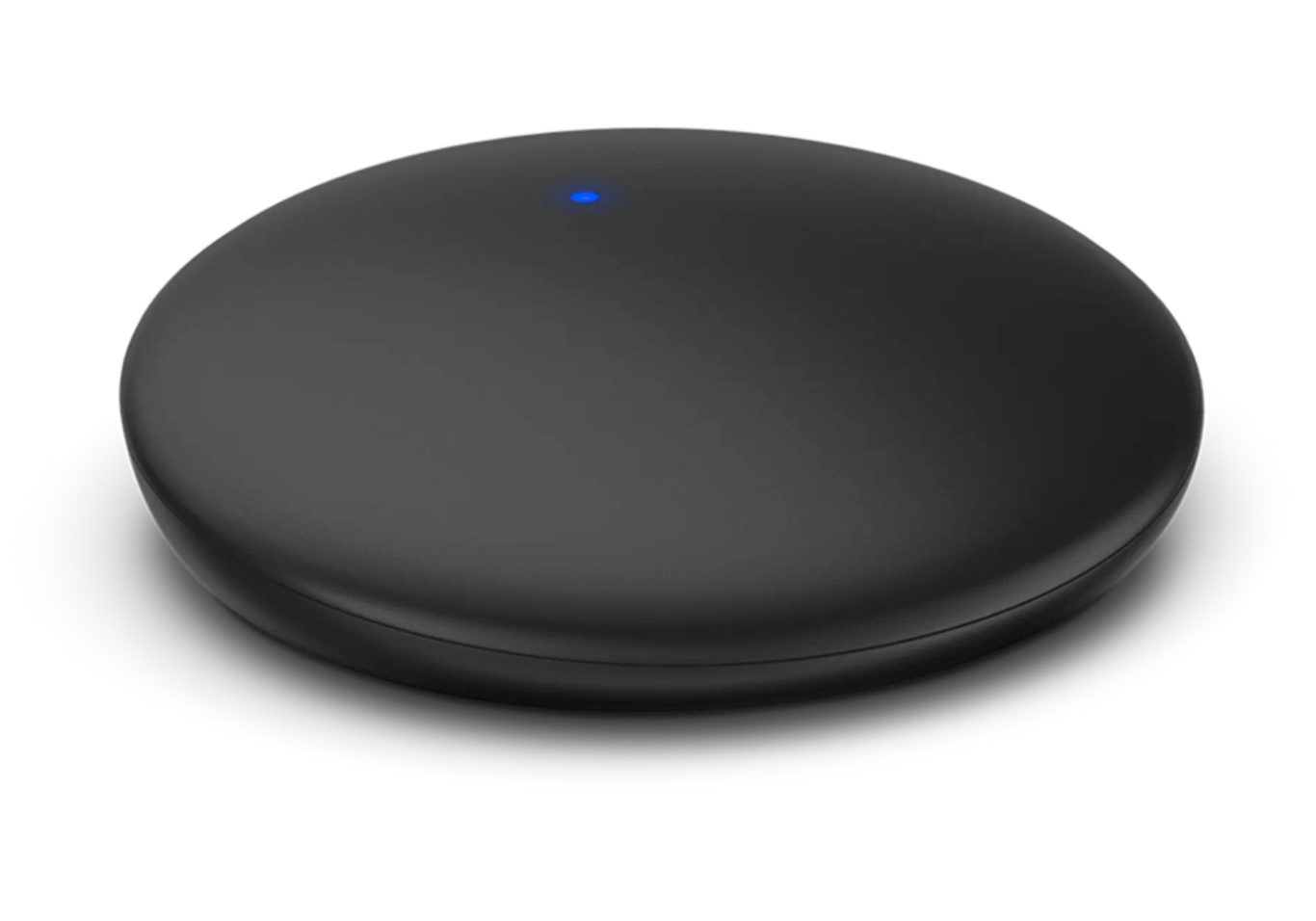
Rexton TV Sound
Übertragen Sie TV-Audio kabellos an kompatible Rexton Hörgeräte.
Was TV Sound kann
Verbinden Sie TV Sound mit dem optischen oder analogen Audioausgang Ihres Fernsehers. Die Box sendet Ton an gekoppelte Hörgeräte und kann mehr als einen Zuhörer mit kompatiblen Hörgeräten desselben Bluetooth-Typs versorgen. Ein optionaler optischer Adapter ermöglicht es der Box, Audio an eine kompatible Soundbar weiterzuleiten.
Which hearing aids work with Rexton TV Sound?
Wählen Sie das genaue Modell auf Ihren Hörgeräten oder Unterlagen. Ein Treffer für eine Produktfamilie belegt nicht die Unterstützung jedes Modells dieser Familie.
Dokumentierte Funktionen
Connections
- Analog audio input
- UnterstütztDokumentation · 2026-11-18
- Companion app control
- Rexton App can start or stop playback and adjust stream volume. Provider-configured aid controls are another option.Dokumentation · 2026-11-18
- Supported codecs
- PCM digital stereo, Dolby DigitalDokumentation · 2026-11-18
- Manufacturer-stated audio latency
- 30 ms
The Rexton product catalog states less than 30 ms for all inputs. It gives no test setup or method.
Dokumentation · 2026-11-18 - Audio passthrough
- The 3.5 mm analog socket can act as optical output with a separately supplied 3.5 mm optical adapter.Dokumentation · 2026-11-18
- Automatic streaming start
- false
Start playback through the app or hearing-aid controls.
Dokumentation · 2026-11-18 - Bilateral and unilateral use
- Choose mono for one aid or stereo for a pair on the bottom selector. Pair the aids individually.Dokumentation · 2026-11-18
- Kein koaxialer Digitaleingang
- Dokumentation · 2026-11-18
- Kein HDMI-ARC-Eingang
- Dokumentation · 2026-11-18
- Kein HDMI-eARC-Eingang
- Dokumentation · 2026-11-18
- Link to hearing aids
- Wireless pairing to supported Rexton aids, Several listeners can use aids of the same Bluetooth typeDokumentation · 2026-11-18
- Accessory-to-hearing-aid range
- 15,24 m
Published U.S. retail maximum of 50 feet. Exact test conditions were not stated.
Dokumentation · 2026-11-18 - Audio input selection
- Optical takes priority when a signal is present. The box uses the analog connection when the optical signal is absent.Dokumentation · 2026-11-18
- Analog input details
- 3.5 mm analog input. Use the supplied analog cable from an available TV output, or adapt the compatible output as the guide specifies.Dokumentation · 2026-11-18
- Optical audio formats
- PCM digital stereo, Dolby DigitalDokumentation · 2026-11-18
- Optical audio input
- UnterstütztDokumentation · 2026-11-18
- Hearing-aid pairing method
- Restart aids, then keep them within 8 inches for pairing during their three-minute window. Turn off nearby paired phone Bluetooth if required.Dokumentation · 2026-11-18
- Professional setup
- Ask your provider to assign hearing-aid controls or a hearing program for streamer playback if you prefer to operate it from the aids.Dokumentation · 2026-11-18
- Receiver requirements
- Pairs directly to supported Rexton aids. No separate hearing-aid receiver is in the documented setup.Dokumentation · 2026-11-18
- Reconnection behavior
- Automatically recognizes already-paired compatible hearing aids. Start playback separately.Dokumentation · 2026-11-18
- Simultaneous listeners
- More than one supported listener, using the same Bluetooth type. Manufacturer does not give a maximum.Dokumentation · 2026-11-18
- Simultaneous source connections
- One selected wired input. If both are connected, the optical signal comes first.Dokumentation · 2026-11-18
- Soundbar/receiver setup
- Connect the TV to the streamer by optical input and use an optional adapter for a supported optical soundbar output.Dokumentation · 2026-11-18
- Stereo streaming
- Unterstützt
Choose stereo with paired left and right aids.
Dokumentation · 2026-11-18 - Stopping TV streaming
- Pause in the app or use provider-configured hearing-aid controls.Dokumentation · 2026-11-18
- TV audio streaming
- UnterstütztDokumentation · 2026-11-18
- Required TV settings
- Enable optical output in the TV’s sound menu and choose supported PCM stereo or Dolby Digital if needed.Dokumentation · 2026-11-18
- Independent TV stream volume
- The listener can adjust the stream separately while the family uses TV or sound-system volume, if the TV allows simultaneous outputs.Dokumentation · 2026-11-18
- TV speakers alongside streaming
- TV dependent. Optical is preferred. A headphone plug may turn off the built-in speakers.Dokumentation · 2026-11-18
- Kein USB-Audioeingang
Micro-USB is the documented power path. TV audio arrives through the separate optical or analog inputs.
Dokumentation · 2026-11-18
Power and charging
- Electrical input requirements
- TV USB power or a suitable USB wall adapter. If using a wall adapter, the US guide calls for at least 150 mA (0.75 W).Dokumentation · 2026-11-18
- Netzteil nicht im Lieferumfang enthalten
- Dokumentation · 2026-11-18
- Power connector
- Micro-USB on the streamer.Dokumentation · 2026-11-18
- Kein USB-C-Stromanschluss
- Dokumentation · 2026-11-18
Design and everyday use
- Control accessibility
- The device changes LED behavior and the hearing aids play a confirmation tone when paired.Dokumentation · 2026-11-18
- Dimensions
- 101.6 × 23.1 × 101.6 mm, width × height × depth. U.S. kit listing, excludes package.Dokumentation · 2026-11-18
- Included items
- TV Sound, Micro-USB cable, Optical TOSLINK cable, Analog audio cableDokumentation · 2026-11-18
- Routine maintenance
- Keep the device dry. Use a soft cloth and follow the manufacturer’s cleaning instructions.Dokumentation · 2026-11-18
- Physische Bedienelemente
- Reset, Mono/stereo selectorDokumentation · 2026-11-18
- Regional variants
- Costco U.S. model 21043000. The Rexton guide covers the pictured optical and analog hardware.Dokumentation · 2026-11-18
- Required extras
- Compatible analog or optical TV output, Compatible hearing aids, Optical 3.5 mm adapter for optional soundbar outputDokumentation · 2026-11-18
- Repair and service options
- Contact the hearing care provider for repair. Do not open the device.Dokumentation · 2026-11-18
- Status indicators
- Status light for pairing and streaming, Error and unrecognized-format signalsDokumentation · 2026-11-18
- Warranty terms
- One year on U.S. Costco kit 21043000. Confirm coverage with Costco.Dokumentation · 2026-11-18
- Weight
- 107,7 g
U.S. kit lists device weight of 3.8 oz.
Dokumentation · 2026-11-18
How to set up Rexton TV Sound
Schließen Sie das Micro-USB-Kabel für die Stromversorgung an und verwenden Sie ein optisches oder analoges Audiokabel. Starten Sie die Hörgeräte neu und halten Sie sie während der Kopplung innerhalb von 8 inches. Sobald sie gekoppelt sind, starten Sie die Wiedergabe über die Rexton App oder über die von Ihrem Hörakustiker eingerichteten Hörgeräte-Bedienelemente.
Vor dem Kauf prüfen
Check the exact hearing-aid model and the TV’s available audio outputs. Using a TV headphone jack can turn off its speakers. A separate optical adapter is needed to use the streamer’s analog jack as an optical output for a soundbar.
Keep sound playing for other viewers
Try the TV’s optical output. Some TVs turn off their speakers when you plug into the headphone jack. To use a soundbar with optical input, connect a separate 3.5 mm optical adapter to the TV Sound box.
QuelleWorks with Reach R Plus hearing aids
If your hearing aids say Reach R Plus, Rexton lists TV Sound for that model. The name matters when shopping for a used streamer. The older Smart Transmitter 2.4 works with some standard Reach aids, but Rexton lists it as incompatible with Reach R Plus.
QuelleNeeds an adapter for optical soundbar output
If you want TV Sound to pass audio to an optical soundbar, you’ll need a separate optical adapter. The older Rexton Smart Transmitter 2.4 has its own optical output, but it does not work with Reach R Plus hearing aids.
QuelleZugehörige Apps
Verwandtes Zubehör
Weitere in der Dokumentation genannte Geräte
Diese Namen wurden noch keinem genauen Gerät in unserem Katalog zugeordnet. Sie erzeugen daher keine bestätigten Treffer in der Suche.
Aktuelle Angebote werden geprüft…
Dokumentation geprüft am 18. Nov. 2026