

Clearer, hands-free phone calls and audio streaming
Resources
The Pros and Cons of Bluetooth Hearing Aids
Experts share advice on helping patients navigate hearing aid connectivity as technology evolves.)
Published on Feb 9, 2026
Hearing aid glossary
Looking that up…
Terms are matched automatically. A definition may not fit every context.
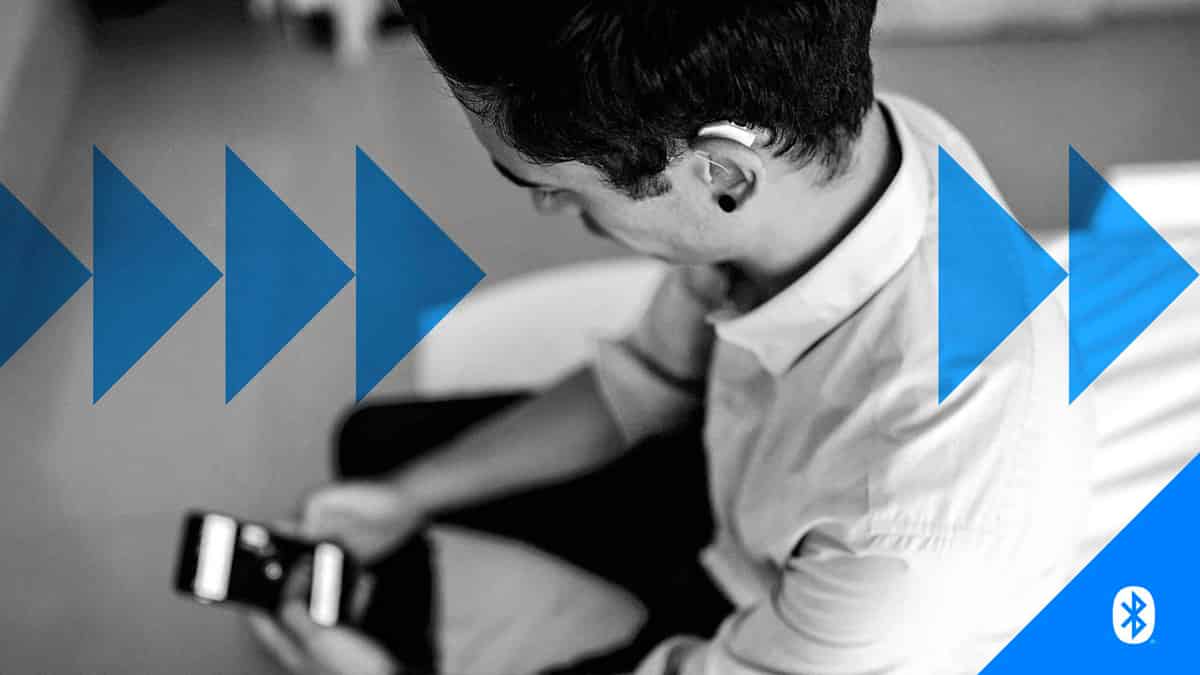
Bluetooth bridges the gap between your hearing aids and other modern-day digital devices, letting you stream music and videos, take phone calls, and control digital assistants like Siri—all through your hearing aids.
Today, most modern hearing aids include Bluetooth as a standard or optional feature. While it offers many benefits, it also comes with some challenges. We talked to audiologists and hearing health experts to learn what works and what doesn’t.
Bluetooth Pros and Cons
Here's a compressed overview of the advantages and disadvantages of Bluetooth hearing aids.
Bluetooth Pros
- Better hearing in noisy places using smartphone accessibility features
Access to remote care through smartphone app
Voice controls of smart devices
Feels modern and convenient
Bluetooth Cons
Connectivity problems
Smartphone compatibility issues, as not all devices work well together
Battery drains faster while streaming audio
Sound delays and quality issues
Can be overwhelming
Before we break each of the pros and cons down with expert comments, let's review the underlying Bluetooth technologies.
Understanding Bluetooth Types in Hearing Aids
Today, hearing aids primarily use these Bluetooth technologies:
Classic Bluetooth: The original Bluetooth protocol, backward-compatible with all Bluetooth versions. Used by some manufacturers to offer direct streaming from nearly any Bluetooth-enabled Apple or Android device without a streamer. Its exceptional sound capabilities come at the cost of greater battery drain, which may increase the size of the batteries and hearing aids.

Bluetooth Low Energy (): The modern standard for hearing aids, available as of Bluetooth version 4.0. Its low-power technology offers high-quality audio while conserving battery life, though it can have interference, range limitations, and compatibility issues with certain brands.
- (Made For iPhone): Apple's proprietary BLE licensing program for direct, low-power audio streaming and control
- (Audio Streaming for Hearing Aids): Google's BLE-ASHA protocol introduced with Android 10
Bluetooth : The latest Bluetooth protocol, available as of Bluetooth version 5.2, promises superior sound quality. While not many consumer goods are equipped with LE Audio yet, it will become the gold standard once the industry catches up.
- (Part of LE Audio): Next-gen technology that allows hearing aids to directly stream audio from public venues like theaters or airports without individual pairing. Auracast transforms Bluetooth into a public broadcast system.

In this video, audiologist Matthew Allsop explains the different types of Bluetooth, including Auracast, and what it means for hearing aids.
The Disadvantages of Bluetooth Hearing Aids
Let's look at the downsides of Bluetooth hearing aids in more detail.
Connectivity Problems
The pairing process can be frustrating, and connections may drop due to distance or physical obstacles between the hearing aid and device. As audiologist Dr. Arianna Bastys notes, walls and furniture can interfere with the signal. “They’re not perfect,” she says.


Sometimes issues are caused by smartphone updates rather than the hearing aids themselves, says Dr. Cliff Olson. When manufacturers push updates, they can disrupt Bluetooth compatibility and can cause intermittent streaming, static and battery drain. These problems are often short-lived as hearing aid manufacturers quickly release firmware updates to fix them.
Smartphone Compatibility Issues
Some hearing aids can only stream audio to iOS, not Android, or they offer just mono rather than stereo streaming on specific platforms. Some hearing aids only support certain Bluetooth protocols ( or ). Older smartphones may not support Bluetooth well or might need a specific software version to work properly.
Brand | Compatibility Checker |
|---|---|
Beltone | |
Jabra | |
Oticon | |
Phonak | |
ReSound | |
Rexton | |
Signia | |
Starkey | |
Widex |
Many hearing aid companies offer smartphone compatibility checkers. You can either manually select your device and find compatible hearing aids or browse a list of supported phones or scan a QR code on your smartphone. The table above provides an overview of the pages offered by popular brands.
Battery Drains Faster
Streaming audio and video use significantly more battery power. Though newer technology like and use less power than classic Bluetooth, heavy streaming will still drain batteries faster.
Sound Delays and Quality
Sometimes there’s a slight delay (latency) between what you see and what you hear when watching videos. During phone calls, the audio can sound compressed or unclear in noisy places, says Dr. Melissa Wikoff, an audiologist at Peachtree Hearing.

keeps audio delays typically between 20 and 45 milliseconds, helping keep the sound synchronized. To reduce delays: keep your smartphone nearby in your line of sight, ensure batteries are fully charged, close background apps, and keep your firmware updated.
Can Be Overwhelming
Connecting your hearing aids through Bluetooth requires comfort with smartphones and apps. For people who aren’t comfortable with technology, this can feel confusing and discouraging.
:format(webp))
The Benefits of Bluetooth Hearing Aids
Now let’s have a look at the upsides of using Bluetooth in hearing aids.
Clearer, Hands-free Phone Calls
“Hands-free calling" means you can hear your conversation partner’s voice through both of your hearing aids, and the microphones in your hearing aids pick up your voice and relay it through your phone. Some hearing aids that use older Bluetooth protocols (e.g., Bluetooth Classic or -) may support only “one-way calling”: the person’s voice is streamed to your hearing aids, but the hearing aid microphones don’t pick up your voice. So, in one-way calling, you’ll still hear the other person’s voice through both hearing aids, but you’ll need to speak into the phone’s receiver (as you would in a regular phone call) for them to hear you.
In either case, streaming calls directly to both hearing aids makes conversations clearer than holding a phone to one ear. You can take calls, listen to music, and follow GPS directions.
And, with hands-free calling, you don’t even have to touch your phone. “It provides hands-free convenience, a feature many patients find empowering,” says Dr. Wikoff.
Better Hearing in Noisy Places
Streaming and phone-as-mic features, which stream sound picked up by your phone’s mic directly to your hearing aids to boost speech and reduce distance/noise issues, can really help in settings such as restaurants, meetings or lectures, shares Dr. Ruth Reisman, founder of Urban Hearing in Brooklyn, N.Y.


How to use it:
- iPhone users: Turn on Live Listen in your settings. It picks up sound through your iPhone and sends it to your Made for iPhone () hearing aids.
- Android users: Use Sound Amplifier, an accessibility feature built into your phone that filters and boosts sound — or download a third-party app.
More Control Over Your Hearing
Apps let you adjust volume and switch between programs and settings easily based on where you are.
Helpful app features include:
- “Find My” – Uses Bluetooth signal and GPS to locate lost devices
- Edge Mode – An on-demand feature in Starkey’s -powered hearing aids that analyzes your environment and automatically adjusts to help you hear speech
- Live Transcribe – transcribe real-time conversation into text (iOS and Android)
- InnoCaption – Free, FCC-funded app providing real-time captioning for phone calls
There are many more helpful apps for people with hearing loss.
Access to Remote Care
“For patients who rely on remote care, Bluetooth enables telehealth visits for follow-ups and fine-tuning without needing to schedule an in-person visit to the audiologist or hearing health professional,” says Dr. Reisman. App-based remote care in prescription hearing aids is now fairly common, offering convenience and time savings for users.
Although less common, remote care is particularly helpful for people using over-the-counter (OTC) hearing aids from the relatively few companies that offer remote onboarding and telehealth support. These users can often benefit from the skills and advice of an audiologist or hearing aid specialist during remote consultations, troubleshooting, and fitting adjustments via smartphone apps.
Voice Controls
With Bluetooth technology, you can use voice commands to control your hearing aids, digital assistants or smart home devices.
Feels Modern and Convenient
“It feels modern and convenient, which often increases satisfaction and wear time,” says Dr. Reisman. “For tech-savvy users, these features can make hearing aids feel modern and even fun, increasing engagement and long-term use,” adds Dr. Wikoff.
What to Know Before You Buy
-
Check Bluetooth Compatibility
Always confirm the hearing aids work with your smartphone's operating system (OS) version:- MFi (Made for iPhone) on iOS 15.2 or later, e.g., iPhone 4s
- (Audio Streaming for Hearing Aids) on Android 11 or higher
- on Android 13+ or iOS 15.3+
Also check the Bluetooth version your smartphone uses:
- Bluetooth 4.0+ generally supports , if licensed
- Bluetooth 4.2+ supports ASHA
- Bluetooth 5.2+ supports LE Audio and
-
Consider benefits
BLE technology balances high-quality sound with low power consumption to extend the battery life of your hearing aids. BLE hearing aids work in short bursts and spend most of their time in a low-power “sleep” mode. -
Invest in LE Audio
Devices that support LE Audio or Auracast are more stable, use lower power, and are easier to connect. LE Audio delivers improved sound quality compared to Classic Bluetooth due to its high-efficiency Low Complexity Communication () Codec. -
Double-Check Auracast Support
Auracast-ready devices are pending a firmware update before they can connect to public broadcasts. Auracast-enabled hearing aids fully support the technology. Note that iOS currently doesn't natively support Auracast, but it may be available through the hearing aid manufacturer's app.
:format(webp))
How to Overcome Bluetooth Challenges
Most modern hearing aids now come with Bluetooth. If you're not entirely comfortable with the technology, there are ways to adapt. The tips below come from hearing care providers helping patients with prescription hearing aids, but if you're setting up an device, you can use these same strategies for yourself or a loved one.
Match Technology to Your Comfort Level
“Matching technology to a patient’s lifestyle and comfort level is key, and hands-on training with clear instructions can make a big difference,” says Dr. Wikoff.
Dr. Ross Cushing, CEO of Live Better Hearing + Balance, says people feel more confident when they understand how Bluetooth helps them personally, “Before we open any settings, we look for the ‘why’— like hearing grandkids on FaceTime, catching every word when the doctor calls, or watching TV with a spouse without cranking up the volume.”
Start Small and Build Confidence
Don’t try to learn everything at once. Start with one feature that matters to you.

“We aim for one win at a time, usually a phone call,” says Dr. Cushing. “We practice pairing the aids, answering a call, and adjusting the volume during the appointment until it feels natural. Confidence comes from one small win.”
“Try streaming for short periods at first rather than all day. This leads to greater satisfaction,” says Dr. Wikoff.
Use Simple Troubleshooting Steps
When Bluetooth isn’t working, Dr. Bastys has her patients try these fixes:
- Close apps running in the background on your phone
- Restart your phone
- Restart your hearing aids (turn them off and on)
- Stay within 20 feet of your phone
- Make sure the hearing aids have the latest firmware
Set realistic expectations
Bluetooth is helpful, but it has limits. “Bluetooth is a convenience feature, not a replacement for natural hearing,” says Dr. Wikoff. Phone updates can sometimes cause problems. “Problem-solving doesn’t mean the hearing aids or you failed,” says Dr. Cushing. Ask your hearing care provider for a written guide for common fixes and don’t hesitate to call them for help.
The Bottom Line
Bluetooth hearing aids offer real benefits: clearer phone calls, better hearing in noisy places, and convenient control through apps. But they also have challenges like connectivity issues, battery drain, and a learning curve.
The key is starting small, using features that matter to you, and working with your hearing care provider to troubleshoot problems. For device users, that may mean a remote fitting with your brand’s in-house audiologist. With realistic expectations and a little practice, Bluetooth can make your hearing aids work better for your life.
Your next steps:
- Talk to your audiologist about which Bluetooth features would help you most and your smartphone's compatibility with hearing aids.
- Ask for hands-on training during your appointment.
- Start with one feature (like a phone call) before trying others.
- Request a written troubleshooting guide.
- Schedule a follow-up to address any issues.
Treat your hearing care provider as your partner. They’re there to help you succeed with your hearing aids—Bluetooth and all.
Seka Palikuca
Hearing Tracker ContributorSeka Palikuca is a health writer and editor who covers auditory health for Hearing Tracker. She served as an editor at the Chicago Tribune and her byline has appeared in Crain’s Chicago Business, Crain’s New York Business, and Modern Healthcare. She has developed content for physicians, medical students, healthcare leaders, and consumers.