dicto
BHB Technologies, Inc.
Also known as dicto: speech display, Dicto Duo, speechdisplay
Show speech or typed messages in large text, with optional voice focus and text sharing between two devices.
What dicto does
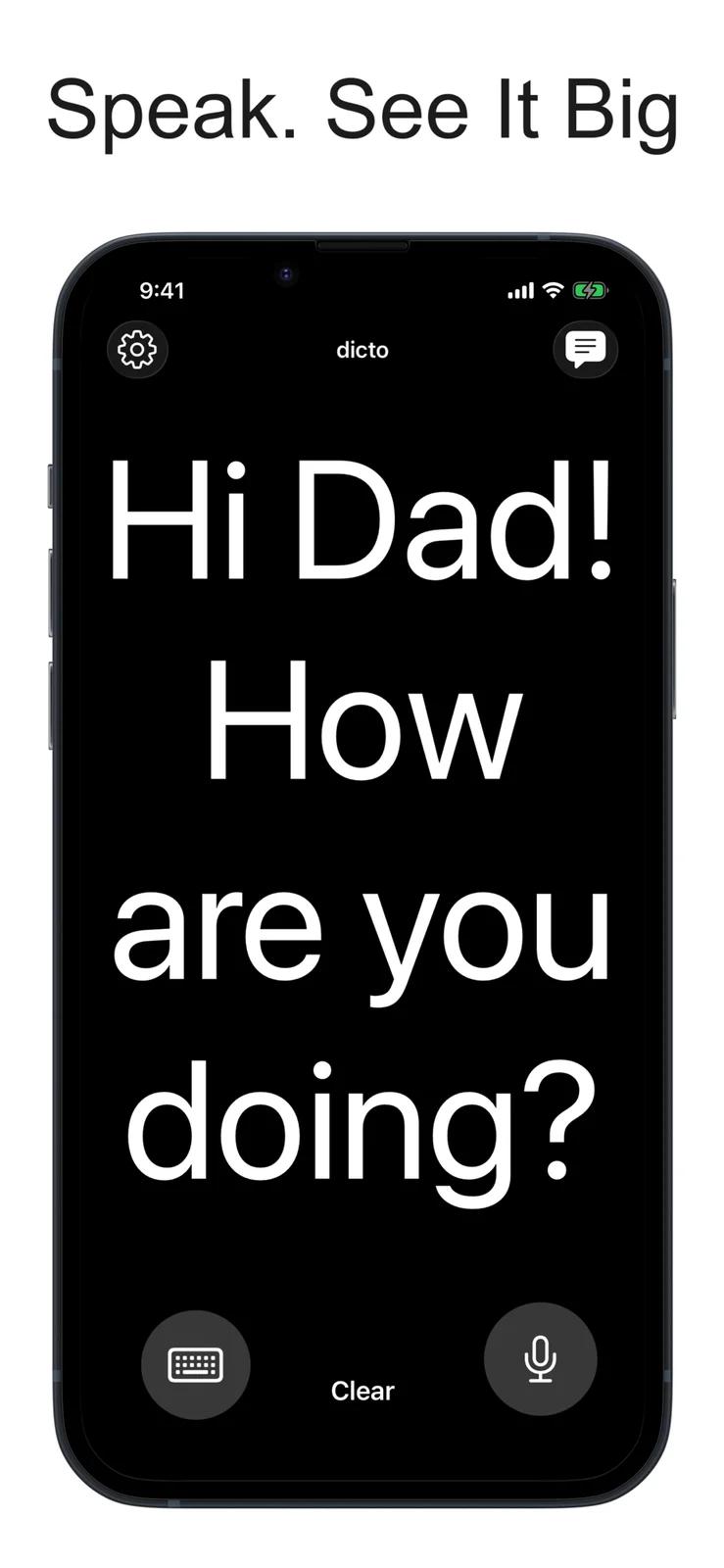
dicto turns speech or typed messages into large text for someone with hearing loss to read. A family member or caregiver can speak into one iPhone or iPad, or use Duo to send the text directly to a second device over a local network or Bluetooth. Solo focuses on an enrolled voice for hands-free use. Messages disappear when the app closes. Typing works offline; offline speech recognition needs a supported downloaded language. Hindi and Taiwanese Mandarin require a connection.
How it compares
Temporary messages rather than Big Text’s saved library
Like Big Text, dicto displays spoken or typed messages in large text. Big Text can save messages in a library and share transcripts. dicto keeps messages only during the session and clears them when the app closes.
One speaker at a time rather than Ava’s group conversation
dicto shows one speaker at a time. Duo links a speaking device to a reading device, while Solo focuses on an enrolled voice. Ava Room lets participants join a shared session on their own devices and identifies speakers, which suits a different conversation setup.
Features
Captions
- Supported: Live conversation captions
- Conditional: Offline live captions3
- Supported: Caption editing
- Conditional: Caption history4
- Supported: Clear captions
- Supported: Typed replies
- Supported: Spoken typed replies
- Conditional: External caption display5
- Supported: Caption engineAutomatic speech recognition · Platform caption service
Transcripts & notes
- Not supported: Audio recording
Audio input & output
- Supported: Audio inputsDevice microphone · External microphone
- Supported: Live outputsOn-screen text
Availability & access
- Supported: Recognition languages1English · Spanish · French · German · Portuguese · Italian · Dutch · Danish · Swedish · Norwegian · Finnish · Arabic · Hebrew · Turkish · Russian · Ukrainian · Polish · Czech · Slovak · Hungarian · Romanian · Croatian · Greek · Catalan · Hindi · Thai · Vietnamese · Indonesian · Malay · Japanese · Korean · Chinese · Cantonese · Wu Chinese
- Supported: Account requirementNone
- Not supported: Ongoing free core functionality
- Supported: Internet required
- Supported: Initial model download
Accessibility
- Supported: Caption text sizeiPad only
- Supported: Caption contrast controls
- Supported: Screen-reader support
- Supported: System text scaling
- Supported: Dark appearance
- Supported: Landscape display
- Supported: Caption display controlsContrast · Color
Privacy & data
- Supported: Audio processingCloud
- Supported: Data storageNone · Device
- Supported: Outside processorsApple speech recognition
- Supported: Audio sent off device
- Conditional: Local-only mode2
- Language and dialect availability depends on the device and iOS version. The publisher lists additional regional variants; this set covers the named language families.
- Use the standalone display with a supported downloaded dictation language, or type messages. Duo sends text to the linked device; Hindi and Taiwanese Mandarin use Apple processing.
- Enable Apple dictation and download a supported on-device language first. Hindi and Taiwanese Mandarin require an internet connection.
- Available during an ordinary session until the app closes. Earlier is hidden in Solo and Whisper modes.
- Duo needs two iPhones or iPads running dicto, linked over a local network or Bluetooth. One device speaks and the other reads; restart the link to change roles.
App Store ratings & reviews
Praise
- One US review dated 15 October 2026 describes the app as useful for conversations with older relatives who have hearing loss. It predates version 2.1 and does not evaluate Duo or establish typical performance.