App directory
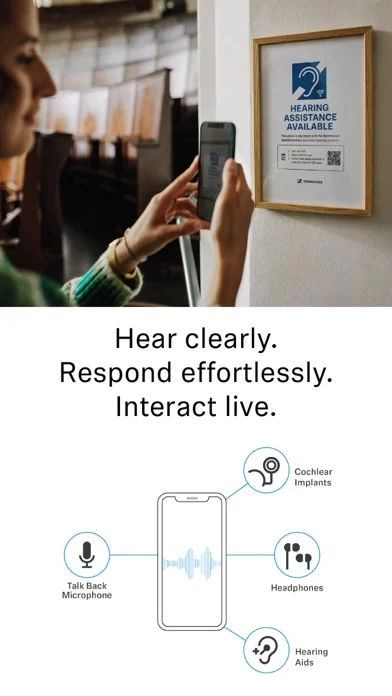
Sennheiser MobileConnect
Sennheiser
Streams compatible venue audio over Wi-Fi to a phone and connected listening devices.
Features
Audio input & output
Listening assistance
Compatibility
- Supported: Required hardwareMobileConnect Station at the venue · venue WiFi network · smartphone · wired or Bluetooth headphones, or an induction neck loop for T-coil hearing aids/cochlear implants
Availability & access
Accessibility
- Supported: Dark appearance
Privacy & data
- Conditional: Audio sent off device6
- Requires a MobileConnect-equipped venue (MobileConnect Station) and a phone on the same venue WiFi. Any attendee can use it at no charge; the venue operator decides which channels are available and may protect a channel with a PIN.
- Requires a MobileConnect-equipped venue (MobileConnect Station) and a phone on the same venue WiFi.
- No clinician or user registration is involved; the venue operator must run a MobileConnect system.
- Hearing aids or cochlear implants are optional; wired headphones work, and hearing aids/CIs can be used via an induction neck loop (T-coil) or Bluetooth.
- Manager Mode venue systems need internet for the MobileConnect Manager (authentication and updates). This is a venue-side requirement, not a listener account requirement.
- Only when the listener uses Audience Mic (talk-back) at a venue whose operator has enabled it; phone-microphone audio is sent over the venue WiFi to the MobileConnect Station and the room sound system. Listening alone receives audio rather than sending it.
- Requires a MobileConnect-equipped venue (MobileConnect Station) and a phone on the same venue WiFi. Hearing-aid/CI listening is documented via an induction neck loop with the device in T position, or via Bluetooth (not lip-sync).
- Only with legacy Sennheiser CinemaConnect systems that provide subtitles; MobileConnect venue streams themselves are audio-only.
- Requires a MobileConnect-equipped venue (MobileConnect Station) and a phone on the same venue WiFi. Personal Hearing Assistant processing applies to the received venue stream.
- Only works at venues equipped with the compatible MobileConnect system.
- Requires a MobileConnect-equipped venue (MobileConnect Station) and a phone on the same venue WiFi. Documented in the 2015 Personal Hearing launch announcement by the co-developer; current-version wording on Sennheiser pages is "customizable audio control".
- Requires a MobileConnect-equipped venue (MobileConnect Station) and a phone on the same venue WiFi. Phones without a 3.5 mm jack need a Lightning or USB-C adapter; Sennheiser recommends wired listening to avoid Bluetooth delay.
- Requires a MobileConnect-equipped venue (MobileConnect Station) and a phone on the same venue WiFi. Bluetooth headphones and hearing aids work, but Bluetooth below version 5.2 adds latency so audio will not be lip-sync.
- Only available at equipped venues.
App Store ratings & reviews
Praise
- One reviewer welcomes easier access to venue audio.
Complaints
- One reviewer reports Bluetooth delay and distortion and asks for a clearer advance warning; another requests captions.
Google Play ratings & reviews
Complaints
- Some users cannot connect or find setup difficult.
- Delay, audio levels and repeated dropouts interfere with some venue experiences.
Mixed reports
- Theatre listening can work well, but successful setup and local Wi-Fi matter.