We independently review each item we recommend and appreciate your trust and support. When you buy through our links, we may earn a commission.Learn more.
Check out our comparison of the hear.com Horizon Mini IX vs ShokzHear OpenHear. Listen to audio samples and see how the two hearing aids differ in terms of sound performance, features, accessories, and more.
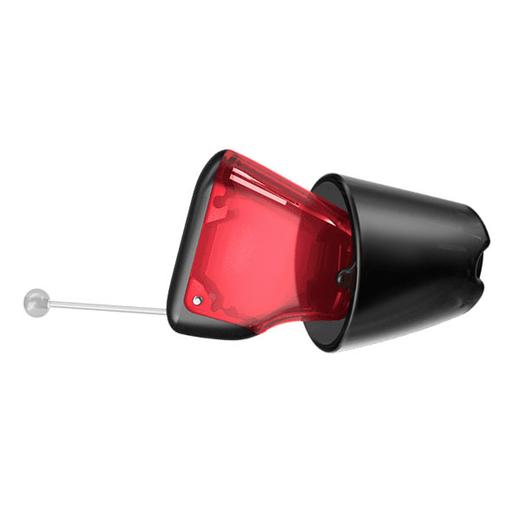
Form FactorNon-custom device that typically sits completely inside the ear canal. Some of the device may be visible to the naked eye.
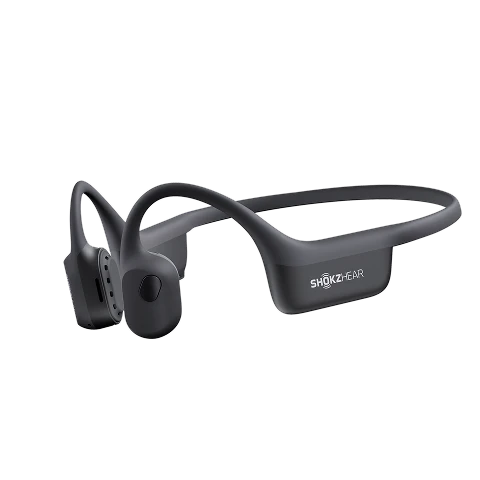
Form FactorA wearable band holds the bone conduction transducers against the skin.
Expert Rating
N/A
N/A
Hearing Loss LevelHearing Loss LevelThis represents HearingTracker's best guess on suitability. Please consult a licensed audiologist to confirm your own candidacy for this device.
MildModerate
—
Product Features
Rechargeable
Hands-freeRechargeableiPhoneAndroidIP54
Hardware
Horizon Mini IX
OpenHear
Battery LifeBattery LifeThe maximum operating time the manufacturer states for one charge.
No
14 hours in hearing-aid mode (manufacturer lab test)
Bluetooth® AudioBluetooth® AudioThis hearing aid is capable of streaming Bluetooth® audio certain phones and/or devices.
No
Bluetooth® (A2DP)
Charging MethodCharging MethodThe physical method used to transfer power from the charger to the hearing aid.
No
USB-C
Hands-Free CallingHands-Free CallingIt is possible to have a hands-free phone call with this hearing aid. You are not required to hold the phone up to your mouth.
No
Bluetooth Classic
IP RatingIP RatingIP Ratings rate sealing effectiveness of hearing aids against intrusion from foreign solid matter (dirt, dust) and moisture.
No
IP54
Power SwitchPower SwitchTurns the device on or off.
No
Yes
Push ButtonPush ButtonThe hearing aid features a push button which allows toggling across different sound processing programs
No
Volume Control
Rechargeable BatteriesRechargeable BatteriesCharge your batteries overnight in a docking station and get a full day's use (in most cases) of battery life the following day.
Lithium-ion
Lithium-ion
Status Indicator LightStatus Indicator LightOn-device light that indicates hearing aid status.
No
Yes
Software Features
Horizon Mini IX
OpenHear
Adjustment BandsAdjustment BandsThese are frequency-divided sections that can be adjusted in a hearing aid in order to amplify sounds. Although there are rarely more than 10 frequencies measured in a hearing assessment, having more bands that can be adjusted may allow for improved speech understanding and user comfort.
20
No
Adjustment SynchronizationAdjustment SynchronizationThis feature allows for a more pleasant listening experience by ensuring that both hearing aids process sound the same way. If one hearing aid changes its processing in response to noise or speech, it will send a wireless signal to the other hearing aid so both process sound in the same way.
Direction SelectionDirection SelectionAllows the user to select one or more directions to focus their hearing aids on. For example, some hearing aids allow the listener to focus on sounds coming from in front or back, or from the right or left.
No
Front
DirectionalityDirectionalityDepending on the types and number of microphones a hearing aid has, the hearing aid may be able to boost sounds from specific directions (by reducing sounds from other directions). This can be helpful to focus on a speaker directly in front of the hearing aid user, as well as to give the user information about where different sounds are coming from.
Binaural OneMic directionalityBinaural OneMic directionalityEach CIC receives the sound and information not only from its own microphone but also from the microphone of the other hearing aid. This creates a virtual four-microphone network, allowing the pair of hearing aids to create a directional beam. In addition, the natural pinnae effect of the outer ear supports this directionality and makes the listening experience even more natural.
Omnidirectional or Focus Front
Echo ReductionEcho ReductionThis feature improves speech audibility by reducing the “blurring” of speech sounds that can occur in the presence of echoes.
Auto EchoShieldAuto EchoShieldAutomatically creates a more comfortable hearing experience in high-reverb environments leading to increased speech clarity and natural room perceptions.
No
Extended bandwidthExtended bandwidthHearing aid provides amplification at frequencies (pitches) higher than the typical hearing aid.
12kHz
No
Extended Dynamic RangeExtended Dynamic RangeExtended dynamic range typically makes louder sound clearer. This may help with the reproduction of loud music or loud speech in a very noisy environment.
Yes
No
Feedback SuppressionFeedback SuppressionIf any sound amplified by the hearing aid escapes the ear canal, it may reach the hearing aid’s own microphone and cause a harsh whistling noise. Some hearing aids are able to recognize when this feedback occurs and reduce or eliminate it.
Feedback cancellationFeedback cancellationHigh-speed monitoring and control of feedback risk in individual processing channels.
Yes
Fitting FormulasFitting FormulasThe prescriptive fitting formulas supported by the hearing aid.
No
Standard V2
Listening ProgramsListening ProgramsNumber of manually accessible listening programs (using push button, remote, app, or other switching method)
6
Dual Mode Switching: 2Dual Mode SwitchingThe wearer can switch between two professionally fitted listening programs.
Noise ReductionNoise ReductionThis feature uses modern hearing aids’ processing power to examine the incoming sound signal, determine if noise is present and reduce the volume of the troublesome sound to increase comfort.
SoundSmoothing™: 3SoundSmoothing™Reduces the sound of clattering cutlery and rustling newspaper, etc.
Yes
Processing ChannelsProcessing ChannelsThese are all the frequency-divided sections the hearing aid is able to examine at a single time. The hearing aid uses this information to determine whether the contents of each section are noise, speech, or something else and amplify the sound in each section accordingly.
48
No
Sudden Loud Noise ReductionSudden Loud Noise ReductionThis feature detects loud sounds and reduces their volume to a comfortable level. Though not a replacement for hearing protection, this technology can greatly improve listener comfort.
No
Yes
Tinnitus ReliefTinnitus ReliefTinnitus, or ringing in the ears, can be addressed by hearing aids in several different ways, such as introducing a soft therapeutic signal or targeted notched noise.
Yes
No
Unique Amplification StrategyUnique Amplification StrategyHearing aids all process sounds a little bit differently. Sometimes it varies even within one model.
Advanced Focus StreamsAdvanced Focus StreamsAdds up to 3 additional focus streams providing the correct amount of boost for each conversation partner's speech while allowing the wearer to stay connected to their environment.3Dynamic Soundscape Processing 3.0Dynamic Soundscape Processing 3.0Integrates inputs for precise hearing aid optimzation, including (when available): acoustic sensors, motion sensors, OVP 2.0, noise detection, SNR analysis, and RealTime Conversation Enhancement.5/5Speech & Noise ManagementSpeech & Noise ManagementReduces listening effort using sophisticated sound processing.5/5SpeechStabilizerSpeechStabilizerPreserves the natural envelope of speech in any situation, including very
noisy situations, which preserves acoustic cues that are important for speech
understanding.
No
Wind Noise ReductionWind Noise ReductionAs wind blows against the microphones of hearing aids, unpleasant noise may be generated. Some hearing aids have the ability to recognize this wind noise and reduce its level. Such reductions may also affect the audibility of desired sounds, like speech.
eWindScreen binauraleWindScreen binauralBinaural processing of the audio signal (using Ultra HD e2e) delivers superb performance in asymmetrical wind environments.