Jabra Enhance Pro 30 vs. Phonak Virto Infinio
Check out our comparison of the Jabra Enhance Pro 30 vs Phonak Virto Infinio. Listen to audio samples and see how the two hearing aids differ in terms of sound performance, features, accessories, and more.
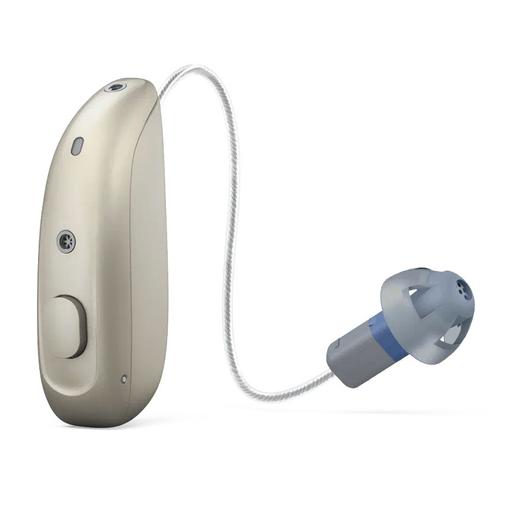
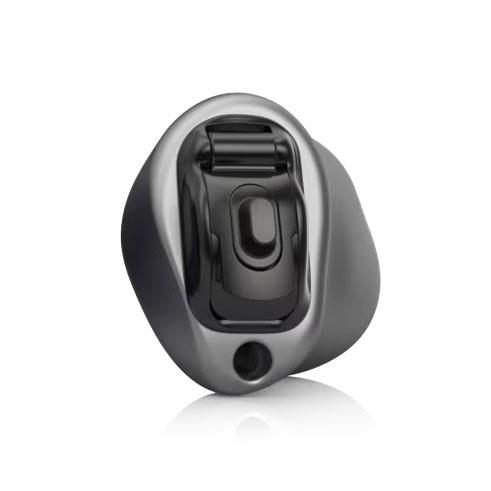
Product Overview
Accessories
Compatible accessories for each hearing aid
Premium Charger
Charges device when connected to power outlet, and also holds up to three full charges due to its onboard battery.
Standard Charger
Charges device when connected to power outlet.
Desktop Charger
A desktop charger for ReSound hearing aids. Does not charge on the go.
Unite Remote Control 2
Gives you push-button control of volume and program settings on your hearing aids and lets you manage streaming accessories.
Unite Phone Clip++2
Small enough to clip onto your shirt collar, it streams phone calls and audio to your hearing aids from any Bluetooth-enabled mobile phone or smartphone.
MiniControl
Micro Mic
A matchbook-sized remote wireless microphone that lets you hear from a distance up to 80 feet away.
Multi Mic++3
The Multi-Mic+ is a versatile wireless accessory designed to help hearing aid users hear more clearly in challenging situations. It can be clipped onto clothing or worn on a lanyard to pick up a speaker’s voice and stream it directly to compatible hearing aids, or it can be placed on a table to capture group conversations in “table mode.” In addition to acting as a remote microphone, the Multi-Mic+ connects to other audio sources through a built-in telecoil, FM receiver (optional), or a standard 3.5 mm line-in cable, allowing users to stream sound from loop systems, FM transmitters, computers, TVs, or other devices. With a streaming range of up to 25 meters (82 feet), automatic mode switching, volume controls, and app integration, it provides flexible, high-quality sound input across a wide variety of listening environments
Roger On Sphere
At dinner, set Roger On Sphere in the middle of the table. At a reception, point it at the person speaking. A presenter can also clip it to their shirt. Its microphones separate speech from background noise and send the result to your Roger-compatible hearing devices. The dock adds TV listening, and a USB cable turns the microphone into a headset for online calls. Each hearing device needs an installed RogerDirect receiver or a compatible external Roger receiver. Depending on the model, the external setup can also require a telecoil program, audio shoe or streamer.
Roger Select 3
At a noisy dinner, lay Roger Select 3 in the middle of the table. It follows whoever is speaking. If two conversations overlap, tap the edge facing the person you want to hear. A talker can also wear it on their shirt. At home, its dock sends TV audio to the same Roger receivers. Each hearing device needs an installed RogerDirect receiver or a compatible external Roger receiver. Depending on the model, the external setup can also require a telecoil program, audio shoe or streamer. Bluetooth calls through Select 3 require an external personal Roger receiver.
Roger Table Mic 3
Place Roger Table Mic 3 among the people you want to hear in a meeting. It follows the active speaker automatically. For a long conference table, connect several microphones and spread them among the participants. The remote lets you mute the microphone or shorten its pickup range when a nearby conversation matters more. Each hearing device needs an installed RogerDirect receiver or a compatible external Roger receiver. Depending on the model, the external setup can also require a telecoil program, audio shoe or streamer.
ReSound Smart 3D app+2
Adjusts sound, volume and balance settings, tinnitus settings, and allows your provider to make remote adjustments to your hearing aid programs.
Unite TV Streamer 2
Streams stereo sound from the television directly to your hearing aids from up to 22 feet away.
ReSound TV Streamer+
The ReSound TV-Streamer+, which supports Bluetooth Auracast, streams high-quality sound with speech clarity directly to your hearing aids at the volume you prefer.
Hardware
- Made for iPhone (MFi)
- Android (ASHA)
- Bluetooth® Low Energy (LE)
- Bluetooth® Auracast™
- Made for iPhone (MFi)
- Accessory required (Android)
- Program control
- Volume Control
- Program control
- Volume Control
- Accept/end calls