How to Switch Captioned Telephone Providers: A Step-by-Step Guide
Learn how to switch captioned telephone providers, confirm eligibility, keep your home phone number, and set up your new service.
Hearing aid glossary
Looking that up…
Terms are matched automatically. A definition may not fit every context.
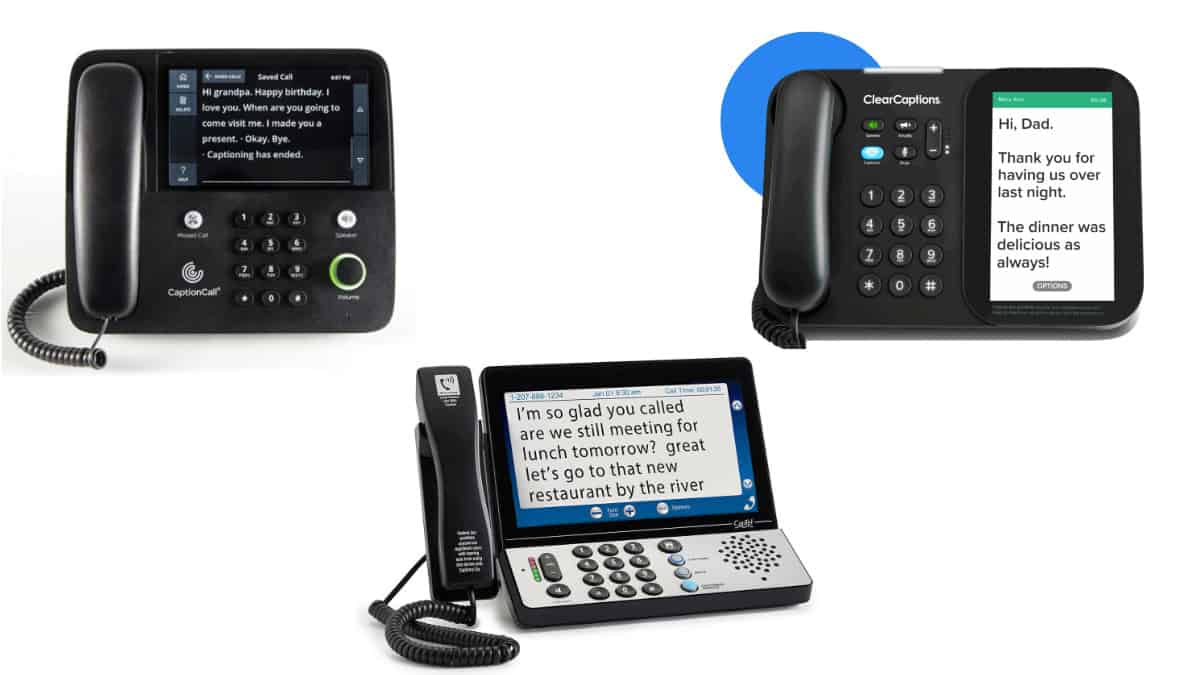
Captioned telephones let eligible people with hearing loss listen to callers while reading captions of what they say. Internet Protocol Captioned Telephone Service (IP CTS) providers differ in their equipment, features, and customer support. If your current service isn’t meeting your needs, consider what you want to improve—caption readability, greater amplification or audio clarity, ease of use, or setup assistance—before choosing a replacement.
In this article, we’ll detail, step-by-step, what you need to know when switching providers.
Can You Switch Captioned Telephone Providers?
Yes. If you currently use a captioned phone service (such as CapTel or ClearCaptions) but are experiencing slow captioning speeds, hardware glitches, or poor customer support, you are not locked into your current provider.


Under Federal Communications Commission (FCC) rules, eligible individuals with hearing loss can choose the CTS provider that best meets their needs. Switching to a provider such as CaptionCall typically lets you keep your existing home telephone service and number, with captioning provided at no cost to eligible registered users. Before making the change, ask the new provider to confirm compatibility with your setup and coordinate activation to avoid a gap in captioning service.

CaptionCall is a leading provider of Internet Protocol Captioned Telephone Service (IP CTS). The service is designed for individuals with hearing loss and who need captions to use the phone effectively. CaptionCall allows eligible participants to simultaneously listen to their caller and read real-time captions of the conversation on a large, high-resolution screen at no cost because it is a federally funded program.
- High-Resolution Touchscreen
- Custom Audio Tailoring
- Hearing Aid Compatibility
- Speakerphone & Voicemail
Step-by-Step Transition Process
Switching CTS providers isn’t difficult. Here is a four-step process with tips and advice for a smooth transition:
Step 1: Submit a Request to Your New Provider
Contact the new IP CTS provider (e.g., CaptionCall) online or by phone to request service. You do not need to cancel your existing telephone company line or change your home phone number.
Step 2: Complete Registration and Eligibility Requirements
To comply with FCC regulations, you will need to complete a quick self-certification or submit a Professional Certification Form signed by an audiologist, physician, or hearing healthcare professional confirming your hearing loss and need for captioning. For self-certification, follow the new provider’s registration process. Having an account with another captioning service does not eliminate the need to complete the new provider’s enrollment process.
Step 3: Professional Setup & Orientation
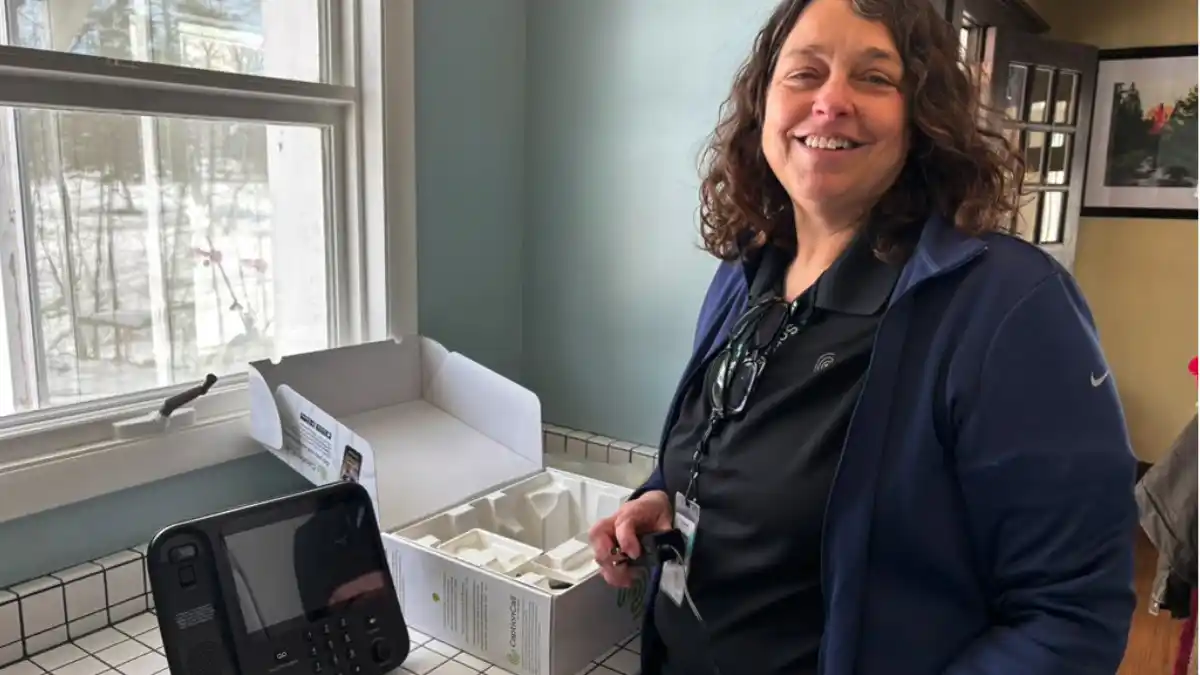
If you switch to CaptionCall, a local technician will deliver your new hardware, connect it to your Wi-Fi or Ethernet network, and adjust the audio settings to match your listening preferences. CaptionCall also offers self-installation with virtual assistance. For self-installation, check a few things before sending the old captioned phone back: make and receive a couple of calls, adjust the volume and caption display, and check voicemail. If you use hearing aids, try the handset and speakerphone with them.
Step 4: Close Out Your Previous Account and Return the Old Hardware
Once your new service works reliably, contact your former captioning provider to confirm account closure and any equipment-return requirements. Ask whether prepaid shipping is available. Before returning the phone, make sure you copy any contacts or saved information you want to keep and follow the provider’s instructions for removing personal data.
What About Smartphone Captioning Apps?
Switching generally involves downloading the new provider’s app, completing registration, and setting up captioned calling. Depending on the app, you may receive a separate captioning number or use call forwarding to receive calls placed to your existing number. Before removing your old app, ask the new provider how to update any existing forwarding settings, and test incoming calls, outgoing calls, and voicemail (similar to Step 4 above).
Service Aspect | What Happens When You Switch? |
|---|---|
Phone number | Stays the Same: Your primary home or landline phone number does not change. |
Monthly bill | No Change ($0): IP CTS captioning services remain 100% federally funded. |
Phone hardware | Upgraded: You receive a new, modern captioned telephone unit. |
Mobile access | Upgraded: Gain access to CaptionCall Mobile for iOS and Android. |
More information
READ OUR FULL CAPTIONCALL REVIEW. See deeper technical specifications, lab-test results, and clinical pros and cons from the HearingTracker team.

UPGRADE TO A NO-COST CAPTIONCALL PHONE. Go directly to Sorenson’s portal to check your medical eligibility and request your professional, in-home installation.
Acknowledgment: This article is sponsored by CaptionCall. The content, perspectives, and recommendations were written by the author to provide practical guidance for people with hearing loss, caregivers, and their families.
Important Regulatory Disclosure: CaptionCall hardware and CTS services are funded through the FCC’s Telecommunications Relay Service (TRS) fund. Qualified users receive hardware, installation, and captioning at no cost. Applicants must certify that they have medically recognized hearing loss necessitating captions for functional equivalence. Captions are generated using advanced ASR and captioning assistants.
Tony Schwartz
ContributorTony Schwartz is a marketing and sales leader with 15 years of experience spanning eCommerce, B2B, direct to consumer, and mass media industries. He represents HearingTracker, HearAdvisor, and Audiologists.org as clients.