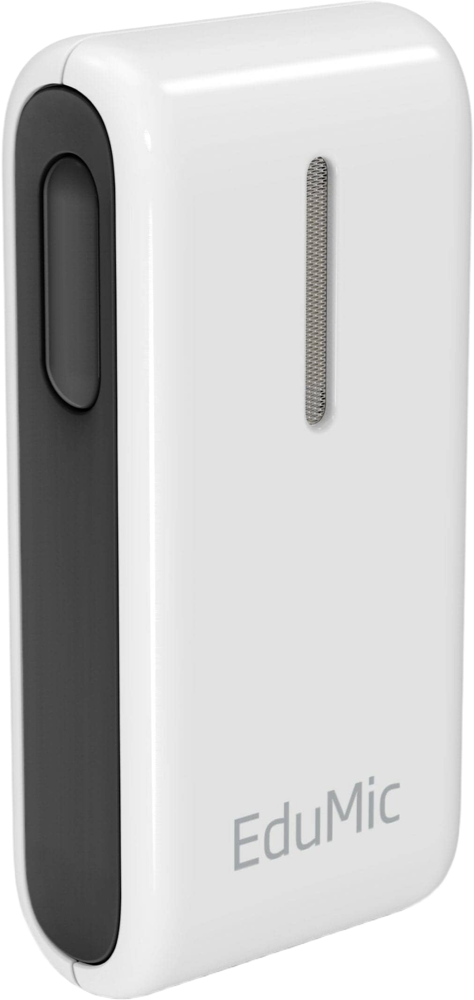
Oticon EduMic
Hear a teacher, colleague or conversation partner directly in compatible Oticon hearing aids. EduMic also relays wired audio, compatible classroom FM systems and public hearing loops.
What EduMic does
Oticon EduMic sends a speaker’s voice straight to compatible hearing aids. A teacher, coach or conversation partner clips the microphone to their clothing or wears it on the included lanyard. The speaker’s voice is picked up close to their mouth instead of across the room by the listener’s hearing aids. In a classroom, one EduMic can send that voice to multiple paired listeners at once. A wired 3.5 mm source can also reach multiple listeners. For personal listening, EduMic can relay a classroom FM system through a separate receiver, or pick up a public hearing loop with its built-in telecoil. The hearing aids use a dedicated EduMic program for the stream.
Which hearing aids work with Oticon EduMic?
Microphone audio
- Oticon Reveal miniRITE R
Reveal miniRITE R enters a dedicated EduMic program. Wear EduMic upright near the desired speaker’s mouth.
- Oticon Intent miniRITE R
Manufacturer lists EduMic under compatible accessories for Intent miniRITE. Pair and use its dedicated program.
- Oticon Opn miniRITE
The EduMic column identifies this hearing-aid style for direct wireless use.
- Oticon Opn miniRITE-T
The EduMic column identifies this hearing-aid style for direct wireless use.
- Oticon Opn BTE13 PP
The EduMic column identifies this hearing-aid style for direct wireless use.
- Oticon Siya miniRITE
The EduMic column identifies this hearing-aid style for direct wireless use.
Choose the exact model printed on your hearing aids or paperwork. A family match does not establish support for every model in that family.
View documented devices and setups
- Oticon Reveal miniRITE R · Exact model
Wearable remote microphone · microphone_audio
Reveal miniRITE R enters a dedicated EduMic program. Wear EduMic upright near the desired speaker’s mouth.
Documented supportSource · 2026-11-18Reveal miniRITE R enters a dedicated EduMic program. Wear EduMic upright near the desired speaker’s mouth.
- Oticon Reveal miniRITE R · Exact model
Wired 3.5 mm audio input · analog_input
Reveal miniRITE R receives EduMic’s 3.5 mm source stream. Connect the output of the source device; the EduMic microphone is disabled.
Requires additional setupSource · 2026-11-18Reveal miniRITE R receives EduMic’s 3.5 mm source stream. Connect the output of the source device; the EduMic microphone is disabled.
- Pair EduMic with the hearing aids and use their EduMic program.
- Supply a 3.5 mm source output and use the included audio cable.
- Oticon Reveal miniRITE R · Exact model
Classroom transmitter and compatible receiver · fm_input
The Reveal guide explicitly includes existing classroom FM. The receiver attaches to EduMic; keep the accessory within 3 m of Reveal.
Requires additional setupSource · 2026-11-18The Reveal guide explicitly includes existing classroom FM. The receiver attaches to EduMic; keep the accessory within 3 m of Reveal.
- Pair EduMic with the hearing aids and use their EduMic program.
- Use a compatible classroom transmitter and a matching universal receiver with a Europin connector.
- Oticon Reveal miniRITE R · Exact model
Built-in telecoil receiving a hearing loop · telecoil_input
The Reveal product page explicitly includes EduMic loop audio. Reveal also has its own telecoil for direct loop use.
Requires additional setupSource · 2026-11-18The Reveal product page explicitly includes EduMic loop audio. Reveal also has its own telecoil for direct loop use.
- Pair EduMic with the hearing aids and use their EduMic program.
- Place EduMic in an active hearing loop and enter its telecoil mode.
- Oticon Intent miniRITE R · Exact model
Wearable remote microphone · microphone_audio
Manufacturer lists EduMic under compatible accessories for Intent miniRITE. Pair and use its dedicated program.
Documented supportSource · 2026-11-18Manufacturer lists EduMic under compatible accessories for Intent miniRITE. Pair and use its dedicated program.
- Oticon Intent miniRITE R · Exact model
Wired 3.5 mm audio input · analog_input
Manufacturer lists EduMic with 3.5 mm source streaming on the Intent miniRITE page.
Requires additional setupSource · 2026-11-18Manufacturer lists EduMic with 3.5 mm source streaming on the Intent miniRITE page.
- Pair EduMic with the hearing aids and use their EduMic program.
- Supply a 3.5 mm source output and use the included audio cable.
- Oticon Intent miniRITE R · Exact model
Built-in telecoil receiving a hearing loop · telecoil_input
Manufacturer lists EduMic with public hearing-loop pickup on the Intent miniRITE page.
Requires additional setupSource · 2026-11-18Manufacturer lists EduMic with public hearing-loop pickup on the Intent miniRITE page.
- Pair EduMic with the hearing aids and use their EduMic program.
- Place EduMic in an active hearing loop and enter its telecoil mode.
- Oticon Opn miniRITE · Exact model
Wearable remote microphone · microphone_audio
The EduMic column identifies this hearing-aid style for direct wireless use.
Documented supportSource · 2026-11-18The EduMic column identifies this hearing-aid style for direct wireless use.
- Oticon Opn miniRITE · Exact model
Classroom transmitter and compatible receiver · fm_input
Chart scenarios describe incoming classroom audio via a compatible receiver connected to EduMic, with direct streaming to this 2.4 GHz hearing-aid style.
Requires additional setupSource · 2026-11-18Chart scenarios describe incoming classroom audio via a compatible receiver connected to EduMic, with direct streaming to this 2.4 GHz hearing-aid style.
- Pair EduMic with the hearing aids and use their EduMic program.
- Use a compatible classroom transmitter and a matching universal receiver with a Europin connector.
- Oticon Opn miniRITE · Exact model
Wired 3.5 mm audio input · analog_input
Chart scenario 5 documents a 3.5 mm path from the FrontRow Juno system to EduMic and this 2.4 GHz hearing-aid style. For that example, use the Juno Tower audio output and set AUX volume to maximum.
Requires additional setupSource · 2026-11-18Chart scenario 5 documents a 3.5 mm path from the FrontRow Juno system to EduMic and this 2.4 GHz hearing-aid style. For that example, use the Juno Tower audio output and set AUX volume to maximum.
- Pair EduMic with the hearing aids and use their EduMic program.
- Supply a 3.5 mm source output and use the included audio cable.
- Oticon Opn miniRITE-T · Exact model
Wearable remote microphone · microphone_audio
The EduMic column identifies this hearing-aid style for direct wireless use.
Documented supportSource · 2026-11-18The EduMic column identifies this hearing-aid style for direct wireless use.
- Oticon Opn miniRITE-T · Exact model
Classroom transmitter and compatible receiver · fm_input
Chart scenarios describe incoming classroom audio via a compatible receiver connected to EduMic, with direct streaming to this 2.4 GHz hearing-aid style.
Requires additional setupSource · 2026-11-18Chart scenarios describe incoming classroom audio via a compatible receiver connected to EduMic, with direct streaming to this 2.4 GHz hearing-aid style.
- Pair EduMic with the hearing aids and use their EduMic program.
- Use a compatible classroom transmitter and a matching universal receiver with a Europin connector.
- Oticon Opn miniRITE-T · Exact model
Wired 3.5 mm audio input · analog_input
Chart scenario 5 documents a 3.5 mm path from the FrontRow Juno system to EduMic and this 2.4 GHz hearing-aid style. For that example, use the Juno Tower audio output and set AUX volume to maximum.
Requires additional setupSource · 2026-11-18Chart scenario 5 documents a 3.5 mm path from the FrontRow Juno system to EduMic and this 2.4 GHz hearing-aid style. For that example, use the Juno Tower audio output and set AUX volume to maximum.
- Pair EduMic with the hearing aids and use their EduMic program.
- Supply a 3.5 mm source output and use the included audio cable.
- Oticon Opn BTE13 PP · Exact model
Wearable remote microphone · microphone_audio
The EduMic column identifies this hearing-aid style for direct wireless use.
Documented supportSource · 2026-11-18The EduMic column identifies this hearing-aid style for direct wireless use.
- Oticon Opn BTE13 PP · Exact model
Classroom transmitter and compatible receiver · fm_input
Chart scenarios describe incoming classroom audio via a compatible receiver connected to EduMic, with direct streaming to this 2.4 GHz hearing-aid style.
Requires additional setupSource · 2026-11-18Chart scenarios describe incoming classroom audio via a compatible receiver connected to EduMic, with direct streaming to this 2.4 GHz hearing-aid style.
- Pair EduMic with the hearing aids and use their EduMic program.
- Use a compatible classroom transmitter and a matching universal receiver with a Europin connector.
- Oticon Opn BTE13 PP · Exact model
Wired 3.5 mm audio input · analog_input
Chart scenario 5 documents a 3.5 mm path from the FrontRow Juno system to EduMic and this 2.4 GHz hearing-aid style. For that example, use the Juno Tower audio output and set AUX volume to maximum.
Requires additional setupSource · 2026-11-18Chart scenario 5 documents a 3.5 mm path from the FrontRow Juno system to EduMic and this 2.4 GHz hearing-aid style. For that example, use the Juno Tower audio output and set AUX volume to maximum.
- Pair EduMic with the hearing aids and use their EduMic program.
- Supply a 3.5 mm source output and use the included audio cable.
- Oticon Siya miniRITE · Exact model
Wearable remote microphone · microphone_audio
The EduMic column identifies this hearing-aid style for direct wireless use.
Documented supportSource · 2026-11-18The EduMic column identifies this hearing-aid style for direct wireless use.
- Oticon Siya miniRITE · Exact model
Classroom transmitter and compatible receiver · fm_input
Chart scenarios describe incoming classroom audio via a compatible receiver connected to EduMic, with direct streaming to this 2.4 GHz hearing-aid style.
Requires additional setupSource · 2026-11-18Chart scenarios describe incoming classroom audio via a compatible receiver connected to EduMic, with direct streaming to this 2.4 GHz hearing-aid style.
- Pair EduMic with the hearing aids and use their EduMic program.
- Use a compatible classroom transmitter and a matching universal receiver with a Europin connector.
- Oticon Siya miniRITE · Exact model
Wired 3.5 mm audio input · analog_input
Chart scenario 5 documents a 3.5 mm path from the FrontRow Juno system to EduMic and this 2.4 GHz hearing-aid style. For that example, use the Juno Tower audio output and set AUX volume to maximum.
Requires additional setupSource · 2026-11-18Chart scenario 5 documents a 3.5 mm path from the FrontRow Juno system to EduMic and this 2.4 GHz hearing-aid style. For that example, use the Juno Tower audio output and set AUX volume to maximum.
- Pair EduMic with the hearing aids and use their EduMic program.
- Supply a 3.5 mm source output and use the included audio cable.
- Oticon Siya BTE13 PP · Exact model
Wearable remote microphone · microphone_audio
The EduMic column identifies this hearing-aid style for direct wireless use.
Documented supportSource · 2026-11-18The EduMic column identifies this hearing-aid style for direct wireless use.
- Oticon Siya BTE13 PP · Exact model
Classroom transmitter and compatible receiver · fm_input
Chart scenarios describe incoming classroom audio via a compatible receiver connected to EduMic, with direct streaming to this 2.4 GHz hearing-aid style.
Requires additional setupSource · 2026-11-18Chart scenarios describe incoming classroom audio via a compatible receiver connected to EduMic, with direct streaming to this 2.4 GHz hearing-aid style.
- Pair EduMic with the hearing aids and use their EduMic program.
- Use a compatible classroom transmitter and a matching universal receiver with a Europin connector.
- Oticon Siya BTE13 PP · Exact model
Wired 3.5 mm audio input · analog_input
Chart scenario 5 documents a 3.5 mm path from the FrontRow Juno system to EduMic and this 2.4 GHz hearing-aid style. For that example, use the Juno Tower audio output and set AUX volume to maximum.
Requires additional setupSource · 2026-11-18Chart scenario 5 documents a 3.5 mm path from the FrontRow Juno system to EduMic and this 2.4 GHz hearing-aid style. For that example, use the Juno Tower audio output and set AUX volume to maximum.
- Pair EduMic with the hearing aids and use their EduMic program.
- Supply a 3.5 mm source output and use the included audio cable.
- Oticon Siya miniRITE-T · Exact model
Wearable remote microphone · microphone_audio
The EduMic column identifies this hearing-aid style for direct wireless use.
Documented supportSource · 2026-11-18The EduMic column identifies this hearing-aid style for direct wireless use.
- Oticon Siya miniRITE-T · Exact model
Classroom transmitter and compatible receiver · fm_input
Chart scenarios describe incoming classroom audio via a compatible receiver connected to EduMic, with direct streaming to this 2.4 GHz hearing-aid style.
Requires additional setupSource · 2026-11-18Chart scenarios describe incoming classroom audio via a compatible receiver connected to EduMic, with direct streaming to this 2.4 GHz hearing-aid style.
- Pair EduMic with the hearing aids and use their EduMic program.
- Use a compatible classroom transmitter and a matching universal receiver with a Europin connector.
- Oticon Siya miniRITE-T · Exact model
Wired 3.5 mm audio input · analog_input
Chart scenario 5 documents a 3.5 mm path from the FrontRow Juno system to EduMic and this 2.4 GHz hearing-aid style. For that example, use the Juno Tower audio output and set AUX volume to maximum.
Requires additional setupSource · 2026-11-18Chart scenario 5 documents a 3.5 mm path from the FrontRow Juno system to EduMic and this 2.4 GHz hearing-aid style. For that example, use the Juno Tower audio output and set AUX volume to maximum.
- Pair EduMic with the hearing aids and use their EduMic program.
- Supply a 3.5 mm source output and use the included audio cable.
- Oticon Opn S miniRITE · Exact model
Wearable remote microphone · microphone_audio
The EduMic column identifies this hearing-aid style for direct wireless use.
Documented supportSource · 2026-11-18The EduMic column identifies this hearing-aid style for direct wireless use.
- Oticon Opn S miniRITE · Exact model
Classroom transmitter and compatible receiver · fm_input
Chart scenarios describe incoming classroom audio via a compatible receiver connected to EduMic, with direct streaming to this 2.4 GHz hearing-aid style.
Requires additional setupSource · 2026-11-18Chart scenarios describe incoming classroom audio via a compatible receiver connected to EduMic, with direct streaming to this 2.4 GHz hearing-aid style.
- Pair EduMic with the hearing aids and use their EduMic program.
- Use a compatible classroom transmitter and a matching universal receiver with a Europin connector.
- Oticon Opn S miniRITE · Exact model
Wired 3.5 mm audio input · analog_input
Chart scenario 5 documents a 3.5 mm path from the FrontRow Juno system to EduMic and this 2.4 GHz hearing-aid style. For that example, use the Juno Tower audio output and set AUX volume to maximum.
Requires additional setupSource · 2026-11-18Chart scenario 5 documents a 3.5 mm path from the FrontRow Juno system to EduMic and this 2.4 GHz hearing-aid style. For that example, use the Juno Tower audio output and set AUX volume to maximum.
- Pair EduMic with the hearing aids and use their EduMic program.
- Supply a 3.5 mm source output and use the included audio cable.
- Oticon Opn S miniRITE-T · Exact model
Wearable remote microphone · microphone_audio
The EduMic column identifies this hearing-aid style for direct wireless use.
Documented supportSource · 2026-11-18The EduMic column identifies this hearing-aid style for direct wireless use.
- Oticon Opn S miniRITE-T · Exact model
Classroom transmitter and compatible receiver · fm_input
Chart scenarios describe incoming classroom audio via a compatible receiver connected to EduMic, with direct streaming to this 2.4 GHz hearing-aid style.
Requires additional setupSource · 2026-11-18Chart scenarios describe incoming classroom audio via a compatible receiver connected to EduMic, with direct streaming to this 2.4 GHz hearing-aid style.
- Pair EduMic with the hearing aids and use their EduMic program.
- Use a compatible classroom transmitter and a matching universal receiver with a Europin connector.
- Oticon Opn S miniRITE-T · Exact model
Wired 3.5 mm audio input · analog_input
Chart scenario 5 documents a 3.5 mm path from the FrontRow Juno system to EduMic and this 2.4 GHz hearing-aid style. For that example, use the Juno Tower audio output and set AUX volume to maximum.
Requires additional setupSource · 2026-11-18Chart scenario 5 documents a 3.5 mm path from the FrontRow Juno system to EduMic and this 2.4 GHz hearing-aid style. For that example, use the Juno Tower audio output and set AUX volume to maximum.
- Pair EduMic with the hearing aids and use their EduMic program.
- Supply a 3.5 mm source output and use the included audio cable.
- Oticon Opn S miniRITE-R · Exact model
Wearable remote microphone · microphone_audio
The EduMic column identifies this hearing-aid style for direct wireless use.
Documented supportSource · 2026-11-18The EduMic column identifies this hearing-aid style for direct wireless use.
- Oticon Opn S miniRITE-R · Exact model
Classroom transmitter and compatible receiver · fm_input
Chart scenarios describe incoming classroom audio via a compatible receiver connected to EduMic, with direct streaming to this 2.4 GHz hearing-aid style.
Requires additional setupSource · 2026-11-18Chart scenarios describe incoming classroom audio via a compatible receiver connected to EduMic, with direct streaming to this 2.4 GHz hearing-aid style.
- Pair EduMic with the hearing aids and use their EduMic program.
- Use a compatible classroom transmitter and a matching universal receiver with a Europin connector.
- Oticon Opn S miniRITE-R · Exact model
Wired 3.5 mm audio input · analog_input
Chart scenario 5 documents a 3.5 mm path from the FrontRow Juno system to EduMic and this 2.4 GHz hearing-aid style. For that example, use the Juno Tower audio output and set AUX volume to maximum.
Requires additional setupSource · 2026-11-18Chart scenario 5 documents a 3.5 mm path from the FrontRow Juno system to EduMic and this 2.4 GHz hearing-aid style. For that example, use the Juno Tower audio output and set AUX volume to maximum.
- Pair EduMic with the hearing aids and use their EduMic program.
- Supply a 3.5 mm source output and use the included audio cable.
- Oticon Opn S BTE PP · Exact model
Wearable remote microphone · microphone_audio
The EduMic column identifies this hearing-aid style for direct wireless use.
Documented supportSource · 2026-11-18The EduMic column identifies this hearing-aid style for direct wireless use.
- Oticon Opn S BTE PP · Exact model
Classroom transmitter and compatible receiver · fm_input
Chart scenarios describe incoming classroom audio via a compatible receiver connected to EduMic, with direct streaming to this 2.4 GHz hearing-aid style.
Requires additional setupSource · 2026-11-18Chart scenarios describe incoming classroom audio via a compatible receiver connected to EduMic, with direct streaming to this 2.4 GHz hearing-aid style.
- Pair EduMic with the hearing aids and use their EduMic program.
- Use a compatible classroom transmitter and a matching universal receiver with a Europin connector.
- Oticon Opn S BTE PP · Exact model
Wired 3.5 mm audio input · analog_input
Chart scenario 5 documents a 3.5 mm path from the FrontRow Juno system to EduMic and this 2.4 GHz hearing-aid style. For that example, use the Juno Tower audio output and set AUX volume to maximum.
Requires additional setupSource · 2026-11-18Chart scenario 5 documents a 3.5 mm path from the FrontRow Juno system to EduMic and this 2.4 GHz hearing-aid style. For that example, use the Juno Tower audio output and set AUX volume to maximum.
- Pair EduMic with the hearing aids and use their EduMic program.
- Supply a 3.5 mm source output and use the included audio cable.
- Oticon Xceed BTE SP · Exact model
Wearable remote microphone · microphone_audio
The EduMic column identifies this hearing-aid style for direct wireless use.
Documented supportSource · 2026-11-18The EduMic column identifies this hearing-aid style for direct wireless use.
- Oticon Xceed BTE SP · Exact model
Classroom transmitter and compatible receiver · fm_input
Chart scenarios describe incoming classroom audio via a compatible receiver connected to EduMic, with direct streaming to this 2.4 GHz hearing-aid style.
Requires additional setupSource · 2026-11-18Chart scenarios describe incoming classroom audio via a compatible receiver connected to EduMic, with direct streaming to this 2.4 GHz hearing-aid style.
- Pair EduMic with the hearing aids and use their EduMic program.
- Use a compatible classroom transmitter and a matching universal receiver with a Europin connector.
- Oticon Xceed BTE SP · Exact model
Wired 3.5 mm audio input · analog_input
Chart scenario 5 documents a 3.5 mm path from the FrontRow Juno system to EduMic and this 2.4 GHz hearing-aid style. For that example, use the Juno Tower audio output and set AUX volume to maximum.
Requires additional setupSource · 2026-11-18Chart scenario 5 documents a 3.5 mm path from the FrontRow Juno system to EduMic and this 2.4 GHz hearing-aid style. For that example, use the Juno Tower audio output and set AUX volume to maximum.
- Pair EduMic with the hearing aids and use their EduMic program.
- Supply a 3.5 mm source output and use the included audio cable.
- Oticon Xceed BTE UP · Exact model
Wearable remote microphone · microphone_audio
The EduMic column identifies this hearing-aid style for direct wireless use.
Documented supportSource · 2026-11-18The EduMic column identifies this hearing-aid style for direct wireless use.
- Oticon Xceed BTE UP · Exact model
Classroom transmitter and compatible receiver · fm_input
Chart scenarios describe incoming classroom audio via a compatible receiver connected to EduMic, with direct streaming to this 2.4 GHz hearing-aid style.
Requires additional setupSource · 2026-11-18Chart scenarios describe incoming classroom audio via a compatible receiver connected to EduMic, with direct streaming to this 2.4 GHz hearing-aid style.
- Pair EduMic with the hearing aids and use their EduMic program.
- Use a compatible classroom transmitter and a matching universal receiver with a Europin connector.
- Oticon Xceed BTE UP · Exact model
Wired 3.5 mm audio input · analog_input
Chart scenario 5 documents a 3.5 mm path from the FrontRow Juno system to EduMic and this 2.4 GHz hearing-aid style. For that example, use the Juno Tower audio output and set AUX volume to maximum.
Requires additional setupSource · 2026-11-18Chart scenario 5 documents a 3.5 mm path from the FrontRow Juno system to EduMic and this 2.4 GHz hearing-aid style. For that example, use the Juno Tower audio output and set AUX volume to maximum.
- Pair EduMic with the hearing aids and use their EduMic program.
- Supply a 3.5 mm source output and use the included audio cable.
- Oticon Ruby miniRITE · Exact model
Wearable remote microphone · microphone_audio
The EduMic column identifies this hearing-aid style for direct wireless use.
Documented supportSource · 2026-11-18The EduMic column identifies this hearing-aid style for direct wireless use.
- Oticon Ruby miniRITE · Exact model
Classroom transmitter and compatible receiver · fm_input
Chart scenarios describe incoming classroom audio via a compatible receiver connected to EduMic, with direct streaming to this 2.4 GHz hearing-aid style.
Requires additional setupSource · 2026-11-18Chart scenarios describe incoming classroom audio via a compatible receiver connected to EduMic, with direct streaming to this 2.4 GHz hearing-aid style.
- Pair EduMic with the hearing aids and use their EduMic program.
- Use a compatible classroom transmitter and a matching universal receiver with a Europin connector.
- Oticon Ruby miniRITE · Exact model
Wired 3.5 mm audio input · analog_input
Chart scenario 5 documents a 3.5 mm path from the FrontRow Juno system to EduMic and this 2.4 GHz hearing-aid style. For that example, use the Juno Tower audio output and set AUX volume to maximum.
Requires additional setupSource · 2026-11-18Chart scenario 5 documents a 3.5 mm path from the FrontRow Juno system to EduMic and this 2.4 GHz hearing-aid style. For that example, use the Juno Tower audio output and set AUX volume to maximum.
- Pair EduMic with the hearing aids and use their EduMic program.
- Supply a 3.5 mm source output and use the included audio cable.
- Oticon Ruby miniRITE-T · Exact model
Wearable remote microphone · microphone_audio
The EduMic column identifies this hearing-aid style for direct wireless use.
Documented supportSource · 2026-11-18The EduMic column identifies this hearing-aid style for direct wireless use.
- Oticon Ruby miniRITE-T · Exact model
Classroom transmitter and compatible receiver · fm_input
Chart scenarios describe incoming classroom audio via a compatible receiver connected to EduMic, with direct streaming to this 2.4 GHz hearing-aid style.
Requires additional setupSource · 2026-11-18Chart scenarios describe incoming classroom audio via a compatible receiver connected to EduMic, with direct streaming to this 2.4 GHz hearing-aid style.
- Pair EduMic with the hearing aids and use their EduMic program.
- Use a compatible classroom transmitter and a matching universal receiver with a Europin connector.
- Oticon Ruby miniRITE-T · Exact model
Wired 3.5 mm audio input · analog_input
Chart scenario 5 documents a 3.5 mm path from the FrontRow Juno system to EduMic and this 2.4 GHz hearing-aid style. For that example, use the Juno Tower audio output and set AUX volume to maximum.
Requires additional setupSource · 2026-11-18Chart scenario 5 documents a 3.5 mm path from the FrontRow Juno system to EduMic and this 2.4 GHz hearing-aid style. For that example, use the Juno Tower audio output and set AUX volume to maximum.
- Pair EduMic with the hearing aids and use their EduMic program.
- Supply a 3.5 mm source output and use the included audio cable.
- Oticon Ruby miniRITE-R · Exact model
Wearable remote microphone · microphone_audio
The EduMic column identifies this hearing-aid style for direct wireless use.
Documented supportSource · 2026-11-18The EduMic column identifies this hearing-aid style for direct wireless use.
- Oticon Ruby miniRITE-R · Exact model
Classroom transmitter and compatible receiver · fm_input
Chart scenarios describe incoming classroom audio via a compatible receiver connected to EduMic, with direct streaming to this 2.4 GHz hearing-aid style.
Requires additional setupSource · 2026-11-18Chart scenarios describe incoming classroom audio via a compatible receiver connected to EduMic, with direct streaming to this 2.4 GHz hearing-aid style.
- Pair EduMic with the hearing aids and use their EduMic program.
- Use a compatible classroom transmitter and a matching universal receiver with a Europin connector.
- Oticon Ruby miniRITE-R · Exact model
Wired 3.5 mm audio input · analog_input
Chart scenario 5 documents a 3.5 mm path from the FrontRow Juno system to EduMic and this 2.4 GHz hearing-aid style. For that example, use the Juno Tower audio output and set AUX volume to maximum.
Requires additional setupSource · 2026-11-18Chart scenario 5 documents a 3.5 mm path from the FrontRow Juno system to EduMic and this 2.4 GHz hearing-aid style. For that example, use the Juno Tower audio output and set AUX volume to maximum.
- Pair EduMic with the hearing aids and use their EduMic program.
- Supply a 3.5 mm source output and use the included audio cable.
- Oticon Ruby BTE PP · Exact model
Wearable remote microphone · microphone_audio
The EduMic column identifies this hearing-aid style for direct wireless use.
Documented supportSource · 2026-11-18The EduMic column identifies this hearing-aid style for direct wireless use.
- Oticon Ruby BTE PP · Exact model
Classroom transmitter and compatible receiver · fm_input
Chart scenarios describe incoming classroom audio via a compatible receiver connected to EduMic, with direct streaming to this 2.4 GHz hearing-aid style.
Requires additional setupSource · 2026-11-18Chart scenarios describe incoming classroom audio via a compatible receiver connected to EduMic, with direct streaming to this 2.4 GHz hearing-aid style.
- Pair EduMic with the hearing aids and use their EduMic program.
- Use a compatible classroom transmitter and a matching universal receiver with a Europin connector.
- Oticon Ruby BTE PP · Exact model
Wired 3.5 mm audio input · analog_input
Chart scenario 5 documents a 3.5 mm path from the FrontRow Juno system to EduMic and this 2.4 GHz hearing-aid style. For that example, use the Juno Tower audio output and set AUX volume to maximum.
Requires additional setupSource · 2026-11-18Chart scenario 5 documents a 3.5 mm path from the FrontRow Juno system to EduMic and this 2.4 GHz hearing-aid style. For that example, use the Juno Tower audio output and set AUX volume to maximum.
- Pair EduMic with the hearing aids and use their EduMic program.
- Supply a 3.5 mm source output and use the included audio cable.
- Oticon Ruby BTE · Exact model
Wearable remote microphone · microphone_audio
The EduMic column identifies this hearing-aid style for direct wireless use.
Documented supportSource · 2026-11-18The EduMic column identifies this hearing-aid style for direct wireless use.
- Oticon Ruby BTE · Exact model
Classroom transmitter and compatible receiver · fm_input
Chart scenarios describe incoming classroom audio via a compatible receiver connected to EduMic, with direct streaming to this 2.4 GHz hearing-aid style.
Requires additional setupSource · 2026-11-18Chart scenarios describe incoming classroom audio via a compatible receiver connected to EduMic, with direct streaming to this 2.4 GHz hearing-aid style.
- Pair EduMic with the hearing aids and use their EduMic program.
- Use a compatible classroom transmitter and a matching universal receiver with a Europin connector.
- Oticon Ruby BTE · Exact model
Wired 3.5 mm audio input · analog_input
Chart scenario 5 documents a 3.5 mm path from the FrontRow Juno system to EduMic and this 2.4 GHz hearing-aid style. For that example, use the Juno Tower audio output and set AUX volume to maximum.
Requires additional setupSource · 2026-11-18Chart scenario 5 documents a 3.5 mm path from the FrontRow Juno system to EduMic and this 2.4 GHz hearing-aid style. For that example, use the Juno Tower audio output and set AUX volume to maximum.
- Pair EduMic with the hearing aids and use their EduMic program.
- Supply a 3.5 mm source output and use the included audio cable.
- Oticon More miniRITE-R · Exact model
Wearable remote microphone · microphone_audio
The EduMic column identifies this hearing-aid style for direct wireless use.
Documented supportSource · 2026-11-18The EduMic column identifies this hearing-aid style for direct wireless use.
- Oticon More miniRITE-R · Exact model
Classroom transmitter and compatible receiver · fm_input
Chart scenarios describe incoming classroom audio via a compatible receiver connected to EduMic, with direct streaming to this 2.4 GHz hearing-aid style.
Requires additional setupSource · 2026-11-18Chart scenarios describe incoming classroom audio via a compatible receiver connected to EduMic, with direct streaming to this 2.4 GHz hearing-aid style.
- Pair EduMic with the hearing aids and use their EduMic program.
- Use a compatible classroom transmitter and a matching universal receiver with a Europin connector.
- Oticon More miniRITE-R · Exact model
Wired 3.5 mm audio input · analog_input
Chart scenario 5 documents a 3.5 mm path from the FrontRow Juno system to EduMic and this 2.4 GHz hearing-aid style. For that example, use the Juno Tower audio output and set AUX volume to maximum.
Requires additional setupSource · 2026-11-18Chart scenario 5 documents a 3.5 mm path from the FrontRow Juno system to EduMic and this 2.4 GHz hearing-aid style. For that example, use the Juno Tower audio output and set AUX volume to maximum.
- Pair EduMic with the hearing aids and use their EduMic program.
- Supply a 3.5 mm source output and use the included audio cable.
- Oticon More miniRITE-T · Exact model
Wearable remote microphone · microphone_audio
The EduMic column identifies this hearing-aid style for direct wireless use.
Documented supportSource · 2026-11-18The EduMic column identifies this hearing-aid style for direct wireless use.
- Oticon More miniRITE-T · Exact model
Classroom transmitter and compatible receiver · fm_input
Chart scenarios describe incoming classroom audio via a compatible receiver connected to EduMic, with direct streaming to this 2.4 GHz hearing-aid style.
Requires additional setupSource · 2026-11-18Chart scenarios describe incoming classroom audio via a compatible receiver connected to EduMic, with direct streaming to this 2.4 GHz hearing-aid style.
- Pair EduMic with the hearing aids and use their EduMic program.
- Use a compatible classroom transmitter and a matching universal receiver with a Europin connector.
- Oticon More miniRITE-T · Exact model
Wired 3.5 mm audio input · analog_input
Chart scenario 5 documents a 3.5 mm path from the FrontRow Juno system to EduMic and this 2.4 GHz hearing-aid style. For that example, use the Juno Tower audio output and set AUX volume to maximum.
Requires additional setupSource · 2026-11-18Chart scenario 5 documents a 3.5 mm path from the FrontRow Juno system to EduMic and this 2.4 GHz hearing-aid style. For that example, use the Juno Tower audio output and set AUX volume to maximum.
- Pair EduMic with the hearing aids and use their EduMic program.
- Supply a 3.5 mm source output and use the included audio cable.
- Oticon Zircon miniRITE-T · Exact model
Wearable remote microphone · microphone_audio
The EduMic column identifies this hearing-aid style for direct wireless use.
Documented supportSource · 2026-11-18The EduMic column identifies this hearing-aid style for direct wireless use.
- Oticon Zircon miniRITE-T · Exact model
Classroom transmitter and compatible receiver · fm_input
Chart scenarios describe incoming classroom audio via a compatible receiver connected to EduMic, with direct streaming to this 2.4 GHz hearing-aid style.
Requires additional setupSource · 2026-11-18Chart scenarios describe incoming classroom audio via a compatible receiver connected to EduMic, with direct streaming to this 2.4 GHz hearing-aid style.
- Pair EduMic with the hearing aids and use their EduMic program.
- Use a compatible classroom transmitter and a matching universal receiver with a Europin connector.
- Oticon Zircon miniRITE-T · Exact model
Wired 3.5 mm audio input · analog_input
Chart scenario 5 documents a 3.5 mm path from the FrontRow Juno system to EduMic and this 2.4 GHz hearing-aid style. For that example, use the Juno Tower audio output and set AUX volume to maximum.
Requires additional setupSource · 2026-11-18Chart scenario 5 documents a 3.5 mm path from the FrontRow Juno system to EduMic and this 2.4 GHz hearing-aid style. For that example, use the Juno Tower audio output and set AUX volume to maximum.
- Pair EduMic with the hearing aids and use their EduMic program.
- Supply a 3.5 mm source output and use the included audio cable.
- Oticon Zircon miniRITE-R · Exact model
Wearable remote microphone · microphone_audio
The EduMic column identifies this hearing-aid style for direct wireless use.
Documented supportSource · 2026-11-18The EduMic column identifies this hearing-aid style for direct wireless use.
- Oticon Zircon miniRITE-R · Exact model
Classroom transmitter and compatible receiver · fm_input
Chart scenarios describe incoming classroom audio via a compatible receiver connected to EduMic, with direct streaming to this 2.4 GHz hearing-aid style.
Requires additional setupSource · 2026-11-18Chart scenarios describe incoming classroom audio via a compatible receiver connected to EduMic, with direct streaming to this 2.4 GHz hearing-aid style.
- Pair EduMic with the hearing aids and use their EduMic program.
- Use a compatible classroom transmitter and a matching universal receiver with a Europin connector.
- Oticon Zircon miniRITE-R · Exact model
Wired 3.5 mm audio input · analog_input
Chart scenario 5 documents a 3.5 mm path from the FrontRow Juno system to EduMic and this 2.4 GHz hearing-aid style. For that example, use the Juno Tower audio output and set AUX volume to maximum.
Requires additional setupSource · 2026-11-18Chart scenario 5 documents a 3.5 mm path from the FrontRow Juno system to EduMic and this 2.4 GHz hearing-aid style. For that example, use the Juno Tower audio output and set AUX volume to maximum.
- Pair EduMic with the hearing aids and use their EduMic program.
- Supply a 3.5 mm source output and use the included audio cable.
- Oticon More miniBTE-T · Exact model
Wearable remote microphone · microphone_audio
The EduMic column identifies this hearing-aid style for direct wireless use.
Documented supportSource · 2026-11-18The EduMic column identifies this hearing-aid style for direct wireless use.
- Oticon More miniBTE-T · Exact model
Classroom transmitter and compatible receiver · fm_input
Chart scenarios describe incoming classroom audio via a compatible receiver connected to EduMic, with direct streaming to this 2.4 GHz hearing-aid style.
Requires additional setupSource · 2026-11-18Chart scenarios describe incoming classroom audio via a compatible receiver connected to EduMic, with direct streaming to this 2.4 GHz hearing-aid style.
- Pair EduMic with the hearing aids and use their EduMic program.
- Use a compatible classroom transmitter and a matching universal receiver with a Europin connector.
- Oticon More miniBTE-T · Exact model
Wired 3.5 mm audio input · analog_input
Chart scenario 5 documents a 3.5 mm path from the FrontRow Juno system to EduMic and this 2.4 GHz hearing-aid style. For that example, use the Juno Tower audio output and set AUX volume to maximum.
Requires additional setupSource · 2026-11-18Chart scenario 5 documents a 3.5 mm path from the FrontRow Juno system to EduMic and this 2.4 GHz hearing-aid style. For that example, use the Juno Tower audio output and set AUX volume to maximum.
- Pair EduMic with the hearing aids and use their EduMic program.
- Supply a 3.5 mm source output and use the included audio cable.
- Oticon More miniBTE-R · Exact model
Wearable remote microphone · microphone_audio
The EduMic column identifies this hearing-aid style for direct wireless use.
Documented supportSource · 2026-11-18The EduMic column identifies this hearing-aid style for direct wireless use.
- Oticon More miniBTE-R · Exact model
Classroom transmitter and compatible receiver · fm_input
Chart scenarios describe incoming classroom audio via a compatible receiver connected to EduMic, with direct streaming to this 2.4 GHz hearing-aid style.
Requires additional setupSource · 2026-11-18Chart scenarios describe incoming classroom audio via a compatible receiver connected to EduMic, with direct streaming to this 2.4 GHz hearing-aid style.
- Pair EduMic with the hearing aids and use their EduMic program.
- Use a compatible classroom transmitter and a matching universal receiver with a Europin connector.
- Oticon More miniBTE-R · Exact model
Wired 3.5 mm audio input · analog_input
Chart scenario 5 documents a 3.5 mm path from the FrontRow Juno system to EduMic and this 2.4 GHz hearing-aid style. For that example, use the Juno Tower audio output and set AUX volume to maximum.
Requires additional setupSource · 2026-11-18Chart scenario 5 documents a 3.5 mm path from the FrontRow Juno system to EduMic and this 2.4 GHz hearing-aid style. For that example, use the Juno Tower audio output and set AUX volume to maximum.
- Pair EduMic with the hearing aids and use their EduMic program.
- Supply a 3.5 mm source output and use the included audio cable.
- Oticon Own ITE FS · Exact model
Wearable remote microphone · microphone_audio
The Own custom order guide documents EduMic support for the 2.4 GHz wireless version of this style. The same shell style can be configured differently.
Requires additional setupSource · 2026-11-18The Own custom order guide documents EduMic support for the 2.4 GHz wireless version of this style. The same shell style can be configured differently.
- Order or verify the 2.4 GHz Bluetooth configuration.
- Pair EduMic with the hearing aids and use their EduMic program.
- Oticon Own ITE HS · Exact model
Wearable remote microphone · microphone_audio
The Own custom order guide documents EduMic support for the 2.4 GHz wireless version of this style. The same shell style can be configured differently.
Requires additional setupSource · 2026-11-18The Own custom order guide documents EduMic support for the 2.4 GHz wireless version of this style. The same shell style can be configured differently.
- Order or verify the 2.4 GHz Bluetooth configuration.
- Pair EduMic with the hearing aids and use their EduMic program.
- Oticon Own ITC · Exact model
Wearable remote microphone · microphone_audio
The Own custom order guide documents EduMic support for the 2.4 GHz wireless version of this style. The same shell style can be configured differently.
Requires additional setupSource · 2026-11-18The Own custom order guide documents EduMic support for the 2.4 GHz wireless version of this style. The same shell style can be configured differently.
- Order or verify the 2.4 GHz Bluetooth configuration.
- Pair EduMic with the hearing aids and use their EduMic program.
- Oticon Own CIC · Exact model
Wearable remote microphone · microphone_audio
This original Own CIC/IIC style lacks the required 2.4 GHz audio link. A non-wireless or NFMI-only fitting does not receive the EduMic stream.
Documented as incompatibleSource · 2026-11-18 - Oticon Own IIC · Exact model
Wearable remote microphone · microphone_audio
This original Own CIC/IIC style lacks the required 2.4 GHz audio link. A non-wireless or NFMI-only fitting does not receive the EduMic stream.
Documented as incompatibleSource · 2026-11-18 - Oticon Zeal · Exact model
Wearable remote microphone · microphone_audio
The US Zeal product page includes EduMic as a compatible remote microphone.
Documented supportSource · 2026-11-18The US Zeal product page includes EduMic as a compatible remote microphone.
- Oticon Zeal · Exact model
Wired 3.5 mm audio input · analog_input
The US Zeal product page includes EduMic’s 3.5 mm source streaming.
Requires additional setupSource · 2026-11-18The US Zeal product page includes EduMic’s 3.5 mm source streaming.
- Pair EduMic with the hearing aids and use their EduMic program.
- Supply a 3.5 mm source output and use the included audio cable.
- Oticon Zeal · Exact model
Built-in telecoil receiving a hearing loop · telecoil_input
The US Zeal product page includes EduMic’s hearing-loop pickup.
Requires additional setupSource · 2026-11-18The US Zeal product page includes EduMic’s hearing-loop pickup.
- Pair EduMic with the hearing aids and use their EduMic program.
- Place EduMic in an active hearing loop and enter its telecoil mode.
- Oticon Real miniRITE-R · Exact model
Wearable remote microphone · microphone_audio
Oticon’s Real connectivity brochure presents EduMic alongside its four named Real styles. Pair and select the EduMic program.
Documented supportSource · 2026-11-18Oticon’s Real connectivity brochure presents EduMic alongside its four named Real styles. Pair and select the EduMic program.
- Oticon Real miniRITE-T · Exact model
Wearable remote microphone · microphone_audio
Oticon’s Real connectivity brochure presents EduMic alongside its four named Real styles. Pair and select the EduMic program.
Documented supportSource · 2026-11-18Oticon’s Real connectivity brochure presents EduMic alongside its four named Real styles. Pair and select the EduMic program.
- Oticon Real miniBTE-R · Exact model
Wearable remote microphone · microphone_audio
Oticon’s Real connectivity brochure presents EduMic alongside its four named Real styles. Pair and select the EduMic program.
Documented supportSource · 2026-11-18Oticon’s Real connectivity brochure presents EduMic alongside its four named Real styles. Pair and select the EduMic program.
- Oticon Real miniBTE-T · Exact model
Wearable remote microphone · microphone_audio
Oticon’s Real connectivity brochure presents EduMic alongside its four named Real styles. Pair and select the EduMic program.
Documented supportSource · 2026-11-18Oticon’s Real connectivity brochure presents EduMic alongside its four named Real styles. Pair and select the EduMic program.
Documented features
Listening and control
- Mute accessory microphone
- SupportedDocumentation · 2026-11-18
- Audio bandwidth
- 150 Hz–10 kHz · With conditions
Technical sheet lists the general bandwidth and a separate telecoil bandwidth. Actual performance depends on the listeners’ hearing aids.
Setup: Wearable remote microphone
Documentation · 2026-11-18 - Audio bandwidth
- 150 Hz–10 kHz · With conditions
Technical sheet lists the general bandwidth and a separate telecoil bandwidth. Actual performance depends on the listeners’ hearing aids.
Setup: Wired 3.5 mm audio input
Documentation · 2026-11-18 - Audio bandwidth
- 150 Hz–10 kHz · With conditions
Technical sheet lists the general bandwidth and a separate telecoil bandwidth. Actual performance depends on the listeners’ hearing aids.
Setup: Classroom transmitter and compatible receiver
Documentation · 2026-11-18 - Audio bandwidth
- 400 Hz–9 kHz · With conditions
Telecoil mode; actual performance depends on the listeners’ hearing aids.
Setup: Built-in telecoil receiving a hearing loop
Documentation · 2026-11-18 - Automatic mode switching
- Inserting a 3.5 mm cable or a suitable FM receiver activates that input; removing it returns to the microphone. Telecoil mode is activated manually from off. No documented change based on sound or orientation.Documentation · 2026-11-18
- Directional microphone
- SupportedDocumentation · 2026-11-18
- Microphone modes
- Wide-angle directional remote microphone (worn by one speaker)Documentation · 2026-11-18
- Multiple microphones
- Compatible aids named by Oticon can remember multiple EduMic units and may select individual paired streams; simultaneous microphone mixing is unverified. · With conditions
Named Velox S examples are Opn Play, Opn S, Xceed Play, Xceed, Ruby and Ponto 4, up to four EduMic units stored by the aids. Original Opn and Siya store one; active EduMic can block pairing another.
Setup: Pairing for the newer models named in Oticon’s troubleshooting guide
Documentation · 2026-11-18 - Noise management
- Oticon specifies OpenSound Navigator signal processing in microphone mode and describes adapting to the surrounding sound scene.
Manufacturer documentation; audibility or performance across venues was not independently tested.
Setup: Wearable remote microphone
Documentation · 2026-11-18 - Microphone placement
- Wear upright, with the upper end within about 20 cm (8 in) of the mouth. Keep the opening clear and away from jewelry. Mute while handling; remove the protective sleeve for microphone use.
Setup: Wearable remote microphone
Documentation · 2026-11-18 - Change hearing-aid programs
- Supported · With conditions
Automatic entry into the dedicated EduMic program is available to up to 10 sets within usable range. Other paired sets can select the dedicated program at their aids or in Companion. EduMic does not provide general-purpose program control.
Setup: Wearable remote microphone
Documentation · 2026-11-18 - Remote microphone
- SupportedDocumentation · 2026-11-18
- Stream/environment balance
- Move the Streaming and Surroundings sliders separately in Oticon Companion. · With conditions
Use the paired EduMic program with supported aids and app; these are listener-side controls, not a setting on EduMic.
Setup: Optional Oticon Companion controls
Documentation · 2026-11-18 - Stream volume control
- Oticon Companion adjusts streamed sound at the aids through its Streaming slider. The separate Surroundings slider adjusts hearing-aid microphones. · With conditions
Select the paired EduMic program in the app. EduMic’s button mutes the outgoing audio stream.
Setup: Optional Oticon Companion controls
Documentation · 2026-11-18 - Volume control
- Supported · With conditions
Optional Oticon Companion adjusts the sound streamed to the listener’s hearing aids. EduMic itself has no hearing-aid remote-control buttons.
Setup: Optional Oticon Companion controls
Documentation · 2026-11-18 - Wind noise handling
- Oticon specifies Wind Noise Management in microphone mode; wind handling is manufacturer-described.
Oticon does not publish an objective wind threshold or an ingress-protection rating in the sources checked.
Setup: Wearable remote microphone
Documentation · 2026-11-18
Connections
- Analog audio input
- Supported
Connecting the 3.5 mm cable switches off the built-in microphone.
Documentation · 2026-11-18 - Companion app control
- Oticon Companion can select the EduMic program, adjust streamed sound and surroundings separately, manage compatible paired streaming sources, and clear TV Adapter/EduMic pairings from the hearing aids. · With conditions
Optional: pair EduMic directly with hearing aids first. App features depend on the compatible hearing aids and app.
Setup: Optional Oticon Companion controls
Documentation · 2026-11-18 - Bilateral and unilateral use
- Pair one set at a time. The wired input streams stereo to compatible paired aids.
Oticon does not specify mixed-model pairs, asymmetric fitting or ear-specific cases.
Setup: Wired 3.5 mm audio input
Documentation · 2026-11-18 - Computer audio
- Connect a PC, Mac, Chromebook or tablet audio output using the 3.5 mm cable. The input supports listening; use the source device’s separate microphone path for sending your voice. · With conditions
The accessory’s own microphone is disabled in jack mode. When listening and charging simultaneously, use a separate wall adapter.
Setup: Wired 3.5 mm audio input
Documentation · 2026-11-18 - Connection priority
- If another EduMic is active within range and connected to the aids, turn it off before pairing the desired EduMic. Oticon troubleshooting also says to turn off an actively connected ConnectClip when no EduMic audio is heard.Documentation · 2026-11-18
- Firmware updates
- Oticon troubleshooting suggests consulting a hearing care professional about hearing-aid firmware 6.0 or later for no sound on affected older aids. · With conditions
A troubleshooting remedy rather than a blanket minimum. EduMic firmware update method and a universal required version are unverified.
Setup: Pairing and recovery for original Opn and Siya
Documentation · 2026-11-18 - Link to hearing aids
- Oticon proprietary 2.4 GHz low-energy link (TwinLink)Documentation · 2026-11-18
- Accessory-to-hearing-aid range
- Up to 20 m · With conditions
Up to this distance from EduMic to the hearing aids. Other 2.4 GHz activity can reduce range.
Setup: Wearable remote microphone
Documentation · 2026-11-18 - Accessory-to-hearing-aid range
- Up to 20 m · With conditions
Up to this distance from EduMic to the hearing aids. Other 2.4 GHz activity can reduce range.
Setup: Wired 3.5 mm audio input
Documentation · 2026-11-18 - Accessory-to-hearing-aid range
- Up to 3 m · With conditions
Up to this distance from EduMic to the hearing aids. Other 2.4 GHz activity can reduce range.
Setup: Classroom transmitter and compatible receiver
Documentation · 2026-11-18 - Accessory-to-hearing-aid range
- Up to 3 m · With conditions
Up to this distance from EduMic to the hearing aids. Other 2.4 GHz activity can reduce range.
Setup: Built-in telecoil receiving a hearing loop
Documentation · 2026-11-18 - Audio input selection
- Connecting the audio jack or FM receiver enables its mode; unplug it to return to the built-in microphone. Enter loop mode manually from the powered-off state.
No documented precedence when both physical inputs are inserted.
Documentation · 2026-11-18 - Analog input details
- 3.5 mm stereo jack input; maximum 2 Vrms, 3.9 kΩ input impedance. Use the included audio cable.
Setup: Wired 3.5 mm audio input
Documentation · 2026-11-18 - Hearing-aid pairing method
- Start EduMic, restart one set of hearing aids, then place them within 20 cm during the aids’ three-minute pairing window. Blue blinking changes to green when complete.Documentation · 2026-11-18
- Professional setup
- Direct pairing is user-operated. Ask a hearing care professional about poor battery performance, persistent pairing/system errors, hearing-aid firmware updates or classroom verification.Documentation · 2026-11-18
- Receiver requirements
- Direct hearing-aid streaming requires a compatible built-in Oticon 2.4 GHz receiver. FM needs a compatible Europin receiver attached to EduMic, not an attachment on the aid. The telecoil is built into EduMic.Documentation · 2026-11-18
- Reconnection behavior
- Pairings are retained. An eligible stored set can enter the EduMic program automatically when active and in range; after dropouts in telecoil or FM/DAI mode Oticon says EduMic resets and resumes the chosen program. Try mute/unmute or re-pair for no sound.Documentation · 2026-11-18
- Remembered hearing-aid pairings
- 10 sets
Up to 10 sets can switch to EduMic automatically. Other paired sets can select the program manually.
Setup: Wearable remote microphone
Documentation · 2026-11-18 - Simultaneous listeners
- Oticon states no fixed limit on paired hearing-aid sets receiving one stream at once. Only 10 sets are stored for automatic program changes.
Setup: Wearable remote microphone
Documentation · 2026-11-18 - Simultaneous listeners
- Oticon states no fixed limit on paired hearing-aid sets receiving one stream at once. Only 10 sets are stored for automatic program changes.
Setup: Wired 3.5 mm audio input
Documentation · 2026-11-18 - Simultaneous listeners
- Oticon describes this mode for personal listening. No maximum number of receiving hearing aids is stated. · With conditions
Keep EduMic within about 3 m (10 ft) of the user.
Setup: Classroom transmitter and compatible receiver
Documentation · 2026-11-18 - Simultaneous listeners
- Oticon describes this mode for personal listening. No maximum number of receiving hearing aids is stated. · With conditions
Keep EduMic within about 3 m (10 ft) of the user.
Setup: Built-in telecoil receiving a hearing loop
Documentation · 2026-11-18 - Simultaneous source connections
- The documented modes carry one selected stream at a time. The built-in microphone is disabled in jack, FM and loop modes.
Companion can switch between paired accessory streams at the aids. Oticon does not specify forced priority if both physical inputs are inserted.
Documentation · 2026-11-18 - Stereo streaming
- Supported · With conditions
A stereo source connected to the 3.5 mm jack streams to compatible hearing aids. Experience depends on aid setup; this is the only mode Oticon explicitly describes as stereo.
Setup: Wired 3.5 mm audio input
Documentation · 2026-11-18 - Telecoil use
- EduMic receives audio from a facility’s hearing loop with its built-in telecoil and streams it to compatible hearing aids. Enter from off with a 10-second press until magenta; the built-in microphone switches off. Its range to the aids is up to 3 m.
Setup: Built-in telecoil receiving a hearing loop
Documentation · 2026-11-18 - Telecoil input
- SupportedDocumentation · 2026-11-18
- No USB audio input
Oticon labels the USB port for charging and documents the separate 3.5 mm jack for computer audio.
Documentation · 2026-11-18
Power and charging
- Accessory battery is not user-replaceable
- Documentation · 2026-11-18
- Accessory battery type
- Built-in lithium-ion rechargeable battery. Cell capacity and size are unverified.Documentation · 2026-11-18
- Accessory charge time
- About 2.5 hours
Oticon recommends charging at 68–86 °F (20–30 °C).
Documentation · 2026-11-18 - Rechargeable accessory battery
- SupportedDocumentation · 2026-11-18
- Battery status reporting
- Blinking red power LED signifies low battery, with about two hours left according to Oticon. Blinking yellow indicates charging, green indicates full, and a light-blue flash on startup can indicate an exhausted battery.Documentation · 2026-11-18
- Electrical input requirements
- 5.0 V / 1 A for the manufacturer-specified safety-marked power supply. The included cable can also plug into a USB power source.Documentation · 2026-11-18
- Power adapter included
- Supported
Included in the U.S. manufacturer kit.
Documentation · 2026-11-18 - Power connector
- Micro-USB charging input. Use the supplied original USB cable or approved power supply per the IFU.Documentation · 2026-11-18
- Use while charging
- Supported · With conditions
In jack mode, use the wall charger if charging while listening. Oticon says using the same PC/device for both charging and audio is unsupported.
Setup: Wired 3.5 mm audio input
Documentation · 2026-11-18
Design and everyday use
- Dimensions
- 30 × 66 × 22 mm
Width × height × depth inferred from orientation in the upright product diagram and published 66 × 30 × 22 mm dimensions. The source does not specify whether the clip is included.
Documentation · 2026-11-18 - Included items
- EduMic, Adjustable lanyard, Wall charger, Micro-USB charging cable, 3.5 mm audio cable, FM protective sleeve, Instructions
Included in the U.S. manufacturer kit.
Documentation · 2026-11-18 - Routine maintenance
- Clean regularly with a damp cloth. Do not wash, immerse, clean with alcohol or strong detergent, or expose to extreme heat. Recharge every six months during storage.Documentation · 2026-11-18
- Operating conditions
- 5–40 °C (41–104 °F); 15–93% relative humidity, non-condensing; 700–1060 hPa; do not immerse.Documentation · 2026-11-18
- Physical controls
- Single button: power on/off, mute/resume, enter telecoil mode, clear pairings, Rotating clip: attach to clothing or included lanyardDocumentation · 2026-11-18
- Required extras
- Compatible Oticon hearing aids or a documented Oticon Medical sound processorDocumentation · 2026-11-18
- Required extras
- 3.5 mm source output
A source without an analog output needs a separate audio adapter.
Setup: Wired 3.5 mm audio input
Documentation · 2026-11-18 - Required extras
- Classroom transmitter, Compatible universal receiver with a Europin connector · With conditions
Receiver and transmitter are separate; use the matching system and keep EduMic near the listener.
Setup: Classroom transmitter and compatible receiver
Documentation · 2026-11-18 - Required extras
- Local hearing-loop system
Setup: Built-in telecoil receiving a hearing loop
Documentation · 2026-11-18 - Repair and service options
- Contact the provider or hearing care professional for service. Return the unit to the supplier for battery replacement; Oticon may repair or replace the unit under warranty.Documentation · 2026-11-18
- Status indicators
- Status: blue blinking during pairing; white on startup, Status: green microphone, yellow wired/FM, magenta telecoil; mode light blinks when muted, Status: red after clearing pairings, Power: blinking yellow when charging; green when fully charged; blinking red when low, Both lights blinking red: system errorDocumentation · 2026-11-18
- Storage conditions
- Storage −20 to 30 °C (−4 to 86 °F), transport −20 to 60 °C (−4 to 140 °F). Charge before storage and every six months; 15–93% non-condensing relative humidity.Documentation · 2026-11-18
- Warranty terms
- Manufacturer’s limited international warranty is 12 months from delivery for manufacturing or material defects in the device. It excludes accessories such as batteries, cables and power supplies, as well as damage from improper handling, accidents or unauthorized repair. Confirm any separate provider warranty.Documentation · 2026-11-18
- Wearing and placement options
- Rotating clothing clip, Adjustable breakaway lanyardDocumentation · 2026-11-18
- Weight
- 36 gDocumentation · 2026-11-18
How to set up Oticon EduMic
Charge EduMic before first use. Turn it on with a two-second press and wait for the green status light. Restart one set of compatible hearing aids, then bring them within 20 cm (8 in) during their three-minute pairing window. A blue blinking light turns green when pairing finishes. Have the speaker wear EduMic upright within about 20 cm (8 in) of their mouth. Press the button briefly to mute or resume the stream. The first 10 stored sets can enter the EduMic program automatically within the applicable mode’s usable range. Additional paired sets select the program manually.
What to check before buying
Oticon quotes up to 20 m (65 ft) from EduMic to the hearing aids in microphone or wired jack mode, and up to 3 m (10 ft) for FM or telecoil. Radio interference can reduce those distances. The microphone switches off when you use the jack, FM receiver or telecoil. The documented microphone setup centers on one speaker wearing EduMic. If your hearing aid already has a telecoil, you may be able to use the venue’s loop directly. Keep EduMic clear of clothing and jewelry, and take the FM protective sleeve off before using the microphone.
One teacher can reach several listeners
EduMic can send a teacher’s voice to several students wearing compatible Oticon hearing aids at the same time. That makes it a better fit for a shared lesson than Oticon ConnectClip, which sends the speaker’s voice to one listener at a time.
SourceLacks a hands-free headset mode
EduMic can play audio from a device through a cable, but it doesn’t work as a Bluetooth phone headset. If you want to hear calls through compatible Oticon hearing aids and talk back through the clip, Oticon ConnectClip has a headset mode.
SourceStart with one set of hearing aids
Turn EduMic on and wait for green. Restart one set of hearing aids and bring it within 20 cm (8 in) during its three-minute pairing window. The status light blinks blue and changes to green when pairing completes. Repeat for other listeners. In the wearable setup, clip EduMic upright near the speaker’s mouth or attach it to the included lanyard. Tap the button to mute or resume. The first 10 stored sets can enter the dedicated program automatically. Other sets choose it manually.
SourceConnect wired audio or classroom FM
For wired listening, connect the supplied 3.5 mm cable from the device’s audio output to EduMic. For classroom FM, connect a compatible universal Europin receiver to EduMic, switch on the matching classroom transmitter and place EduMic within 3 m (10 ft) of the listener. The light is yellow in both modes. Removing the jack or receiver returns EduMic to the microphone. Use the included sleeve to protect an attached FM receiver and remove it before using the microphone.
SourceListen to a public hearing loop
In a venue with an active hearing loop, start with EduMic off. Hold its button for 10 seconds until the status light turns magenta. Keep your paired hearing aids within 3 m (10 ft) of EduMic. To leave loop mode, hold the button for two seconds until the light goes out.
SourceRecover sound or pairing
Check that the aids are in their EduMic program. Move clothing away from the microphone, then try mute and unmute. If another EduMic is active and connected nearby, switch it off before pairing the desired unit. For repeated failure, charge both devices, restart the aids and try pairing again. To clear every stored pairing on EduMic, hold its button for 12 seconds while it is on, until the status light turns red. Two red blinking lights indicate an error that Oticon directs to your hearing care professional.
SourceCompanion apps
Related accessories
Other devices named in the documentation
These names have not been matched to an exact device in our catalog. They do not create verified matches in the finder.
Checking current offers…
Documentation checked Nov 18, 2026