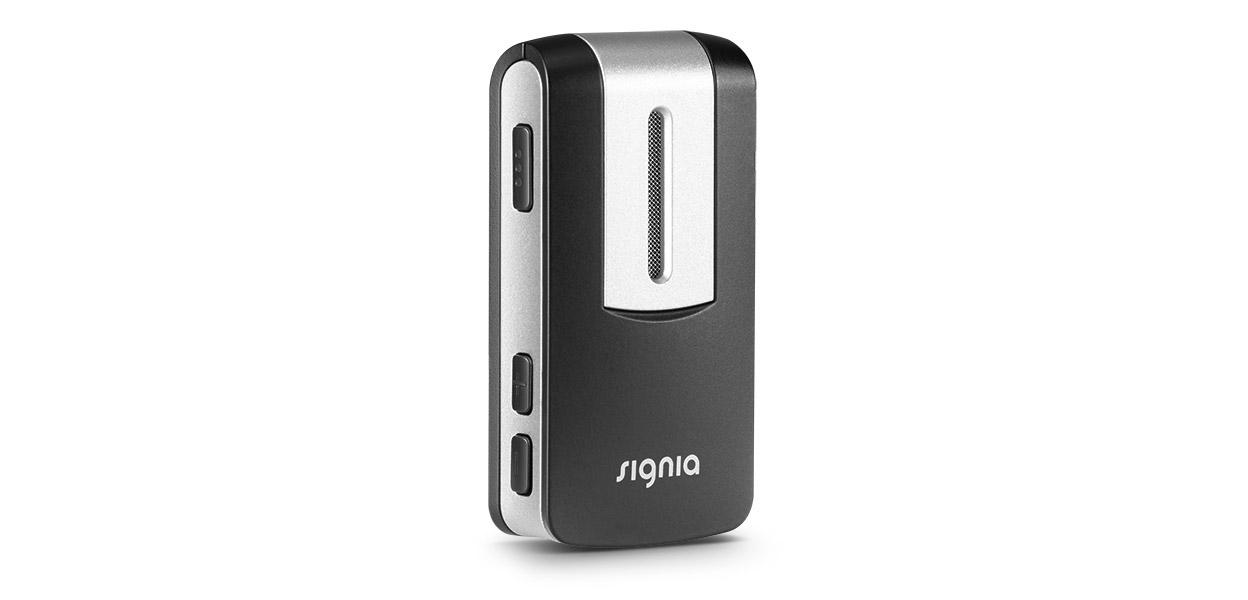
Signia StreamLine Mic
Hear a conversation partner through a wearable microphone, or use the clip for Bluetooth calls, music and nearby hearing-aid controls.
What StreamLine Mic does
StreamLine Mic is a rechargeable clip-on microphone for compatible Signia hearing aids. Have one person wear it to send their voice directly to the aids. Switch to Bluetooth mode to use the same clip as a headset for phone calls or to listen to audio from a paired phone or computer. For calls, the microphone in the clip picks up your voice. The buttons can also adjust hearing-aid volume or change programs in supported configurations.
Which hearing aids work with Signia StreamLine Mic?
Microphone audio
- Signia Pure Nx 312 Nx
- Signia Pure Nx 13 Nx
- Signia Pure Nx Charge&Go
- Signia Motion Nx 13 Nx
- Signia Motion Nx 13P Nx
- Signia Styletto Connect
Remote control
- Signia Pure Nx 312 Nx
The model supports the clip. The user guide scopes which volume, program and mute operations work to the hearing-aid fitting and mode. Use supported hearing-aid controls within 2 m and leave partner mode to change programs.
- Signia Pure Nx 13 Nx
The model supports the clip. The user guide scopes which volume, program and mute operations work to the hearing-aid fitting and mode. Use supported hearing-aid controls within 2 m and leave partner mode to change programs.
- Signia Pure Nx Charge&Go
The model supports the clip. The user guide scopes which volume, program and mute operations work to the hearing-aid fitting and mode. Use supported hearing-aid controls within 2 m and leave partner mode to change programs.
- Signia Motion Nx 13 Nx
The model supports the clip. The user guide scopes which volume, program and mute operations work to the hearing-aid fitting and mode. Use supported hearing-aid controls within 2 m and leave partner mode to change programs.
- Signia Motion Nx 13P Nx
The model supports the clip. The user guide scopes which volume, program and mute operations work to the hearing-aid fitting and mode. Use supported hearing-aid controls within 2 m and leave partner mode to change programs.
- Signia Styletto Connect
The model supports the clip. The user guide scopes which volume, program and mute operations work to the hearing-aid fitting and mode. Use supported hearing-aid controls within 2 m and leave partner mode to change programs.
Choose the exact model printed on your hearing aids or paperwork. A family match does not establish support for every model in that family.
View documented devices and setups
- Signia Pure Nx 312 Nx · Exact model
Partner microphone worn by the speaker · microphone_audio
Documented supportSource · 2026-11-18 - Signia Pure Nx 312 Nx · Exact model
Local hearing-aid remote controls · remote_control
The model supports the clip. The user guide scopes which volume, program and mute operations work to the hearing-aid fitting and mode.
Requires additional setupSource · 2026-11-18The model supports the clip. The user guide scopes which volume, program and mute operations work to the hearing-aid fitting and mode.
- Use supported hearing-aid controls within 2 m and leave partner mode to change programs.
- Signia Pure Nx 13 Nx · Exact model
Partner microphone worn by the speaker · microphone_audio
Documented supportSource · 2026-11-18 - Signia Pure Nx 13 Nx · Exact model
Local hearing-aid remote controls · remote_control
The model supports the clip. The user guide scopes which volume, program and mute operations work to the hearing-aid fitting and mode.
Requires additional setupSource · 2026-11-18The model supports the clip. The user guide scopes which volume, program and mute operations work to the hearing-aid fitting and mode.
- Use supported hearing-aid controls within 2 m and leave partner mode to change programs.
- Signia Pure Nx Charge&Go · Exact model
Partner microphone worn by the speaker · microphone_audio
Documented supportSource · 2026-11-18 - Signia Pure Nx Charge&Go · Exact model
Local hearing-aid remote controls · remote_control
The model supports the clip. The user guide scopes which volume, program and mute operations work to the hearing-aid fitting and mode.
Requires additional setupSource · 2026-11-18The model supports the clip. The user guide scopes which volume, program and mute operations work to the hearing-aid fitting and mode.
- Use supported hearing-aid controls within 2 m and leave partner mode to change programs.
- Signia Motion Nx 13 Nx · Exact model
Partner microphone worn by the speaker · microphone_audio
Documented supportSource · 2026-11-18 - Signia Motion Nx 13 Nx · Exact model
Local hearing-aid remote controls · remote_control
The model supports the clip. The user guide scopes which volume, program and mute operations work to the hearing-aid fitting and mode.
Requires additional setupSource · 2026-11-18The model supports the clip. The user guide scopes which volume, program and mute operations work to the hearing-aid fitting and mode.
- Use supported hearing-aid controls within 2 m and leave partner mode to change programs.
- Signia Motion Nx 13P Nx · Exact model
Partner microphone worn by the speaker · microphone_audio
Documented supportSource · 2026-11-18 - Signia Motion Nx 13P Nx · Exact model
Local hearing-aid remote controls · remote_control
The model supports the clip. The user guide scopes which volume, program and mute operations work to the hearing-aid fitting and mode.
Requires additional setupSource · 2026-11-18The model supports the clip. The user guide scopes which volume, program and mute operations work to the hearing-aid fitting and mode.
- Use supported hearing-aid controls within 2 m and leave partner mode to change programs.
- Signia Styletto Connect · Exact model
Partner microphone worn by the speaker · microphone_audio
Documented supportSource · 2026-11-18 - Signia Styletto Connect · Exact model
Local hearing-aid remote controls · remote_control
The model supports the clip. The user guide scopes which volume, program and mute operations work to the hearing-aid fitting and mode.
Requires additional setupSource · 2026-11-18The model supports the clip. The user guide scopes which volume, program and mute operations work to the hearing-aid fitting and mode.
- Use supported hearing-aid controls within 2 m and leave partner mode to change programs.
- Signia Pure X Pure Charge&Go X · Exact model
Partner microphone worn by the speaker · microphone_audio
Documented supportSource · 2026-11-18 - Signia Pure X Pure Charge&Go X · Exact model
Local hearing-aid remote controls · remote_control
The model supports the clip. The user guide scopes which volume, program and mute operations work to the hearing-aid fitting and mode.
Requires additional setupSource · 2026-11-18The model supports the clip. The user guide scopes which volume, program and mute operations work to the hearing-aid fitting and mode.
- Use supported hearing-aid controls within 2 m and leave partner mode to change programs.
- Signia Pure X Pure 312 X · Exact model
Partner microphone worn by the speaker · microphone_audio
Documented supportSource · 2026-11-18 - Signia Pure X Pure 312 X · Exact model
Local hearing-aid remote controls · remote_control
The model supports the clip. The user guide scopes which volume, program and mute operations work to the hearing-aid fitting and mode.
Requires additional setupSource · 2026-11-18The model supports the clip. The user guide scopes which volume, program and mute operations work to the hearing-aid fitting and mode.
- Use supported hearing-aid controls within 2 m and leave partner mode to change programs.
- Signia Styletto X · Exact model
Partner microphone worn by the speaker · microphone_audio
Documented supportSource · 2026-11-18 - Signia Styletto X · Exact model
Local hearing-aid remote controls · remote_control
The model supports the clip. The user guide scopes which volume, program and mute operations work to the hearing-aid fitting and mode.
Requires additional setupSource · 2026-11-18The model supports the clip. The user guide scopes which volume, program and mute operations work to the hearing-aid fitting and mode.
- Use supported hearing-aid controls within 2 m and leave partner mode to change programs.
- Signia Motion X Charge&Go X · Exact model
Partner microphone worn by the speaker · microphone_audio
Documented supportSource · 2026-11-18 - Signia Motion X Charge&Go X · Exact model
Local hearing-aid remote controls · remote_control
The model supports the clip. The user guide scopes which volume, program and mute operations work to the hearing-aid fitting and mode.
Requires additional setupSource · 2026-11-18The model supports the clip. The user guide scopes which volume, program and mute operations work to the hearing-aid fitting and mode.
- Use supported hearing-aid controls within 2 m and leave partner mode to change programs.
- Signia Motion X Charge&Go P X · Exact model
Partner microphone worn by the speaker · microphone_audio
Documented supportSource · 2026-11-18 - Signia Motion X Charge&Go P X · Exact model
Local hearing-aid remote controls · remote_control
The model supports the clip. The user guide scopes which volume, program and mute operations work to the hearing-aid fitting and mode.
Requires additional setupSource · 2026-11-18The model supports the clip. The user guide scopes which volume, program and mute operations work to the hearing-aid fitting and mode.
- Use supported hearing-aid controls within 2 m and leave partner mode to change programs.
- Signia Motion X Charge&Go SP X · Exact model
Partner microphone worn by the speaker · microphone_audio
Documented supportSource · 2026-11-18 - Signia Motion X Charge&Go SP X · Exact model
Local hearing-aid remote controls · remote_control
The model supports the clip. The user guide scopes which volume, program and mute operations work to the hearing-aid fitting and mode.
Requires additional setupSource · 2026-11-18The model supports the clip. The user guide scopes which volume, program and mute operations work to the hearing-aid fitting and mode.
- Use supported hearing-aid controls within 2 m and leave partner mode to change programs.
- Signia Active · Exact model
Partner microphone worn by the speaker · microphone_audio
Documented supportSource · 2026-11-18 - Signia Active · Exact model
Local hearing-aid remote controls · remote_control
The model supports the clip. The user guide scopes which volume, program and mute operations work to the hearing-aid fitting and mode.
Requires additional setupSource · 2026-11-18The model supports the clip. The user guide scopes which volume, program and mute operations work to the hearing-aid fitting and mode.
- Use supported hearing-aid controls within 2 m and leave partner mode to change programs.
- Signia Pure AX Charge&Go AX · Exact model
Partner microphone worn by the speaker · microphone_audio
Documented supportSource · 2026-11-18 - Signia Pure AX Charge&Go AX · Exact model
Local hearing-aid remote controls · remote_control
The model supports the clip. The user guide scopes which volume, program and mute operations work to the hearing-aid fitting and mode.
Requires additional setupSource · 2026-11-18The model supports the clip. The user guide scopes which volume, program and mute operations work to the hearing-aid fitting and mode.
- Use supported hearing-aid controls within 2 m and leave partner mode to change programs.
- Signia Pure AX Charge&Go T AX · Exact model
Partner microphone worn by the speaker · microphone_audio
Documented supportSource · 2026-11-18 - Signia Pure AX Charge&Go T AX · Exact model
Local hearing-aid remote controls · remote_control
The model supports the clip. The user guide scopes which volume, program and mute operations work to the hearing-aid fitting and mode.
Requires additional setupSource · 2026-11-18The model supports the clip. The user guide scopes which volume, program and mute operations work to the hearing-aid fitting and mode.
- Use supported hearing-aid controls within 2 m and leave partner mode to change programs.
- Signia Pure AX 312 · Exact model
Partner microphone worn by the speaker · microphone_audio
Documented supportSource · 2026-11-18 - Signia Pure AX 312 · Exact model
Local hearing-aid remote controls · remote_control
The model supports the clip. The user guide scopes which volume, program and mute operations work to the hearing-aid fitting and mode.
Requires additional setupSource · 2026-11-18The model supports the clip. The user guide scopes which volume, program and mute operations work to the hearing-aid fitting and mode.
- Use supported hearing-aid controls within 2 m and leave partner mode to change programs.
- Signia Styletto AX · Exact model
Partner microphone worn by the speaker · microphone_audio
Documented supportSource · 2026-11-18 - Signia Styletto AX · Exact model
Local hearing-aid remote controls · remote_control
The model supports the clip. The user guide scopes which volume, program and mute operations work to the hearing-aid fitting and mode.
Requires additional setupSource · 2026-11-18The model supports the clip. The user guide scopes which volume, program and mute operations work to the hearing-aid fitting and mode.
- Use supported hearing-aid controls within 2 m and leave partner mode to change programs.
- Signia Pure Charge&Go IX · Exact model
Partner microphone worn by the speaker · microphone_audio
Documented supportSource · 2026-11-18 - Signia Pure Charge&Go IX · Exact model
Local hearing-aid remote controls · remote_control
The model supports the clip. The user guide scopes which volume, program and mute operations work to the hearing-aid fitting and mode.
Requires additional setupSource · 2026-11-18The model supports the clip. The user guide scopes which volume, program and mute operations work to the hearing-aid fitting and mode.
- Use supported hearing-aid controls within 2 m and leave partner mode to change programs.
- Signia Pure Charge&Go T IX · Exact model
Partner microphone worn by the speaker · microphone_audio
Documented supportSource · 2026-11-18 - Signia Pure Charge&Go T IX · Exact model
Local hearing-aid remote controls · remote_control
The model supports the clip. The user guide scopes which volume, program and mute operations work to the hearing-aid fitting and mode.
Requires additional setupSource · 2026-11-18The model supports the clip. The user guide scopes which volume, program and mute operations work to the hearing-aid fitting and mode.
- Use supported hearing-aid controls within 2 m and leave partner mode to change programs.
- Signia Styletto IX · Exact model
Partner microphone worn by the speaker · microphone_audio
Documented supportSource · 2026-11-18 - Signia Styletto IX · Exact model
Local hearing-aid remote controls · remote_control
The model supports the clip. The user guide scopes which volume, program and mute operations work to the hearing-aid fitting and mode.
Requires additional setupSource · 2026-11-18The model supports the clip. The user guide scopes which volume, program and mute operations work to the hearing-aid fitting and mode.
- Use supported hearing-aid controls within 2 m and leave partner mode to change programs.
- Signia Active Pro IX · Exact model
Partner microphone worn by the speaker · microphone_audio
Documented supportSource · 2026-11-18 - Signia Active Pro IX · Exact model
Local hearing-aid remote controls · remote_control
The model supports the clip. The user guide scopes which volume, program and mute operations work to the hearing-aid fitting and mode.
Requires additional setupSource · 2026-11-18The model supports the clip. The user guide scopes which volume, program and mute operations work to the hearing-aid fitting and mode.
- Use supported hearing-aid controls within 2 m and leave partner mode to change programs.
- Signia Motion Charge&Go IX M · Exact model
Partner microphone worn by the speaker · microphone_audio
Documented supportSource · 2026-11-18 - Signia Motion Charge&Go IX M · Exact model
Local hearing-aid remote controls · remote_control
The model supports the clip. The user guide scopes which volume, program and mute operations work to the hearing-aid fitting and mode.
Requires additional setupSource · 2026-11-18The model supports the clip. The user guide scopes which volume, program and mute operations work to the hearing-aid fitting and mode.
- Use supported hearing-aid controls within 2 m and leave partner mode to change programs.
- Signia Motion Charge&Go IX P · Exact model
Partner microphone worn by the speaker · microphone_audio
Documented supportSource · 2026-11-18 - Signia Motion Charge&Go IX P · Exact model
Local hearing-aid remote controls · remote_control
The model supports the clip. The user guide scopes which volume, program and mute operations work to the hearing-aid fitting and mode.
Requires additional setupSource · 2026-11-18The model supports the clip. The user guide scopes which volume, program and mute operations work to the hearing-aid fitting and mode.
- Use supported hearing-aid controls within 2 m and leave partner mode to change programs.
- Signia Motion Charge&Go IX SP · Exact model
Partner microphone worn by the speaker · microphone_audio
Documented supportSource · 2026-11-18 - Signia Motion Charge&Go IX SP · Exact model
Local hearing-aid remote controls · remote_control
The model supports the clip. The user guide scopes which volume, program and mute operations work to the hearing-aid fitting and mode.
Requires additional setupSource · 2026-11-18The model supports the clip. The user guide scopes which volume, program and mute operations work to the hearing-aid fitting and mode.
- Use supported hearing-aid controls within 2 m and leave partner mode to change programs.
- Signia Active Mini IX · Exact model
Partner microphone worn by the speaker · microphone_audio
Documented supportSource · 2026-11-18 - Signia Active Mini IX · Exact model
Local hearing-aid remote controls · remote_control
The model supports the clip. The user guide scopes which volume, program and mute operations work to the hearing-aid fitting and mode.
Requires additional setupSource · 2026-11-18The model supports the clip. The user guide scopes which volume, program and mute operations work to the hearing-aid fitting and mode.
- Use supported hearing-aid controls within 2 m and leave partner mode to change programs.
- Signia Insio Charge&Go AX · Family
Partner microphone worn by the speaker · microphone_audio
Chart lists Insio Charge&Go AX at family scope, without splitting the shells.
Requires additional setupSource · 2026-11-18Family-level evidence. Confirm your exact hearing-aid model before buying.
Chart lists Insio Charge&Go AX at family scope, without splitting the shells.
- Select the clip’s partner-microphone mode and have the speaker wear it.
- Signia Insio Charge&Go AX · Family
Local hearing-aid remote controls · remote_control
Family-level clip compatibility. Available remote controls depend on model and fitting.
Requires additional setupSource · 2026-11-18Family-level evidence. Confirm your exact hearing-aid model before buying.
Family-level clip compatibility. Available remote controls depend on model and fitting.
- Use supported hearing-aid controls within 2 m and leave partner mode to change programs.
- Signia Pure Charge&Go BCT IX · Exact model
Partner microphone worn by the speaker · microphone_audio
The StreamLine Mic column’s footnote K excludes Pure Charge&Go BCT IX.
Documented as incompatibleSource · 2026-11-18 - Signia Pure Charge&Go BCT IX · Exact model
Local hearing-aid remote controls · remote_control
The StreamLine Mic column’s footnote K excludes Pure Charge&Go BCT IX.
Documented as incompatibleSource · 2026-11-18 - Signia Pure Charge&Go MaX · Exact model
Partner microphone worn by the speaker · microphone_audio
The July 2026 France MaX accessory chart marks StreamLine Mic unavailable.
Documented as incompatibleSource · 2026-11-18 - Signia Pure Charge&Go MaX · Exact model
Local hearing-aid remote controls · remote_control
The July 2026 France MaX accessory chart marks StreamLine Mic unavailable.
Documented as incompatibleSource · 2026-11-18 - hear.com Horizon Go IX Go IX · Exact model
Hands-free calls with a compatible Bluetooth phone · phone_calls
hear.com documents call streaming on its US Horizon IX page and identifies Go IX as the Bluetooth model.
Requires additional setupSource · 2026-11-18hear.com documents call streaming on its US Horizon IX page and identifies Go IX as the Bluetooth model.
- Pair a compatible Bluetooth phone with StreamLine Mic and use Bluetooth mode.
- hear.com Horizon Go IX Go IX · Exact model
Media streaming from a paired Bluetooth device · media_audio
The US hear.com Horizon IX page documents smartphone media via this clip and qualifies Bluetooth to Go IX.
Requires additional setupSource · 2026-11-18The US hear.com Horizon IX page documents smartphone media via this clip and qualifies Bluetooth to Go IX.
- Pair a compatible Bluetooth source with StreamLine Mic and use Bluetooth mode.
Documented features
Listening and control
- Audio bandwidth
- 80 Hz–10 kHz with 20 kHz sample frequency
Published stereo audio specification. Actual performance depends on the hearing instruments.
Documentation · 2026-11-18 - Automatic mode switching
- Select or exit partner-microphone mode using the multi-function button
The partner microphone does not start automatically. A connected Bluetooth music source plays when the source starts.
Documentation · 2026-11-18 - Remote carry options
- Clothing clip, Two lanyards, Storage pouch
The described carry accessories are included in the original package.
Documentation · 2026-11-18 - Control confirmation
- Mode colors and selected audible signals through the aids
Magenta light and confirmation tone are documented for remote mic mode. No universal beep for all button actions was specified.
Documentation · 2026-11-18 - Return to default settings
- With the clip off, hold multi-function, plus and minus for 10 seconds to clear Bluetooth-source pairings
Flashing red confirms the reset. Hearing-aid pairings remain.
Documentation · 2026-11-18 - Directional microphone
- Supported
The partner microphone captures sound from a specific direction.
Documentation · 2026-11-18 - Mute hearing-aid microphones
- Supported
Holding the volume-down button can mute the hearing-aid microphones on supported setups. It may be unavailable while the clip is acting as a remote microphone.
Documentation · 2026-11-18 - Microphone modes
- Directional remote partner microphone, Clip microphone for Bluetooth phone calls
The partner and headset paths are separate. Music remains a receive-only source mode.
Documentation · 2026-11-18 - Mixed-use runtime
- 16 hours
Typical day of two hours streaming audio, two hours on the phone and 12 hours standby with the supplied charger.
Setup: Typical mixed-use day
Documentation · 2026-11-18 - Microphone placement
- Point the mic opening toward the speaker’s mouth and keep it clear of fabric
The person speaking wears it for partner mode. The listener wears it for phone calls.
Documentation · 2026-11-18 - Change hearing-aid programs
- Supported
Hold the volume-up control for approximately three seconds to advance programs. Program switching is unavailable while used as a remote microphone.
Documentation · 2026-11-18 - Remote control range
- 2 m
Maximum clip-to-hearing-aid distance in remote-control mode.
Documentation · 2026-11-18 - Remote microphone
- Supported
The speaker wears the directional microphone while the listener wears compatible aids.
Documentation · 2026-11-18 - Stream volume control
- Plus and minus adjust either stream audio independently or both stream and aid volume together, depending on the aid
When no audio is streaming these controls adjust hearing-aid volume.
Documentation · 2026-11-18 - Audio-streaming runtime
- 6 hours
Up to six hours of continuous streaming with full functionality. The manufacturer does not give mode-isolated phone or partner-mic endurance.
Documentation · 2026-11-18 - Streaming controls
- Start or stop partner microphone mode, Stop Bluetooth music playback
Partner mode uses the multi-function button. Source media can also stop on the phone or music player.
Documentation · 2026-11-18 - No table microphone mode
The documented modes include a directional, worn partner microphone with mouth-facing placement. There is no selectable group or table mode in the mode guide.
Documentation · 2026-11-18- Volume control
- Supported
Short presses on plus or minus adjust the stream or hearing-aid level depending on mode and fitting.
Documentation · 2026-11-18
Connections
- No analog audio input
The complete external diagram and mode list show a USB charging socket and wireless audio sources. No analog jack is present.
Documentation · 2026-11-18- Companion app control
- Optional Signia app adjustment of supported streaming levels
The phone app cannot replace the clip’s dedicated button sequence for every mode.
Documentation · 2026-11-18 - Bluetooth profiles
- A2DP 1.3, HSP 1.2, HFP 1.6 with wideband speech
These are source-side Bluetooth profiles. Do not use them as a hearing-aid compatibility list.
Documentation · 2026-11-18 - Bluetooth input version
- Bluetooth 4.2 + EDR
Published source-side Bluetooth implementation.
Documentation · 2026-11-18 - Call controls
- Answer, End, Reject, Voice dialing if the phone supports it
Short press answers or ends, long press rejects, and double press activates supported voice dial.
Documentation · 2026-11-18 - Call microphone path
- The StreamLine Mic picks up the wearer’s voice and sends it to the phone
Wear the clip close to the mouth with its microphone unobstructed.
Documentation · 2026-11-18 - Computer audio
- Bluetooth-enabled PC or laptop audio can stream through the clip
Source must meet the Bluetooth and profile requirements. Exact app-specific two-way computer calling was not demonstrated.
Documentation · 2026-11-18 - Connection priority
- Calls can interrupt music from the phone. Remote microphone mode disconnects the phone link.
An incoming call is not indicated through the clip in partner-microphone mode.
Documentation · 2026-11-18 - Link to hearing aids
- Signia 2.4 GHz wireless audio
This is the output to the hearing aids. Bluetooth 4.2 + EDR describes the separate source-side input.
Documentation · 2026-11-18 - Accessory-to-hearing-aid range
- 20 m
Maximum partner-microphone distance to the aids with clear line of sight. Interference can reduce range.
Setup: Partner microphone worn by the speaker
Documentation · 2026-11-18 - Accessory-to-hearing-aid range
- 2 m
The clip must remain close to the wearer and aids in phone mode. The phone-to-clip distance is a separate 10 m path.
Setup: Hands-free calls with a compatible Bluetooth phone
Documentation · 2026-11-18 - Accessory-to-hearing-aid range
- 2 m
From StreamLine Mic to hearing aids when listening to music per the user guide.
Setup: Media streaming from a paired Bluetooth device
Documentation · 2026-11-18 - Audio input selection
- Disconnect the currently connected Bluetooth source to select another. Choose partner mode with the multi-function button.
There is one active Bluetooth source. Partner mic operates without it.
Documentation · 2026-11-18 - Hearing-aid pairing method
- Power-cycle hearing aids. Turn on the mic and place the aids within 20 cm for automatic pairing. Pair a Bluetooth source separately by holding Multi-function and + for about six seconds.
Blue flashing gives about three minutes to select StreamLine Mic on the source device.
Documentation · 2026-11-18 - Hands-free phone calls
- Supported
In Bluetooth phone mode, the clip transmits the wearer’s voice back to the paired phone and sends the caller’s audio to the hearing aids.
Documentation · 2026-11-18 - Phone requirements
- Bluetooth 4.2 or later, with the applicable headset or media profile
The manufacturer lists compatible Bluetooth sources across Android, Apple and computers.
Documentation · 2026-11-18 - Professional setup
- No dedicated fitting program is needed for basic StreamLine Mic use
Some settings and control behavior depend on hearing-aid configuration.
Documentation · 2026-11-18 - Receiver requirements
- Direct link from the clip to compatible hearing aids
There is no separate receiver or neckloop in the documented configurations.
Documentation · 2026-11-18 - Reconnection behavior
- The hearing aids retain their pairing. The clip reconnects to the first available paired Bluetooth source.
Disable Bluetooth on the current source to switch to another.
Documentation · 2026-11-18 - Remembered source devices
- 8 devices
Eight paired Bluetooth sources, distinct from hearing-aid pairings.
Documentation · 2026-11-18 - Microphone/call concurrency
- Bluetooth phone calling stops in partner-microphone mode
Incoming calls are not indicated through the StreamLine Mic in partner mode.
Documentation · 2026-11-18 - Simultaneous source connections
- One active Bluetooth source. The first available paired device connects.
Turn Bluetooth off on the current device to switch sources.
Documentation · 2026-11-18 - Source-to-accessory range
- 10 m
Claimed for Bluetooth Class 2 sources such as phones, with clear line of sight. Interference can reduce range.
Documentation · 2026-11-18 - Stereo streaming
- Supported
A2DP music can stream in stereo to a pair of compatible hearing aids.
Documentation · 2026-11-18 - No USB audio input
The guide labels the USB socket for charging and documents Bluetooth paths for audio.
Documentation · 2026-11-18
Power and charging
- Accessory battery is not user-replaceable
Owners are directed to a hearing care professional for replacement or repair of the internal battery.
Documentation · 2026-11-18- Accessory charge time
- 2 hours
Typical full charge with the included power supply. Start charged before first use.
Documentation · 2026-11-18 - Rechargeable accessory battery
- Supported
Charge the clip’s own rechargeable battery through its charging socket.
Documentation · 2026-11-18 - Battery status reporting
- Low battery lights red. The first low-battery signal indicates about 30 minutes of remaining streaming time.
The charging LED changes color and behavior according to whether the unit is on or off.
Documentation · 2026-11-18 - Electrical input requirements
- 5 V DC / 1 A supplied adapter
The enclosed guide specifies its safety-marked supply.
Documentation · 2026-11-18 - Power adapter included
- Supported
The US VA shipment list contains the USB wall plug.
Documentation · 2026-11-18 - Power connector
- USB charging socket on the clip
Use the included charge cable and original power supply.
Documentation · 2026-11-18 - Standby time
- 36 hours
Powered on without streaming, as measured by the manufacturer.
Documentation · 2026-11-18
Design and everyday use
- Control accessibility
- Separate multi-function and plus/minus buttons. The hearing aids play a confirmation tone when partner mode starts.
The diagrams show button differentiation. The guide gives no tested dexterity rating.
Documentation · 2026-11-18 - Dimensions
- 27 × 53 × 18 mm
Width × height × depth for the upright enclosure. The technical sheet gives 53 × 27 × 18 mm without an attachment boundary.
Documentation · 2026-11-18 - Included items
- StreamLine Mic, Two lanyards, Pouch, USB charge cable, Country-specific wall plug and power cable
The Canadian manual and US VA instructions both specify a wall plug and lanyards.
Documentation · 2026-11-18 - Routine maintenance
- Use a soft tissue. Avoid abrasive cleaners, moisture and unauthorized disassembly.
Cleaning and care instructions, pp. 51–52.
Documentation · 2026-11-18 - Operating conditions
- 5–40 °C, 15–93% RH noncondensing, 700–1060 hPa
The separate battery charging range is 0–45 °C.
Documentation · 2026-11-18 - Physical controls
- Multi-function button, Volume up button, Volume down button, Rotating clip
Button timing and current mode determine the function.
Documentation · 2026-11-18 - Regional variants
- The included wall plug is country-specific
The technical sheet lists FCC and Canada radio IDs. No broader hardware crosswalk was verified.
Documentation · 2026-11-18 - Required extras
- Compatible Signia hearing aids, Compatible Bluetooth phone or computer for calls or media
Partner mode needs no phone. The app is optional for supported adjustments.
Documentation · 2026-11-18 - Repair and service options
- Contact the hearing care professional for battery repair or replacement
The guide directs users to return the accessory for battery service.
Documentation · 2026-11-18 - Status indicators
- Power and charge LED, Mode and connection LED, Hearing-aid tones
Magenta partner mic, orange music, green call, blue source connection and yellow state without a paired source.
Documentation · 2026-11-18 - Storage conditions
- −20 to 70 °C, 700–1060 hPa for extended transport and storage
Follow the battery and moisture handling requirements.
Documentation · 2026-11-18 - Wearing and placement options
- Rotating clothing clip, Included lanyards of two lengths
Wear the device upright with its microphone facing the mouth.
Documentation · 2026-11-18 - Weight
- 27 g
Published device weight. External lanyard and pouch are not the device.
Documentation · 2026-11-18
How to set up Signia StreamLine Mic
Charge the clip first. Restart your hearing aids, turn on StreamLine Mic and put the aids within 8 inches. Wait for the pairing indication. For a conversation, have the speaker clip it near their mouth with the opening uncovered and hold the multi-function button for about three seconds until the status light is magenta. Pair a phone or computer separately for media or calls in Bluetooth mode.
What to check before buying
Phone calls do not come through the clip in partner-microphone mode. Phone, music and remote-control modes have a shorter documented distance to the aids than the partner-microphone mode. Signia’s compatibility charts exclude Pure Charge&Go BCT IX and Pure Charge&Go MaX from StreamLine Mic.
Check which microphone functions your hearing aids support
Like Oticon ConnectClip for compatible Oticon aids, StreamLine Mic can serve as both a phone headset and a conversation microphone with supported Signia aids. If you wear U.S. Horizon Go IX hearing aids, hear.com confirms phone calls and media through StreamLine Mic. Its use as a conversation microphone with that particular model is unverified.
SourceClip it near the speaker’s mouth
Make sure the microphone faces the speaker’s mouth and fabric does not cover it. Hold the multi-function button for about three seconds. A magenta light and a tone in the hearing aids confirm partner-microphone mode.
SourceSwitch modes to take a call
To take a call through StreamLine Mic, leave partner-microphone mode and reconnect the phone. The clip does not relay incoming call alerts while a partner is wearing it in microphone mode.
SourceCompanion apps
Related accessories
Other devices named in the documentation
These names have not been matched to an exact device in our catalog. They do not create verified matches in the finder.
Checking current offers…
Documentation checked Nov 18, 2026