App directory
Nuheara IQBuds App
Nuheara Limited
Controls Nuheara IQbuds² MAX earbuds: volume, programs and where the microphones focus.
Features
Device companion
Availability & access
- Supported: Account requirementOptional
- Not supported: Hearing device required1
Privacy & data
- The app requires Nuheara IQbuds earbuds, which the developer states are not hearing aids.
- Applies to personal and usage information collected through the app (e.g. registration details, usage statistics); the policy names Australia, the United States and Europe among possible locations. No storage of audio is documented.
- By request to the Nuheara Privacy Officer, not in-app. Note: the Google Play Data safety label for the Android app states data cannot be deleted (see separate fact).
- Access request by contacting Nuheara; answered within 30 days. This is an access request, not a self-service export, and may be declined where the law permits.
- FOCUS directional hearing is documented for IQbuds BOOST and IQbuds2 MAX only.
- IQbuds2 MAX app guide: World Volume adjusts ambient hearing through the buds; IQstream TV is a separate accessory. Do not equate this with arbitrary phone-media volume or hearing-aid compatibility. The guide uses Locations for listening presets, not geographical device finding.
- IQbuds app with compatible IQbuds; IQstream TV control requires the optional transmitter. World Volume controls ambient sound, not arbitrary phone-media volume.
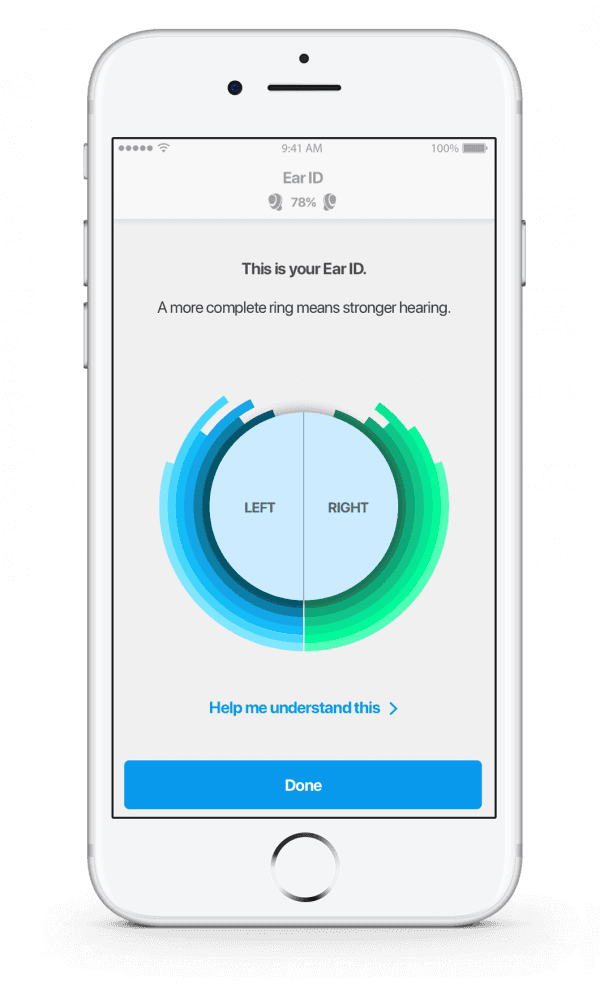
- Ear ID personalization requires IQbuds BOOST or IQbuds2 MAX.
- IQbuds2 MAX earbud microphones carry call audio over Bluetooth. On iOS, calls do not route through the buds while streaming from IQstream TV (switch the source back to the phone first).
- In-app firmware updates are documented for IQbuds2 MAX (and IQstream TV); original IQbuds and IQbuds BOOST need a PC or Mac. Requires at least 40% bud battery and the charge case on USB power.
App Store ratings & reviews
Praise
- Reviewers describe useful sound adjustments and straightforward setup.
Complaints
- One reviewer reports losing Ear ID progress and settings changes failing to apply.
Google Play ratings & reviews
Praise
- Some users find the app straightforward and useful with their earbuds.
Complaints
- Recognition, connection and firmware problems block controls.
- Some users want finer sound or tap controls and clearer location requirements.
Hearing devices
Includes documented compatible products and models linked in our catalog. Features can depend on your model, phone and firmware; check the compatibility information for any restrictions.
1 model or family
- Nuheara IQbuds² MAX