App directory
Widex Allure app
Widex AS
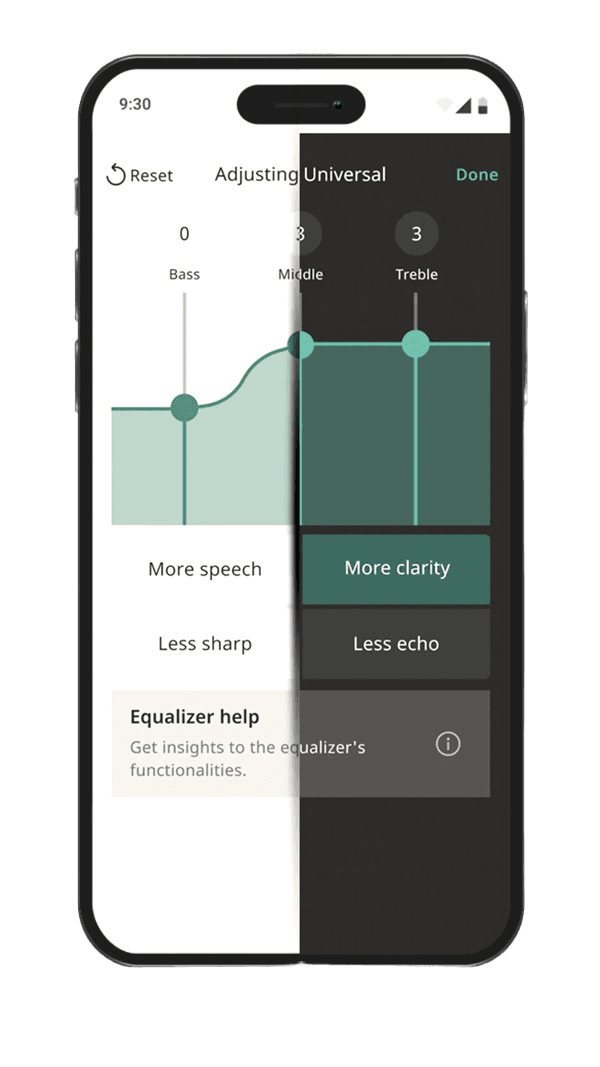
Controls Widex Allure hearing aids: volume, programs, tone, microphone direction, a lost-aid finder and Apple Watch control.
Features
Audio input & output
- Conditional: Live outputs7Hearing device audio
Device companion
Compatibility
Availability & access
Accessibility
- Supported: System text scaling
- Supported: Dark appearance4
- Both store listings state the app is intended only for users aged 18 and over; use also requires Widex Allure hearing aids.
- The app is free to download and no paid plan is documented, but it only functions with purchased Widex Allure hearing aids. Evidence: Setup > Installation (p.5).
- Evidence: Getting started > Compatibility > Hearing aids (p.4).
- Evidence: More > App settings (p.19).
- Per the privacy notice linked from the App Store listing (which names the 'Dua App'): WSA collects device, app-usage and hearing-aid data (serial, model, IDs) for regulatory purposes, and with consent hearing-loss and usage data for R&D; hosted by third-party processors. Audio storage is not described. Evidence: 4. Data processed when you use the App; 8. Our data processors.
- By request to WSA (privacy@wsa.com or the DPO) under GDPR access/portability rights; no in-app export is documented. Evidence: 11. Your rights.
- Phone audio (calls, music) is streamed to compatible Widex Allure hearing aids; Android streaming needs ASHA or LE Audio support.
- Requires compatible hearing devices and a supported phone. Functions vary with model, firmware and professional configuration.
- Requires supported Apple Watch, paired compatible iPhone and hearing devices. Other phone-app features are not established on the watch.
- Widex Allure app: compatible Allure hearing aids; Apple Watch needs paired iPhone and exposes a subset of features; finder requires location/Bluetooth prerequisites.
- Widex Allure app: compatible Allure hearing aids; Apple Watch needs paired iPhone and exposes a subset of features; finder requires location/Bluetooth prerequisites. Location permissions and a previous connection may be required; last-known location is not live GPS in the hearing aid.
- Requires Widex Allure hearing aids paired as MFi hearing devices with an iPhone on iOS 17 or later; the app enters streaming mode and offers separate stream and surroundings volume. Evidence: Compatibility > iOS (p.4); Streaming to your hearing aids (p.17).
- Requires Widex Allure hearing aids and an Android phone supporting ASHA (Android 11 or later) or LE Audio (Android 14 or later; Widex lists Google Pixel 8 and newer, Samsung S23 and newer excluding S23 FE, Flip/Fold 5 and newer). Not all Android devices support ASHA. Minimum OS: Android 11 (ASHA) / Android 14 (LE Audio).
- Evidence: Getting started > Intended use; Compatibility > Hearing aids (p.4).
- With Widex Allure hearing aids: app control on iPhone (iOS 17+) and Android; direct streaming on iPhone and on Android phones with ASHA (Android 11+) or LE Audio (Android 14+). Apple Watch offers only volume, mute, program and battery. Evidence: Intended use; Compatibility (p.4).
App Store ratings & reviews
Praise
- One reviewer reports reliable connections, useful AI fine-tuning and settings returning correctly after streaming.
Complaints
- Other sampled reviewers describe repeated Bluetooth failures and disruptive reconnection steps.
Google Play ratings & reviews
Complaints
- Repeated pairing, compatibility and update problems, including recent reports.
- Limited or unavailable sound-customization controls frustrate some reviewers.
Mixed reports
- Some users report working connections or helpful phone audio; others describe one-sided streaming.
Hearing devices
Includes documented compatible products and models linked in our catalog. Features can depend on your model, phone and firmware; check the compatibility information for any restrictions.