App directory
My Starkey
Starkey Laboratories, Inc.
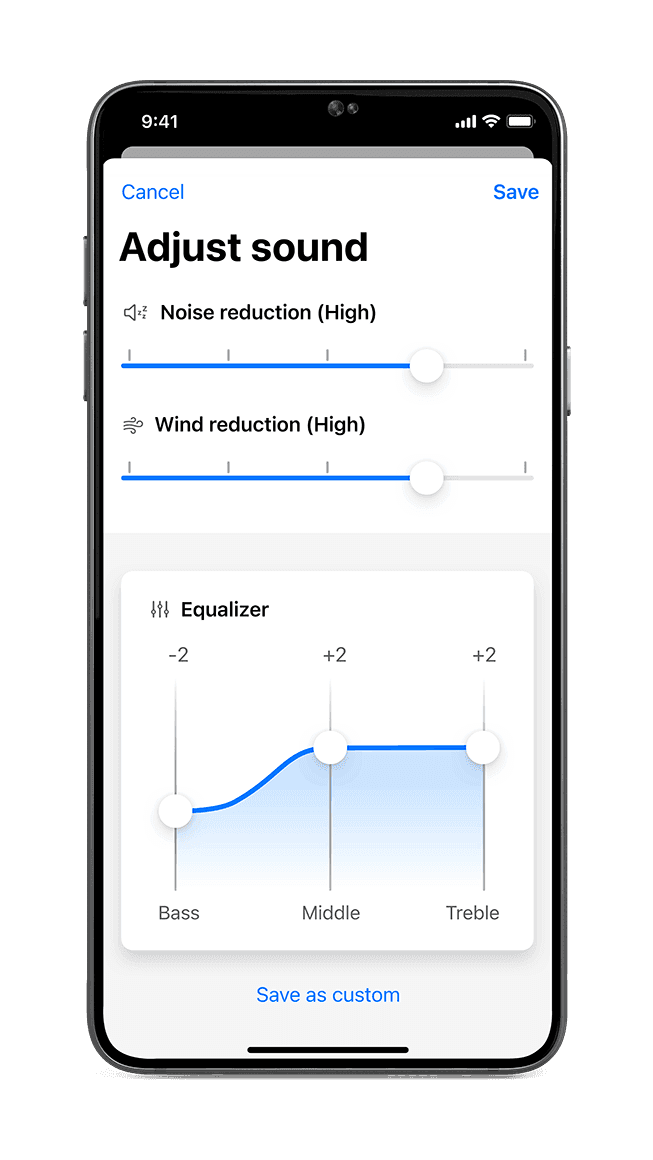
Controls Starkey Genesis AI, Edge AI and Omega AI hearing aids. Adjust volume, programs and tone, find a lost aid and get remote adjustments.
Features
Audio input & output
- Conditional: Audio inputs10Device microphoneiPhone · Android only
Listening assistance
Device companion
- Conditional: Mute hearing devices13
- Conditional: Hearing-device tinnitus controls15
- Conditional: Hearing-device control16
- Conditional: Listening-program selection16
- Conditional: Hearing-device volume16
- Conditional: Device battery status16
- Conditional: Find a hearing device17
- Conditional: Remote professional support14iPhone · iPad only
- Conditional: Remote fitting adjustments14iPhone · iPad only
- Conditional: Personalized hearing programs14iPhone · iPad only
- Conditional: Device-usage tracking14iPhone · iPad only
- Conditional: Media streaming18
- Conditional: Auracast assistant19iPhone · Android only
- Conditional: Device firmware updates22iPhone · Android only
- Conditional: Watch-based device control23Apple Watch only
Compatibility
- Supported: Required hardware24Starkey Genesis AI hearing aids · Starkey Edge AI hearing aids · Starkey G Series AI hearing aids · Starkey Omega AI hearing aids
Availability & access
Privacy & data
- Account creation can be skipped during setup; cloud features (TeleHear, Fall Alert, backup and restore) need cloud connectivity via the account.
- Intended for wearers of compatible Starkey 2.4 GHz wireless hearing aids (Genesis AI, Edge AI, G Series AI, Omega AI). Evidence: Indications for Use (PDF page 8, printed p. 15).
- The app download is free; compatible Starkey hearing aids are required.
- Starkey describes the app as free; compatible Starkey hearing aids are required.
- Evidence: Intended Use (PDF page 8, printed p. 15).
- Documented for Fall Alert: the phone must have an internet connection (cellular or Wi-Fi) for alerts to be sent. Not documented for basic hearing-aid control. Evidence: WARNING To reduce Fall Alert communication failures (PDF page 8, printed p. 15).
- Starkey's privacy policy lists audio recordings and transcripts among the data it collects when the user activates speech-enabled services; it does not name which in-app features send audio.
- Smart Assistant: certain user questions may be shared with unnamed third-party services to generate responses.
- Access/portability rights are documented for users in the EEA, UK and Switzerland and in certain US states (e.g. CA, CO, CT, MT, OR, TX, UT, VA); requests go to Starkey's Data Protection Officer by email or phone rather than an in-app export. Evidence: Privacy policy: EEA/UK/Switzerland Annex and U.S. Annex.
- Transcribe and Translate capture speech through the phone microphone; documented in the 2023 full user manual edition (current 11/25 short manual omits these sections). Evidence: Transcribe (printed p. 225).
- Transcribe shows speech as text on the phone; feature availability varies by phone and hearing-aid model.
- Language Translation streams the translated response through compatible hearing aids; feature availability varies by phone and hearing-aid model.
- Requires compatible hearing devices and a supported phone. Functions vary with model, firmware and professional configuration.
- Current My Starkey listing documents these functions; compatible Starkey models and provider services are required, and health features vary by model.
- Requires compatible hearing aids with the tinnitus stimulus enabled by the hearing-care professional. Only where the hearing-care professional has enabled this feature.
- My Starkey digital app manual: compatible Starkey 2.4 GHz hearing aids and supported phone; additional features vary by hearing-aid model.
- My Starkey Getting Started guide identifies Find My Hearing Aids under My Hearing; device/location prerequisites still require detailed support checks. Location permissions and a previous connection may be required; last-known location is not live GPS in the hearing aid.
- Requires compatible Starkey 2.4 GHz wireless hearing aids and a supported phone; the app starts/stops media streaming and the phone acts as the streaming source. Evidence: Intended Use (PDF page 8, printed p. 15).
- Requires LE Audio/Auracast-capable Starkey hearing aids (Starkey names enhanced Omega AI for the assistant; LE Audio summary lists Omega AI and Edge AI) and an available Auracast broadcast; phone-platform specifics are not documented.
- Stream Options controls available streaming devices (e.g. wireless accessories) and their audio volume; depends on the accessories paired with the hearing aids.
- Stream options controls available streaming devices (e.g. wireless accessories) and their audio volume; depends on the accessories paired with the hearing aids.
- Documented in the 2023 full user manual edition: the app notifies the user and installs available hearing-aid firmware updates; availability depends on the hearing-aid model. The current 11/25 short manual does not cover this section. Evidence: My settings: Firmware updates (printed p. 83).
- Apple Watch app controls volume, programs and Edge Mode+; hearing aids and Apple Watch must stay paired to the iPhone running My Starkey.
- Evidence: Regulatory information: IFU applicable to the following (PDF page 9, printed p. 17).
- Compatible Starkey 2.4 GHz wireless hearing aids with a supported iOS (16+) or Android (8+) device. Evidence: Intended Use (PDF page 8, printed p. 15).
- TeleHear remote programming requires a hearing-care professional and a cloud account; availability varies by phone and hearing-aid model.
- LE Audio/Auracast-capable Starkey hearing aids (Omega AI, Edge AI per Starkey's LE Audio summary) and an available broadcast.
App Store ratings & reviews
Praise
- Reviewers value simple controls and custom programs; one reports that an update resolved earlier streaming and connection trouble.
Complaints
- Requests concern large-text accessibility, clearer update instructions, more advanced settings and separate microphone control in loop mode.
Google Play ratings & reviews
Praise
- Some users appreciate useful adjustments or working app functions.
Complaints
- Detection, connection and persistent settings cause recurring problems.
- Some newer reports concern battery drain, automatic streaming or media controls.
Hearing devices
Includes documented compatible products and models linked in our catalog. Features can depend on your model, phone and firmware; check the compatibility information for any restrictions.
5 models & families
- Starkey Edge AI
- Starkey G Series AI
- Starkey Genesis AI
- Starkey Omega AI
- Starkey Omega AI+