App directory
Jabra Enhance Pro App
GN Hearing Care Corporation
Controls Jabra Enhance Pro 10 and Pro 20 hearing aids, with tinnitus sound controls, a lost-aid finder and remote adjustments.
Features
Listening assistance
- Conditional: Audio equalizer4
Device companion
- Conditional: Mute hearing devices4
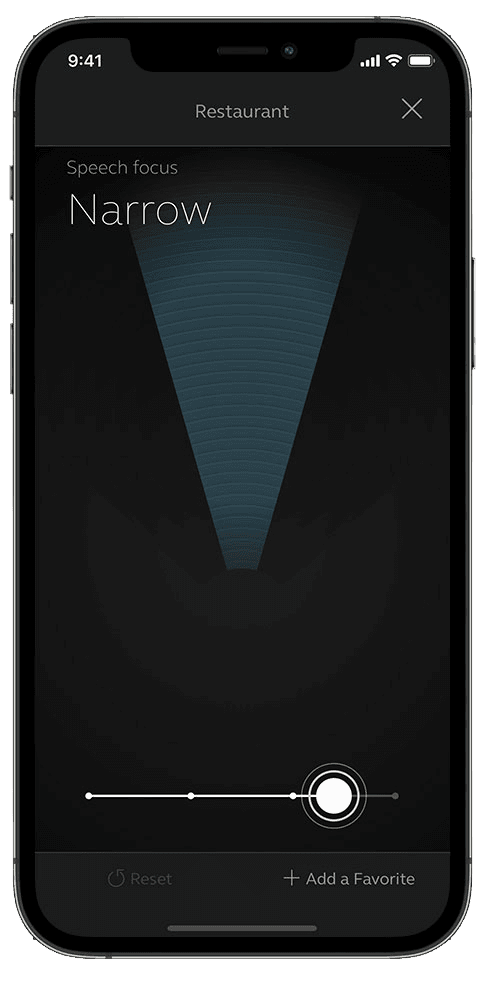
- Conditional: Directional focus control5
- Conditional: Hearing-device tinnitus controls6
- Conditional: Hearing-device control4
- Conditional: Listening-program selection4
- Conditional: Hearing-device volume4
- Conditional: Device battery status7
- Conditional: Find a hearing device8
- Conditional: Remote professional support9
- Conditional: Remote fitting adjustments9
- Conditional: Personalized hearing programs4
- Conditional: Auracast assistant14
- Conditional: Accessory control4
- Conditional: Device firmware updates9
Compatibility
- Supported: Required hardwareJabra Enhance Max · Jabra Enhance Pro 30 · Jabra Enhance Pro 20 · Jabra Enhance Pro 10 · Jabra Enhance Pro PM
Availability & access
Privacy & data
- Conditional: Download personal data3
- The app download is listed as free with no subscription described; usefulness depends on owning compatible Jabra Enhance Pro hearing aids.
- Only for remote fine-tuning (Online Services): the user must contact their hearing care professional and sign a consent. Local app control is not described as requiring enrollment.
- Via a data-subject rights request to GN Hearing under its privacy policy (GDPR-based); applies 'under certain circumstances'. No in-app export is documented.
- Requires compatible hearing devices and a supported phone. Functions vary with model, firmware and professional configuration.
- Sound Enhancer speech focus requires a hearing-aid model and professional fitting that expose the control.
- Tinnitus Sound Generator must be supported and enabled by the hearing-care professional. Only where the hearing-care professional has enabled this feature.
- Battery status is documented for compatible rechargeable hearing aids only.
- Requires compatible hearing devices and a supported phone. Functions vary with model, firmware and professional configuration. Location permissions and a previous connection may be required; last-known location is not live GPS in the hearing aid.
- Requires supported hearing aids, an enabled participating hearing-care provider, and service availability in the market.
- Requires hearing aids that support direct audio streaming and a compatible Android phone (Jabra lists Android OS 13 or later and specific models); the app's 'Direct Audio Streaming' menu tells whether the phone is supported.
- On Apple devices, streaming is provided natively by iOS (Made for iPhone) once compatible Jabra Enhance Pro hearing aids are paired, not by the app itself; Jabra lists iOS 18 or later and specific iPhone/iPad models.
- A hearing-aid/phone function, not an app control: available for RIE, BTE and rechargeable custom styles with iPhone 11 or later and the listed iPads (iOS 18 or later).
- A hearing-aid/phone function via Bluetooth LE Audio: requires a listed Android device with Bluetooth 5.3 or later and LE Audio support (Android OS 13 or later).
- Works only with Jabra Enhance Pro 30 and Pro 20 hearing aids, the Enhance Pro app version 1.39 or later, and a compatible phone.
- Requires compatible Jabra Enhance Pro hearing aids; remote settings and software updates require the hearing care professional's Online Services.
- Hearing aids must support direct audio streaming and the Android phone must be compatible.
- Jabra Enhance Pro 30 and Pro 20 only, with app version 1.39 or later.
App Store ratings & reviews
Praise
- Reviewers value listening programs and easy adjustments.
Complaints
- Requests include remembering settings and offering finer sound and alert-tone control; one reviewer also reports support difficulties.
Google Play ratings & reviews
Praise
- Some users value the adjustments, streaming and improvements to connectivity.
Complaints
- Connection failures, startup problems and lost settings interrupt use.
- Alerts and phone or accessory audio behavior concern some reviewers.
Hearing devices
Includes documented compatible products and models linked in our catalog. Features can depend on your model, phone and firmware; check the compatibility information for any restrictions.
5 models & families
- Jabra Enhance Max
- Jabra Enhance Pro 10
- Jabra Enhance Pro 10 ITC
- Jabra Enhance Pro 10 RIE 60
- Jabra Enhance Pro 10 RIE 61
- Jabra Enhance Pro 10 RIE 62
- Jabra Enhance Pro 20
- Jabra Enhance Pro 20 MicroRIE 60S
- Jabra Enhance Pro 20 RIE 62
- Jabra Enhance Pro 30
- Jabra Enhance Pro PM