App directory
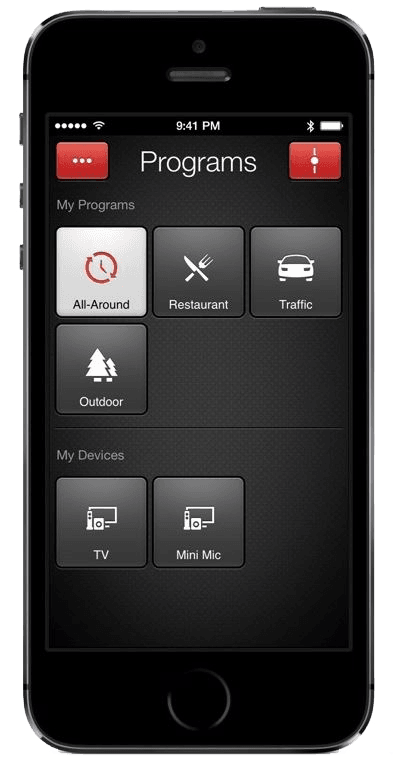
ReSound Smart (App)
GN Resound A/S
Controls older ReSound LiNX, LiNX2 and ENZO hearing aids from an iPhone. Remote adjustments are not available on these models.
Features
Listening assistance
- Conditional: Audio equalizer1
Device companion
- Conditional: Mute hearing devices1
- Conditional: Directional focus control2
- Conditional: Hearing-device tinnitus controls3
- Conditional: Hearing-device control4
- Conditional: Listening-program selection1
- Conditional: Hearing-device volume1
- Conditional: Find a hearing device5
- Conditional: Personalized hearing programs1
- Conditional: Accessory control1
- Conditional: Watch-based device control8Apple Watch only
Compatibility
- Conditional: Hardware functions9App control
Availability & access
- Supported: Hearing device required
- Requires compatible hearing devices and a supported phone. Functions vary with model, firmware and professional configuration.
- Sound Enhancer speech focus requires a hearing-aid model and professional fitting that expose the control.
- Tinnitus Sound Generator must be supported and enabled by the hearing-care professional. Only where the hearing-care professional has enabled this feature.
- The 2019 multi-app manual explicitly describes Smart as sharing the Smart 3D control interface. Its supported older hearing-aid models do not support ReSound Assist. Current store/lifecycle review is still required.
- Requires compatible hearing devices and a supported phone. Functions vary with model, firmware and professional configuration. Location permissions and a previous connection may be required; last-known location is not live GPS in the hearing aid.
- Streaming is provided by iOS's Made-for-iPhone hearing-device connection with MFi-compatible hearing aids (or via the ReSound Phone Clip+ accessory otherwise), not by the app itself; the app selects streamer programs.
- On Android, streaming to these hearing aids requires the ReSound Phone Clip+ accessory; no direct Android streaming is documented for the compatible models.
- Requires a paired iPhone running the app and compatible ReSound hearing aids; the 2019 guide states Apple Watch compatibility but does not document which controls are available on the watch (the current App Store listing also shows iPhone and Apple Watch as supported devices).
- Remote control of compatible ReSound LiNX2, LiNX, LiNX TS, ENZO2, ENZO and Up Smart hearing aids; individual functions depend on hearing-aid model and the hearing care professional's fitting.
App Store ratings & reviews
Praise
- Two reviewers report restoring connections after pairing or troubleshooting, with one praising follow-up support.
Complaints
- Sampled reports describe pairing loops or streaming failures; one reviewer requests different program settings for each ear.
Google Play ratings & reviews
Praise
- Some users value the adjustments and help resolving connection problems.
Complaints
- Pairing, reconnection and phone compatibility cause repeated difficulties.
- Some users report settings, freezing or phone-battery problems.
Hearing devices
Includes documented compatible products and models linked in our catalog. Features can depend on your model, phone and firmware; check the compatibility information for any restrictions.
4 models & families
- ReSound ENZO
- ReSound ENZO 88-DW
- ReSound ENZO 98-DW
- ReSound ENZO2 98-DW
- ReSound LiNX 61
- ReSound LiNX2
- ReSound LiNX2 BTE 77
- ReSound LiNX2 BTE 88
- ReSound LiNX2 RIE 61
- ReSound LiNX2 RIE 62